Track your reps and hand out territories1:32
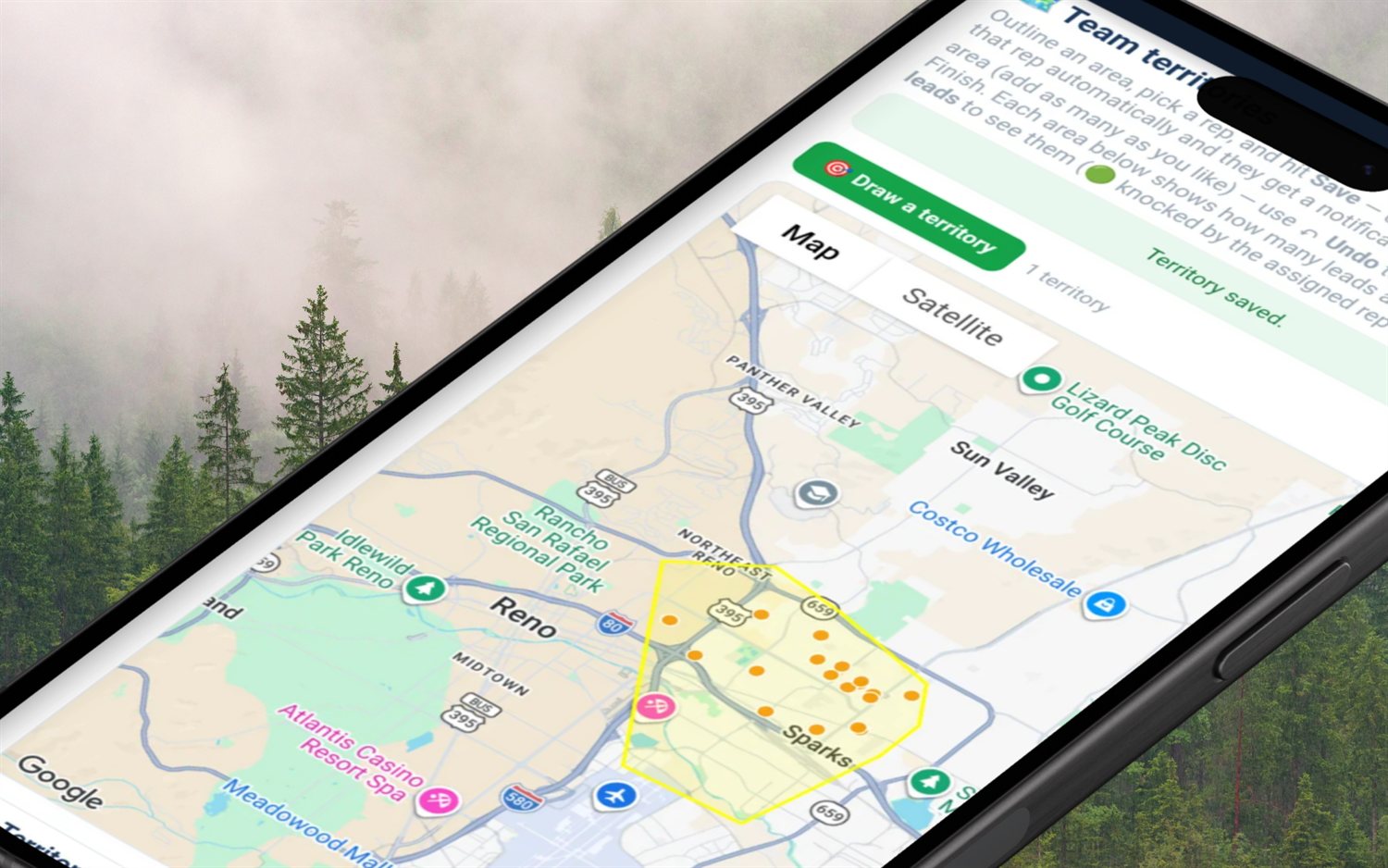
See who’s out right now on the live team map and the doors they knocked today, then draw a territory and give it to a rep.
Live location is a switch the rep owns, off by default, and only their manager ever sees it. Everyone else shows their last knocked door. Knocks get GPS-verified either way — on by default for teams.
Flat month-to-month · 14-day free trial · no seat minimums, no annual contract
"Rep tracking" is where most field-sales software quietly loses the room. Managers need to know who is actually out, which streets got covered and whether the door count is real — and reps, who are usually 1099 contractors, are entitled to know exactly what their phone is reporting and to whom. Those two things are not in conflict, but they only coexist if the product is explicit. So here is the explicit version: FieldStacker separates knock verification (proving a door was worked from where the door is) from live location (a moving dot), makes the second one the rep's decision, and shows both to exactly one person — the manager who runs that team.
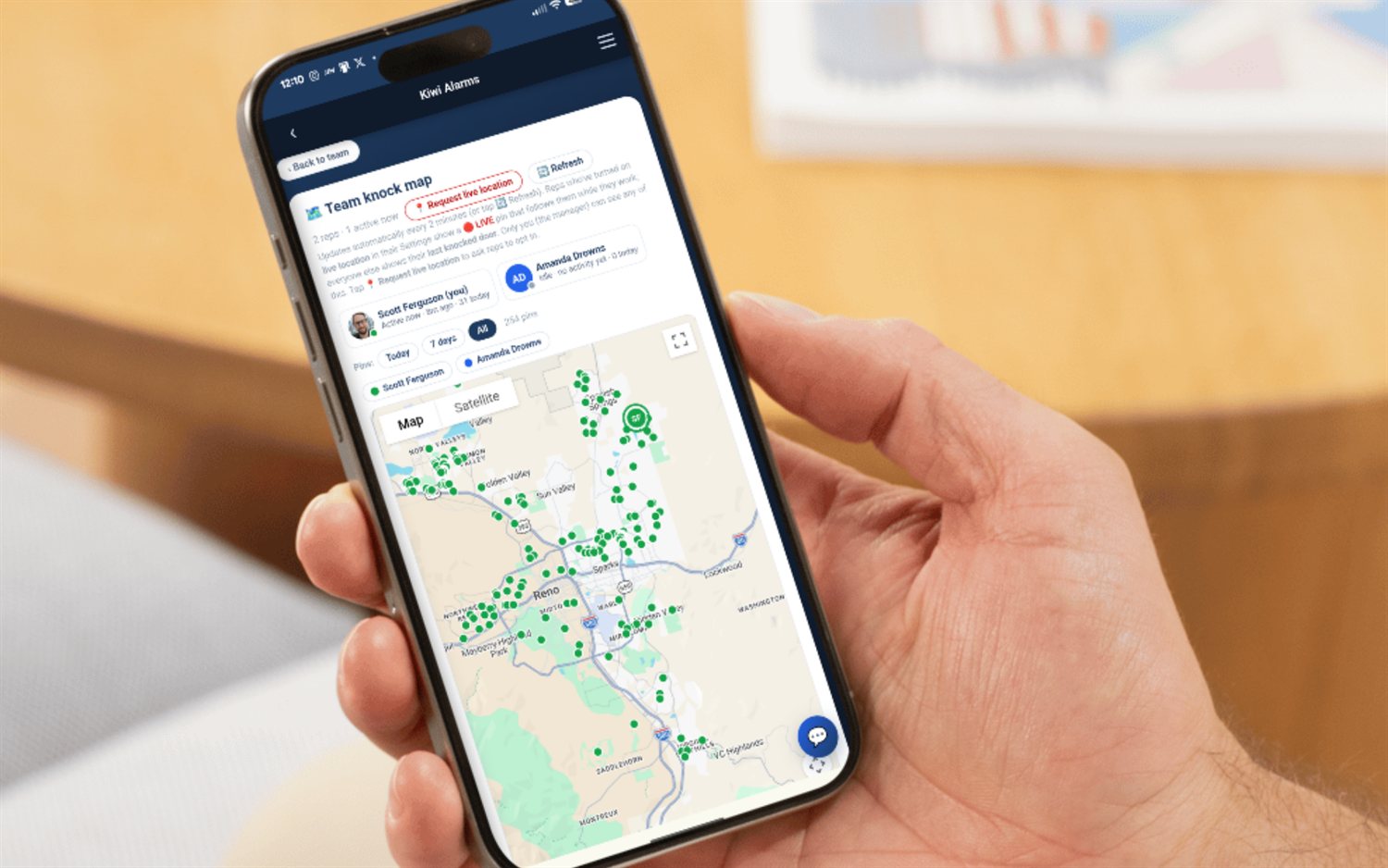
One page: a roster strip across the top, colored knock pins below, and a dot for each rep at their last-known spot.
Each rep is a chip with their real photo (or initials), a status dot, how long ago they were last active and their door count for today. Tap a chip and the map flies to them. The manager is in their own roster too, marked "(you)" — they knock as well.
Green means they worked a door in the last 30 minutes, amber means earlier today, grey means idle. A live counter in the header reads "N reps · N active now" so you can see at a glance how much of the crew is actually on the street.
A fresh opt-in live fix wins. No live fix? Their last knocked door. Never knocked yet? The blitz pin for an out-of-town trip, then their home base. Tap a rep with none of those and the map says so — they appear once they knock a door.
Every worked door on the map is colored by the rep who actually knocked it — not the lead's owner — so reassigned and handed-off leads land on the right person. Tap a pin for the rep name, the disposition and the address.
Show pins from Today, the last 7 days, or all of them, with a live count of what is displayed. A legend chip per rep toggles that rep's pins and dot on and off, so you can isolate one canvasser's day on a busy street.
The roster — positions, statuses and door counts — repolls on a 2-minute timer and the dots move without a page reload. There is a manual 🔄 Refresh button when you do not want to wait for the tick.
There is one place in the entire product where live location gets turned on: the rep's own Settings, on a toggle labelled "Share my live location with my team manager." It is off by default on every account. No manager screen, no team-owner setting and no admin tool writes it for them.
You do not need to track anyone's movements to know whether a door was really knocked.
They pick a disposition on the knock map. The pin and the disposition save regardless of GPS — planning a route or fixing a status from the truck always works.
The door only counts as a knock when the device is within about 150 metres of the pin, plus a small allowance for GPS noise. Set the disposition from three miles away and it saves — as an uncounted door.
An indoor Wi-Fi fix can land tens of miles off. Rather than pretending the rep is in another state, the app calls it too rough to verify and asks for a retry, so nobody is wrongly accused.
"Require GPS-verified knocks for my team" lives in team settings and is on by default for teams. A solo knocker has it off by default and can switch it on for their own discipline.
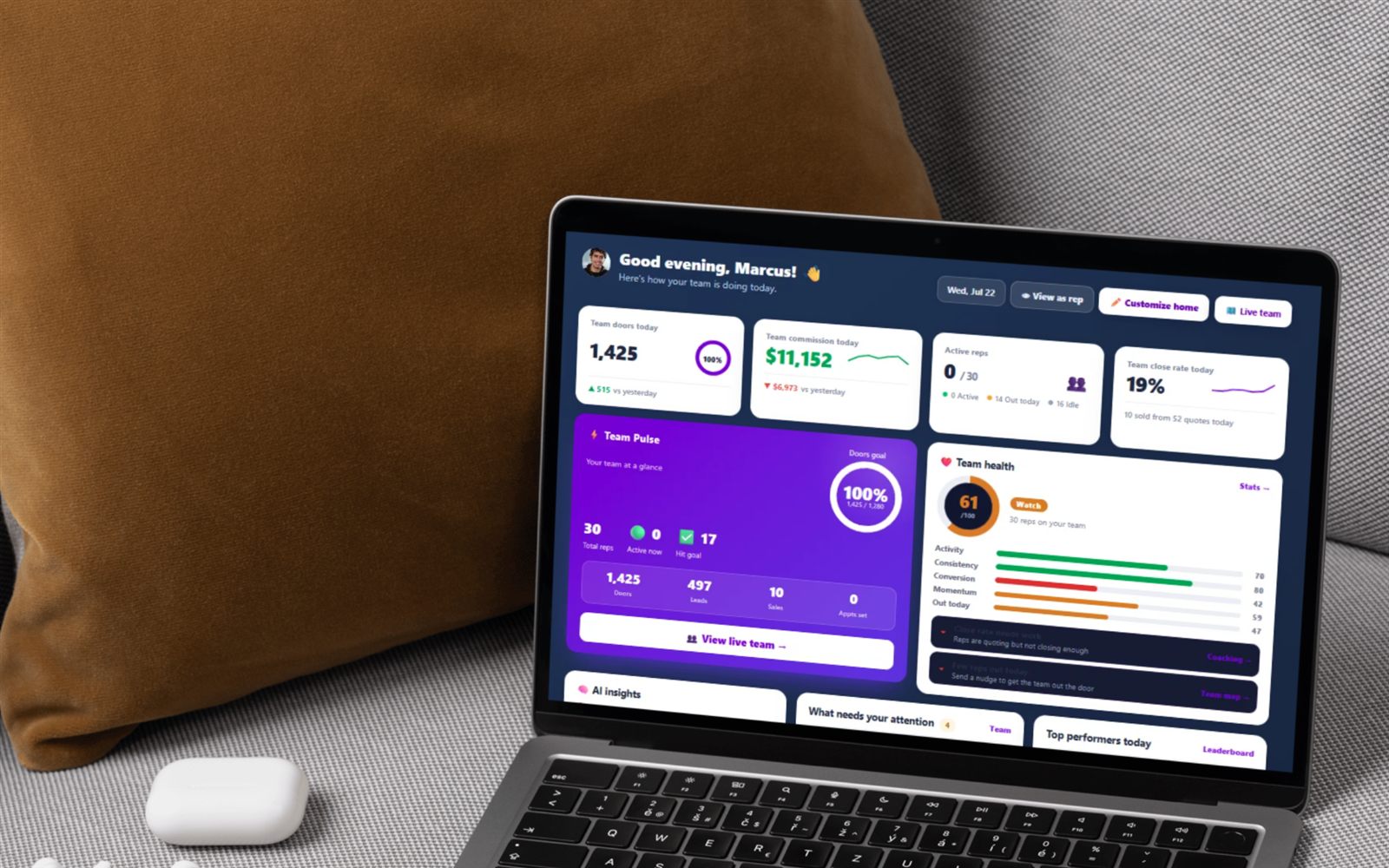
The team map earns its keep in the ten seconds before a coaching conversation: who has not left the house at 2pm, whose 60 doors are all on one street, whose pins stop at noon every day. The map is read-only — you look, filter and jump to a rep, and the coaching happens off the screen.
The list below is the whole feature. If something is not on it, we do not do it.
| Tracking capability | FieldStacker | How it works |
|---|---|---|
| GPS-verified knocks | Yes | A door counts only when the rep is within ~150 m of the pin; team owners set the policy, on by default for teams. |
| Live rep position on a map | Yes — opt-in | The rep switches it on in their own Settings. Off by default, manager-only, refreshed on the manager's map every 2 minutes. |
| Last-known position without opting in | Yes | Their last knocked door — an address they chose to log, not a live fix. |
| Doors-today and activity status per rep | Yes | Active (worked a door in the last 30 min), out today, or idle, with the door count beside the name. |
| Breadcrumb route replay / movement history | No | Only one latest position is stored and each ping overwrites it. There is no trail to replay. |
| Geofenced time clock / hours worked | No | Not built. Doors and dispositions are the unit of work here, not clocked hours. |
| Speed, drive-time or idle-time reports | No | Not built. Driving mileage is logged from the doors a rep verifiably worked, for their own tax deduction. |
| Alerts when a rep leaves a territory | No | Territories exist and leads get assigned inside them, but there is no boundary-crossing alarm. |
| Anyone but the manager seeing it | No | The team map is manager-gated; a rep who opens it is redirected to their team page. |
The team knock map comes with the team capability, so it is part of the Sales Manager plan at $60/mo, or Team Management Pro at $250/mo with 10 seats included on one bill. Individual reps on the $30/mo plan get the knock map, dispositions, their own financials and the team leaderboard and roster; the team map itself belongs to the manager plans, so a rep never sees a teammate's position. Fiber dealers running sub-dealers see their sub-dealers' reps on the same map, read-only.
Only in the way the rep agrees to. Live GPS location is an opt-in switch in the rep's own Settings — "Share my live location with my team manager" — and it ships off by default for every account. A rep who turns it on shows as a 🔴 LIVE pin at their latest position on their manager's team map. A rep who leaves it off is still on the map, but at their last knocked door — the last address they actually worked — not their live position. There is no admin override: nothing in the manager tools flips that switch for someone else.
No to both. The only place that setting is written is the rep's own Settings page, so a manager, a team owner or anyone else cannot enable it on a rep's behalf. And when a rep switches it off, the stored coordinates are wiped in the same query — latitude, longitude and timestamp are set to NULL, not just hidden. From that moment their manager sees the last-knocked-door dot again like any other rep. A location ping from a phone that is not opted in is silently discarded by the server; it is never written.
The rep's device reports at most once every 20 seconds, and only while the app is open in front of them — never in the background or once the app is closed. The manager's map refreshes itself every 2 minutes (there is also a manual 🔄 Refresh button), and a live fix that is more than 20 minutes old is ignored entirely — the map falls back to the last knocked door rather than showing a stale dot as if it were current. No route or breadcrumb history is kept: the account stores one latest position that each ping overwrites, so there is no trail to replay and no movement log to pull up later.
GPS verification on the knock itself, which is separate from live location and does not require anyone to opt into being tracked. A door only counts as a knock when the rep's device is physically near the pin they tapped — 150 metres by default, plus a little slack for GPS noise. A fix too coarse to trust (an indoor Wi-Fi guess that can land miles off) is rejected as "couldn't verify, retry" rather than counted. The disposition still saves either way; it just does not stamp a verified knock. On a team the owner sets the policy in team settings, and it is on by default; a solo knocker is off by default and opts in.
Team managers. The page checks whether you manage anyone and bounces you back to the team page if you do not, so a rep cannot browse their crew's positions and neither can a customer. The map is also gated on the team capability, which means the Sales Manager plan at $60/mo flat, or Team Management Pro at $250/mo with 10 seats included. Both are month-to-month with the same 14-day free trial and no card, no seat minimums and no annual contract. The map itself is a read-only view — a manager can filter, toggle reps and jump to someone, and that is all it does.
The big field-sales platforms are capable and have a wider tracking surface than ours — check current pricing and feature detail, because comparable numbers are rarely published. The difference is scope and posture. FieldStacker covers GPS-verified knocks, doors-today per rep, an activity status and one opt-in live pin the rep controls, on flat published pricing from $30/mo; breadcrumb route replay, geofenced time clocks, drive-time and idle-time reports and alerts when a rep leaves a territory sit outside that line. If you need forensic movement logs, we are not the tool. If you need to know who is out, where they worked and whether the doors are real, we are.
The team map is one screen in a bigger manager layer — teams, seats, reporting lines, overrides and install verification all live on the hub page.
Door-to-door sales team management software →
Territory software · Lead distribution · Commission payroll · Leaderboard · Coaching · Recruiting · How to assign territories · Managing a team
Short, real walk-throughs — no sign-up needed to watch.
See who’s out right now on the live team map and the doors they knocked today, then draw a territory and give it to a rep.
See each rep’s doors today, first and last door, and your override; spot who’s gone quiet; open any rep’s week and every move; hand out leads.
Start a 14-day free trial — no credit card. Flat month-to-month, cancel anytime, and your reps keep the switch on their own location.