Find hail damage and measure a roof1:38
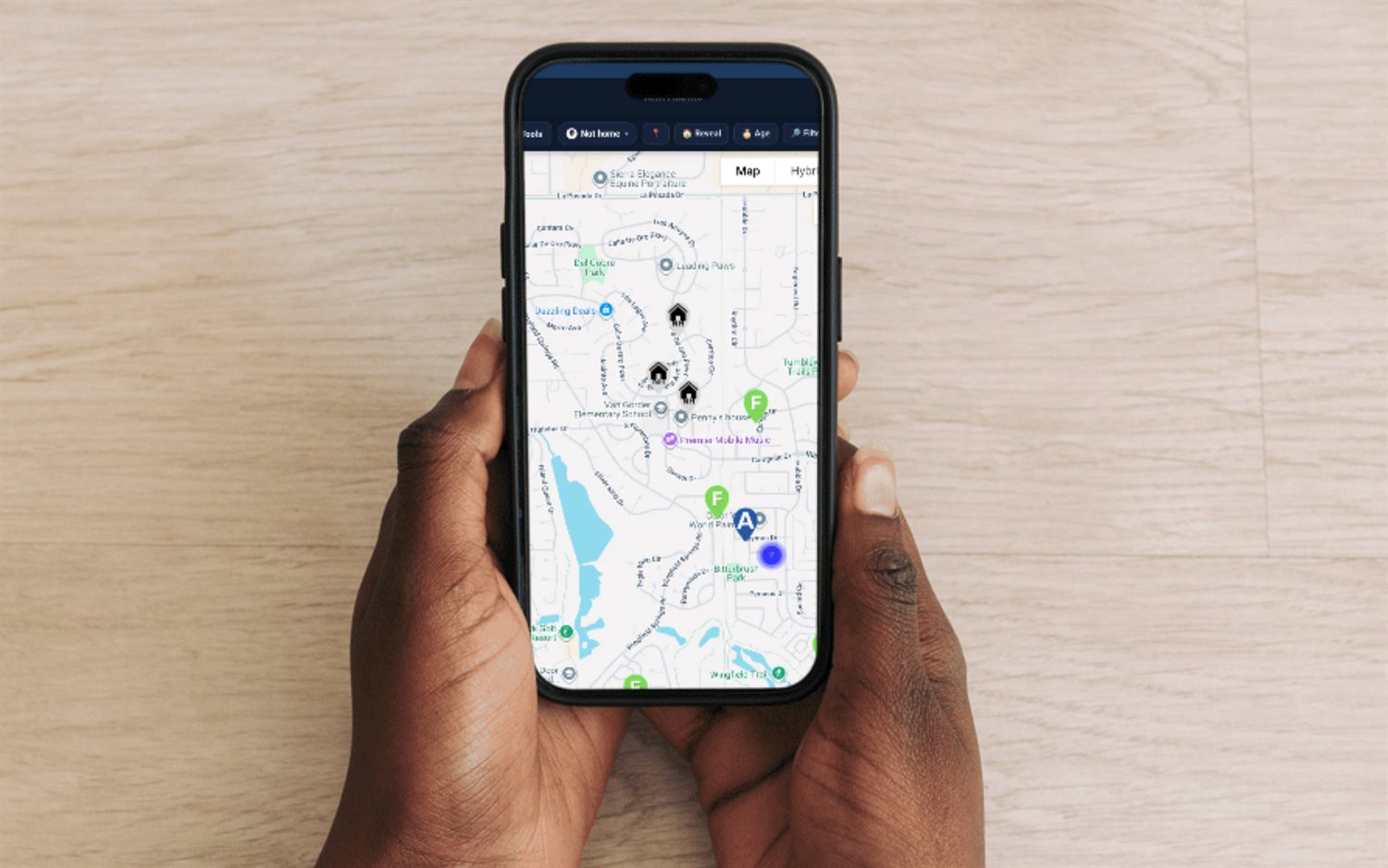
See where hail hit on the storm map, tap a house and get its roof measurements before you knock.
Measure the roof from the sidewalk, see where the hail actually fell, blanket the zone before the competition, and track your commission and miles like a business. Built for retail and storm/insurance roofers.
Flat from $30/mo, or $25/mo billed yearly · 14-day free trial · no seat minimums, no contract required
Roofing lives or dies on speed and coverage. When a hail or wind map drops, the yards that get knocked first get the inspections, and the inspections that get set get the jobs. Retail roofing is slower but just as territorial — you win a neighborhood one clean disposition at a time. Either way, most roofing reps run their day off a canvassing app for the map and a spreadsheet for their own commission and taxes. FieldStacker puts both in one app on your phone — the fresh-lead map, the roof-and-hail read, the whole pipeline, and the money — so nothing lives in a second app or a shoebox of receipts.
Every one of these is vertical-agnostic and works for retail and storm roofing today — no setup detour required.
Pull recently-sold, new-mover and other fresh leads onto a map, drop color-coded pins, and route the warmest doors first so canvassers aren't knocking a dead block.
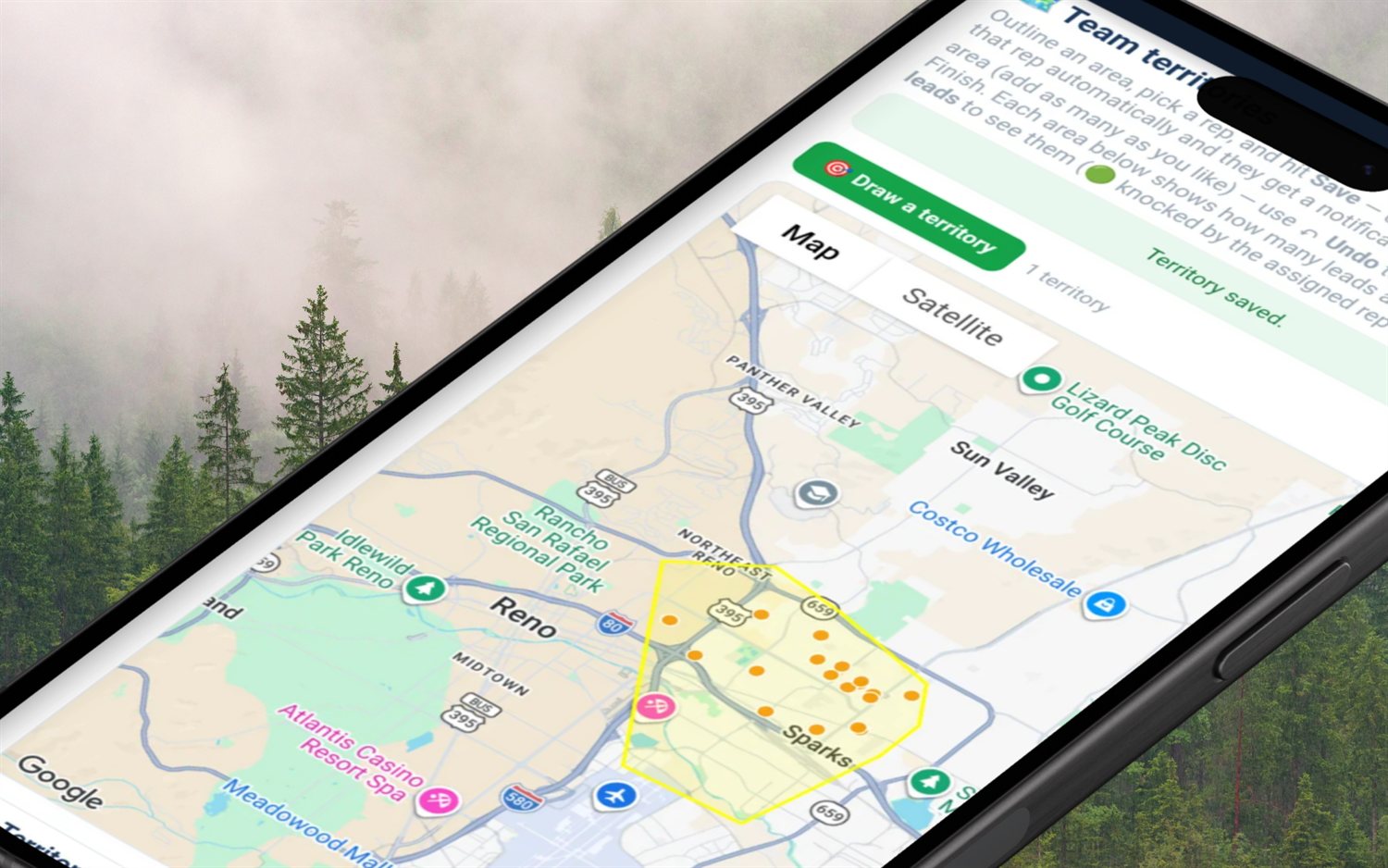
Trace the hail or wind footprint the day the map drops, assign the leads inside it to reps, and blanket the neighborhood before another company's door-hangers show up.
Name your own stages — inspection set, adjuster scheduled, approved, build scheduled, cancelled — and see your whole street's status at a glance from knock to install.
See the whole crew on a live map with verified knocks so two reps never double-knock the same street and every door is attributed to who worked it.
Weekly standings, tiers, badges and streaks. Roofing crews run on competition — turn the storm-chase grind into a board reps actually want to top.
Real per-deal commission, chargebacks and clawbacks, auto-mileage at the IRS rate for all those storm miles, and a quarterly tax set-aside — because a roofing rep is a business. Owners set the company pay plan, and reps see their commission right on the quote.
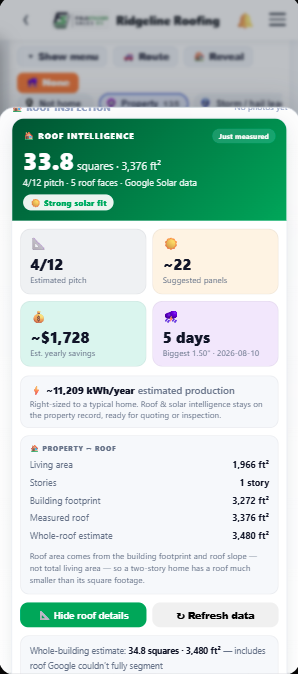
Tap a house and FieldStacker pulls the roof straight off Google's aerial & solar imagery, and flips on a live hail map from NOAA radar and NWS reports. A fast field read to qualify the door — no ladder, no measurement order.
One tap returns the roof in squares and total square footage, the estimated pitch, and the number of roof faces — cached on the property so reopening the door is free. A plain Property → Roof breakdown explains the number (footprint × slope, not living area), so nobody wonders if the measurement is off.
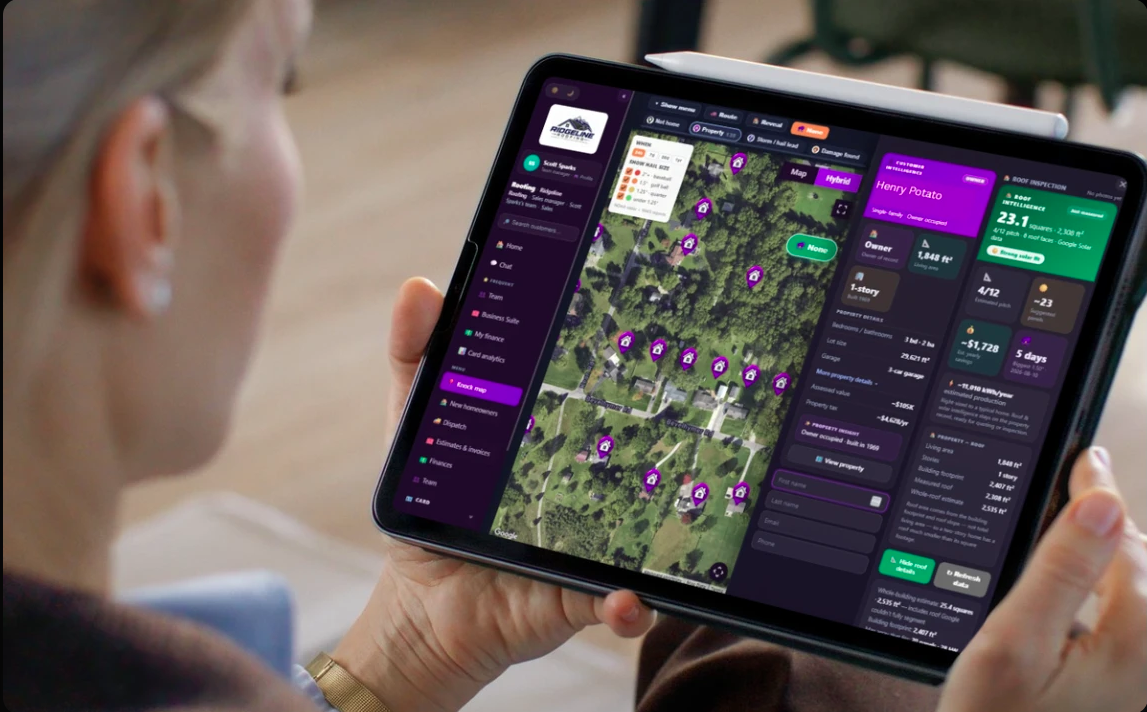
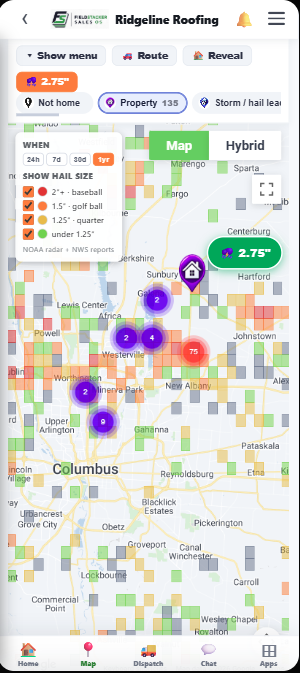
When the hail map drops, the roofers who get there first get the inspections. Draw the storm footprint right on the map, load the fresh doors inside it, hand areas to your reps, and saturate the neighborhood before anyone else's door-hangers show up.
Tap the house on the knock map and choose Create quote. An estimate opens with the homeowner's name and address already filled in from that pin. Price Good, Better and Best roof options per square, with adders for steep pitch, extra layers, stories, low slope and decking, add your line items and send it. The homeowner opens it on their phone, approves one and pays the deposit. Your commission shows on the quote as you build it. When the job is built, turn the estimate into an invoice and they can pay it by card online, or you record a check or cash.
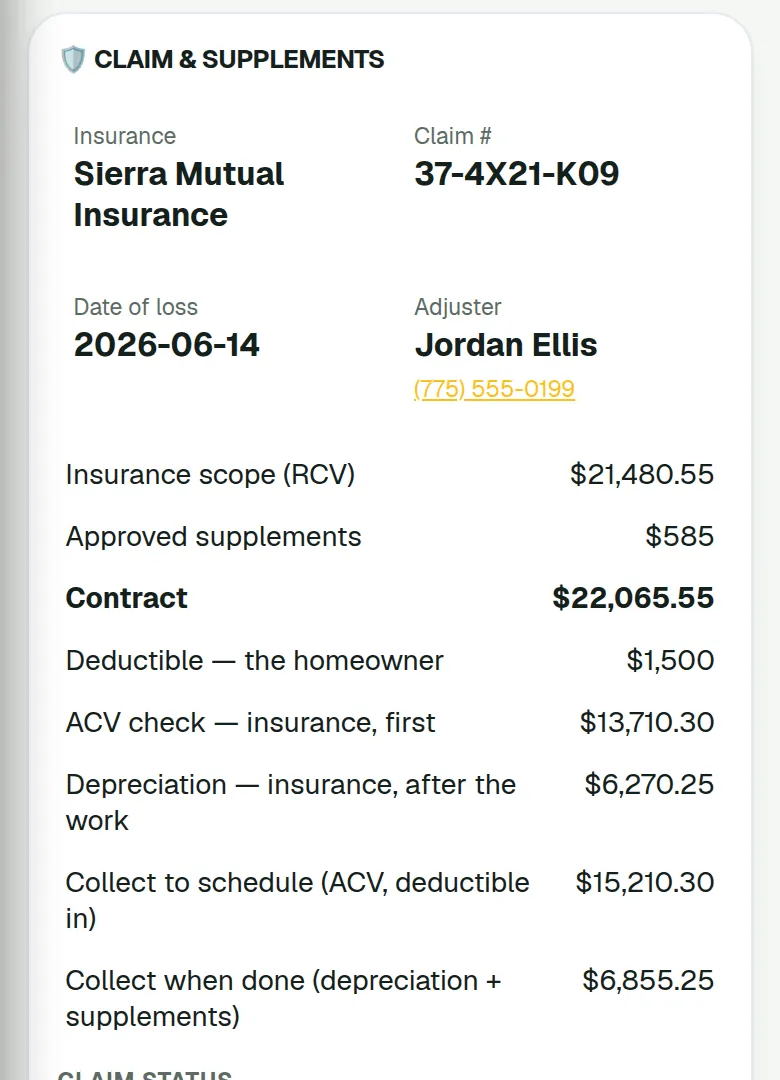
Storm work ends up with a carrier. Mark the roof quote as an insurance claim with the carrier, claim number, adjuster, date of loss and cause. FieldStacker can read the adjuster's scope PDF to fill in the claim numbers and roof lines, then prices the estimate at the scope's replacement cost (RCV) plus approved supplements and asks for the ACV as the deposit. The estimate spells out who pays what: the deductible is the homeowner's, and the ACV check and recoverable depreciation come from insurance. So when the homeowner at the kitchen table asks what they actually owe you, the answer is on the screen in front of them.
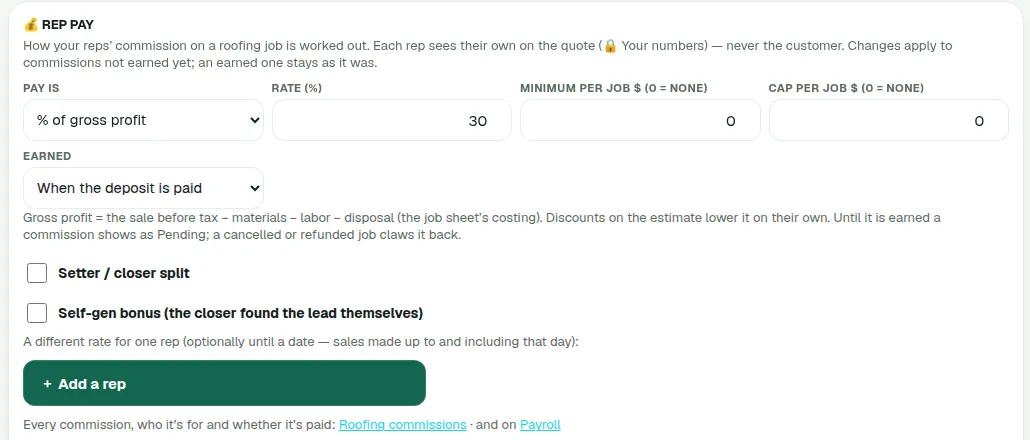
Pick how roofing reps get paid: a percentage of gross profit, a percentage of the sale, dollars per square or a flat amount per job, with a minimum or a cap if you want one. Gross profit is the sale before tax, less materials, labor and disposal from the job sheet. Pick when it is earned: when the homeowner signs, when the deposit is paid, or when the job is finished and paid. Add a setter/closer split, a bonus when the closer found the lead themselves, and a different rate for one rep that ends on a date. A change only touches commissions not earned yet.
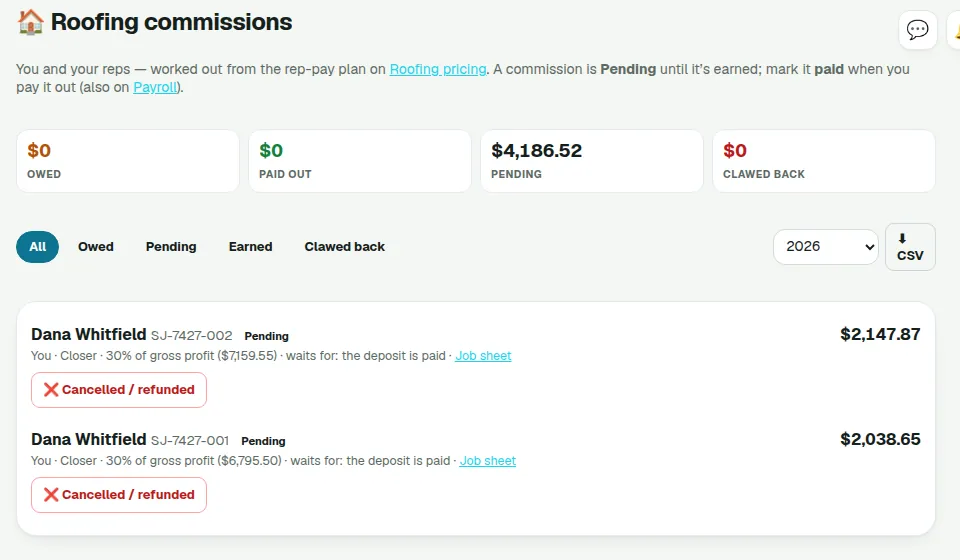
Each rep sees their own number on the quote while they build it; the homeowner never does. Commissions move from Pending to Earned to Paid, a cancelled or refunded job claws it back, and the Roofing commissions list exports to CSV and flows into the Payroll tracker. FieldStacker tracks what is owed. It does not run payroll or pay anyone.
From a fresh storm map to a job you can track to payout.
Trace the damage footprint on the map, load fresh doors inside it, and start the block with a plan instead of driving in circles.
Pull the roof measure off Google's imagery to qualify, disposition every door as you go, and set the inspection — every note, photo and stage saved right on the door.
Follow the job through adjuster, supplements, approval and build, watch commission move from Pending to Earned to Paid and mileage update, set aside taxes, and climb the leaderboard.
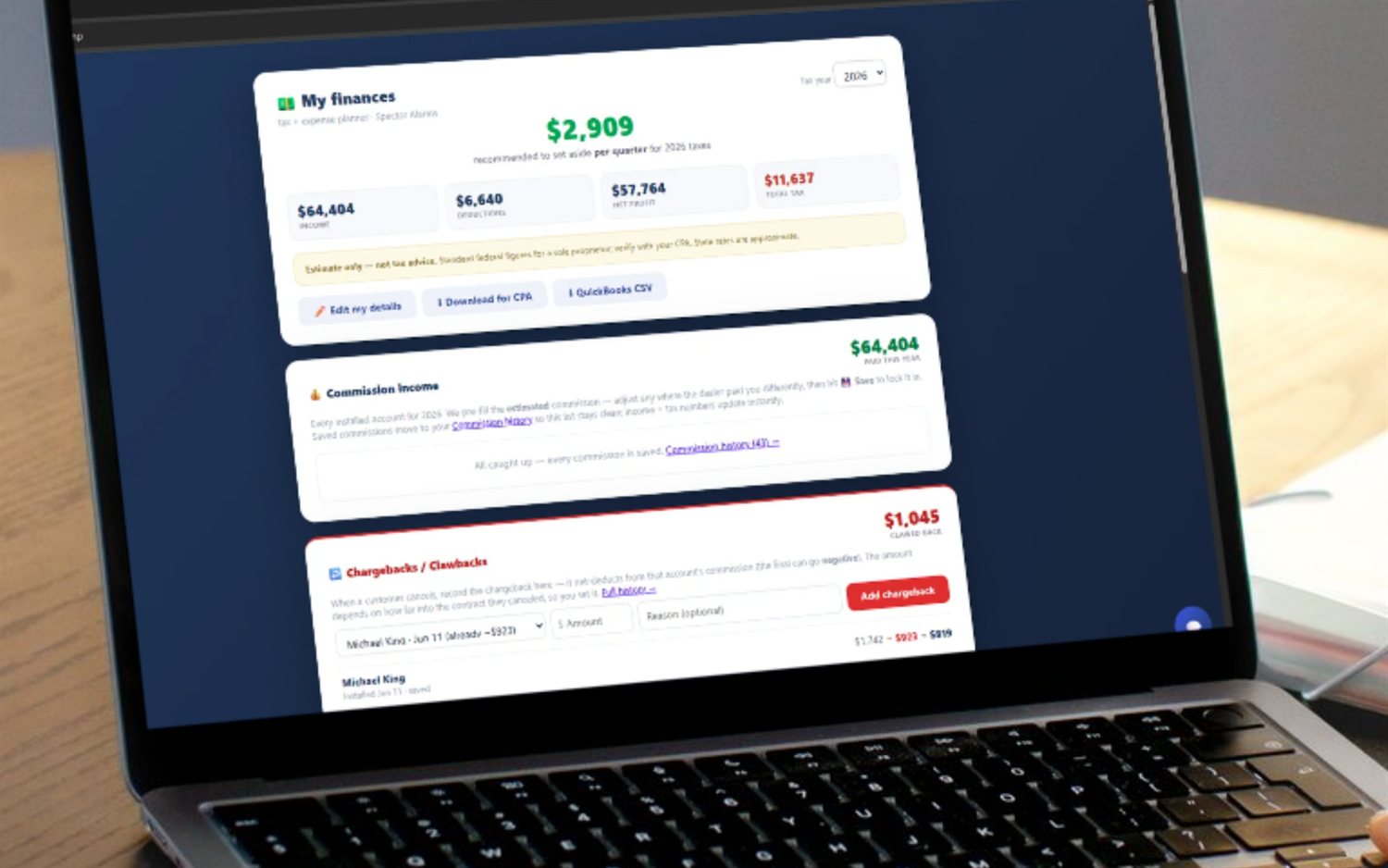
Canvassing apps stop at the map and hand your commission math back to a spreadsheet. Roofing pay is messy — splits, cancels, reworks and clawbacks — and the storm-chasing miles pile up fast. FieldStacker keeps all of it in the same app:
Plenty of roofers also knock solar, and a lot of storm-hit doors are open to both. Turn on the industries you sell and work them from one FieldStacker account — one map, one set of stats, one bill. Alarm quoting is built into the same app, so nothing lives in two places.
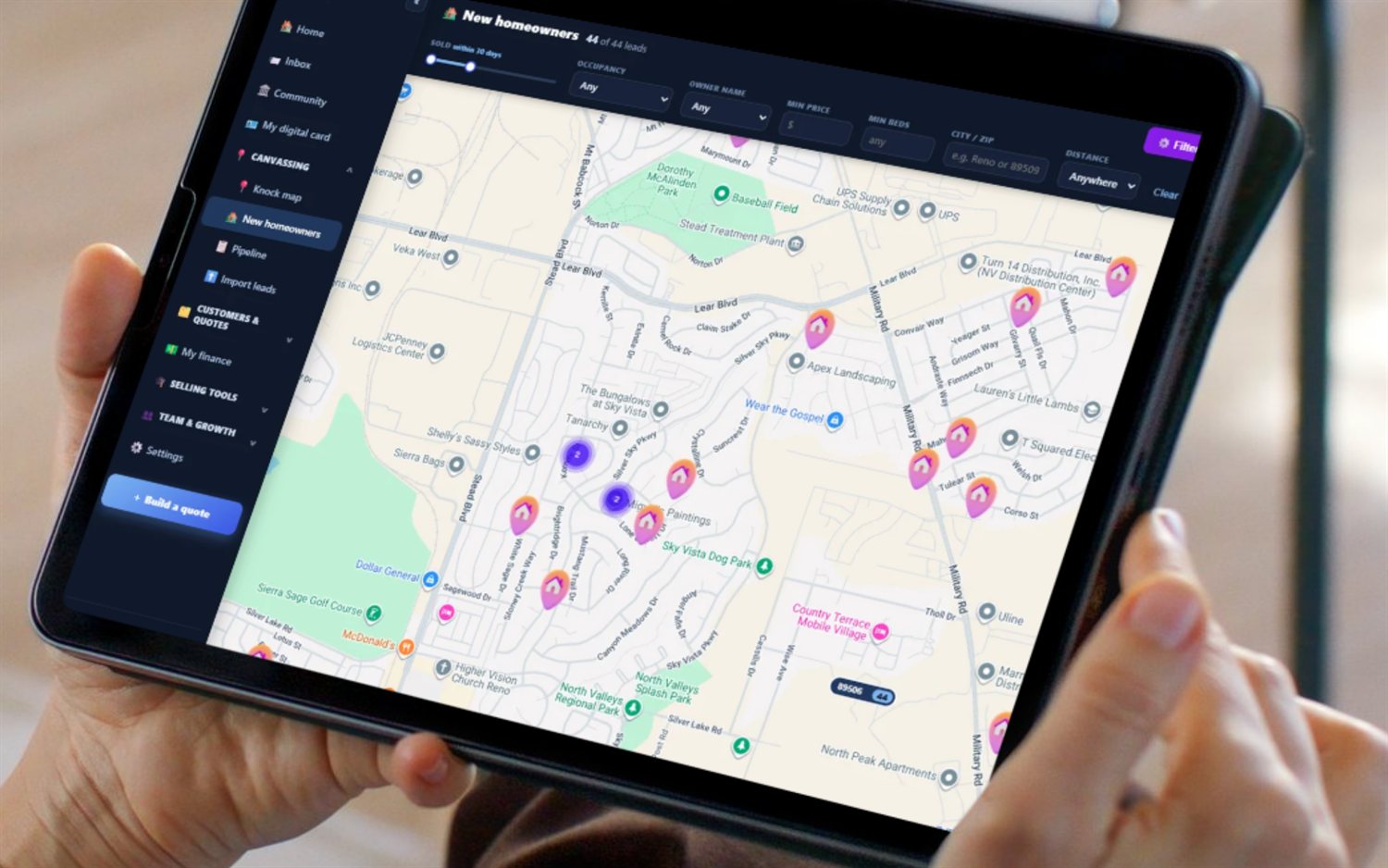
Yes — it is built for exactly this. The fresh-lead knock map, storm-zone territories, color-coded dispositions, GPS-verified team knocks, leaderboard and 1099 financials all work for retail and storm/insurance roofing today, and every door now carries an accurate roof measurement — squares, pitch and roof faces from Google's aerial and solar imagery — plus a live hail map, so your reps qualify with real numbers before they knock. It runs the whole street side of roofing sales, from the first knock to the paid job, in one app.
Yes. Tap a house and FieldStacker pulls the roof straight off Google's aerial and solar imagery — squares, total square footage, estimated pitch and roof-face count — right there at the door, no ladder and no waiting on a report. It also maps where hail actually fell from NOAA radar and NWS reports. Accurate enough to qualify a door and put a real quote in front of a homeowner, so your reps spend their day on the roofs worth chasing.
Yes. Retail roofing runs on tight neighborhood canvassing and clean dispositions; storm and insurance work runs on getting a crew into a fresh hail or wind zone fast and blanketing it before the competition. FieldStacker does both: trace a storm-damage territory the day the map drops, assign leads inside it, and track the sale through inspection, adjuster meeting, approval and build. The disposition stages are yours to name, so "inspection set," "adjuster scheduled" and "approved" fit right in. When the homeowner files, mark the roof quote as an insurance claim: FieldStacker can read the adjuster's scope PDF, prices the estimate at the replacement cost (RCV) plus approved supplements, asks for the ACV as the deposit, and tracks each supplement from requested to approved or denied. It never waives the deductible, and it does not create Xactimate estimates.
Yes. The financials are industry-agnostic: log a deal, see your real commission on your own splits, track chargebacks and clawbacks when a job cancels or gets reworked, capture auto-mileage at the IRS rate for every driving day, and watch a quarterly tax set-aside build. For a roofing company, the owner also sets the rep pay plan: a percentage of gross profit (30% by default), a percentage of the sale, dollars per square or a flat amount per job, with an optional minimum or cap, a setter/closer split and a self-gen bonus. Reps see their commission on the quote, it moves from Pending to Earned to Paid, a cancelled or refunded job claws it back, and it flows into the Payroll tracker.
Yes. Tap a house on the knock map and choose Create quote. FieldStacker opens an estimate already filled in with the homeowner and address from that door. Price Good, Better and Best roof options per square, add your lines, send it, and the homeowner approves one on their phone and pays the deposit. Turn it into an invoice when the job is done and they can pay it by card online.
Most canvassing platforms are seat-based and priced for teams, often with an annual commitment, and they leave the money side — your personal commission, chargebacks, mileage and 1099 taxes — to a spreadsheet. FieldStacker is flat month-to-month from $30/mo with a 14-day free trial and no card, no seat minimums and no annual contract, and it folds the rep's financials into the same app. Built for the solo 1099 roofer first, then scales to the crew.
That is the point of the stack. Turn on the industries you actually sell and work them from one login — a roofer who also canvasses solar or alarms keeps every lead, knock and commission in one place. Alarm quoting is built into the same app, so nothing lives in two places.
Draw an area on the map and one pull reveals up to 500 homeowners at once — the owner’s name, mailing address, whether they live there or it’s likely a rental, and their estimated age. Every plan with the owner reveal includes 50 pulls a month — that’s up to 25,000 homeowners of rich data every month. Run out and $10 adds another 50 (about 20¢ a pull).
Short, real walk-throughs — no sign-up needed to watch.
See where hail hit on the storm map, tap a house and get its roof measurements before you knock.
Start a 14-day free trial — no credit card — and blanket your first zone this week. Flat month-to-month, cancel anytime.