Mail every new homeowner automatically1:10
Set up a weekly program for your city: new homeowners get your postcard every week without lifting a finger.
Choose your city and your postcard. Each week FieldStacker finds the homes that just sold and mails the new owners your offer. Printing and postage are handled for you, and every QR scan is counted.
Included with every sales plan · postage charged per card you send · designs use AI credits · US addresses
People who just bought a house are choosing their cleaner, their lawn service, their pest control and their alarm company in the same few weeks. A postcard that lands in that window, with a clear offer and a QR code to book, reaches them while they are still deciding. Doing it by hand means pulling sales records, buying a list, designing a card and taking it to a printer every week. FieldStacker does all of that for you on a schedule.
Four steps, then it runs on its own.
Type your city. FieldStacker finds its ZIP codes, and you can add or remove any of them.
Choose a design you made with the AI postcard designer. Its offer and QR code go on every card.
The first run is a preview: how many cards and what the postage comes to. Nothing is mailed until you confirm.
Daily, weekly, every two weeks or monthly. Each run mails the homes that sold since the last one and emails you the result.
A home is mailed once for each time it sells, even if you run two programs over the same ZIP codes.
Cards mailed, postage charged and refunds, per run and per month, on the program page and in your inbox.
If a card fails at the printer, its postage goes back to your card.
Pause a program and it picks up where it left off when you turn it back on. Delete it and it stops.
Send the scan to your FieldStacker website or your own verified web address, and count every scan.
Pick homeowners on your map and mail them a card today, without setting up a program.
Short, real walk-throughs — no sign-up needed to watch.
Set up a weekly program for your city: new homeowners get your postcard every week without lifting a finger.
Pick who gets a card, choose your saved postcard and send. Printing and postage are handled for you.
The program uses the same recently sold homes you can pull onto your map as new homeowner leads. So you can mail a street and then knock it, or knock the houses that scanned your card. It all lives in one account with your quotes, schedule and customers.
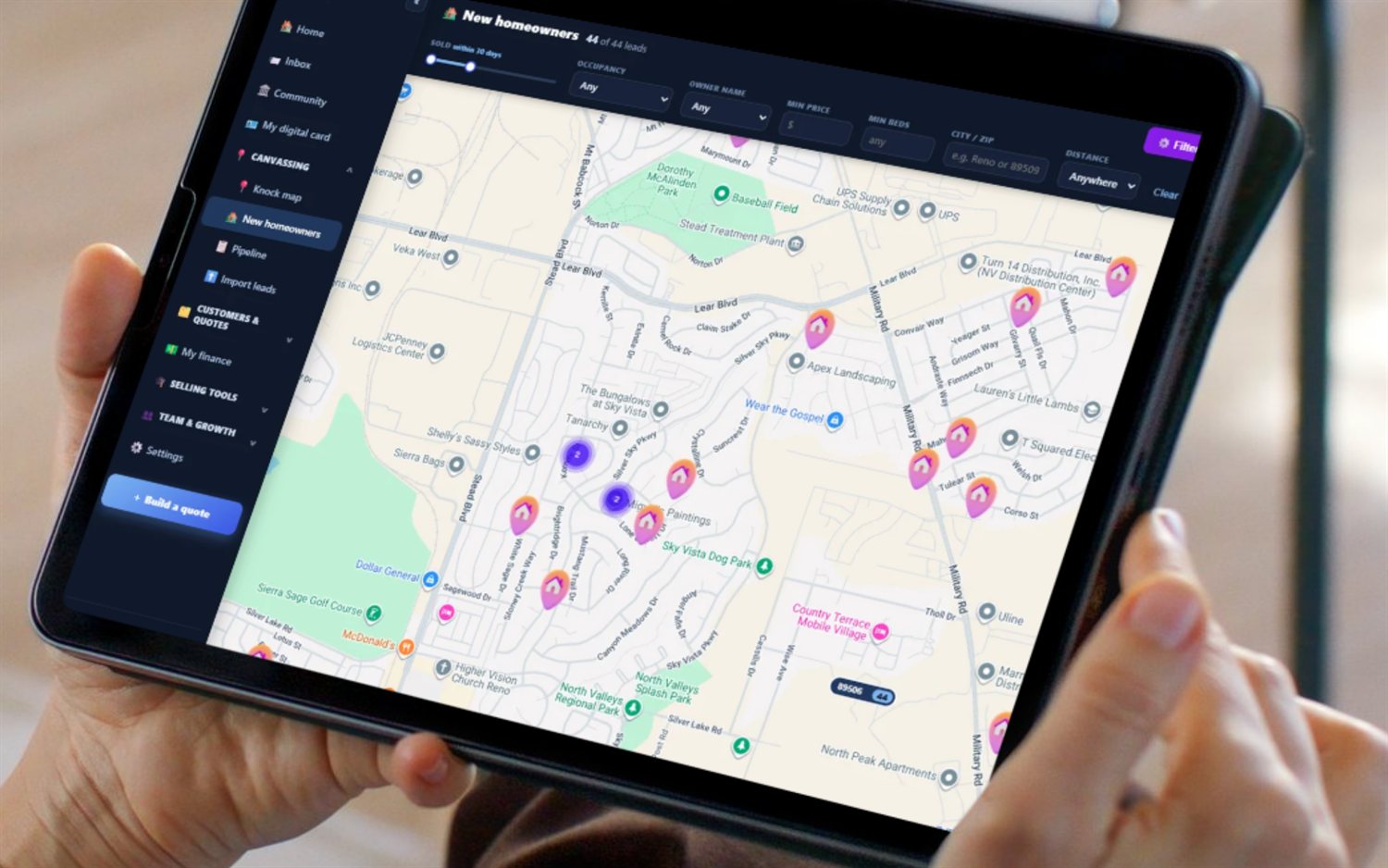
Add your city. FieldStacker finds its ZIP codes, pulls the homes that recently sold there, and mails each new homeowner your postcard. It runs on the schedule you pick (daily, weekly, every two weeks or monthly), and after each run you get an email with how many cards went out and what the postage cost.
No. A home is mailed once for each sale. If it sells again later, the next owner is a new homeowner and gets a card.
Yes. A new program starts as a preview: FieldStacker counts the postcards the first run would send and shows the postage before you confirm. Nothing is printed or charged until you press Confirm.
Each run charges the card you have on file for that run's postage. If a card fails at the printer, its postage is refunded. Designing a postcard with the AI designer uses AI credits.
You do, in the app, with the AI postcard designer: describe your offer and it lays out both sides. Save as many designs as you want and pick which one each program mails. You can also send a one-off batch to the homeowners you choose on your map.
Yes. Point the QR code at your FieldStacker website or your own verified web address. Every scan is counted before the homeowner lands on your page, so you can see which cards brought people in.
14-day free trial, no credit card. Design your postcard, add your city, and see what the first run would cost before you send anything.