Recruiting · onboarding

Recruiting and onboarding door-to-door sales reps

A link and a QR code that collect recruits, a pipeline that tracks them, and one button that puts a new rep on your team — under you, on your pricing, already seated.

Flat month-to-month from $30/mo · 14-day free trial · no seat minimums, no annual contract

FieldStacker has a real recruiting pipeline — a public form on your own link, four stages, and an Onboard button that emails a team invite carrying you as the new rep's manager. It carries a name from a QR code through to a seated rep on your roster; résumés, interview scheduling and background checks stay in an applicant-tracking system if you run one.

Most canvassing crews recruit in the worst possible place: a phone's text thread. Someone at the gym says they might be interested, you take their number, and two weeks later you cannot remember whether you called them, whether they said no, or which of your reps sent them. Then when they finally do sign up, they create their own account, pick their own dealer, and end up on nobody's roster — so their doors never show on your team map and their commission never rolls up to you.

FieldStacker's Recruiting page fixes both halves of that. The front half is a public form on a link only you own, so every interested person lands in one list with a timestamp. The back half is the invite: one button turns a recruit into a team invitation that already knows which team they are joining, who they report to, and which company's pricing and branding they inherit. Below is exactly what exists, named the way the app names it.

What the Recruiting page actually is

Six things, all shipped. Nothing here is a roadmap item.

🔗

Your own recruiting link + QR

Your personal rep code becomes a public recruiting page. Copy the link, email it straight from the page, or flash the QR code in person — anyone who fills it out lands in your list.

📝

A short intro form, not a signup

Name, email, phone, city, experience level (new to sales / some / experienced) and a free-text note. Name plus an email or a phone is the minimum. No account is created and nothing is charged.

🔔

You hear about it immediately

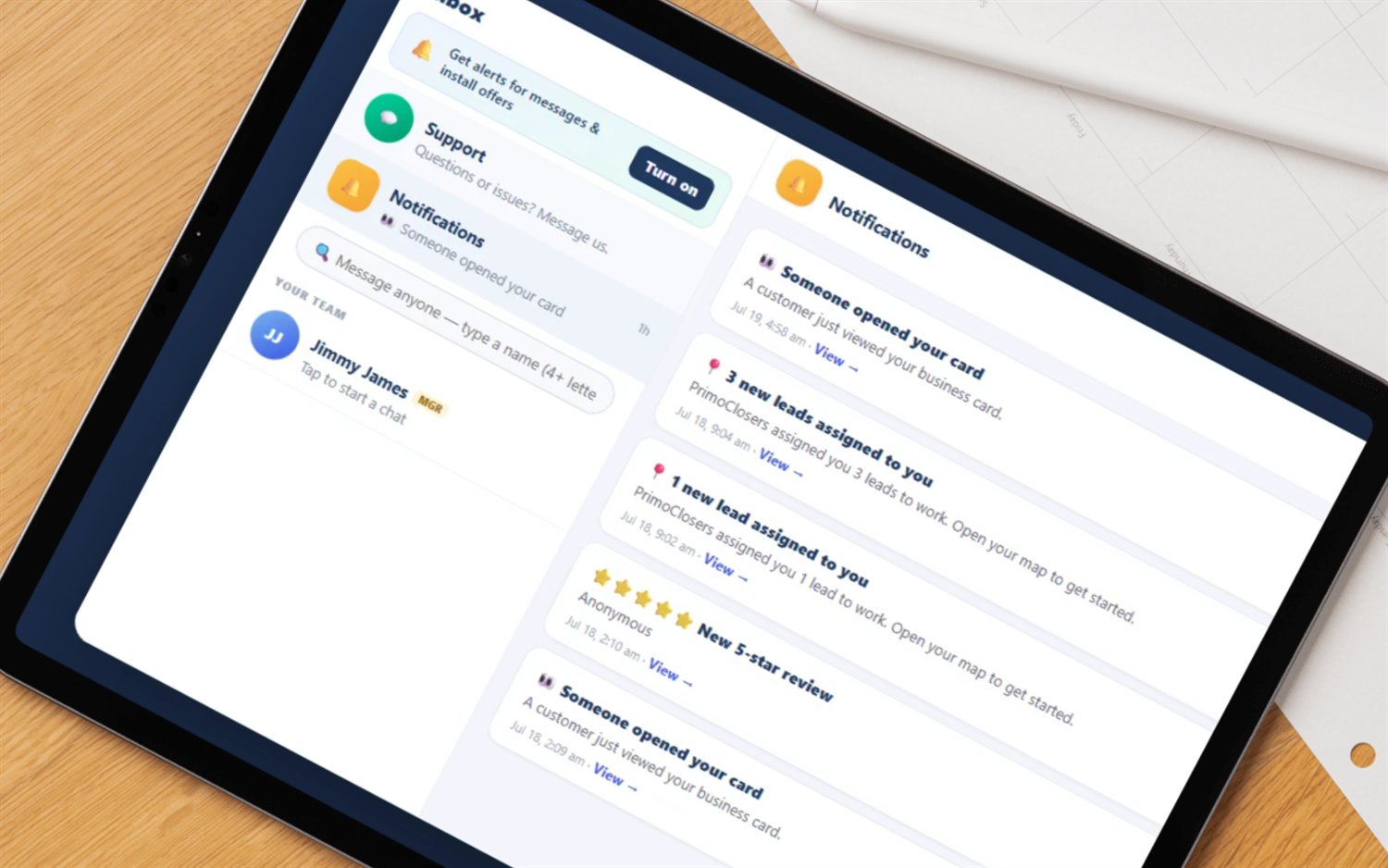
Every submission fires an in-app notification with the recruit's contact details, mirrored to your phone as a push if you have notifications on — with a link straight back to the Recruiting page.

🚦

Four stages, newest first

New, Invite sent, Onboarded, Passed — colour-coded pills, with a counter on the heading telling you how many are still new. Your 200 most recent recruits, freshest at the top.

One-button onboarding

Onboard emails a team invitation stamped with your team and with you as their manager. Press it again on an invited recruit and it resends. If email is not configured, the app hands you the raw link to send yourself.

↩️

Not a fit — and Reopen

Pass on someone and they drop to Passed instead of vanishing. Changed your mind in March about the guy you passed on in January? Reopen puts them back to New.

From a QR code to their first knock

The whole path, with nothing invented in between.

1

They fill in your form

Your link or QR opens a page headed "Sell with [your name]." They submit six fields; you get a notification and a card at the top of your list marked New.

2

You press Onboard

An invitation email goes to the address they left. The card flips to Invite sent. Not the right person? Not a fit parks them under Passed instead.

3

They sign up through the invite

The link drops them into signup already locked to your team — no company picker, no dealer to guess at. They come out reporting to you, on the team owner's pricing and branding.

4

They are seated and knocking

Joining seats them on your bundle if you have Team Management Pro, or inherits your trial window so they are never paywalled mid-onboarding. Then hand them a territory and a stack of fresh doors.

The part that decides your roster

Four ways a new rep joins your team

Recruiting is one door into the team, not the only one. Every route below ends the same way — the joiner takes on the team owner's company setup (dealer, pricing, branding) and gets a reporting line, so they show up on the roster and the team map instead of floating solo.

  • The onboarding invite from your Recruiting page — carries you as their manager, so they land in your sub-team
  • An email invite sent from Team settings, with a pending/joined list and a Revoke button
  • Your team code (an unguessable code like K7M2-9QX4) typed into the signup form, or into Join a team by an existing rep
  • Adding an existing rep by pasting their personal rep code — they must not already be on another team

On Team Management Pro there is a fifth: one stable shareable link per seat role — Sales Rep, Technician, Sales & Tech, Sub-manager. Anyone who signs up through it joins as that role, seated, and skips email verification. Same link all season; it never gets marked used.

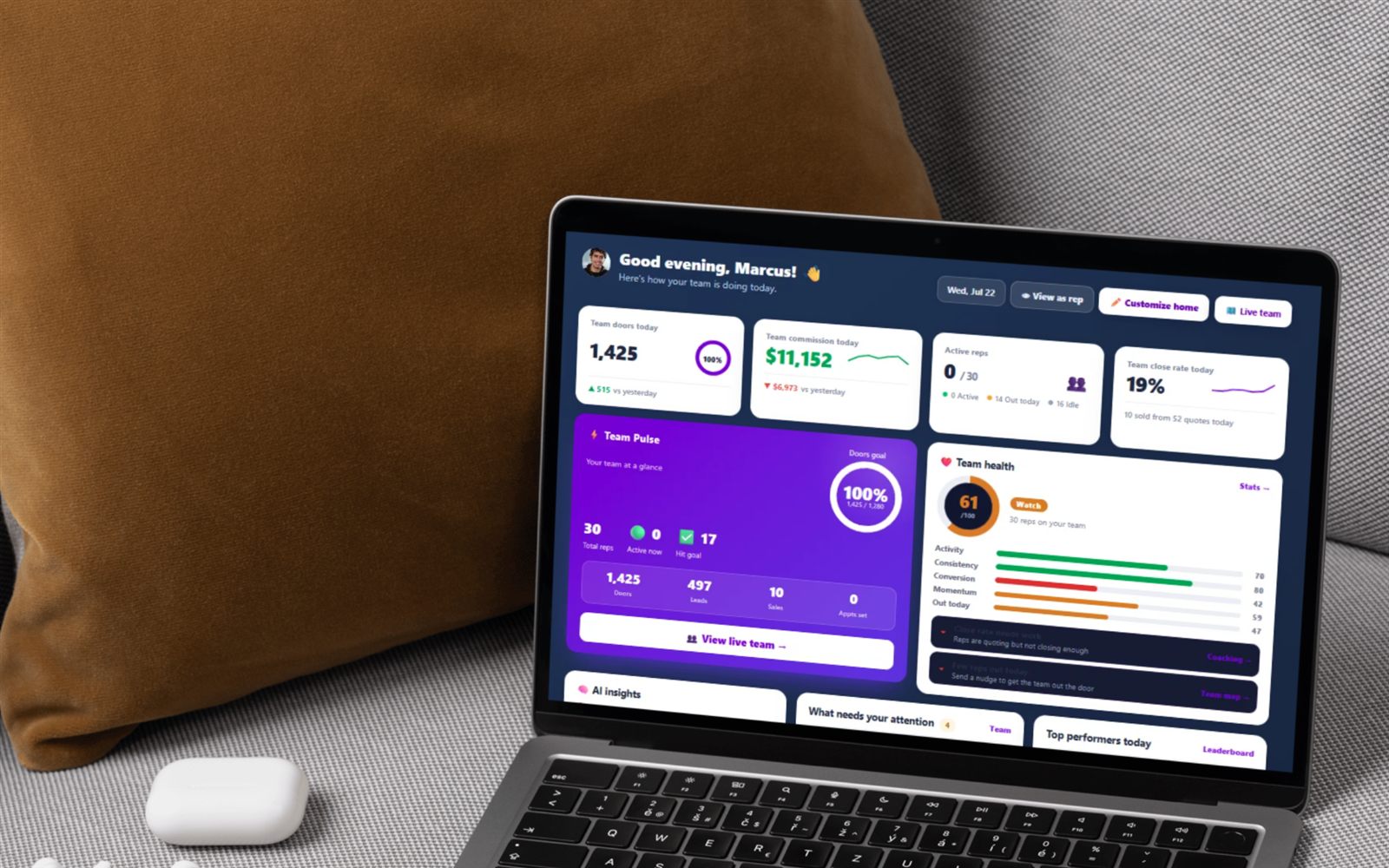
FieldStacker manager home dashboard showing team doors today, team commission, active reps and a team-health score across a 30-rep crew
FieldStacker in-app inbox and notification feed — the same feed a new-recruit alert lands in, with a link back to the Recruiting page
An unusual side effect

People you onboard become your affiliate downline

Recruiting runs through team invites, and team invites are credited to the person who sent them. A recruit who creates a brand-new account through your invite is attributed to you automatically — no separate link to remember, no code to paste. Someone who already has a FieldStacker login and simply joins your team is not re-attributed; they are already someone else's signup. While they stay on a paid plan you earn a recurring monthly commission on their subscription: 30% of their first paid month, 10% every month after.

  • Single level — you earn on people you bring in, not on their recruits
  • First-touch attribution: an explicit referral link wins, otherwise the inviter is credited
  • Self-referrals and disabled accounts are ignored

How the affiliate program works →

How far the recruiting flow goes

Here is the whole boundary of the shipped flow, read it before you switch. None of it is hidden behind "contact sales."

  • A funnel, not an ATS. A recruit record holds name, email, phone, city, experience, notes and a status — that is the complete list. Résumé and file uploads, interview scheduling, background checks and e-signature onboarding packets live in an ATS.
  • The four stages are fixed. You cannot rename them or add your own. A "ride-along booked" step has to live in the notes field.
  • Invites are email only. There is no SMS anywhere in the flow. A recruit who left only a phone number cannot be invited from the page — the app says so and tells you to have them sign up with your team code.
  • Your list is yours alone. Recruits are scoped to the recruiter who collected them, so there is no shared company-wide recruiting board, and a manager cannot open a sub-manager's recruit list.
  • It shows your 200 most recent recruits. Fine for a season; not an archive.
  • You need a team before you can onboard. You can collect recruits on day one with no team, but the Onboard button is blocked until you create or join one — the invite has to have somewhere to put them.
  • The Onboarded pill is not the source of truth. A recruit is marked Onboarded when the invite is accepted through the join page by someone who already has a login. A brand-new person is handed straight to signup, which joins them to your team correctly but leaves the recruit card reading "Invite sent." Check your Team roster for who actually joined.
  • Recruiting needs a manager plan. It is gated on the teams capability — Sales Manager ($60/mo) and the Team Management Pro plans have it; the $30 Sales Rep plan does not.

One exception worth knowing, because it runs the other way: inviting a technician is free and ungated on every plan, including the cheapest one. Technicians cannot sign themselves up at all, so the invite is the only door — and the rep most likely to meet a good installer is the one on a job site, not the one paying for the manager plan. The Recruiting page links straight to it.

After they join

Onboarding is the easy part. Keeping them is not.

A new rep who joins on Monday and gets a cold map on Tuesday quits by Friday. The reason FieldStacker bundles recruiting with the rest of the team tools is that the first week is where crews lose people — so the same account that onboarded them also hands them a territory of fresh doors, puts them on the leaderboard, and shows you their numbers before the one-on-one.

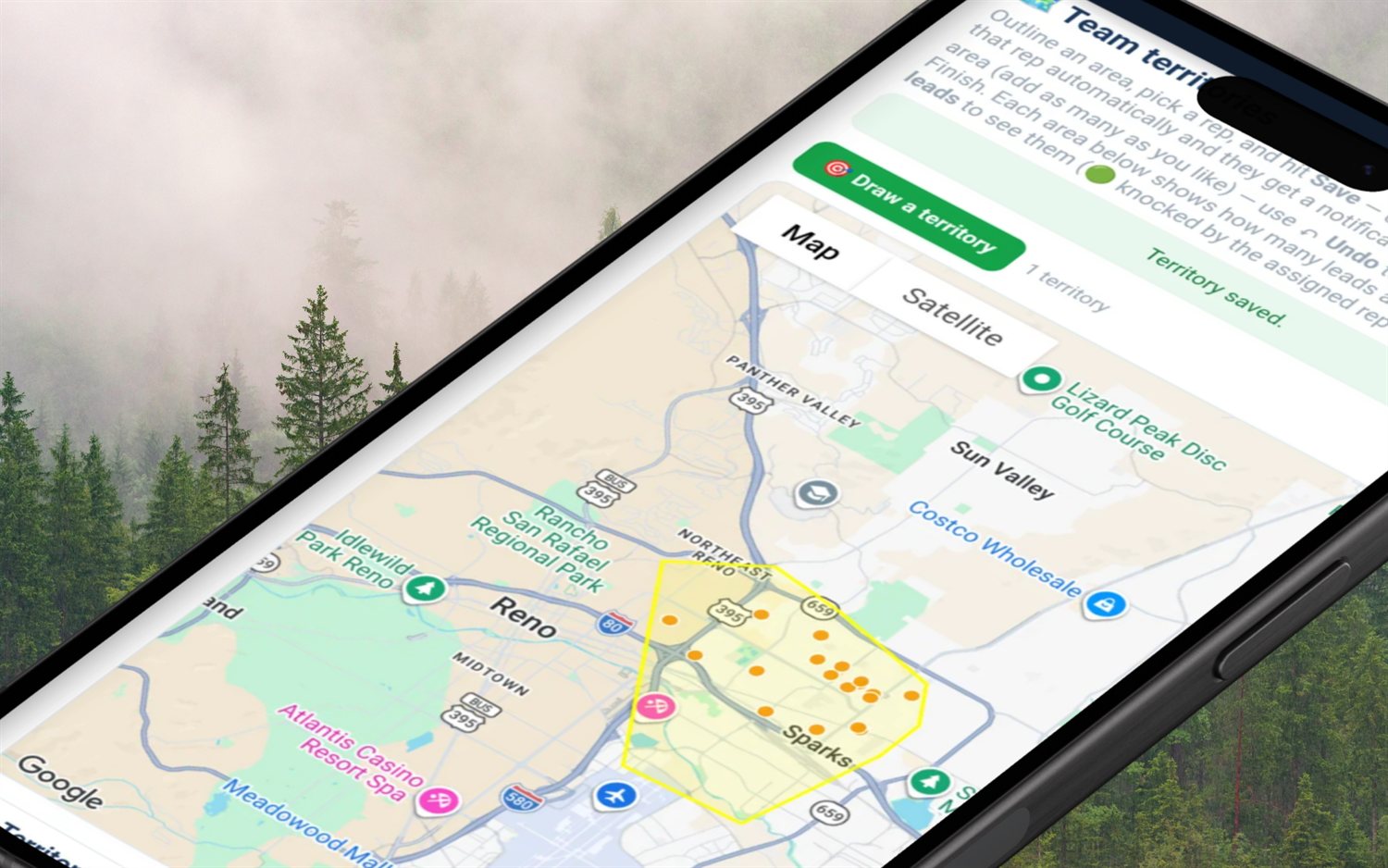
  • Trace a territory and assign the leads inside it to the new rep
  • GPS-verified knocks, so a first-week rep's numbers are real numbers
  • Team leaderboard, games and badges from day one
  • Their own commission, chargeback, mileage and 1099 tracking — they run their patch like a business

See every feature →   The knock map →

FieldStacker territory tool tracing a polygon on the map and assigning the leads inside it to one rep

Recruiting and onboarding questions, answered straight

How does recruiting actually work in FieldStacker?

Every rep has a personal rep code, and the Recruiting page turns that code into a public form at your own link — plus a QR code you can flash at a gym, a job site or a career fair. Whoever fills it in gives their name, email, phone, city, sales-experience level and a free-text note. No account is created and nothing is charged: it is an intro, not a signup. The submission lands on your Recruiting page as a card and fires an in-app notification, mirrored to your phone as a push if you have notifications turned on. From there each recruit has three buttons: Onboard, Not a fit, and (once passed) Reopen.

What happens when I press Onboard?

FieldStacker emails that person a team invitation. The invite is stamped with your team and with you as their manager, so when they finish signing up they land in your sub-team rather than loose on the roster, and they adopt the team owner's company setup — dealer, pricing and branding. The card moves to "Invite sent," and pressing the button again resends it. Two things stop this: you have to be on a team before you can onboard anyone (the app warns you and links to Teams if you are not), and the recruit must have left an email address. If they only left a phone number, FieldStacker tells you so — ring them and have them type your team code at signup instead.

What are the recruit stages, and can I rename them?

There are four and they are fixed: New, Invite sent, Onboarded, and Passed. You cannot add your own stages or rename them, so if your process has a "second interview" or "ride-along booked" step, that lives in the recruit's notes rather than in the pipeline. This is deliberately a light funnel, not an applicant-tracking system. The one nicety: Passed is never final — a passed recruit keeps a Reopen button that drops them back to New.

Does a rep I recruit have to buy their own account?

It depends on your plan. On Team Management Pro the manager buys a block of 10 seats and assigns each seat as Sales Rep, Technician, Sales & Tech or Sub-manager, so a joiner who lands on one of your seats rides your single bill and your trial. Without a seat bundle, a joiner is given their role's tools and inherits your trial window so they are never paywalled mid-onboarding, then picks their own flat plan afterwards. Either way pricing is published and month-to-month, from $30/mo, with a 14-day free trial, no card, no seat minimums and no annual contract.

Which plan do I need to use the Recruiting page?

Recruiting is a team-management surface, so it needs the teams capability: the Sales Manager plan at $60/mo and both Team Management Pro plans include it, and the $30 Sales Rep plan does not. A solo rep on the cheapest plan can still be recruited, and can still share the free technician invite (that page is ungated on purpose, on every plan); their own recruiting pipeline arrives when they move to a manager plan. The 14-day free trial with no card applies to the manager plans too, so you can run a real recruiting cycle before paying.

What does FieldStacker deliberately not do for recruiting?

It is a funnel rather than an HR system. The recruit record stores exactly name, email, phone, city, experience, notes and a status — résumé and file uploads, interview scheduling, background checks and e-signature onboarding packets stay in an ATS. Invitations go by email; there is no SMS. Your recruit list is scoped to you as the recruiter, so it is your own board rather than a shared company-wide one, and a manager cannot see a sub-manager's recruits. The page shows your 200 most recent recruits. If you need a real ATS, keep it — FieldStacker picks up at the invite and gets the person onto the team, seated and selling.
Part of the manager toolkit

Recruiting is the front door to a bigger manager layer — teams, seats, reporting lines, overrides and install verification all live on the hub page.

Door-to-door sales team management software →

Territory software  ·  Lead distribution  ·  Team GPS map  ·  Commission payroll  ·  Leaderboard  ·  Coaching  ·  How to assign territories  ·  Managing a team

Put your recruiting link in someone's hand this week

Start a 14-day free trial — no credit card — and collect your first recruits before you pay a cent. Flat month-to-month, cancel anytime.