Job scheduling software for crews and multi-day work
A remodel, a repipe or a two-day install is not a 30-minute appointment. Schedule the whole job across the days it runs, give the crew the checklist and the photos, and see what the job actually cost when it is done.
14-day free trial · no credit card · from $30/mo · your crew is free
Appointment apps were built for a haircut or a consultation: one person, one slot, done in an hour. Field work does not fit that. A kitchen rough-in takes eight hours on day one and more on day two. A whole-house repipe needs drywall patching after. A landscape install waits on a delivery. Crew scheduling software has to treat the job as the unit, with its days, its steps and its money, or the office ends up tracking the real job somewhere else.
A job scheduling app built around the job
Everything that belongs to a job stays on the job.
Multi-day jobs
A job can span days on the board, labeled day 1, day 2 and so on, with the hours for each day.
A checklist per kind of job
Make checklist templates for each kind of job: rough-in, trim-out, final walk. Always optional; the crew ticks steps on their phone.
Photos and notes
Before, during and after photos saved on the job, and shown in customer emails. Notes carry gate codes and the customer's requests.
Change orders
Extra lines with their own deposit that the customer approves before the crew does the extra work.
Crew hours
The crew clocks in and out on the phone. Timesheets and a payroll email of hours go to whoever pays them.
Job costing
Parts, labor and expenses against each job, and a job profit report, so you know which jobs to bid higher next time.
Schedule your next multi-day job in FieldStacker free
Bring your open jobs and customers over from your old app. We import them for free.
- No credit card to start
- From $30/mo after the trial
- Your techs and cleaners are free
- Cancel any time from the app
Day 1, day 2, on the board
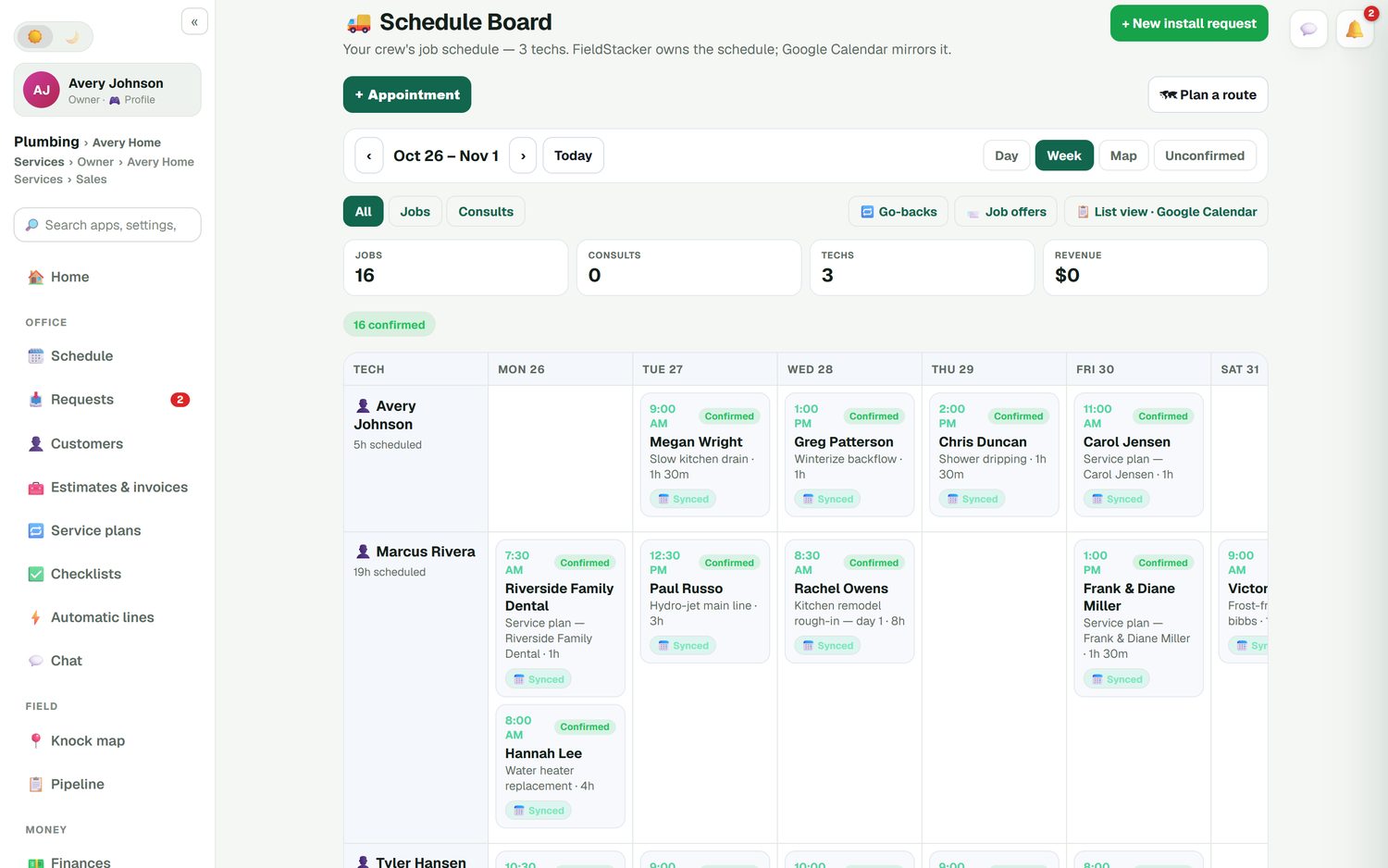
On the schedule board a multi-day job sits on each day it runs, next to that tech's one-hour service calls. The office can see at a glance that Marcus is on a kitchen rough-in all Wednesday and should not get the 2:00 drain call. If the cabinets are late, drag the work to the new day, and the customer's calendar invite moves with it.
- Each day of the job labeled with its hours
- Long jobs and short calls on the same board
- Hours booked per tech for the week
- Google Calendar mirrors the schedule
The same standard on every crew
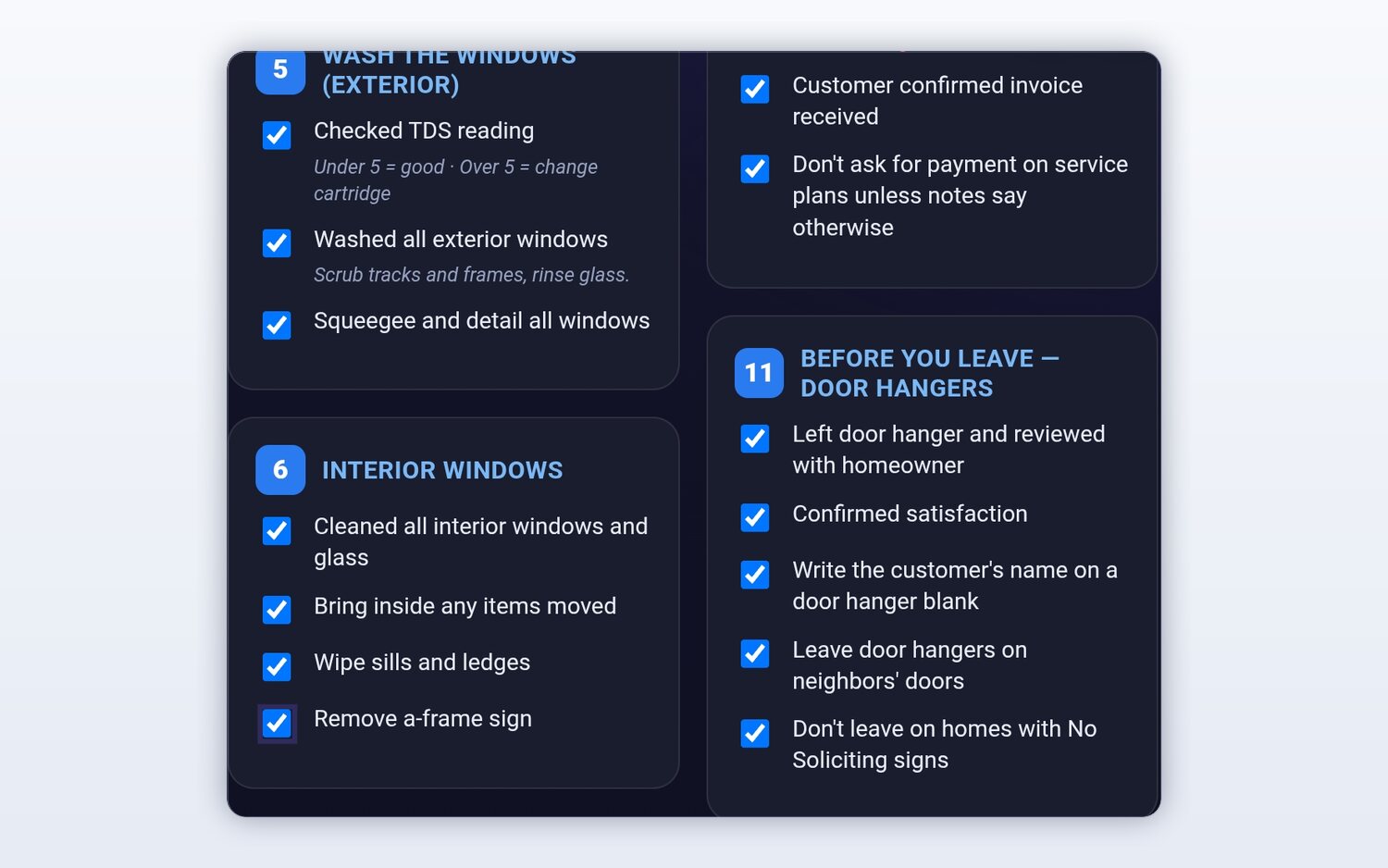
Write the checklist once for each kind of job and every crew gets it. A rough-in checklist can cover the permit on site, stub-outs capped, pressure test done and photos before the walls close. A final can cover fixtures tested, site cleaned and the customer walked through. Checklists are always optional, so a quick service call does not get buried in steps. Photos and notes from the crew land on the job, where the office can see them the same hour.
- Checklist templates for each kind of job
- Steps ticked and photos added from the phone
- Job photos included in customer emails
Sold, scheduled and costed
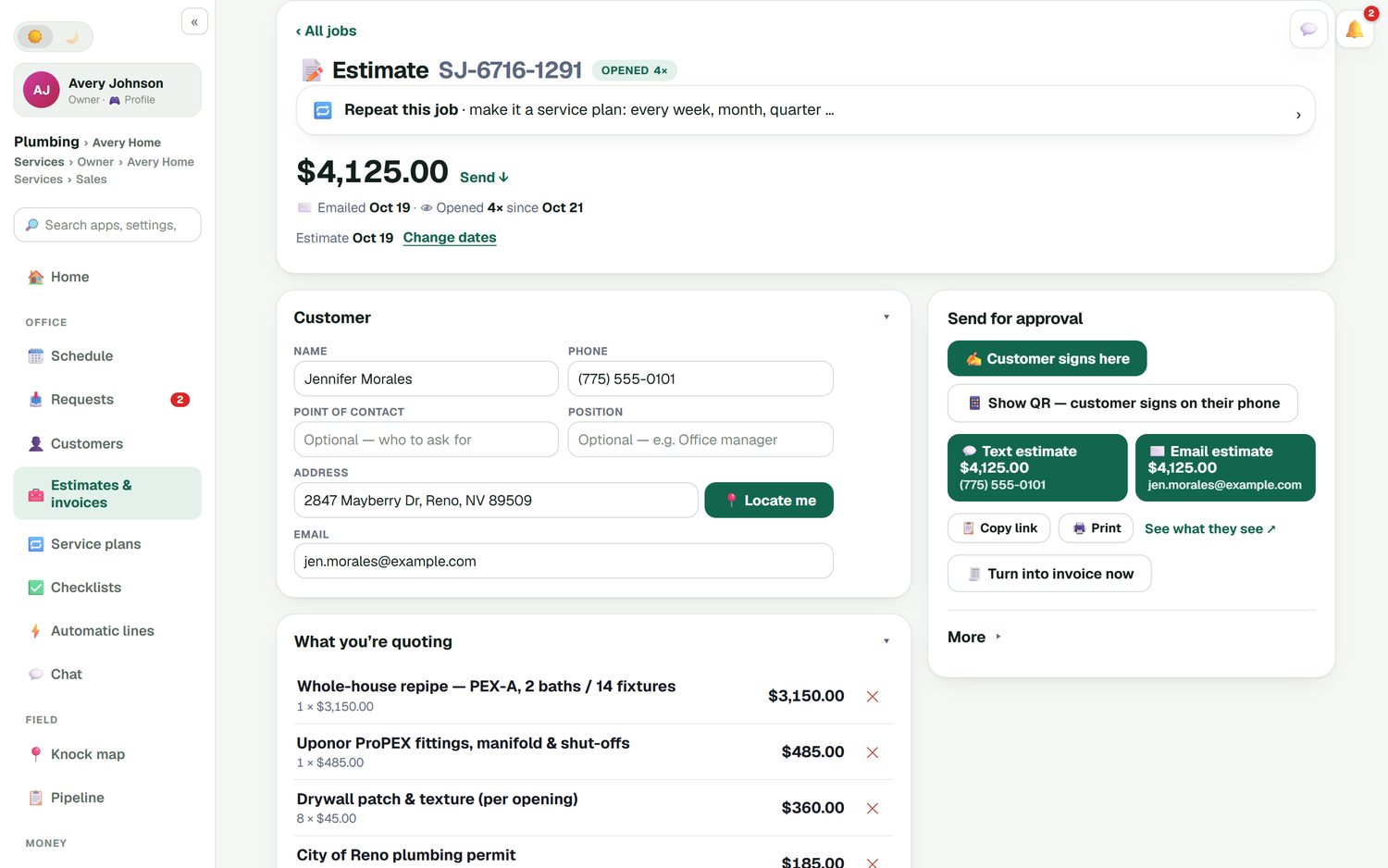
Big jobs start as estimates. Build one from your own price list on your phone, take a deposit, and let the customer sign at the kitchen table or scan a QR code to sign on their own phone. Once it is approved, it shows on the office home screen as approved work that needs a date. When the customer asks for one more bathroom mid-job, a change order adds the lines and its own deposit for them to approve. At the end, job costing compares what you charged with the parts, labor and expenses that went into it.
- Estimates with deposits, % or $
- E-sign at the door or by QR code
- Change orders the customer approves
- Job profit report when the job is done
Crew scheduling software, compared on price
From each company's own pricing page, checked October 26, 2026.
Jobber is a solid scheduling tool, and it lists crew scheduling on its Plus plan: $499/mo for 5 users, $599 for 10, $699 for 15. Its job costing starts on Grow ($199/mo for 1 user). Workiz lists multi-day jobs on its Ultimate plan; all three Workiz plans say "Request pricing", with a 7-day free trial. Housecall Pro includes job costing from its Basic plan at $79/mo and adds checklists and photo reports on Essentials at $189/mo.
In FieldStacker, multi-day jobs, checklists, change orders and job costing are all on Pro at $30/mo, and your crew rides along free when you add them as technicians. See how the job itself is tracked on the job management and work order pages.
Job scheduling questions
What is job scheduling software?
Job scheduling software puts each job on the calendar with everything that belongs to it: who is doing it, how many days it takes, the checklist, the notes and the photos. For a contractor or a crew, the job is the thing you schedule, not a 30-minute appointment slot.
Can I schedule a job that takes more than one day?
Yes. FieldStacker supports multi-day jobs, so a kitchen rough-in, a whole-house repipe or a two-day install shows on each day it runs, labeled day 1, day 2 and so on, so nobody books that tech for a service call on top of it.
Is there crew scheduling software for a small contractor?
Yes. Put each crew lead or tech down the side of FieldStacker's schedule board and the week across the top. Techs you add as technicians are free, so a three-crew shop pays the same $30/mo Pro price as a one-truck shop, plus seats only for office people who need their own login.
Is there a job scheduling app the crew can use on site?
Yes. The crew uses FieldStacker on their phone: they see their jobs, open the checklist for that kind of job, tick steps, add photos and notes, and clock in and out. The office sees the same job update.
What happens when the customer adds work mid-job?
Add a change order. It holds the extra lines and its own deposit, and the customer approves it before you do the work. The job keeps its schedule, and the extra parts, labor and expenses show up in the job's costing.
What does job scheduling software for small business cost?
FieldStacker Pro is $30/mo, or $25/mo billed yearly, with a 14-day free trial and no card. As checked October 26, 2026, Jobber lists crew scheduling on its Plus plan, which starts at $499/mo for 5 users, and Workiz lists multi-day jobs on its Ultimate plan, priced on request.
Related: booking the week · dispatching today · remodeling contractors · crew time tracking · estimating · pricing
Schedule the whole job, not just the start time
14-day free trial, no credit card. Your crew joins free as technicians.