Estimating software for the jobs you price at the house
Build the price from your own list, let the labor line add itself, send it from your phone, and see what the job really made once it's done. Made for service calls, replacements and home projects, not blueprint takeoff.
14-day free trial · no credit card · from $30/mo · your techs are free
"Estimating software" covers two different jobs, and buying the wrong one is the most common mistake in this category. Takeoff tools such as PlanSwift, STACK and Buildxact read a set of plans and count what's on them: square feet, linear feet, fixtures. Estimators bidding new construction and commercial work live in them, and they are good at it.
Job quoting tools start from a job you can see. You stand in the garage, look at the leaking tank, and price the replacement from what you already charge for the heater, the fittings, the haul-away and the permit. No drawings involved. That second job is what FieldStacker does, from the first estimate to the paid invoice.
Estimating programs, sorted by the work you do
Pick the column that sounds like your week.
| What you do | Plan takeoff tools | FieldStacker |
|---|---|---|
| Where the numbers come from | Measured off PDF or CAD plans | Your own price list of parts, labor and services |
| Typical job | New builds, additions, commercial bids | Service calls, replacements, repairs, remodels, repaints |
| Where you write it | Usually at a desk with the plan set open | On your phone at the house, or at the office |
| What happens after yes | Often exported to another system | Deposit, schedule, job, invoice and payment in the same app |
| Published price (checked October 26, 2026) | PlanSwift from $2,000/yr per seat; STACK Takeoff & Estimate from $299/user/mo, with a free version | $30/mo, techs free |
Buildxact's pricing page did not load for us today, so check their site for current figures.
Cost estimating software for real jobs
The tools that get the number right and keep it right.
Your own price list
Parts, labor and services at your prices, with what each costs you. Type a few letters while building an estimate and the item drops in at the right price.
Automatic lines
Write a rule once: add the water heater and the install labor and haul-away lines come with it. Nobody forgets the labor line on a Friday afternoon again.
Optional add-ons
Expansion tank, new shut-off, a second drain cleared. The customer ticks the extras they want and the total updates in front of them.
Line discounts with a reason
Take a percent or a dollar amount off one line and write why: repeat customer, bundled with the softener. The reason stays on the record.
Deposits
Ask for a percent or a flat deposit on bigger jobs, so the parts are paid for before you order them.
Change orders
Found rotted subfloor behind the vanity? Add the extra lines with their own deposit. The customer approves the change before you do the work.
Price your next job from your own list, free for 14 days
Send us your price list or your old app export. We import your customers and jobs for free.
- No credit card to start
- From $30/mo after the trial
- Your techs and cleaners are free
- Cancel any time from the app
An estimate that learns from the last job
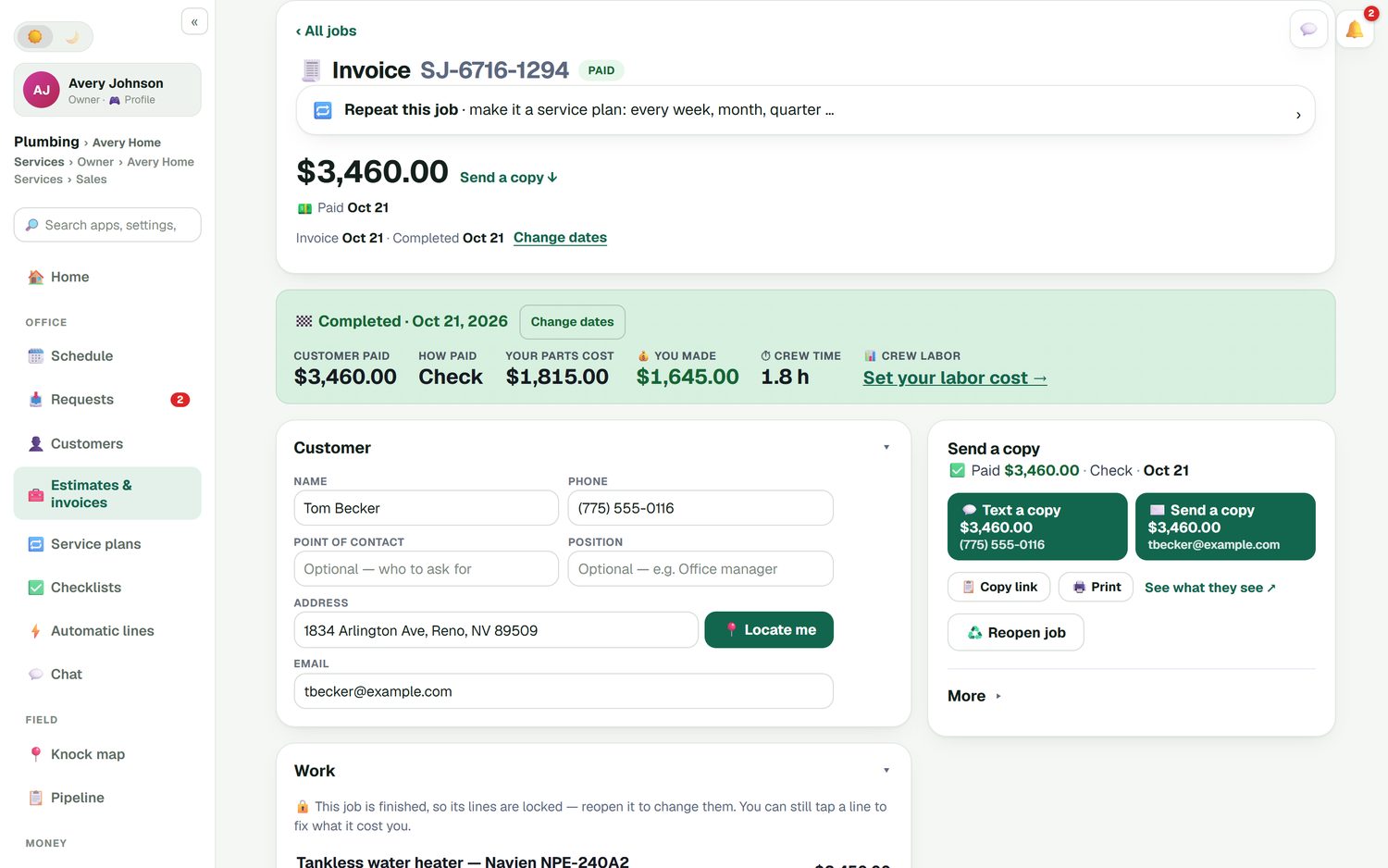
Most estimating ends when the customer says yes. That's how a contractor keeps quoting a job at a price that quietly loses money. In FieldStacker, the finished job shows what the customer paid, what your parts cost, the crew's time and what you made. Put your labor cost in once and the job profit report shows it for every job, so you can see which kinds of work pay and raise the price on the ones that don't.
- Parts, labor and expenses recorded against each job
- Each tech's stock drops as parts are used on a job
- A job profit report across all your work
- Invoices and payments sent to QuickBooks Online
Cloud based estimating software, phone to office
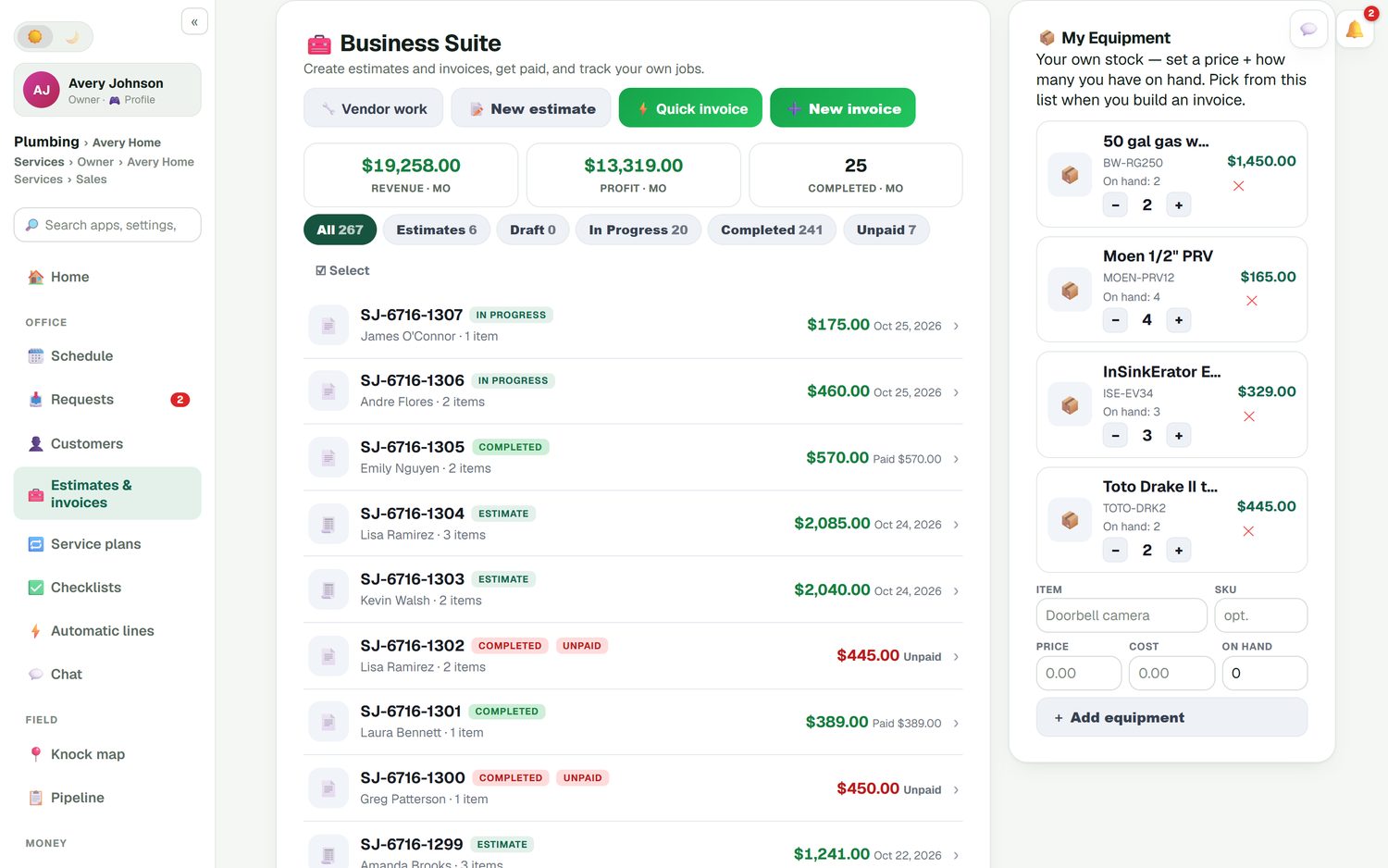
Estimates live in your account, not on one laptop. The tech writes it on site, the office sees it the moment it's saved, and the owner sees revenue and profit for the month at the top of the list. Filters split estimates, drafts, jobs in progress, completed work and unpaid invoices, so the pile has an order to it.
- Works in the browser on your phone, tablet or computer
- Estimates waiting show on the office home screen
- Automatic follow-ups on estimates nobody answered, which you can switch off or edit
- Approved estimates waiting to be booked show on the home screen too
Estimating by trade
The same estimate tools, set up for the way each trade prices.
HVAC
System replacements with optional add-ons, tune-up plans and repair quotes. See HVAC estimating.
Roofing
Satellite roof measurement on the map, where coverage exists, to start the number. See roof estimating.
Estimating software questions
What is the best estimating software?
It depends on how you price work. If you bid from blueprints, a takeoff tool such as PlanSwift or STACK measures the drawings for you, and that is the right tool. If you price at the house, from what you see and what you already charge, you want job quoting software like FieldStacker that builds the estimate from your own price list on your phone.
What is the difference between estimating software and takeoff software?
Takeoff software measures quantities from plans: square feet of drywall, linear feet of pipe, counts of fixtures. Estimating software for service work starts from a job you can see and prices it from your list of parts and labor. Some construction tools do both. FieldStacker does the second kind only, and says so.
Is FieldStacker cloud based estimating software?
Yes. It runs in the browser on your phone, tablet or office computer, and every estimate lives in your account rather than on one machine. Start an estimate in the driveway and the office sees it on the home screen under estimates waiting.
Can I do cost estimating, not just set a price?
Yes. Each item on your price list can carry what it costs you as well as what you charge. After the job, job costing puts the parts, labor and expenses against it, and the job profit report shows what you actually kept, so the next estimate starts from real numbers.
Do I have to use a built-in price book?
No. FieldStacker uses your own price list, the one you set up under Equipment & pricing. You type in your parts, labor and services at your prices, and they become searchable when you add a line to an estimate. Nothing is preloaded that you have to fight.
How much does FieldStacker estimating software cost?
Estimates come with the Pro plan at $30/mo, or $25/mo billed yearly, along with invoices, card payments, scheduling and your website. Techs you add are free. The trial is 14 days with no credit card.
Related: best estimating software for contractors · contractor estimate app · quote software · estimate and invoice software · pricing
Write your next estimate from your own prices
14-day free trial, no credit card. Add your price list, build one estimate, and send it before you leave the driveway.