Estimate and invoice software where the quote becomes the bill
Write the estimate once. The deposit, the change order, the finished invoice, the payment and the QuickBooks entry all come from it. Nobody retypes a line.
14-day free trial · no credit card · from $30/mo · your techs are free
Plenty of small businesses quote in one app and bill in another, or write the quote in a template and type it all again into an invoice when the job's done. That's where the mistakes come from: the add-on the customer approved that never got billed, the deposit nobody subtracted, the extra work done on a handshake.
Quote and invoice software fixes that by keeping one record per job. Here's what that record goes through in FieldStacker.
One job, quote to invoice
Six steps, one record, no retyping.
Estimate
Lines from your own price list, optional add-ons the customer can tick, and line discounts with a reason.
Approved with a deposit
The customer signs on your phone or by QR code and pays a percent or flat deposit.
Change order
Extra work goes on as its own lines with its own deposit, approved by the customer before you start.
Invoice
When the job is done, the estimate becomes the invoice. Deposits already paid are taken into account.
Paid
Card online or on the spot, an optional tip, or cash, check, Cash App, Venmo or Zelle recorded. A receipt is emailed.
In the books
The invoice and payment go to QuickBooks Online, and the job's parts and labor show in job costing.
Quotation and invoice software, without the gaps
The parts that usually fall between two apps.
Quick invoice
A service call priced on the spot? One screen: who, what, how much. Send it, take a card, mark it paid or save a draft.
Batch invoicing
Finished a week of jobs? Email invoices for up to 100 completed jobs at once.
Unpaid reminders
An automation reminds customers about unpaid invoices by email, plus a text with the texting add-on. Edit it or turn it off.
Thank-you and review
After an invoice is paid, a thank-you goes out with a review request, so happy customers say so where it counts.
Recurring invoices
Turn a job into a service plan. Each visit becomes its own job and invoice, and a card on file can pay it automatically.
QuickBooks Online sync
Invoices and payments update in QuickBooks Online as they change. Expenses, job parts and mileage can sync too.
Quote and invoice from one app, free for 14 days
Moving from another app? We import your customers and jobs for free, including Jobber clients and balances.
- No credit card to start
- From $30/mo after the trial
- Your techs and cleaners are free
- Cancel any time from the app
Every estimate and invoice, in one list
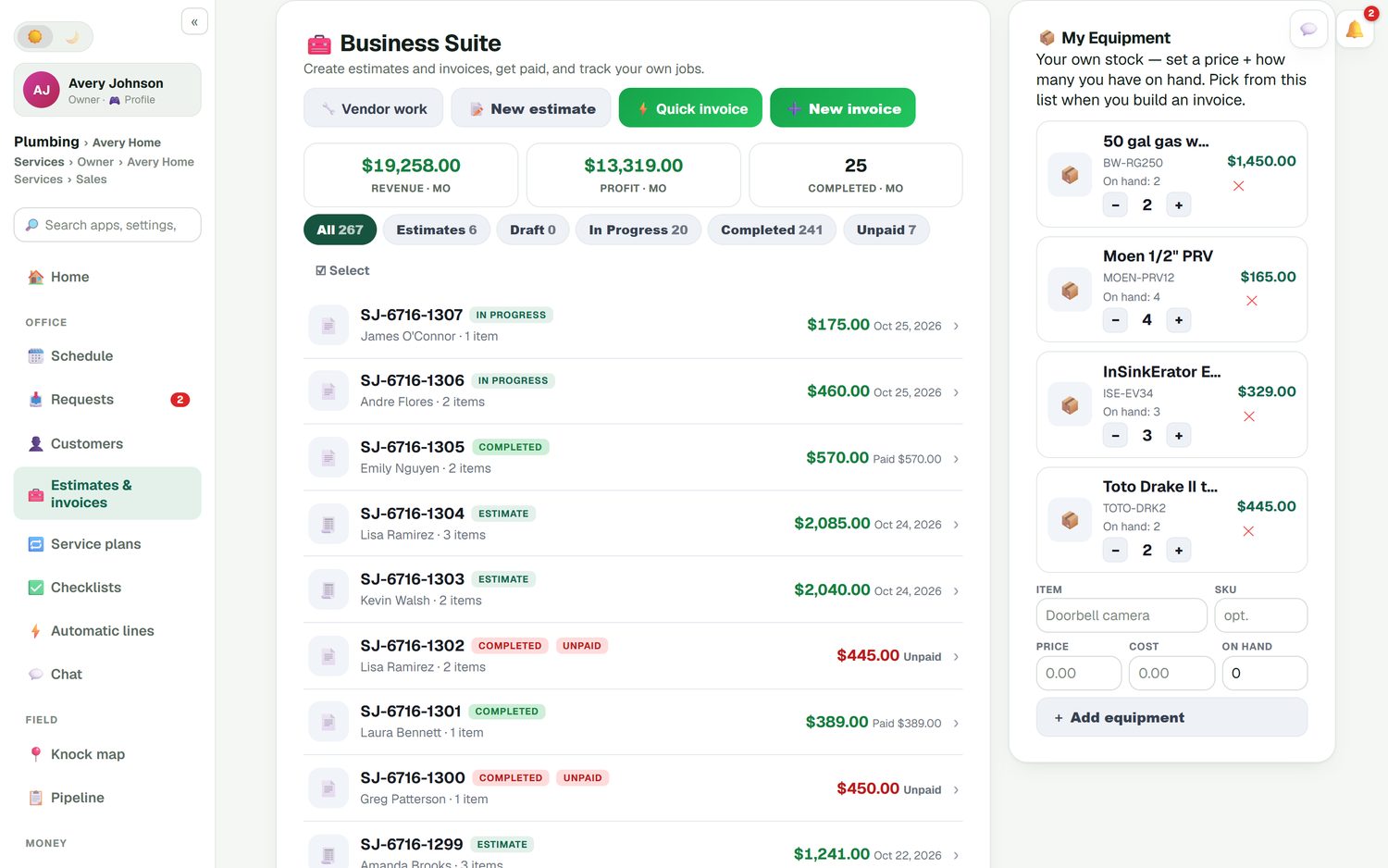
The estimates and invoices list shows each job's number, customer, amount and where it stands: estimate, in progress, completed, paid or unpaid. Filters split them in one tap, and the top of the page shows revenue, profit and jobs completed this month. Unpaid ones show in red, so you know who to call before they're two months late.
- Estimates, drafts, in-progress, completed and unpaid filters
- Revenue and profit for the month at the top
- Past-due invoices and money owed on your home screen
- Finished jobs that were never invoiced, flagged for you
Quick invoice for the fifteen-minute job
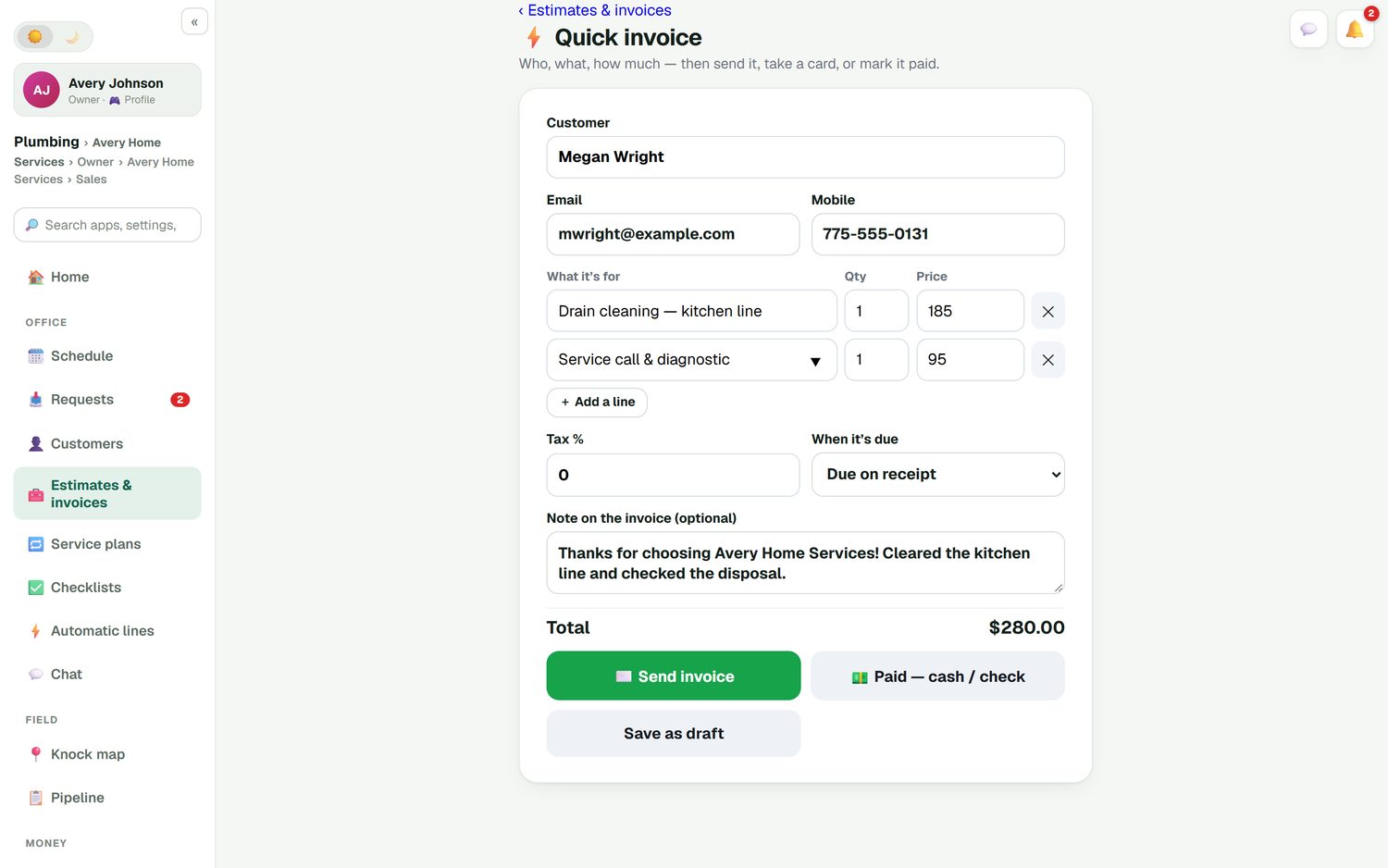
Not every job deserves an estimate. A drain cleared, a breaker reset, a faucet cartridge swapped: you priced it standing there. Quick invoice takes the customer, what it was for, the quantity and the price, adds tax if you need it, sets when it's due and adds a note. Then send it, take the card right there, or mark it paid by cash or check before you're back in the truck.
- Pick lines from your price list or type them
- Due on receipt or a later date
- A thank-you note printed on the invoice
- Save a draft and finish it at the office
A portal where customers pay and look things up
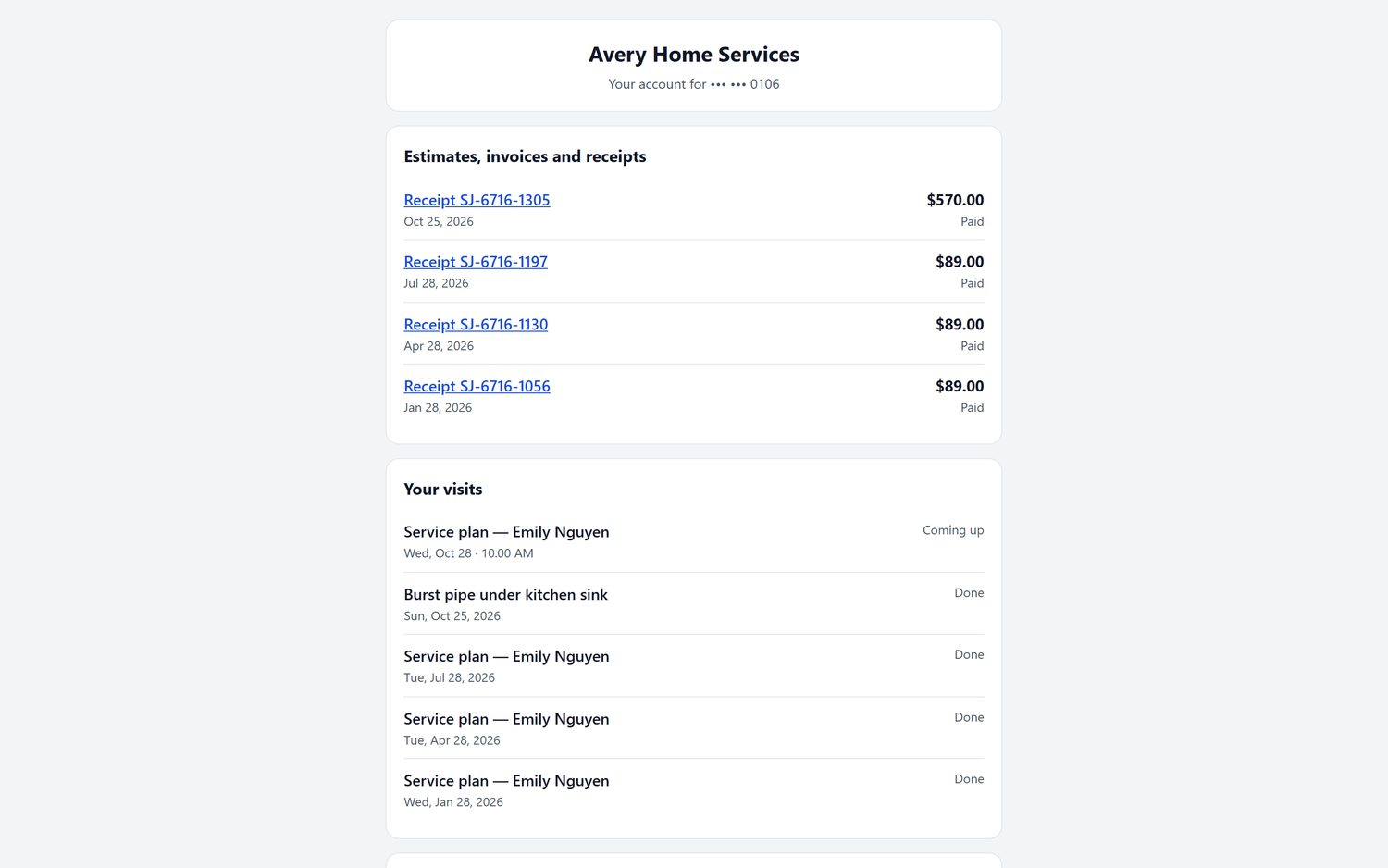
"Can you resend that invoice?" stops being a phone call. Customers sign in to their own portal to pay invoices and see their estimates, invoices, receipts, billing history and visits. They can reschedule a booking there too. When we host your website, the portal runs on your own domain, so it looks like your business, not ours.
- Estimates, invoices and receipts in one place
- Past and upcoming visits listed
- Pay an invoice by card from the portal
- Runs on your website's domain when we host it
Quote and invoice software questions
What is quote to invoice software?
It is software where the quote you send becomes the invoice once the work is done, so you never type the same lines twice. In FieldStacker the approved estimate turns into the invoice in one tap, keeping every line, discount, deposit and change order.
Is there free quote and invoice software?
Yes, there are free invoice templates and some apps with limited free tiers, and they can work if you send a few invoices a month. FieldStacker is not free for estimates and invoices: they are on the Pro plan from $30/mo, with a 14-day free trial and no card. The free FieldStacker plan is the digital business card.
Does the deposit come off the final invoice?
Yes. A deposit taken on the estimate is recorded against the job, so the invoice shows what is left to pay. Change orders carry their own deposit, and the customer approves each one before the work starts.
Can customers pay the invoice online?
Yes. They pay by card through your own Stripe account at standard Stripe rates, with no FieldStacker fee on top, and they can add a tip if you turn tips on. Customers can also sign in to their portal to pay, and you can record cash, check, Cash App, Venmo or Zelle.
Does quotation and invoice software need to sync with QuickBooks?
It helps, so nobody enters invoices twice. FieldStacker sends finished and sent invoices and their payments to QuickBooks Online automatically, and a payment you record in QuickBooks marks the invoice paid here. It works with QuickBooks Online only, not QuickBooks Desktop.
Can I invoice a job that never had an estimate?
Yes. Quick invoice is one screen: customer, what it was for, price. Then send it, take a card now, mark it paid by cash or check, or save a draft. It suits a service call that was priced on the spot.
Related: quote software · estimating software · invoicing software for small business · invoice app for contractors · free invoice apps for contractors · recurring billing · QuickBooks field service · pricing
Stop typing the same job twice
14-day free trial, no credit card. Send one estimate, turn it into an invoice, and get paid through your own Stripe account.