Software for remodeling contractors who run the job
From the walkthrough to the final payment: an estimate with a deposit, change orders the homeowner approves, a multi-day schedule for the crew, photos at every stage, and a profit number when it's done.
14-day free trial · no credit card · from $30/mo · your crew is free
A remodel isn't a service call. It runs for days or weeks, it changes once the walls are open, and the money comes in pieces: a deposit to order the cabinets, a change order for the subfloor nobody could see, the balance at the end. Most small remodelers track that across a spreadsheet, a calendar, text threads and an invoice app, and something slips. Usually it's the extra work that never got billed.
This page is about running remodel jobs. If you're looking for help selling them door to door, that's our remodeling sales CRM.
A bathroom remodel, start to finish
How one job moves through FieldStacker.
Walkthrough and estimate
Demo, haul-off, rough-in, tile, fixtures and the permit as separate lines from your price list. A heated floor and a shower niche as optional add-ons.
Signed with a deposit
The homeowner signs on your phone or by QR code and pays the deposit, so materials are covered before you order.
On the crew's schedule
One multi-day job across demo, rough-in and finish days. Drag it if the inspection moves.
Built, billed, measured
Checklists and photos at each stage, change orders approved as you go, the final invoice, then job profit.
Estimating programs for remodeling, and the rest of the job
What a remodeler uses most.
Estimates from your list
Your own prices for demo, framing, drywall, tile per square foot, fixtures and permits. Automatic lines add the labor that goes with a part.
Change orders
Rotted subfloor, a moved drain, an extra outlet. Add the lines with their own deposit and get the homeowner's approval first.
Multi-day jobs
A kitchen that runs two weeks stays one job on the schedule board, across the days and techs it needs.
Checklists per kind of job
A template for bathrooms, another for kitchens: protect the floors, shut off the water, photo the rough-in before it's closed up. Always optional.
Photos at every stage
Before, rough-in, finished. Photos save on the job and show in the customer's emails.
Job costing
Materials, labor and expenses against each remodel, and a job profit report to show which kinds of jobs pay.
Run your next remodel in FieldStacker, free for 14 days
Bring your customers over from your old app or spreadsheet. We import them for free.
- No credit card to start
- From $30/mo after the trial
- Your techs and cleaners are free
- Cancel any time from the app
Price the scope line by line
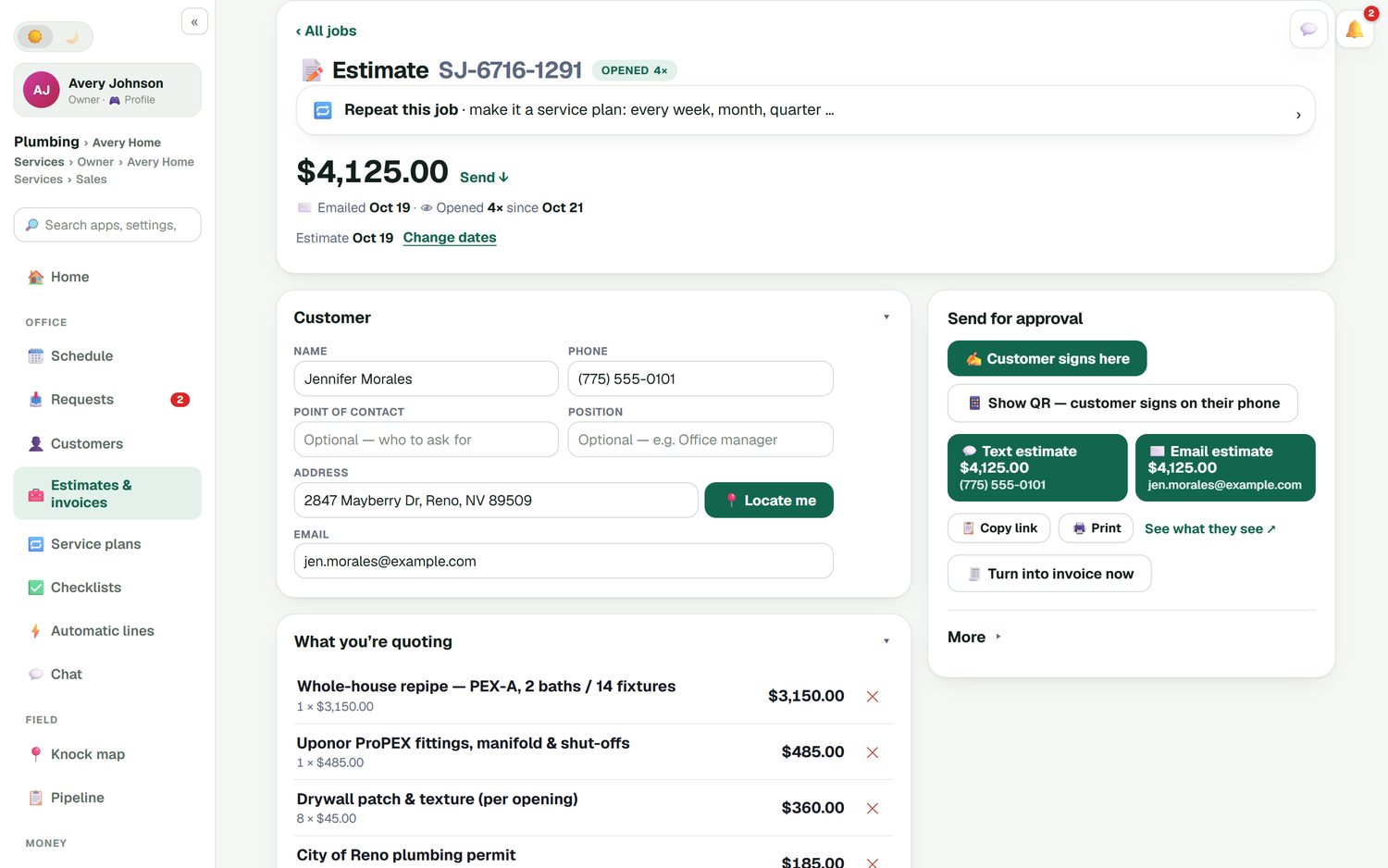
A remodel estimate the homeowner can read is one they're more likely to sign. Put each part of the scope on its own line, from your own price list: the rough-in, the fittings, the drywall patch per opening, the city permit. Add upgrades as optional add-ons so they choose the level instead of saying no to the whole job. Take a line discount with a written reason if you're bundling, and set the deposit you need to order materials.
- Each item from your price list, searchable as you add lines
- Optional add-ons the homeowner ticks
- Line discounts in % or $, with the reason saved
- A % or flat deposit, paid by card at signing
Demo Monday, tile Thursday
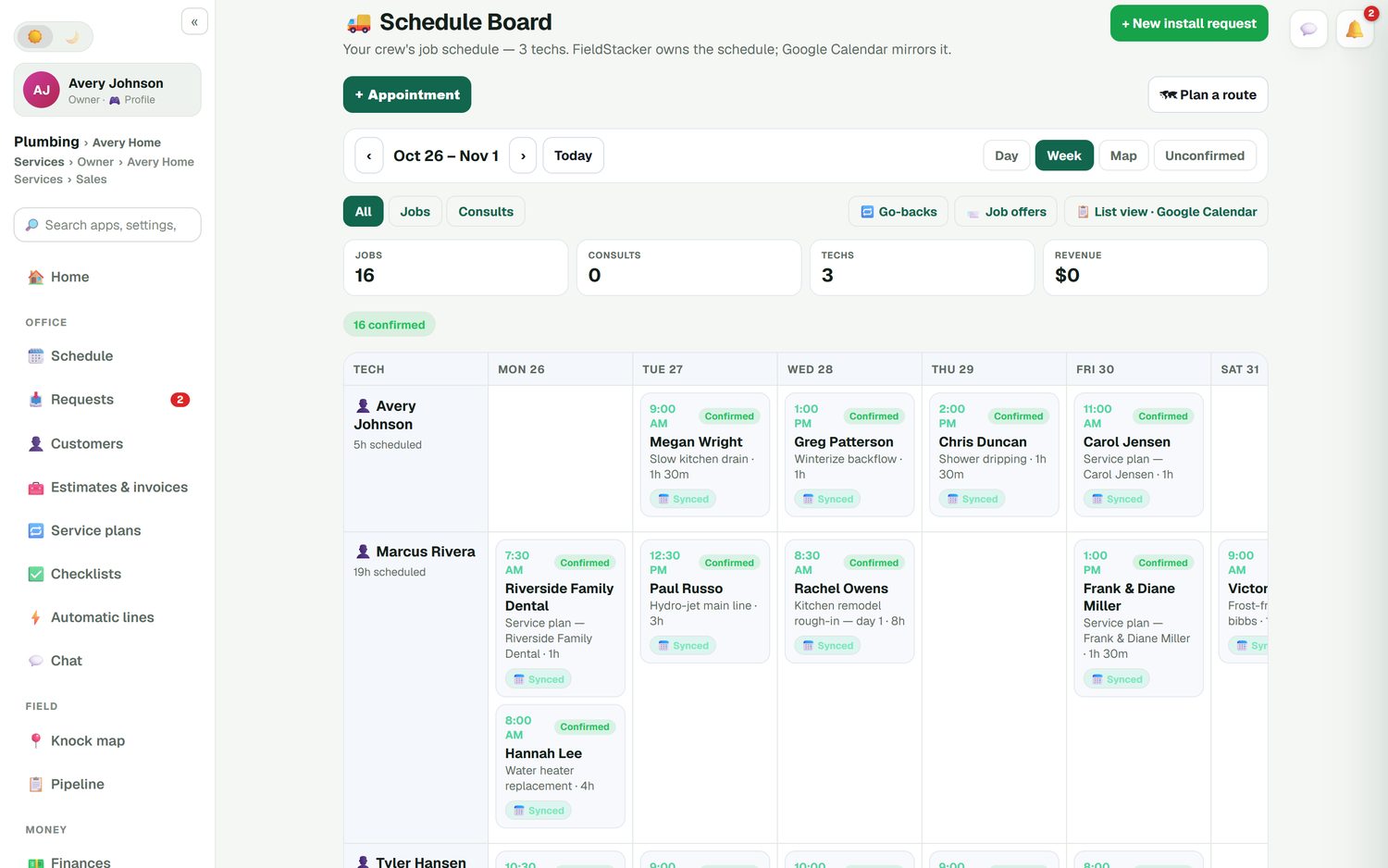
Remodels are where schedules fall apart: the inspector comes a day late, the tile is backordered, and the crew needs to be somewhere else. On the schedule board a multi-day job shows across the days it runs, each tech down the side. Drag it when the dates move and the homeowner's calendar invite moves too. Your crew is free to add, sees their own days on their phone, clocks in, and works the job's checklist with photos.
- Multi-day jobs on a Day, Week or Map view
- Google Calendar mirrors the schedule
- Go-backs for the punch list visit
- Time clock and timesheets for the crew
The homeowner's whole project in one record
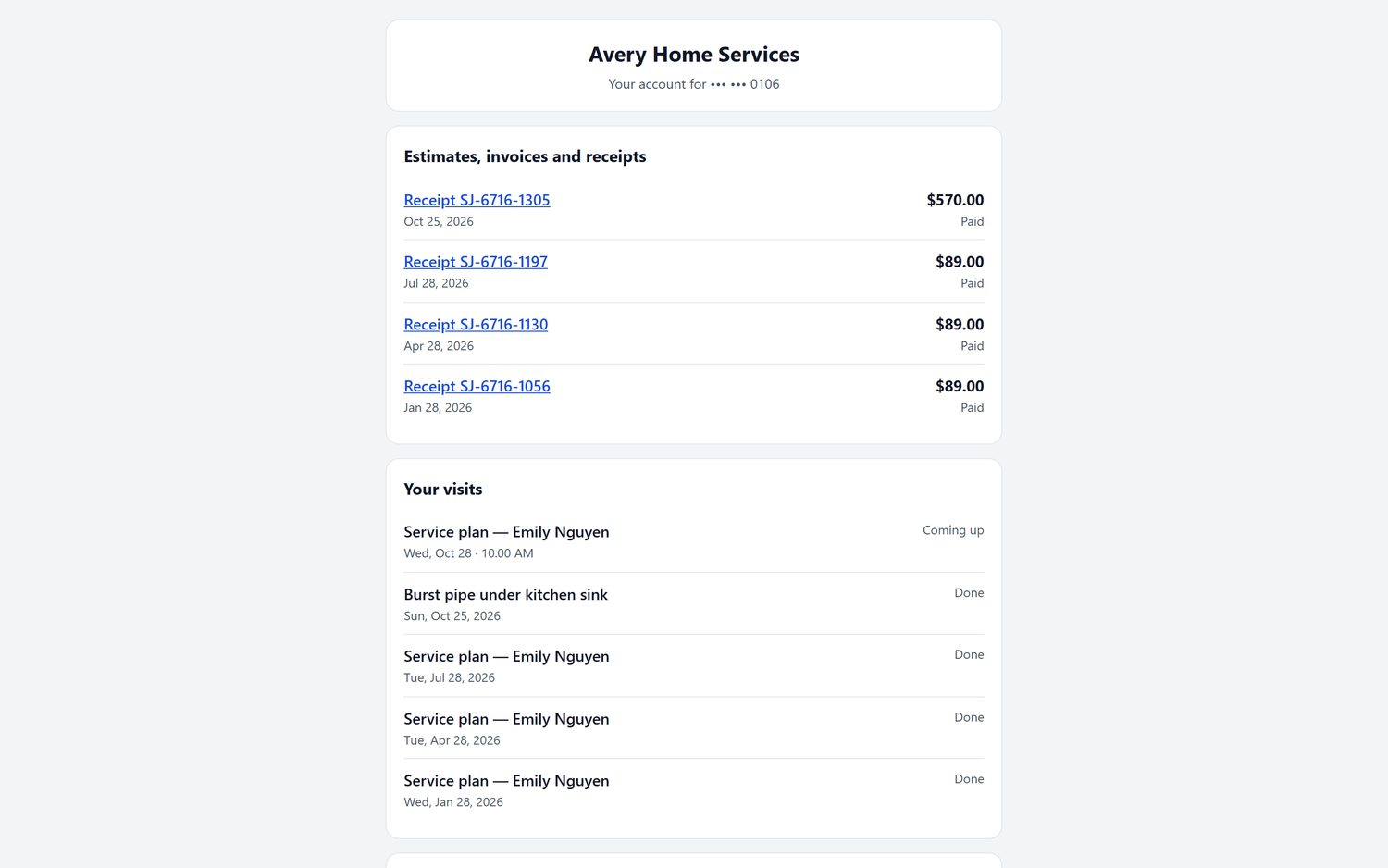
A good remodeler CRM remembers everything about a customer: the first request, the estimate, the change orders, the photos and every payment. In FieldStacker that's the customer record. The homeowner gets a portal to pay invoices and see estimates, receipts and visits, on your own domain when we host your website. After the final invoice is paid, a thank-you and review request goes out on its own.
- A Requests inbox from your website and card
- Automatic follow-ups on estimates nobody answered
- A customer portal with billing history
- New-homeowner postcards to people who just bought nearby
What it isn't
FieldStacker doesn't do 3D kitchen design, a client selections portal, subcontractor bid packages or Gantt charts. If you're a design-build firm running subs on six-month projects, a construction project tool will fit better. If your crew builds the job, it covers what you do every day, and the money side: deposits, change orders, card payments through your own Stripe account, and invoices and payments synced to QuickBooks Online.
Remodeling software questions
What is the best software for remodeling contractors?
For a remodeler whose own crew does the work, the best software covers the estimate, the deposit, change orders, a multi-day schedule, job photos and the final invoice without three apps. FieldStacker does that from $30/mo. Builders managing many subcontractors on long projects may want a construction project tool instead.
What is the best CRM for remodelers?
A remodeler CRM should hold every lead, estimate, job and invoice for a homeowner in one record, and chase the estimates nobody answered. FieldStacker keeps the customer list, a Requests inbox, automatic estimate follow-ups and a review request after the final invoice is paid. If you sell remodels door to door, see our remodeling sales CRM page.
Are there estimating programs for remodeling that handle change orders?
Yes. In FieldStacker a change order adds the extra lines with their own deposit, and the customer approves it before you do the work. The approved change carries through to the final invoice, so nothing done on a handshake goes unbilled.
Can I take a deposit before ordering materials?
Yes. Set a percent or a flat deposit on the estimate, and the customer pays it by card when they sign, through your own Stripe account. Each change order can carry its own deposit too.
Does it do 3D design, selections or subcontractor bids?
No. FieldStacker does not do 3D design, a client selections portal, subcontractor bid packages or Gantt charts. It runs the estimate, schedule, crew, photos, payments and books for remodels your own crew builds.
How much does remodeling software from FieldStacker cost?
Pro is $30/mo, or $25/mo billed yearly, and your crew is free when you add them as technicians. Team is $60/mo if you need two more office or sales logins. Start with a 14-day free trial, no credit card.
Related: contractor estimate app · contractor app · crew time tracking · best CRM for contractors · construction invoicing · painting estimates · pricing
Run your next remodel from one app
14-day free trial, no credit card. Put one real job in, from the walkthrough estimate to the final invoice.