HVAC software for the shop that answers its own phone
Book the tune-ups, slot in the no-cool calls, quote the replacements, invoice from the driveway and keep every maintenance agreement charging on time. One app for the owner, the office and the techs.
14-day free trial · no credit card · from $30/mo · your techs are free
An HVAC year is lumpy. March and September are for tune-ups and selling agreements. Then the first 98-degree week arrives and the phone does not stop, and the same thing happens again on the first cold snap in November. The software has to handle both: a calm board you fill weeks ahead, and a full board you have to rearrange by lunch.
A paper calendar and a spreadsheet of who is on a plan work until the busy week, when a callback gets lost. FieldStacker keeps the job, the money and the customer in one record.
HVAC business software for every part of the job
Each piece has its own page if you want the detail.
Scheduling
Every tech down the side, days across the top. Tune-ups from your agreements land on the board on their own, and customers can book open times online.
Dispatch
A no-heat call comes in at 2pm. See who is closest on the map view, drag the job onto their day, and text the customer when the tech is on the way.
Replacement quotes
Build a changeout from your own price list, add the upgrades as optional add-ons the homeowner ticks, take a deposit and get it signed at the kitchen table.
Invoicing and payments
Quick invoice a capacitor swap in one screen, take a card through your own Stripe account, or batch-email a whole day of finished tune-ups.
Customers and agreements
Equipment serials and filter sizes in the job notes, photos of the data plate, past visits and receipts, and every maintenance agreement in one list.
The tech's phone
A day route in driving order, the tune-up checklist, truck stock that counts down as filters get used, and payment before they leave the driveway.
Run your HVAC jobs in FieldStacker free for 14 days
Bring your customers over from your old app. We import them for free.
- No credit card to start
- From $30/mo after the trial
- Your techs and cleaners are free
- Cancel any time from the app
HVAC management software that starts with what needs you
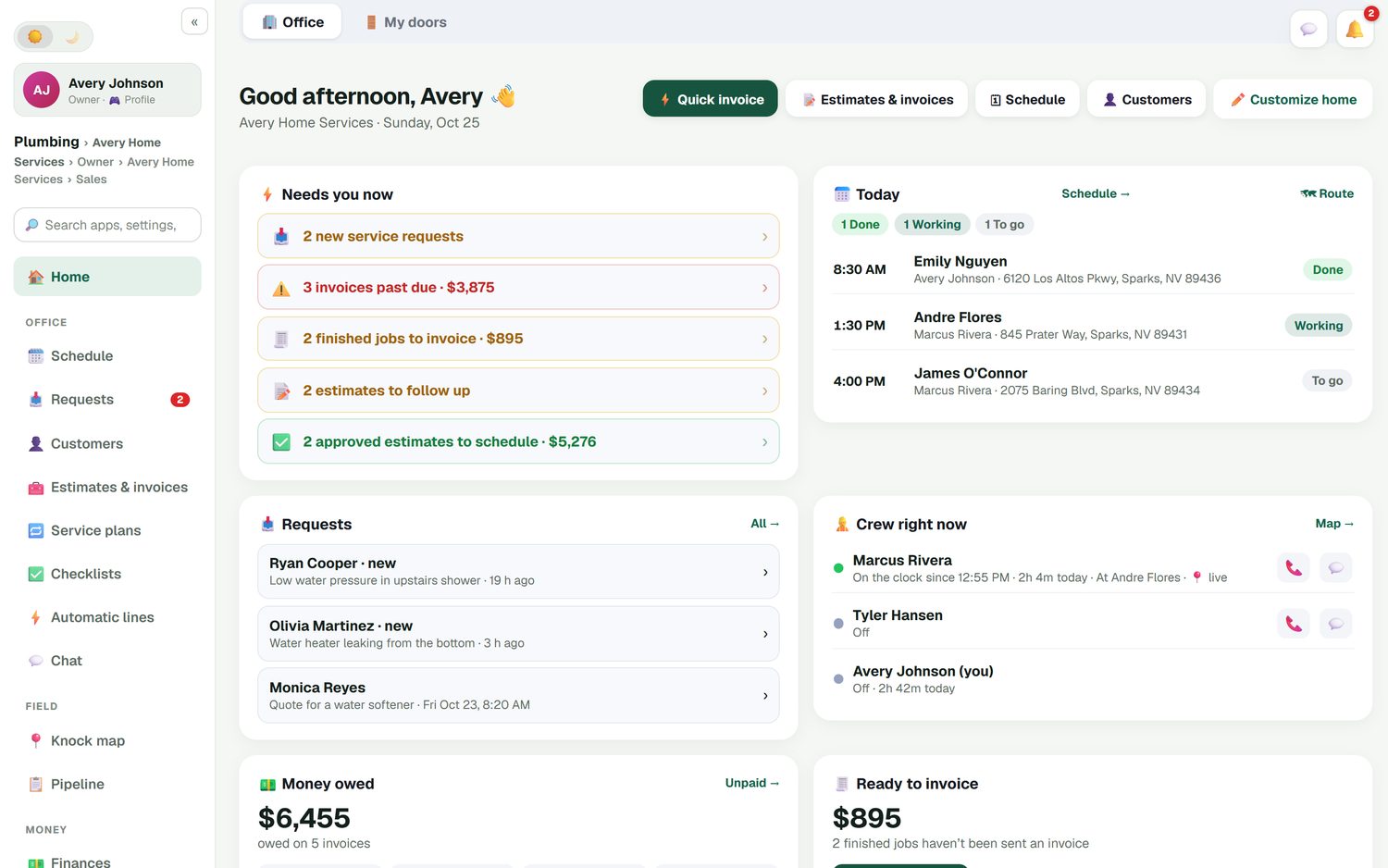
Open the app and the first card tells you what is waiting: new service requests, invoices past due, finished jobs nobody has invoiced, estimates to follow up and approved replacements that still need an install date. Beside it is today's run of jobs and which techs are on the clock. In August that list is the difference between a missed no-cool call and a booked one.
- Requests, past-due invoices and unsent invoices in one place
- Today's jobs marked done, working or to go
- Where the crew is, money owed and job profit
- This week against last week
How an HVAC year runs in FieldStacker
The same app, four very different seasons.
Spring tune-ups
Agreement customers on an every-six-months plan land on the board ahead of time. You fill the gaps with one-off tune-ups booked online.
Summer no-cool rush
Requests come in from your website and card. You move tune-ups that can wait, drop the emergencies onto the nearest tech and re-route the day.
Fall heating checks
The second agreement visit comes due. Techs tick the heating checklist, note the filter size and serial, and flag systems worth a replacement quote.
Winter installs
Replacement quotes from the fall get followed up automatically. Signed jobs take a deposit, run over two days if they need to, and invoice when done.
HVAC service software with one board for tune-ups and emergencies
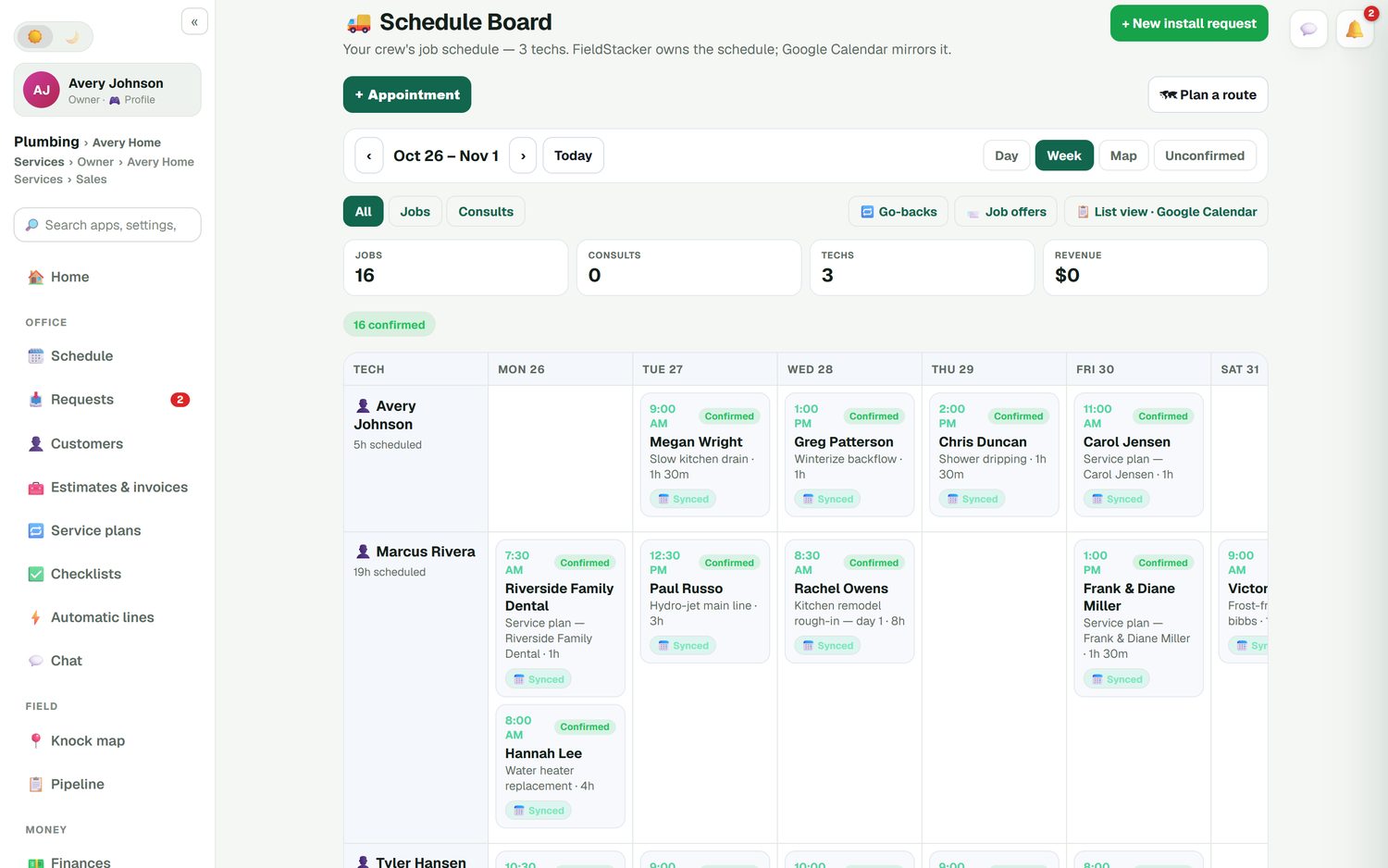
The schedule board shows a day, a week or a map. Drag a job to another day or another tech and the customer's calendar invite moves with it, because FieldStacker owns the schedule and Google Calendar mirrors it. Unconfirmed jobs are easy to spot, callbacks go on as go-backs, and you can offer an open job to your techs instead of phoning around.
- Day, Week and Map views
- Confirmed and unconfirmed jobs at a glance
- Multi-day jobs for full system installs
- Online booking that only shows times you really have open
Know what each job actually made
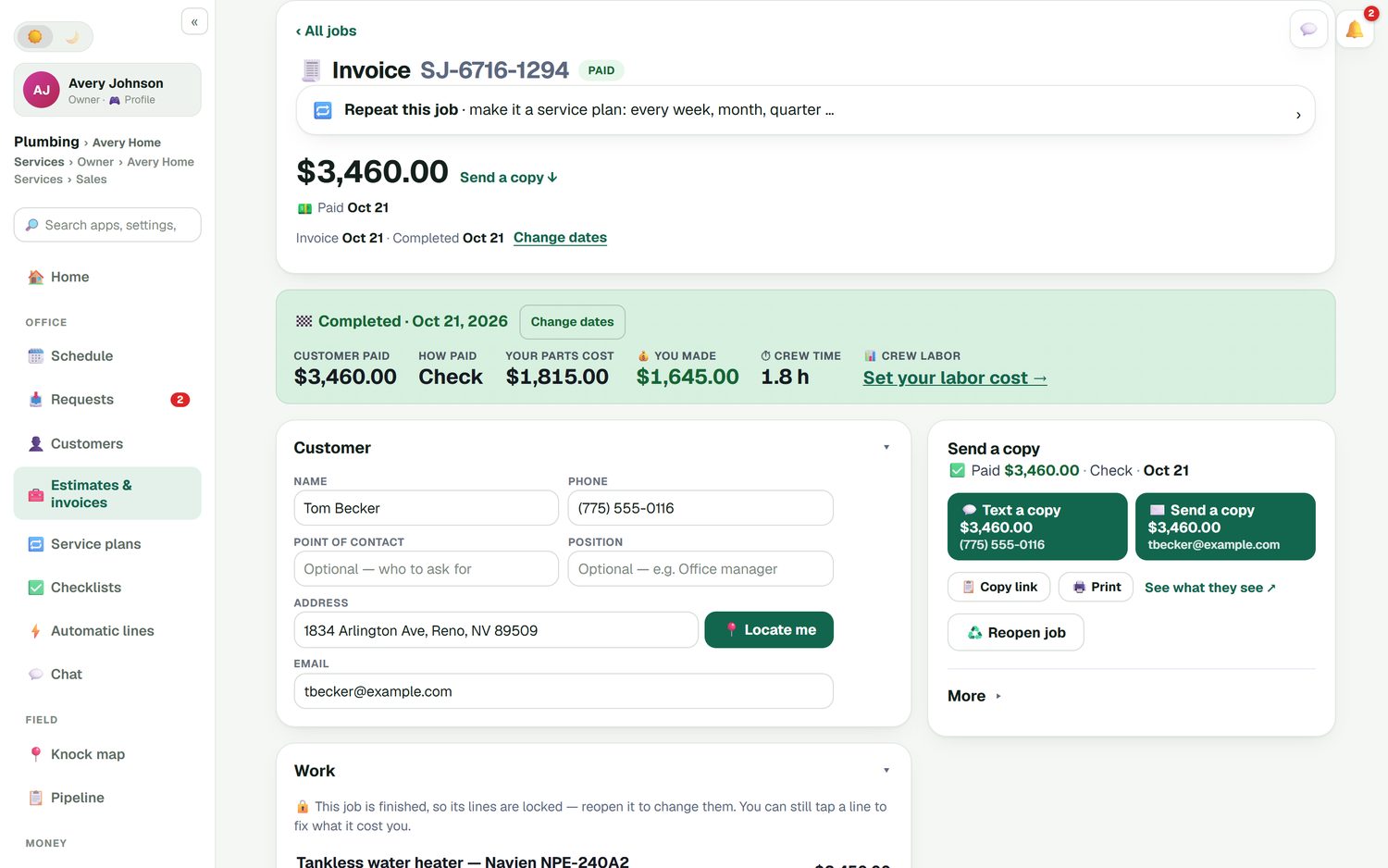
When a job is done, FieldStacker shows what the customer paid, how they paid, your parts cost, what you kept and how long the crew spent. Parts come off the tech's truck stock when the job is completed. Invoices and payments flow to QuickBooks Online, and unpaid-invoice reminders go out on their own so you are not chasing the replacement you finished three weeks ago.
- Job costing with parts, labor and expenses
- Card payments through your own Stripe account, no FieldStacker fee on top
- Cash, check, Cash App, Venmo or Zelle recorded in one tap
- Income, expenses, mileage and receipt scanning in Finances
HVAC software for small businesses: where we fit and where we don't
ServiceTitan is strong in HVAC. It has call booking, a pricebook, multi-option proposals, integrated financing and deep reporting, and it suits shops with dispatchers, sales staff and many trucks. It does not publish prices; you request a quote, and its pricing page says plans are priced per technician. Housecall Pro is also popular with HVAC shops: its plans start at $79/mo for one user, flat-rate pricing comes with Essentials, and recurring service plans come with Max at $329/mo (checked October 26, 2026).
FieldStacker is for the owner-operator and the shop with a handful of techs. You get a clear monthly price, free technician logins, maintenance agreements with autopay on the base plan, and a website and business email included. You give up a flat-rate price book (you work from your own price list), consumer financing and QuickBooks Desktop. If those matter more than the price, try the others too. Our best HVAC software roundup compares seven options with their published prices.
Selling tune-ups or replacements door to door as well? The HVAC sales CRM page covers canvassing, the knock map and rep commission.
HVAC software questions
What is HVAC software?
HVAC software runs the business side of a heating and cooling company: booking calls and tune-ups, scheduling techs, quoting repairs and replacements, invoicing and keeping a history of every customer. FieldStacker does that from one login, on your phone or a desktop.
What is the best HVAC software for small businesses?
It depends on your size. A shop with a call center, a dozen trucks and a flat-rate book usually fits ServiceTitan. A small shop that wants a clear monthly price, free tech logins and maintenance agreements on autopay is who FieldStacker is built for. Housecall Pro and Jobber sit in between and are worth trying too. We compare all of them, with prices, on our best HVAC software page.
How much does HVAC business software cost?
FieldStacker is $30/mo for the owner, or $25/mo billed yearly, and techs you add as technicians are free. Office seats are on Team at $60/mo for you plus two people. ServiceTitan does not publish prices, Housecall Pro starts at $79/mo for one user and Jobber Core at $49/mo for one user (checked October 26, 2026).
Can I run maintenance agreements in it?
Yes. A maintenance agreement is a service plan: pick the customer, the visit price and how often, such as every six months for a spring cooling and fall heating tune-up. Each visit lands on the schedule as its own job and invoice, and a card on file can be charged automatically for each visit.
Does it work with QuickBooks?
Yes, QuickBooks Online. Finished and sent invoices and their payments go to QuickBooks Online automatically, and a payment you record in QuickBooks marks the invoice paid in FieldStacker. Expenses, job parts and mileage can sync too. QuickBooks Desktop is not supported.
Is HVAC management software hard to switch to?
Not if someone moves your data for you. Send us your customer list and jobs and we import them for free, or upload a CSV or Excel file yourself, up to 250 MB, with an undo if a column lands wrong. There is a dedicated Jobber import for clients and balances.
What does FieldStacker not do for HVAC?
There is no flat-rate price book (you use your own price list), no consumer financing, no Manual J load calculation, no QuickBooks Desktop sync and no offline mode. If those are must-haves, ServiceTitan or Housecall Pro may suit you better.
Related: HVAC scheduling · HVAC dispatch · HVAC estimating · HVAC invoicing · HVAC CRM · HVAC field service · Best HVAC software · Pricing
Get your HVAC shop ready before the next heat wave
14-day free trial, no credit card. Add your techs free and we'll bring your customers over from your old app.