Plumbing business management software for the calls that can't wait
Burst pipes, no-hot-water calls, water heater swaps and three-day repipes on one board. Quote at the kitchen table, invoice before you leave the driveway, and see what each job actually made.
14-day free trial · no credit card · from $30/mo · your plumbers are free
A plumbing day rarely goes to plan. You start with a water heater replacement at 8, a slow kitchen drain at 10:30 and a repipe estimate at 2. Then someone calls with water coming through the ceiling. Small plumbing business software has to make that call easy to fit in, not add another screen to check.
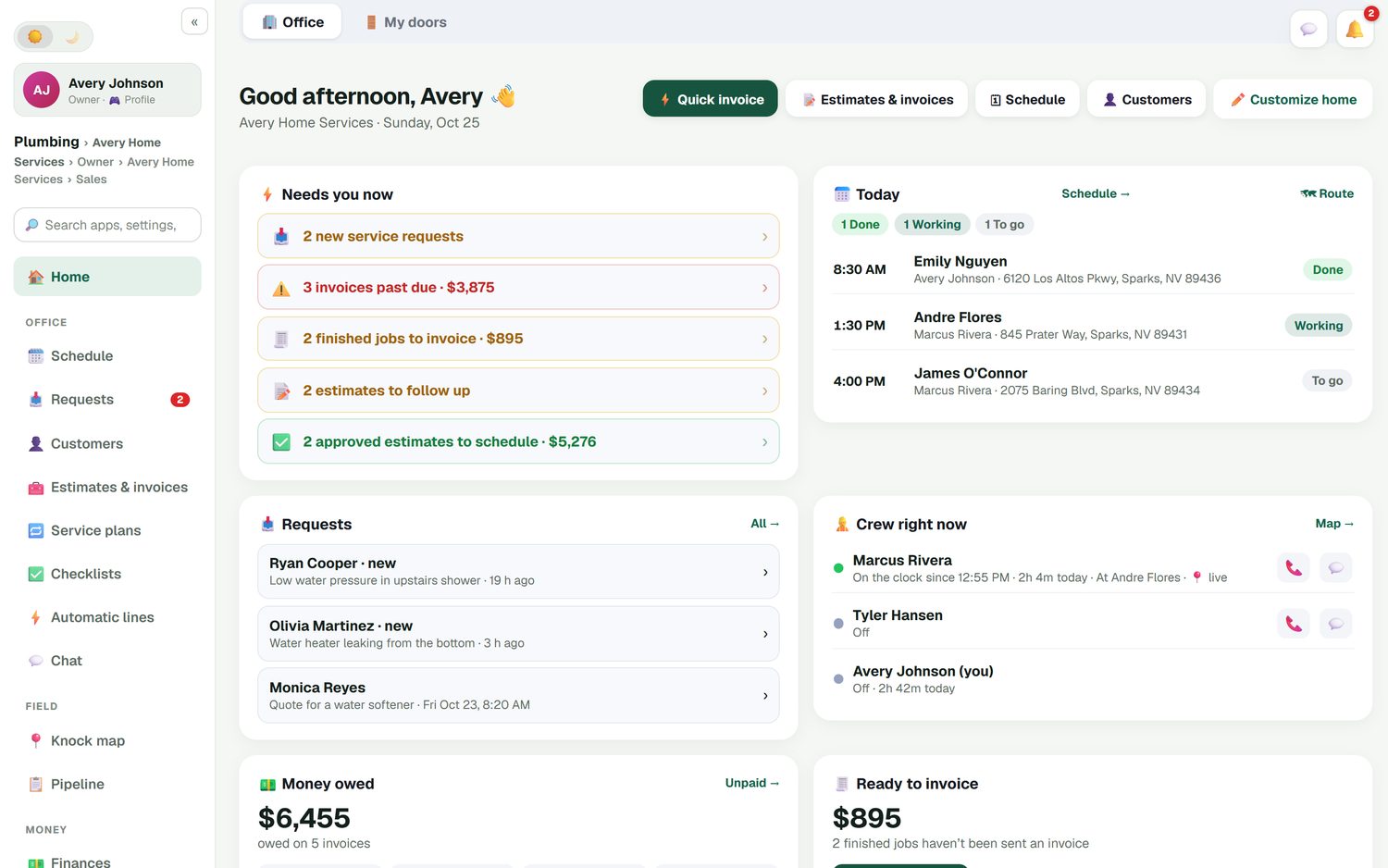
FieldStacker opens on an office home screen that shows what needs you now: new service requests, invoices past due, finished jobs not yet invoiced, estimates to follow up and approved estimates waiting for a date. Below that you see today's jobs, which plumber is on the clock and where, and how much money is owed. If you are the owner and the plumber, you run it from your phone. When you add plumbers, they join as technicians at no charge and see their own day.
What a plumbing shop gets
The parts of plumbing software that matter when the work is service, repair and replacement.
Emergency calls on the board
A burst pipe or no-water call becomes an appointment in a few taps. Drag it onto the plumber who can get there first, and the customer's calendar invite moves with it.
One inbox for requests
Put your request page on your website, Google Business profile and digital card. "Water heater leaking from the bottom" lands in Requests with the address and when they are home.
Quotes from your price list
Search your own price list for the 50-gallon gas tank, the PRV or the permit fee. Add optional lines the customer can tick, like an expansion tank or a new shut-off.
Multi-day jobs
A whole-house repipe or a remodel rough-in spans several days on the board, with its notes, photos and parts on one job instead of three.
Maintenance plans
Yearly water heater flushes, softener checks, monthly drain service for a restaurant. A service plan keeps each visit on the calendar and autopay charges the card on file.
Profit per job
Parts, labor and expenses land against each job, so you know whether that tankless install made money or just kept the crew busy.
Run your plumbing shop in FieldStacker free for 14 days
Bring your customers over from Jobber, Housecall Pro or a spreadsheet. We import them for free.
- No credit card to start
- From $30/mo after the trial
- Your techs and cleaners are free
- Cancel any time from the app
See what needs you before the phone rings
Most plumbing shops lose money in the gaps: the job that was finished on Tuesday and never invoiced, the $5,000 repipe the customer approved that nobody put on the calendar, the estimate that went quiet. The home screen puts each of those in a list with a dollar figure, and one tap opens the work.
- New service requests, past-due invoices and unsent invoices
- Estimates to follow up and approved estimates to schedule
- Today's jobs marked done, working or to go
- Who is clocked in, and at which customer's house
Turn one-time calls into plan customers
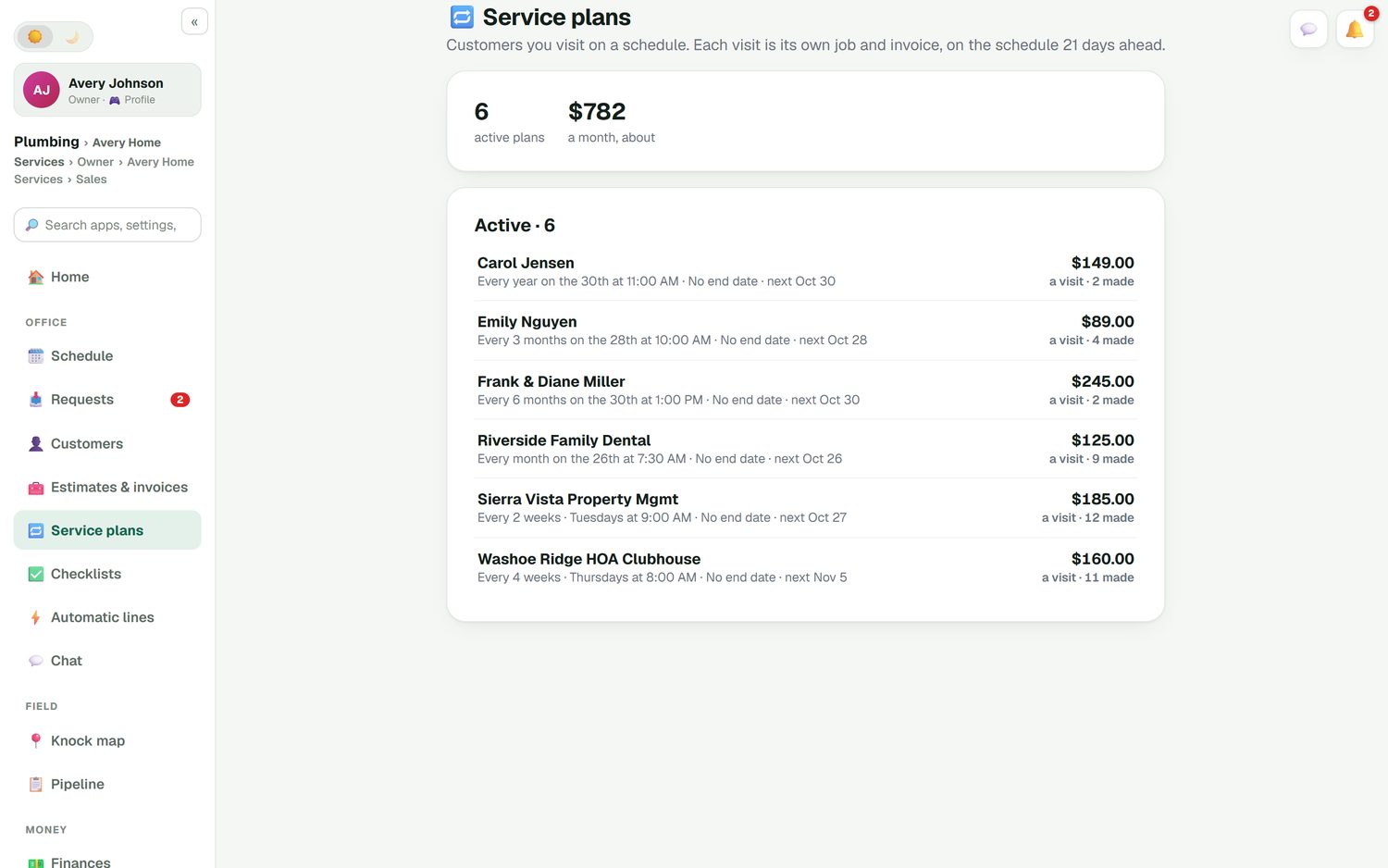
The customer you saved from a flooded garage is the one most likely to say yes to a yearly water heater flush. Put them on a service plan and every visit is already a date: yearly, every six months, quarterly, monthly or every two weeks. Each visit is its own job and invoice, and autopay charges the card on file when it is done. Customers see and manage their visits on their own page, so a dental office or a property manager can move a date without calling you.
- Plans for homeowners, restaurants and property managers
- Card on file and autopay for each visit
- Turn any finished job into a plan with "Repeat this job"
Know what you kept, not just what you billed
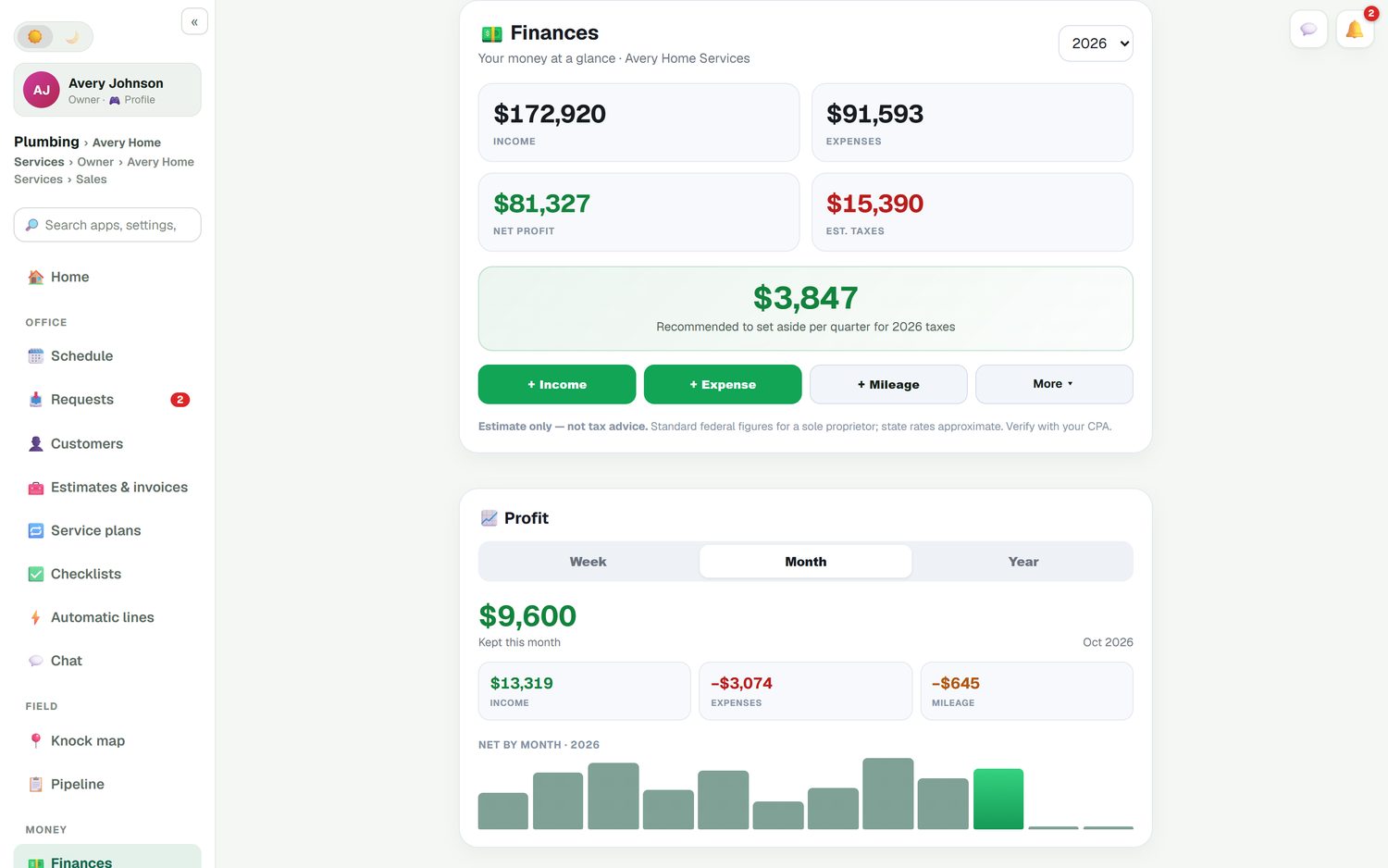
Plumbing margins live in the parts. Mark a job done and FieldStacker shows what the customer paid, what the parts cost you and what you made. The Finances page adds up income and expenses for the month and the year. Mileage is logged automatically, road-accurate, and you snap a photo of a supply-house receipt to record it.
- Job costing with parts, labor and expenses per job
- Invoices and payments sync to QuickBooks Online
- Each plumber's truck stock goes down as parts are used
Choosing the best software for a plumbing business
Be honest about your size. We checked each company's own pricing page on October 26, 2026:
- ServiceTitan is built for larger residential and commercial shops. It does not publish prices; every plan says "Request Pricing", and pricing is per technician. If you run 30 trucks and a call center, it is designed for you.
- Jobber Core is $49/mo for one user. QuickBooks Online sync and checklists start on Connect, which is $139/mo for one user. Job costing and two-way texting start on Grow at $199/mo. See Jobber pricing.
- Housecall Pro Basic is $79/mo for one user and includes consumer financing and a price book, which FieldStacker does not offer. QuickBooks Online sync, checklists and flat-rate pricing start on Essentials at $189/mo. Recurring service plans are on Max at $329/mo. See Housecall Pro pricing.
FieldStacker Pro is $30/mo and includes QuickBooks Online sync, job costing, service plans with autopay and the customer portal. If you need consumer financing or a flat-rate price book, choose one of the others. If you want the core of running a plumbing business at a small-shop price, try ours. For more options, see the field service management software roundup.
Plumbing software questions
What is the best software for a plumbing business?
It depends on how many plumbers you run. ServiceTitan is built for larger shops and quotes its pricing per technician. Jobber and Housecall Pro suit small and mid-size shops, but QuickBooks Online sync starts on their second tier. FieldStacker covers scheduling, estimates, invoices, service plans, job costing and QuickBooks Online sync from $30/mo, with your plumbers free.
Is there plumbing software for a small plumbing business or a one-truck shop?
Yes. FieldStacker Pro is $30/mo, or $25/mo billed yearly, for one owner. You can run the whole day from your phone in the truck: take the call, quote at the kitchen table, invoice and take a card before you leave. When you hire, plumbers you add as technicians cost nothing.
Can I handle emergency and after-hours plumbing calls?
Yes. Add the call as an appointment at any hour and drag it onto the plumber who is closest or free. Keep an after-hours or emergency service line in your own price list so it is charged the same way every time. With the texting add-on, one tap sends the customer an "on my way" text with an ETA.
Does this plumbing software work with QuickBooks?
It syncs with QuickBooks Online. Finished and sent invoices and payments go across automatically and update in place, and a payment recorded in QuickBooks marks the invoice paid in FieldStacker. Expenses, job parts and mileage can sync too. QuickBooks Desktop is not supported.
Can I move my customers over from Jobber or Housecall Pro?
Yes, and we do the import for free. You can also bring a CSV or Excel file up to 250 MB yourself, with undo if something maps wrong. Jobber has its own import that brings clients and their balances.
How much does plumbing business management software cost?
FieldStacker starts at $30/mo, or $25/mo billed yearly, with a 14-day free trial and no card. Team is $60/mo for you plus two more seats. Plumbers you add as technicians are free on every plan. Card payments go through your own Stripe account at standard Stripe rates, with no FieldStacker fee on top.
Related: plumbing scheduling software · plumbing estimating software · plumbing invoice software · electrical contractors · HVAC · pricing
Put tomorrow's plumbing calls on one board
14-day free trial, no credit card. Your plumbers join free as technicians, and we import your customers for you.