Quote a window cleaning and start a plan1:33
Set your prices once, build a quote in seconds and turn it into a monthly plan with the first clean booked.
Price the clean, book it, put the regulars on a plan, send the right cleaner and get paid. Whether you clean homes, windows or offices, the office side of the business lives in one place.
14-day free trial · no credit card · from $30/mo · cleaners ride along free
Most cleaning companies start the same way. The owner cleans, books by text, and keeps the schedule in their head. That works until the third cleaner, the second weekly regular who wants Tuesdays, or the first month where you can't tell who still owes you. Cleaning business management software is the point where the business stops living in your phone's message thread.
The three kinds of cleaning business want different things from that software. A house cleaner prices by bedrooms and bathrooms and lives on biweekly regulars. A window cleaner prices per pane and runs a seasonal route. A commercial cleaner signs a contract with an office manager and bills it every month. FieldStacker sets each one up with its own starting price list and checklist, then runs them on the same schedule, the same client records and the same money.
The jobs an owner does every week, each with a place to live.
Flat packages, per bedroom, per bathroom, per room or per window, each with a minimum. Add-ons the client ticks, like inside the oven or screens and tracks.
Clients see your real open times and book on your website or your digital card page. A request page catches the jobs that need a look first.
Weekly through yearly. Each visit becomes its own job and invoice on the schedule, and a saved card can be charged after each one.
Cleaners down the side, days across the top, with Day, Week and Map views. Drag a clean to another day or cleaner and the client's invite moves too.
A standard clean, a move-out, a window route or an office. Cleaners tick the steps on their phone and add photos of the finished work.
Money owed, unsent invoices, job profit, and QuickBooks Online sync. Income, expenses and road-accurate mileage sit in the same app.
Bring your clients over from your old cleaning company software. We import them for free.
Same account, different starting point. Pick the one closest to your work.
Standard, deep and move-in/move-out cleans, extra bedrooms and bathrooms, and a 35-step checklist that has cleaners confirm pets, the alarm code and parking first. See house cleaning and maid service teams.
Exterior and interior panes, screens and tracks priced per window, with pressure washing and gutter clean-outs as add-ons and a 31-step window checklist. See window cleaning.
Contract accounts on a service plan, a point of contact on the client record, batch invoicing and a checklist you write for each building. See janitorial software for what is built and what is not.
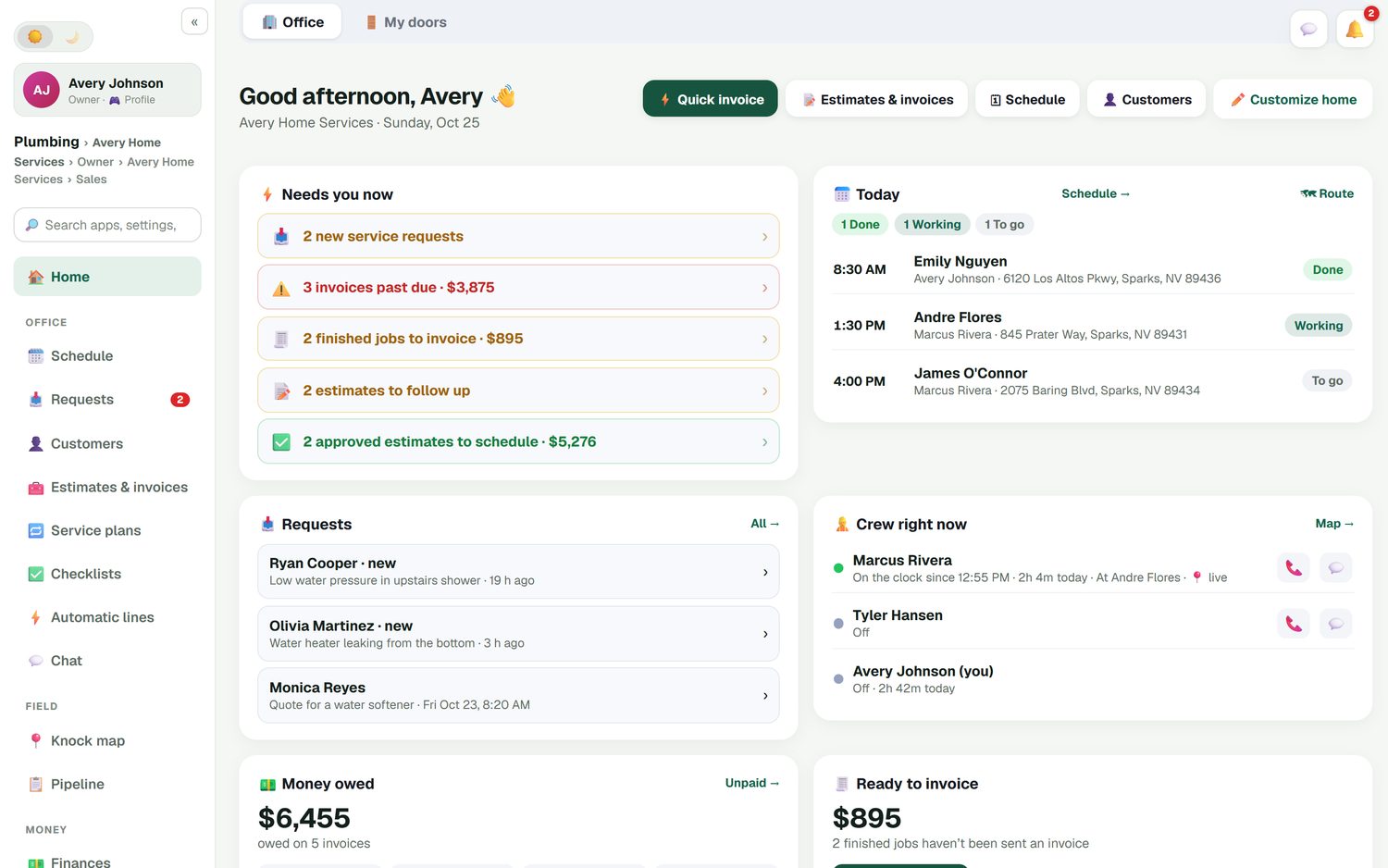
The office home screen starts with the list an owner actually works from: new requests, invoices past due, finished cleans that haven't been invoiced, estimates waiting on a reply, and approved estimates that still need a date. Next to it, today's cleans with who is on each one, where the crew is right now, and how this week compares to last week.
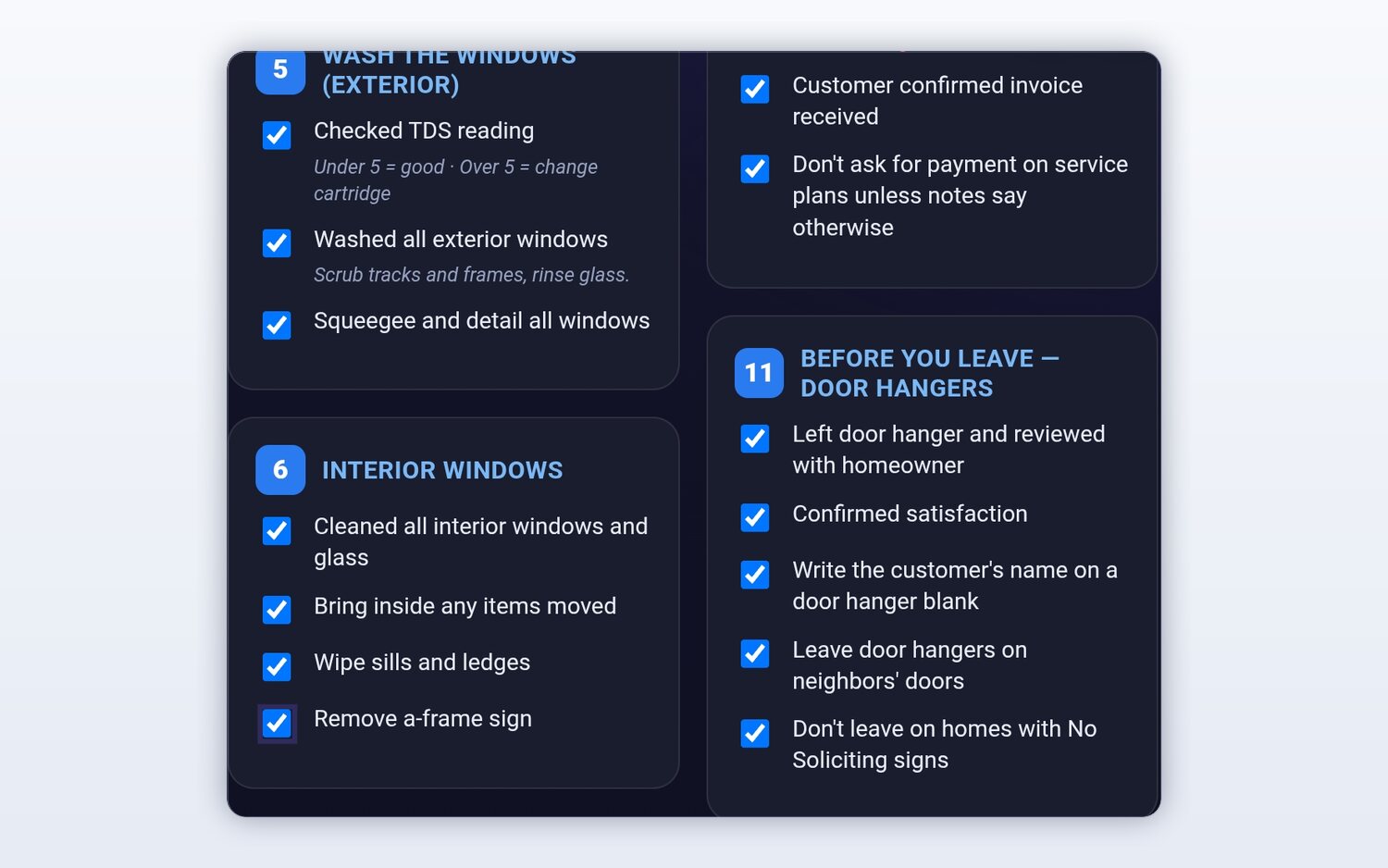
Clients cancel a cleaning service over small misses: the baseboards skipped, the screen left on the patio, the alarm not reset. A checklist puts your way of doing it in every cleaner's hand. House and window cleaning come with one written for the trade, and you can make a template for each kind of job, like a move-out or a dental office. Checklists are always optional, so a quick touch-up doesn't need twenty taps.
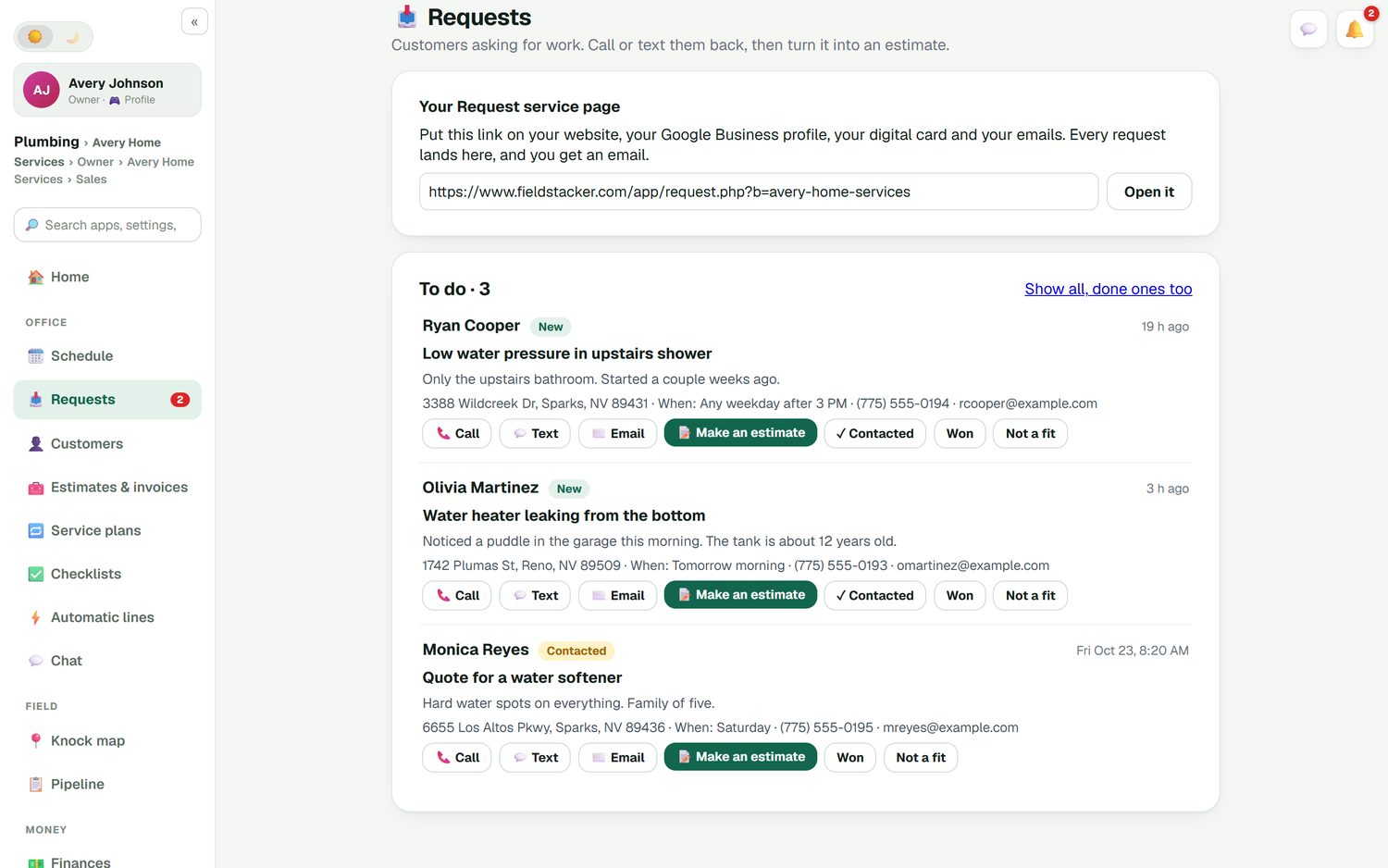
Some cleans you can price on the spot. Others, like a post-construction clean or an office that wants a walkthrough, need a look first. Put your request page on your website, your Google Business profile and your digital card. Each request lands in the Requests inbox with what they need and when, ready to call, text, quote or mark not a fit.
For regulars, the simplest system is a card on file. The client saves it when they say yes and it is charged after each clean, through your own Stripe account at standard Stripe rates with no FieldStacker fee on top. For everyone else, a quick invoice is one screen: send it, take a card now, or mark it paid by cash or check. You can also record Cash App, Venmo or Zelle, add an optional tip, and email up to 100 finished jobs their invoices at once.
Paid invoices and payments sync to QuickBooks Online and update in place. Job costing shows what each clean cost you in labor and supplies, so you can tell whether that $140 standard clean across town is worth the drive. The Pro plan also includes a website built for your business on your own domain, with 10 business email addresses.
It is the app you run the business from: the price list, quotes, bookings, the cleaner schedule, recurring visits, invoices and payments. Good cleaning business software also keeps every client's history in one place, so you are not digging through texts to remember who wants the fridge done.
Yes. House cleaning starts with a price list for standard, deep and move-out cleans plus a 35-step room-by-room checklist. Window cleaning prices per pane and comes with a 31-step window checklist. Commercial accounts run on service plans with invoices, and you build your own checklist for each kind of building.
At a minimum: quotes from your own prices, online booking, recurring visits, a schedule for your cleaners, a checklist for the job, and a way to get paid without chasing. FieldStacker adds a customer portal, QuickBooks Online sync, job costing and a website on your own domain on the Pro plan.
FieldStacker does not. Cleaners you add as technicians are free on every paid plan. You pay for the owner seat from $30/mo, and for office or sales seats only if you add them on a Team plan.
It depends on the work. A residential maid service, a window route and a janitorial company with 40 buildings need different things. We compare seven tools honestly, including FieldStacker, on our best cleaning business software page.
Yes. Upload a CSV or Excel file up to 250 MB and undo it if something looks wrong. There is a dedicated Jobber import for clients and balances, and we import your customers and jobs for free.
Related: cleaning scheduling · cleaning company CRM · best cleaning business software · free options · pricing
Short, real walk-throughs — no sign-up needed to watch.
Set your prices once, build a quote in seconds and turn it into a monthly plan with the first clean booked.
Your customer gets their own plan page to move the next clean, book the next visits and see their history — no phone tag.
14-day free trial, no credit card. Your price list and checklist are ready when you log in.