Your reps quote and sign at the door. Your techs get the install. You see all of it.
FieldStacker is one app for a door-to-door alarm team: the knock map, the quote builder, e-signatures, territories, team stats, payroll tracking and the install schedule.
14-day free trial · no credit card · techs you invite are free
Your reps, at the door
Knock map with every door pinned, a quote builder with your packages, and the customer signs on the spot.
You, running the team
Live team map, territories, today's numbers, rep times, overrides, leaderboards and a payroll tracker.
Your techs, on the job
Install requests with the equipment list and their pay, a schedule board, stock on hand and job photos.
Build the system, show the price, get it signed
The rep builds it on their phone with the homeowner. No paper, no calling the office for a price.
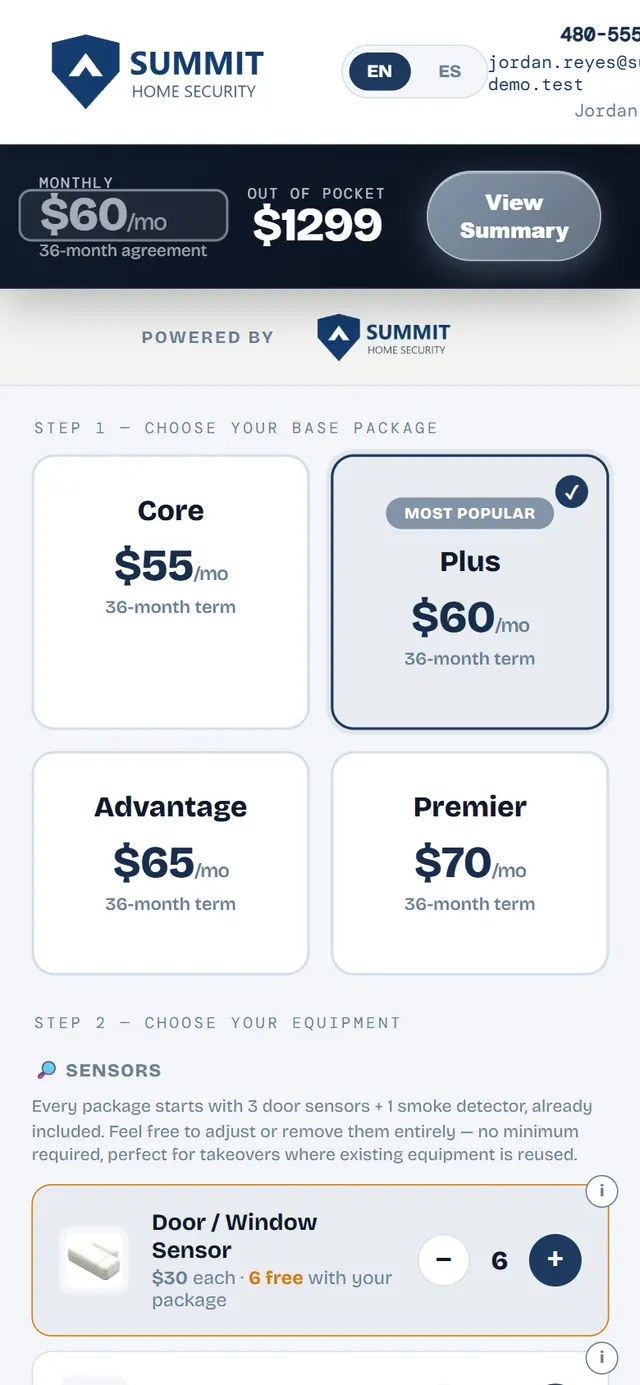
- Your packages, equipment and prices, set once. Everyone on your team quotes from the same list, with your company name and logo on the quote.
- Live math. Sensors, cameras and smart-home gear go on with a tap, and the monthly, out-of-pocket and system value update as the rep builds.
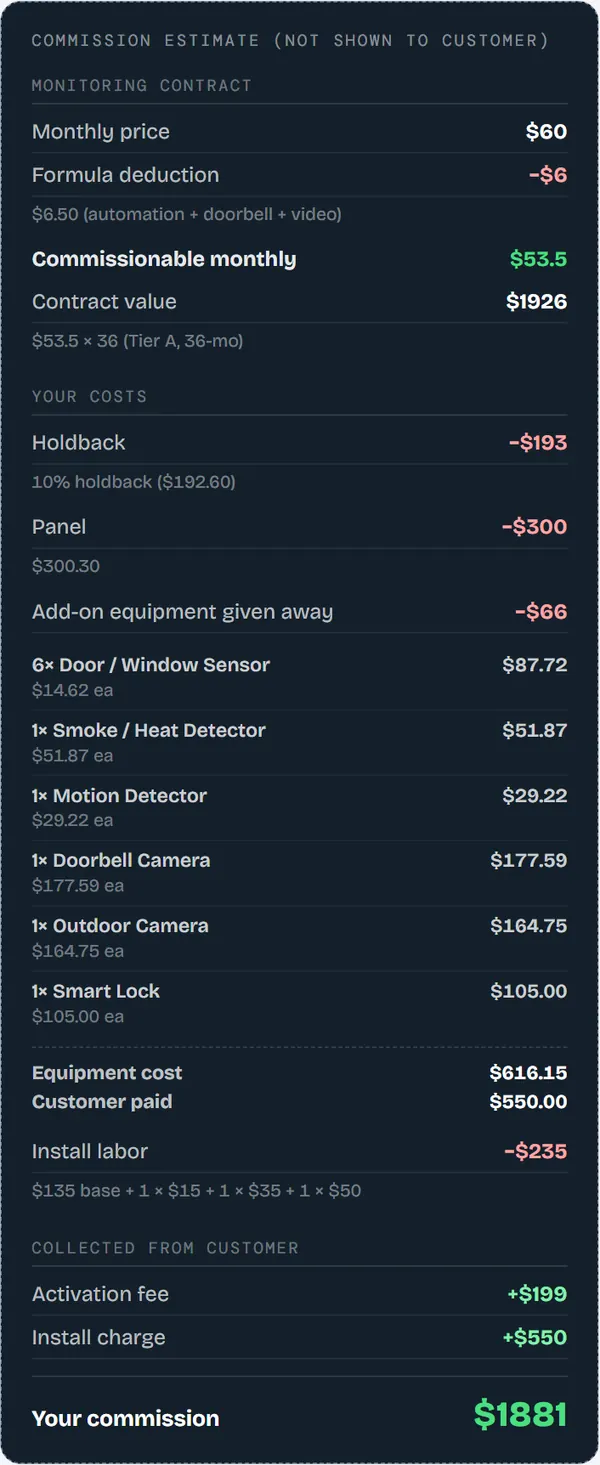
- The rep sees their commission. A commission estimate sits behind a button the customer never sees.
- Send it three ways. Email, text, or a QR code the customer scans to open the quote on their own phone. The quote builder switches between English and Spanish.
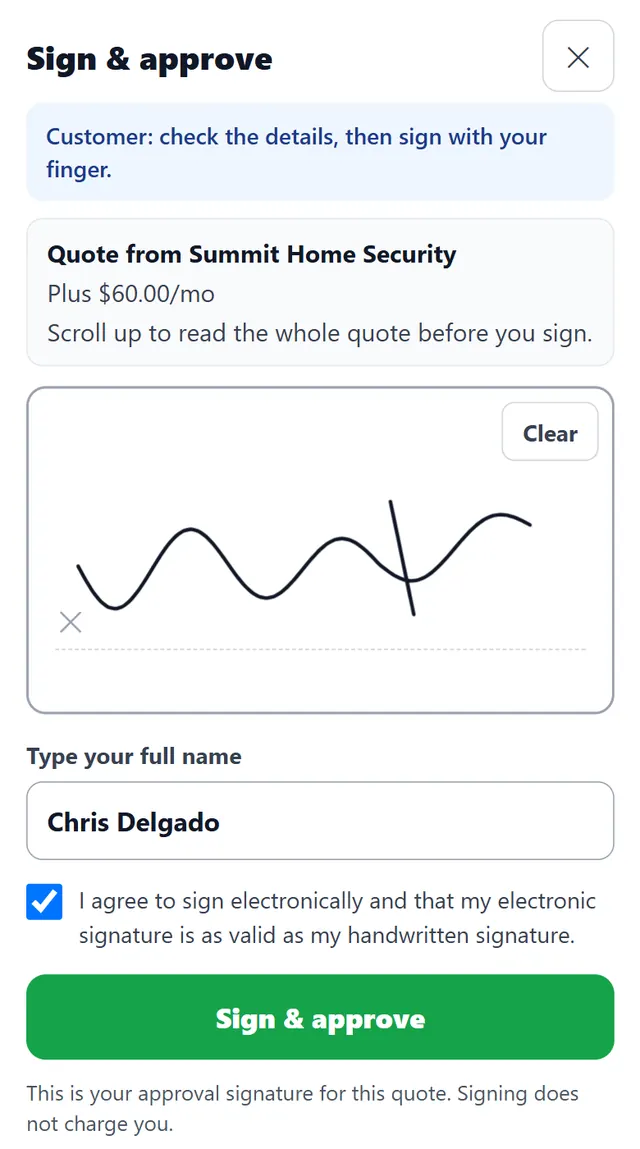
- E-signature at the door. The customer signs on the rep's phone or on their own phone. Every signature is saved with a record of what was signed, and a quote edited after signing is flagged for a new signature. "Require a signature to approve" is on by default.
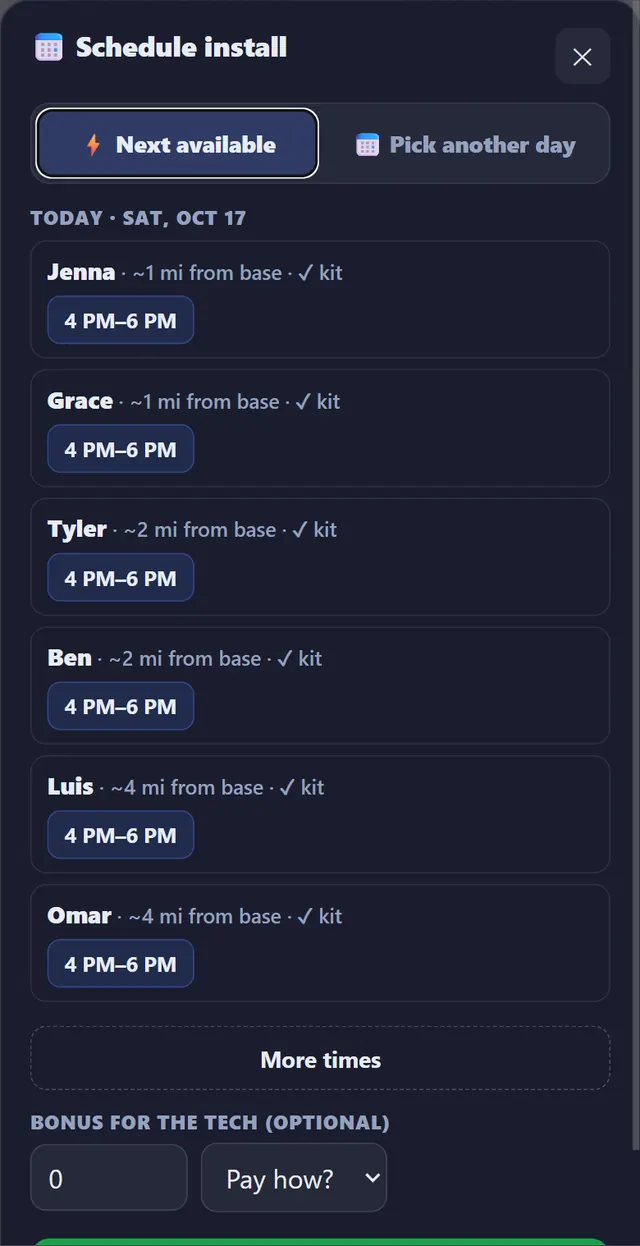
- Book the install before you leave. "Next available" shows the soonest open tech windows over the next 14 days, nearest tech first, with an optional bonus for the tech.
- Payments. With your Stripe account connected, the customer can save a card for the out-of-pocket amount, charged when the install is marked complete. For extra work there are estimates and invoices with deposits, line discounts and change orders, and Tap to Pay in the Android app.
Sold? Put a tech on it from the porch.
After the customer signs, the rep taps Book install. The app lists the next open windows across your techs, closest first, and shows which techs already have the equipment for the job.
Every door your team touches, on one map
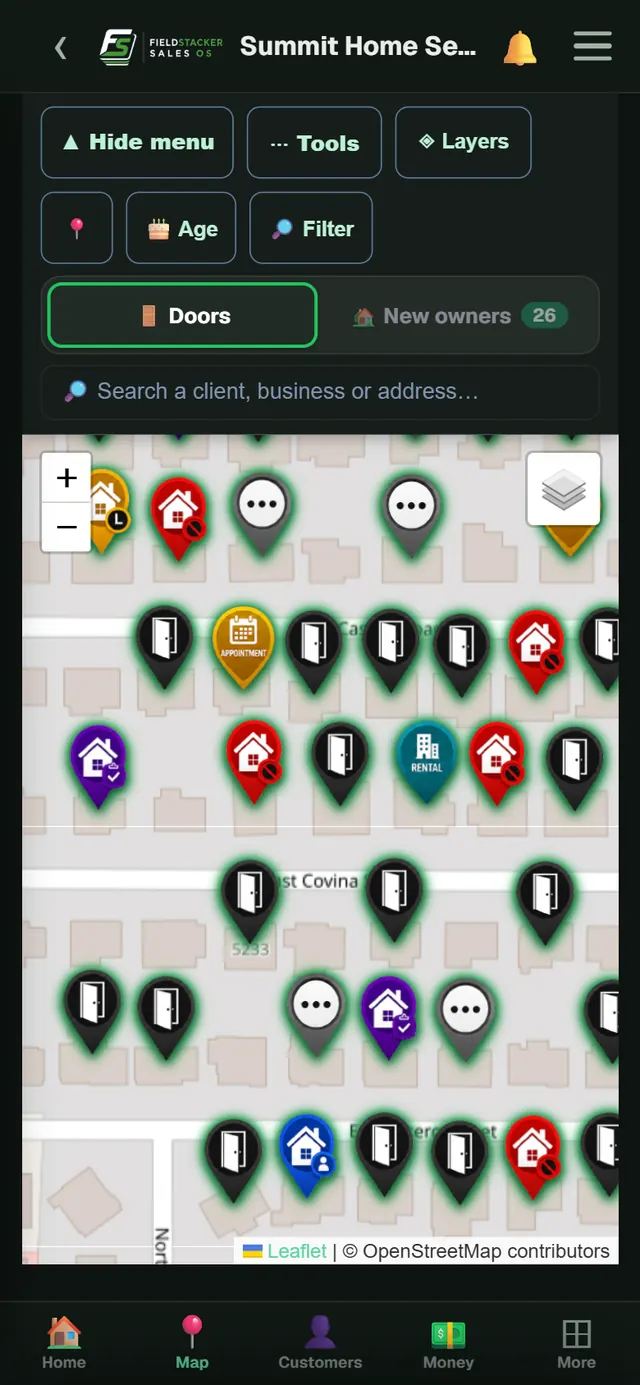
Reps log a door in one press, set go-backs, and work new homeowners first.
- A pin for every door. Not home, Contact made, Callback, Appointment, Quote sent, Sale, Not interested, Rental, Do not knock, and pins for homes with another alarm company's yard sign. You can add your own.
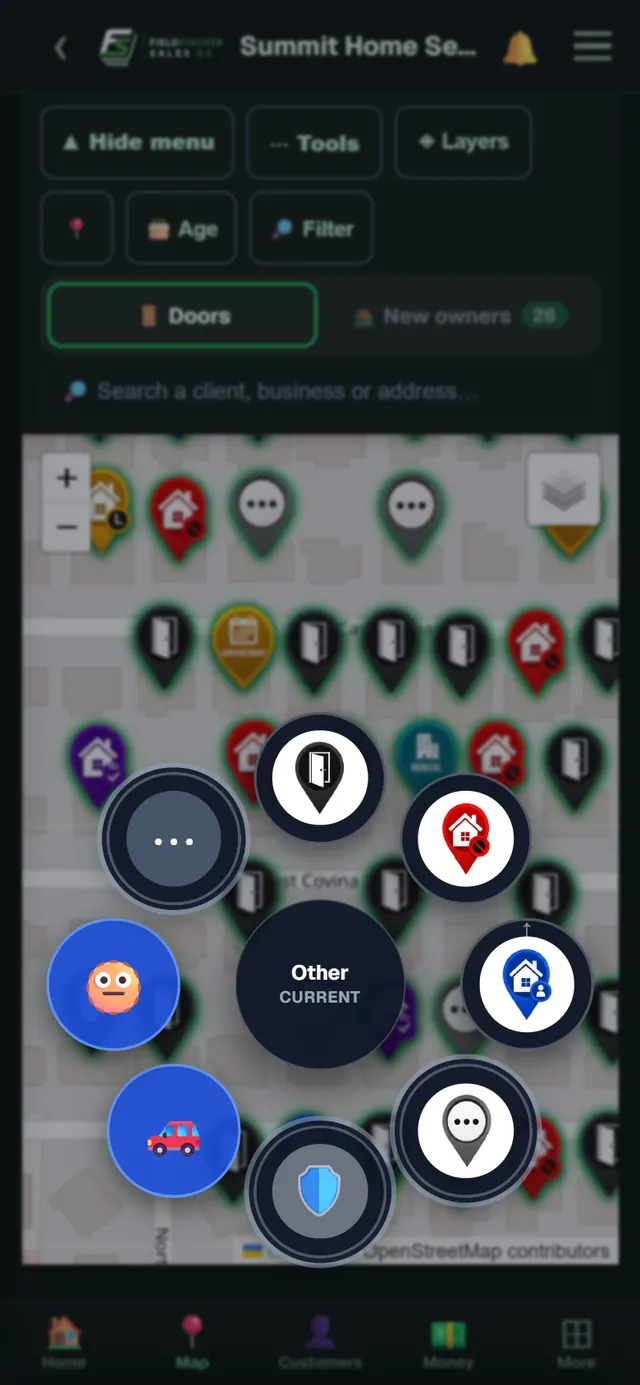
- Press and hold to log a door. The disposition wheel opens right on the map, so a rep sets a door without opening the pin.
- Go-backs that come back. Pick a day and time on the pin and the rep gets a reminder when it's due.
- New homeowners. Recent home sales on the map. "Fresh" shows homes sold in the last 2 weeks that nobody has knocked yet: 2,000 a month on Team, 5,000 a month on Team Pro.
- Owner names where available, up to 25,000 homeowner records a month.
- GPS-verified knocks. Turn it on for your team and a door only counts when the rep is at the house.
- Voice notes and photos. A rep talks through the visit and the app fills in the pin for them to check. House photos go on the pin too. Voice notes are not in the iPhone app yet.
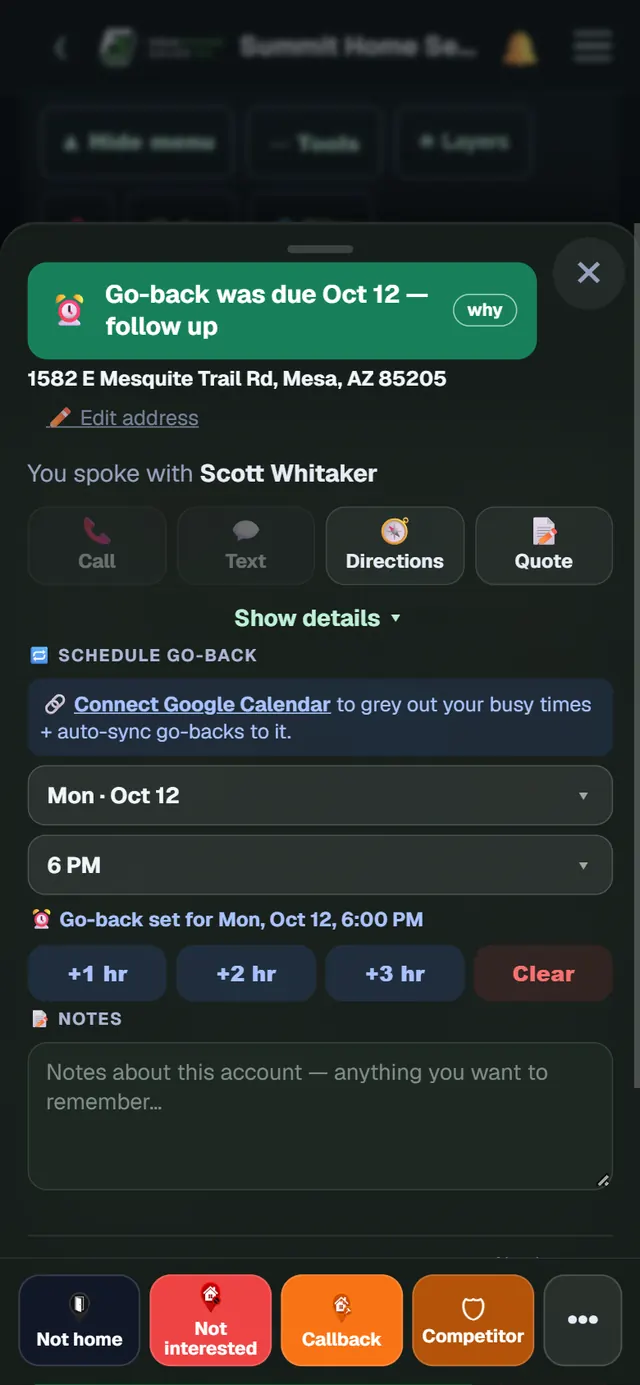
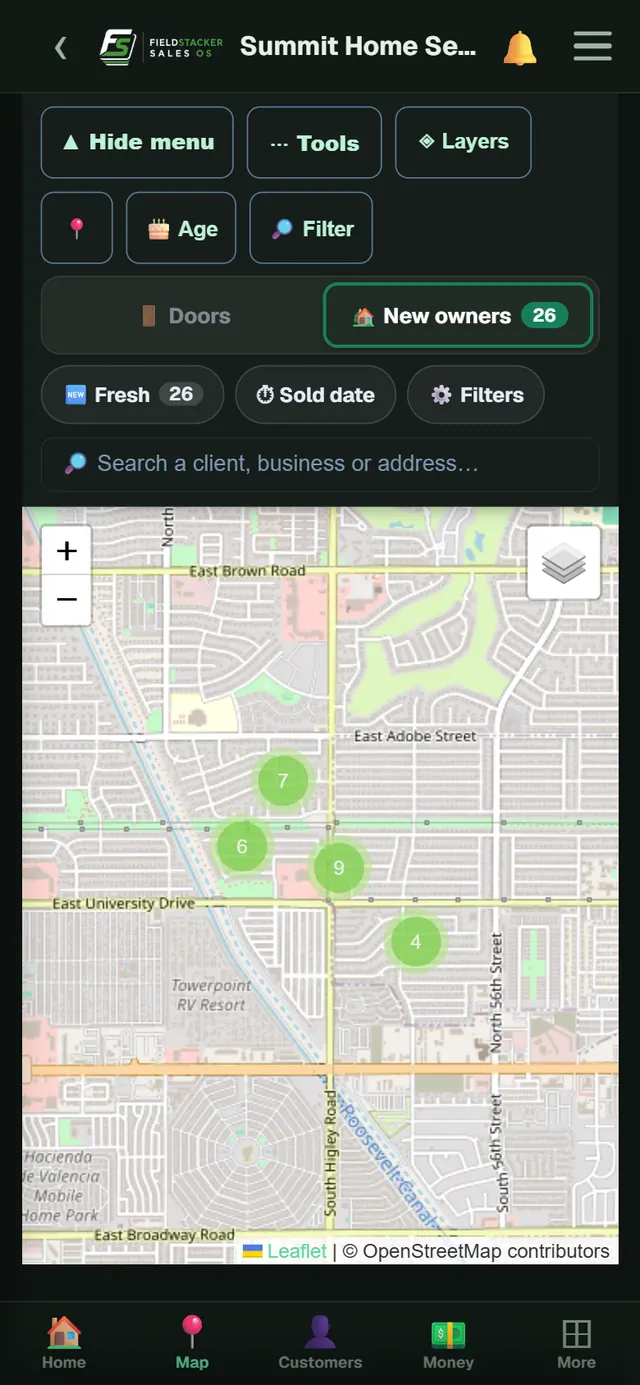
Start the day on the doors most likely to buy
New movers need a system and haven't picked one yet. The New owners tab puts them on the same map, and the Fresh filter shows the ones sold in the last two weeks that your team hasn't knocked.
See who's out, where they are, and what they're closing
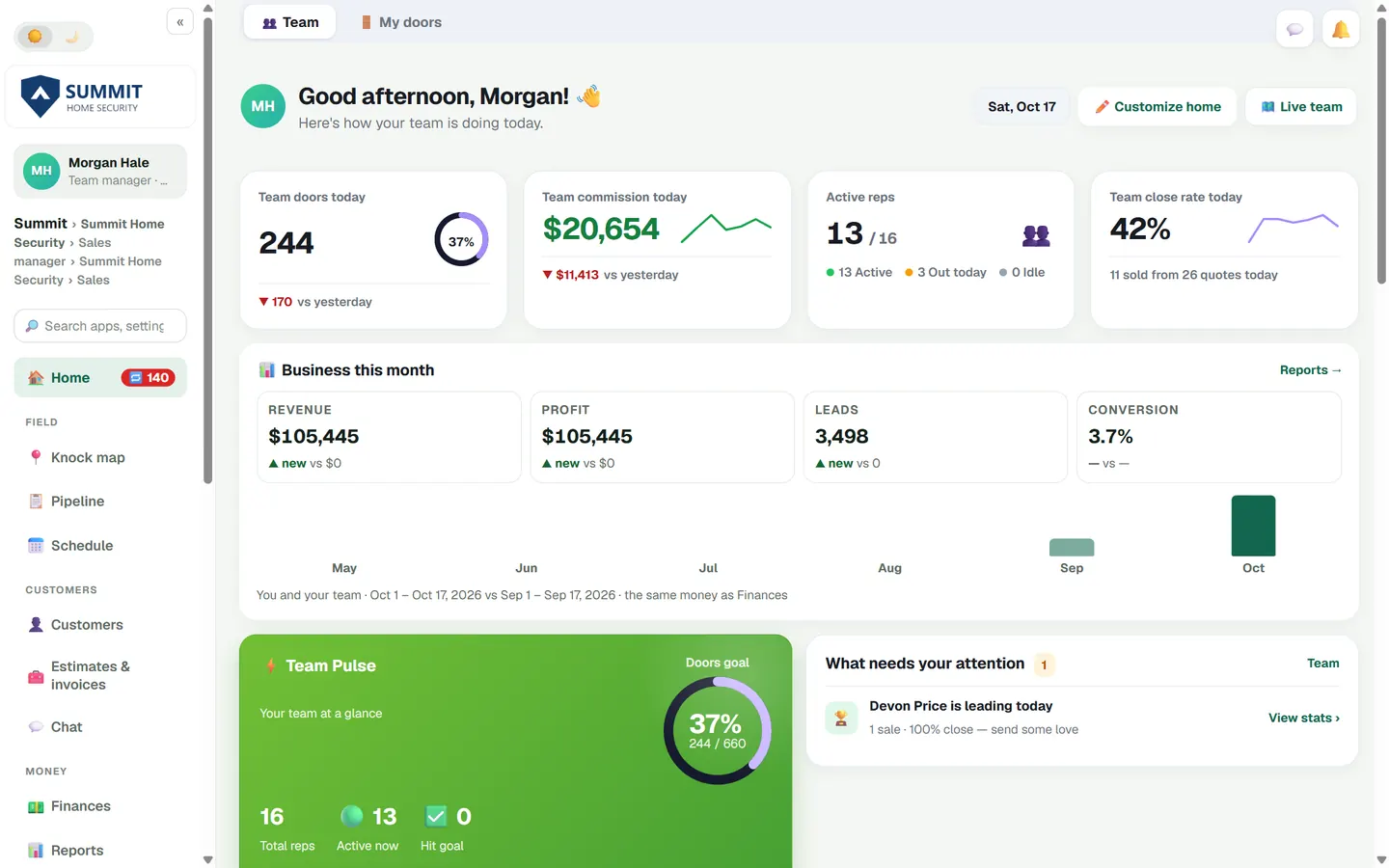
Built for the manager: today's numbers on your home screen, the whole team on one map, and the money in one place.
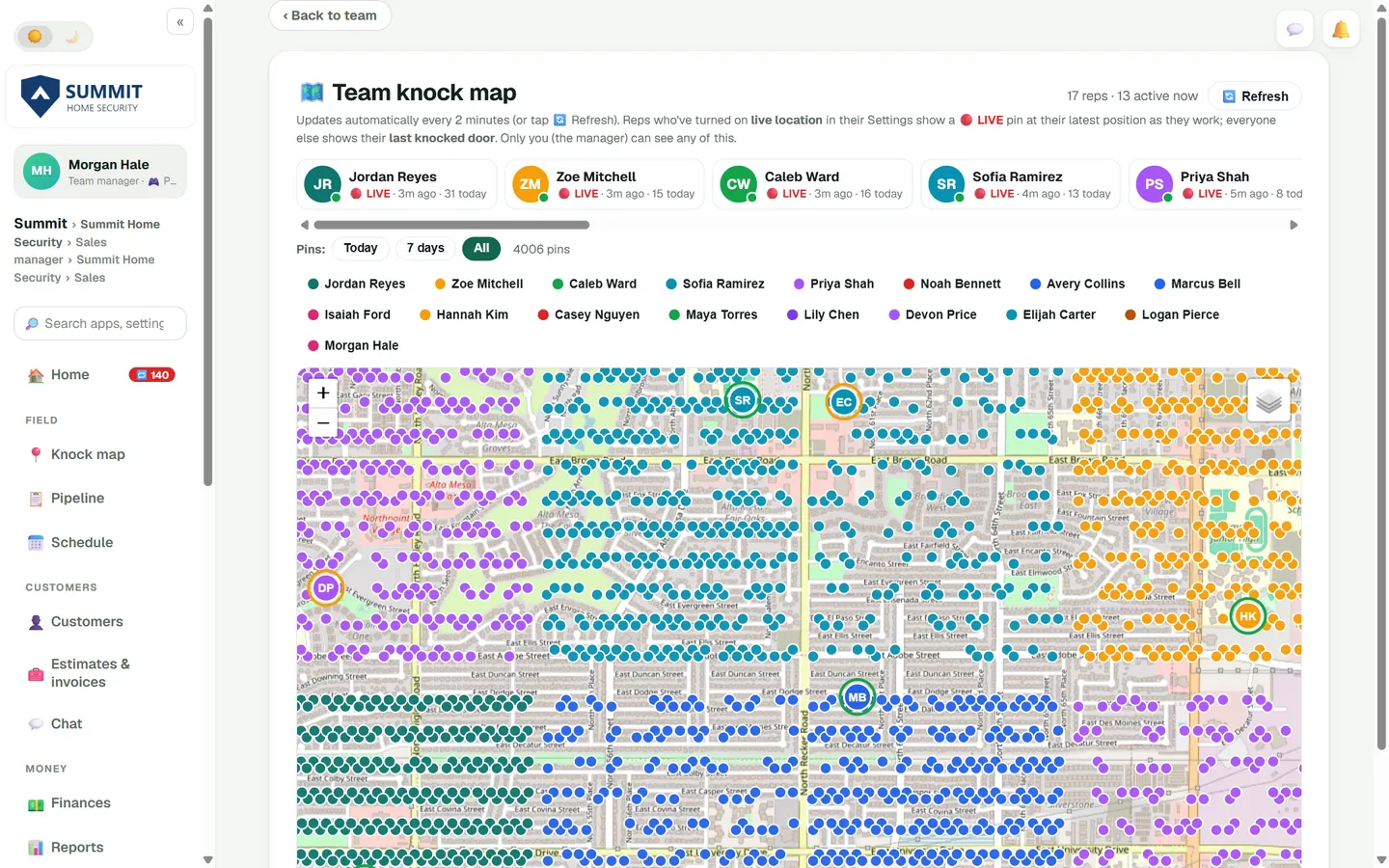
The team knock map: each rep's pins in their own colour, LIVE dots for reps who share their location.
- Live team map. Every rep's pins and where they are now. Live location is the rep's choice; reps who leave it off show at their last knocked door.
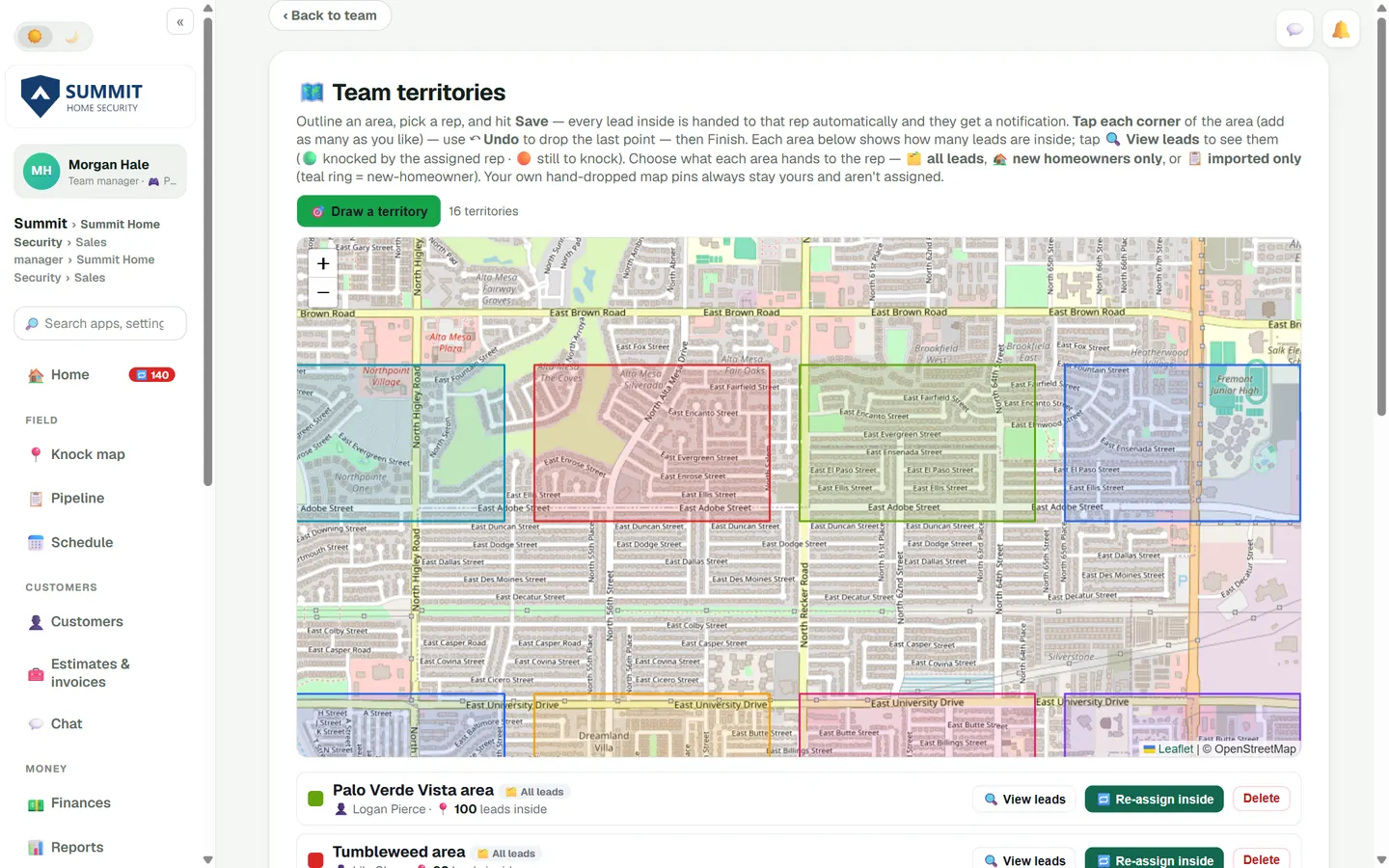
- Territories. Outline an area, pick a rep, and every lead inside is handed to them. Each area shows how much of it has been knocked.
- Hand out leads. Import a list or pull new homeowners, then assign them by territory or by rep.
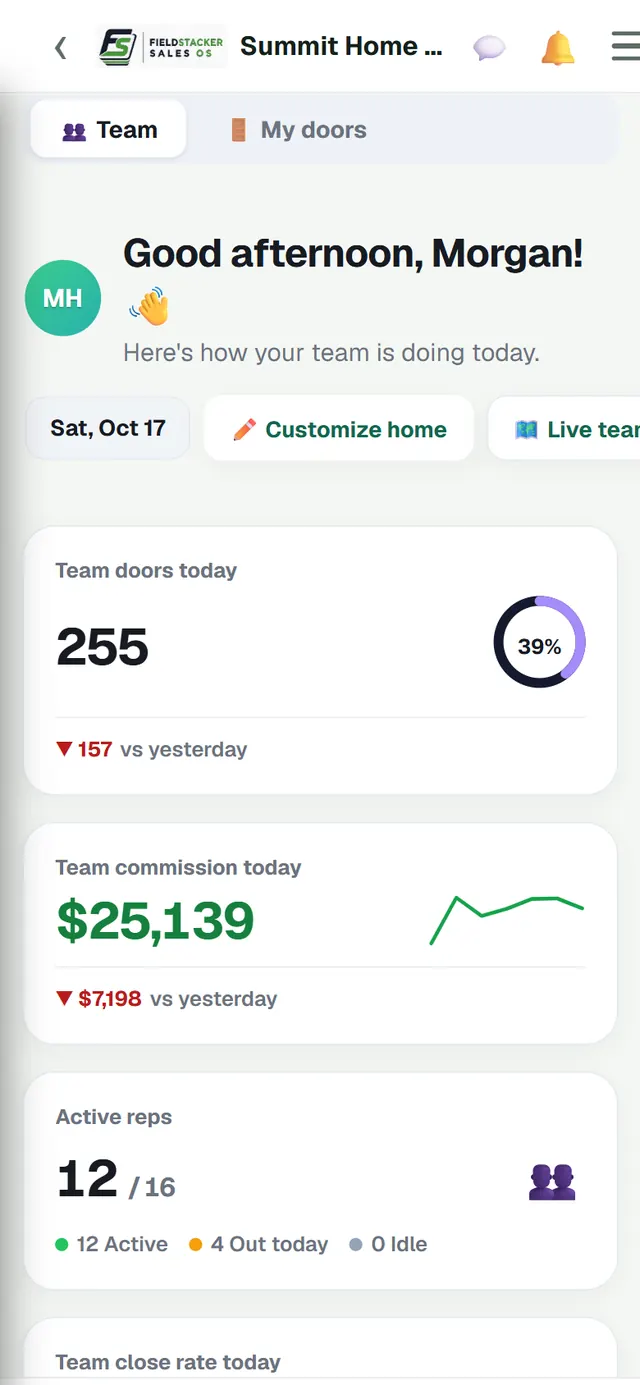
- Your home screen. Team doors and commission today, active reps, close rate, who needs attention, top performers and live activity.
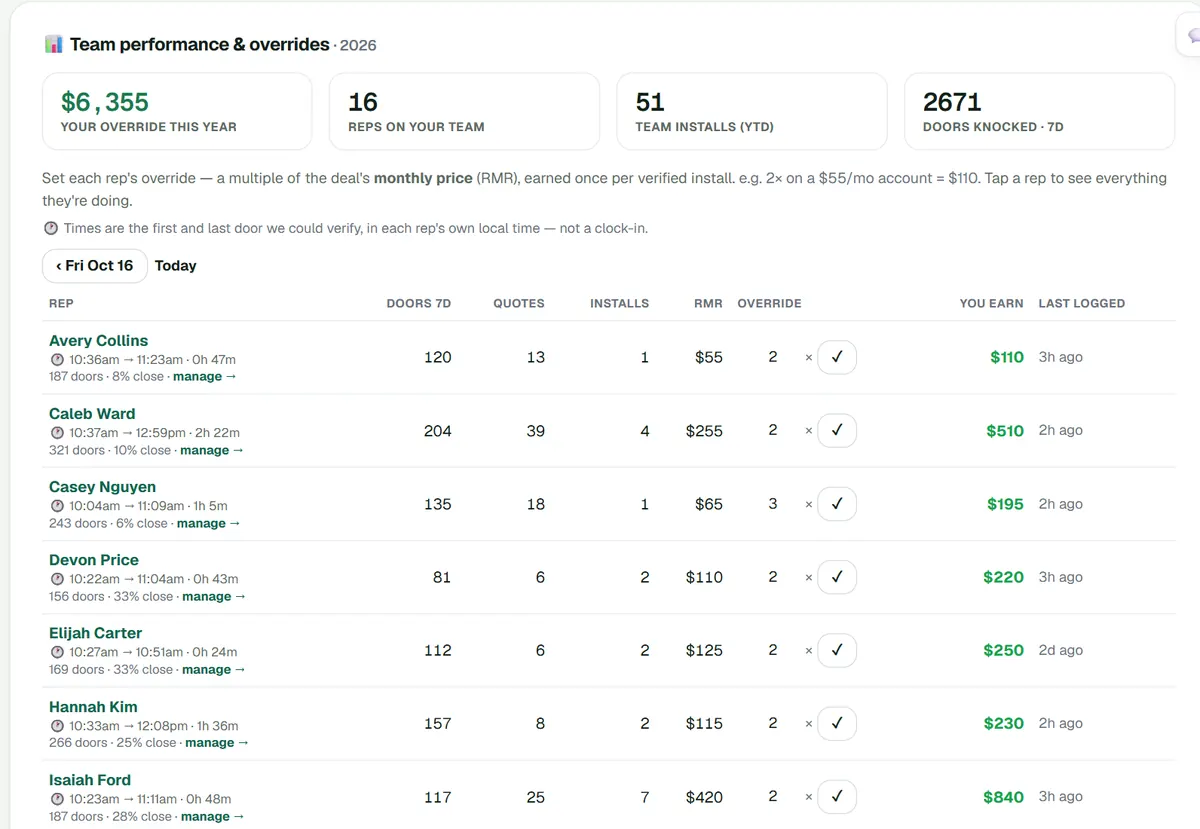
- Rep times. Each rep's first and last verified door of the day, in their own time zone. It is a quick check, not a timesheet.
- Overrides and installs to verify. Set each rep's override as a multiple of the monthly (RMR), earned on each install you verify.
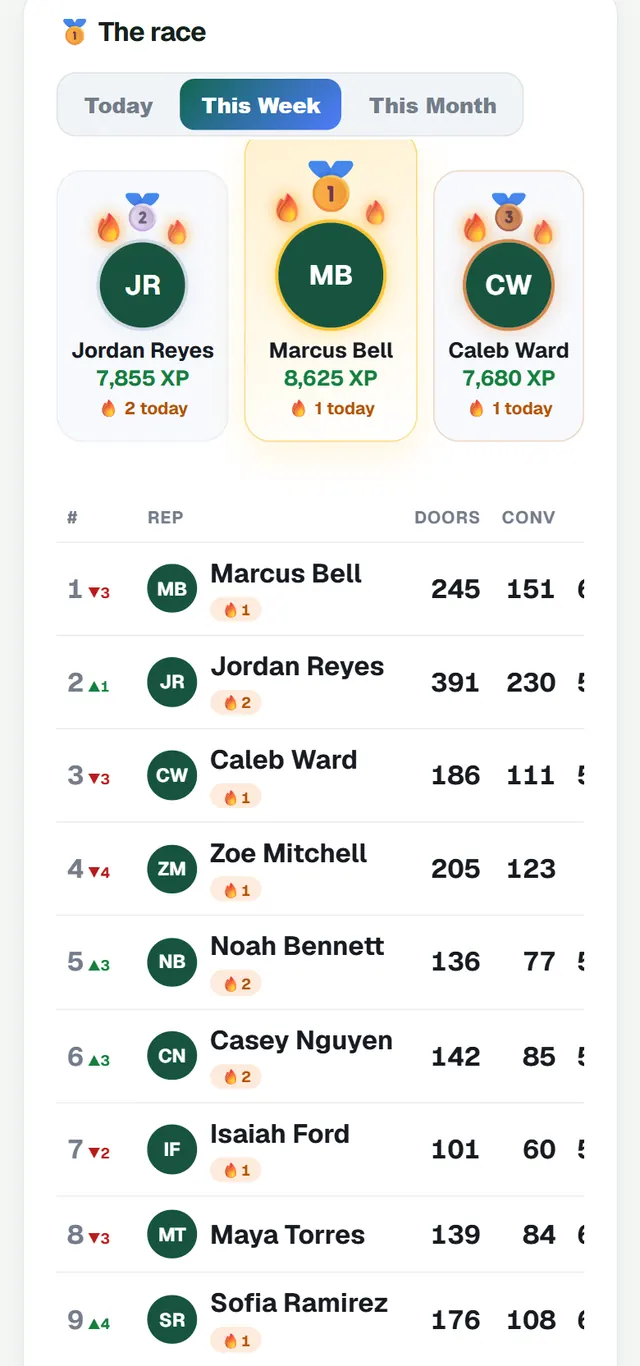
- Leaderboards. Today, this week and this month, with streaks, achievements and a live feed of sales and appointments.
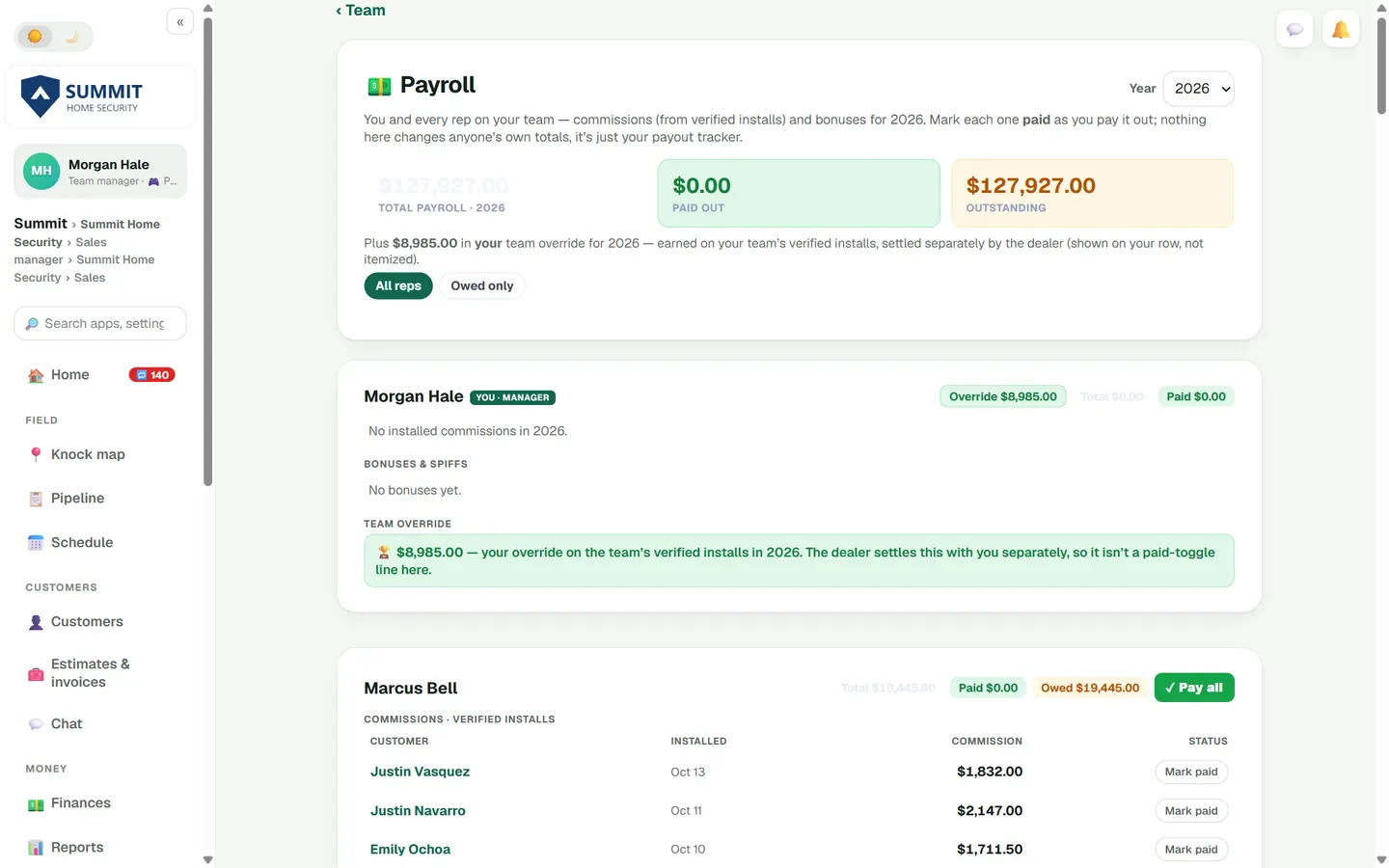
- Payroll tracker. Commissions from verified installs plus bonuses and spiffs, rep by rep. Mark each one paid. Chargebacks show on each rep's commission history.
- Recruiting. Your own recruiting link and a list of everyone who applied.
- Coaching. Reps practice objections against an AI homeowner in a text chat and can read their sessions back. You see team drills, scores and the weakest objection.
- Seats. On Team Pro, assign each of your 15 seats as Sales Rep, Technician or Sales & Tech, and change it anytime.
Installs go from sold to scheduled to done
Your techs see the job, the equipment and their pay before they accept it.
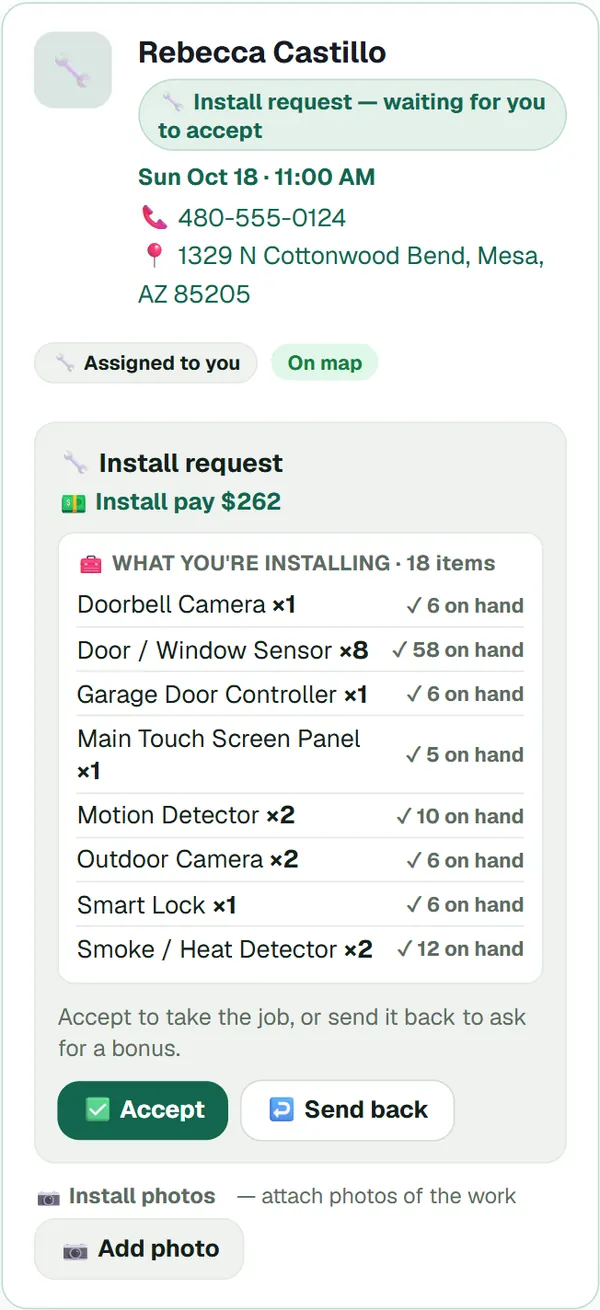
- Install requests. The tech sees what's being installed, what they have on hand and their install pay, then accepts the job or sends it back to ask for a bonus.
- Schedule Board. Every tech's jobs by day or week, plus a map view. Move a job to another tech and they accept it before it's theirs.
- Job alerts. Techs can opt in to a text when a job is assigned to them, once your business has texting set up.
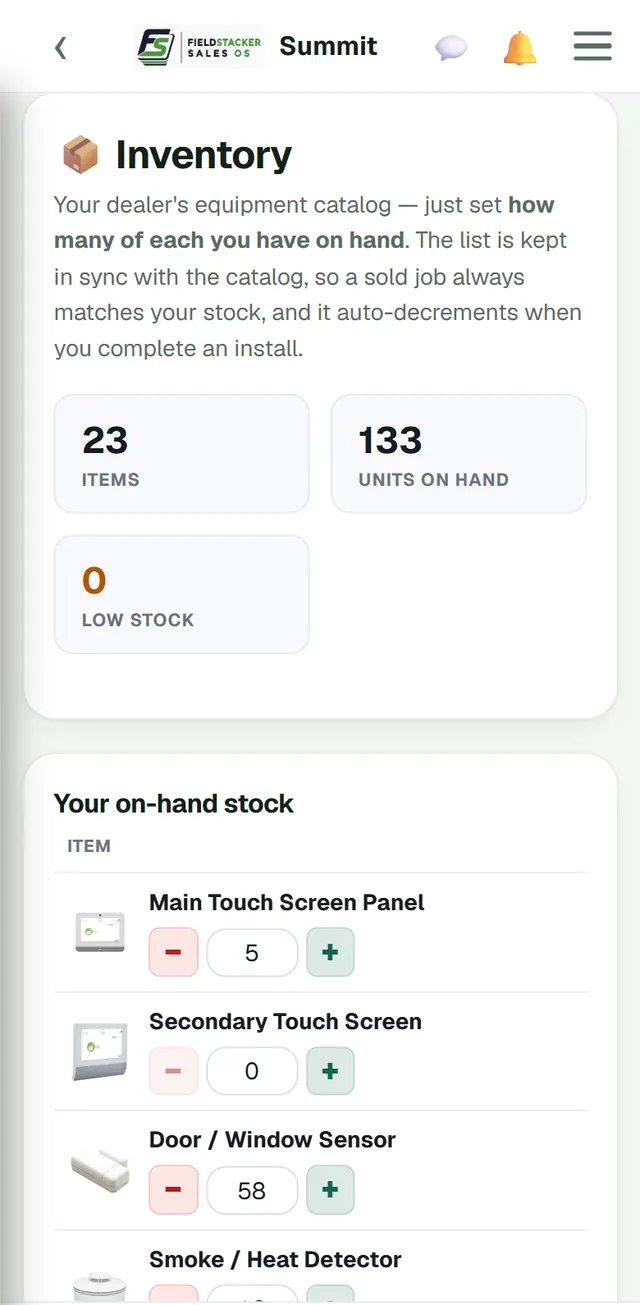
- Stock on hand. Techs keep counts of your equipment list, and completed installs take it off.
- On the job. Check in, attach install photos and mark the install complete from the phone.
- Invite only, and free. Techs join through your invite link and get a free Technician account. Google Calendar sync is there for anyone who wants it.
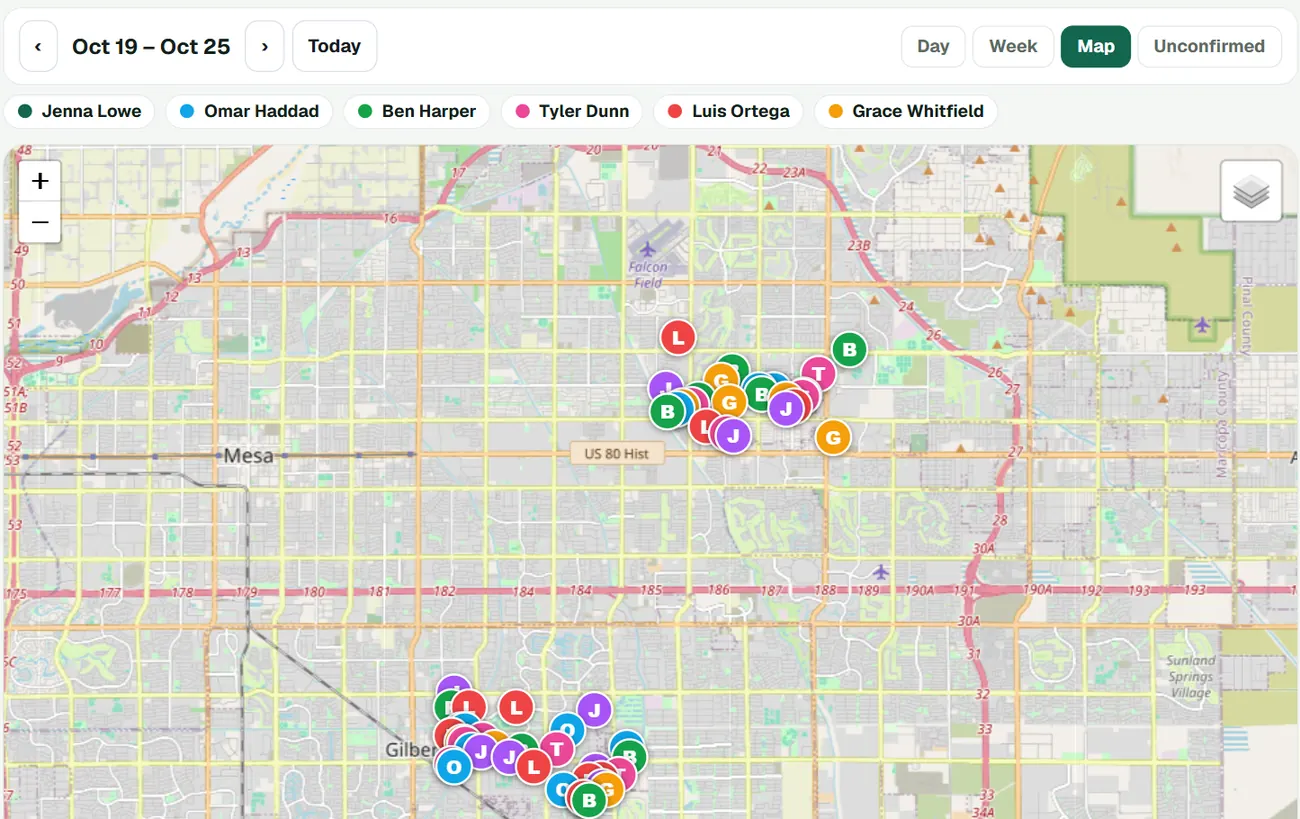
The Schedule Board's map view: next week's installs, one colour per tech. Day and Week views list the same jobs tech by tech.
Send your sales where you need them
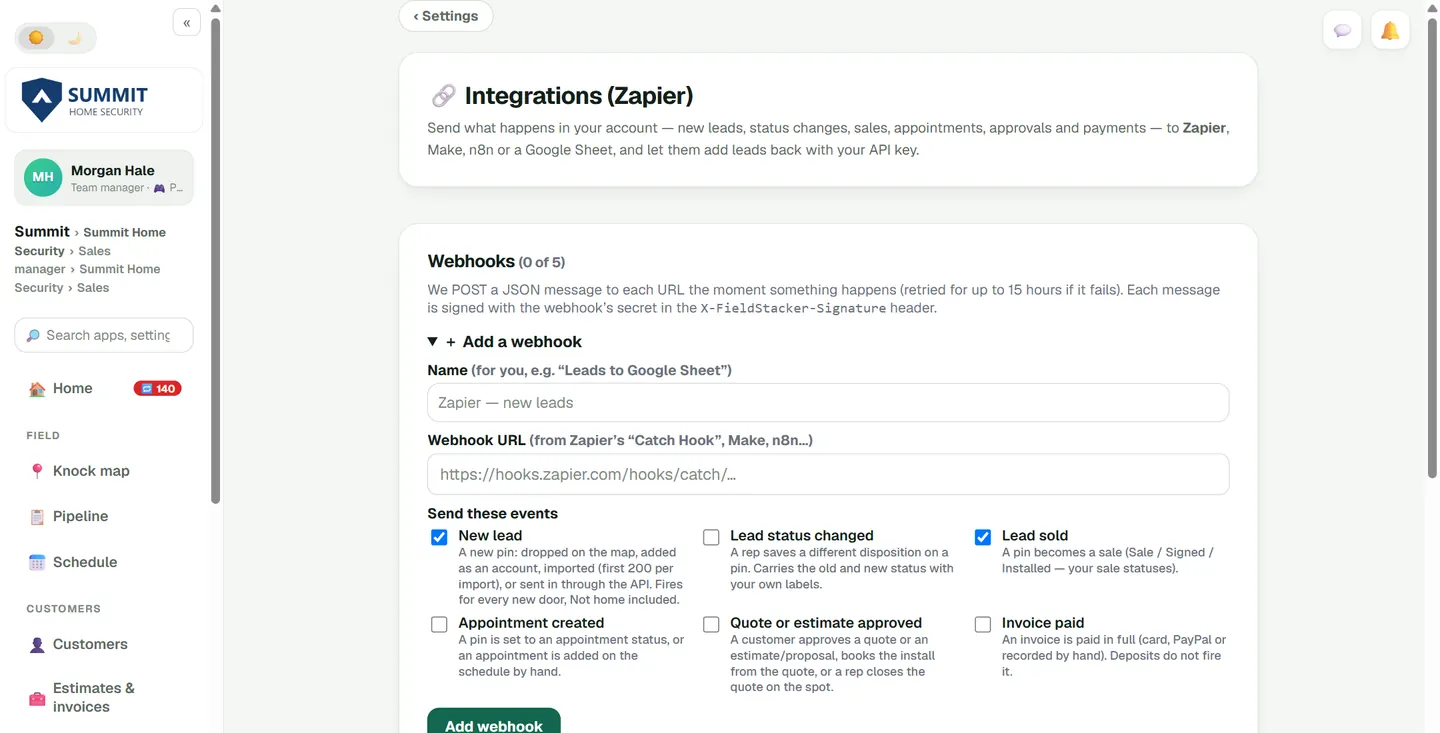
Webhooks send what happens in FieldStacker to your other tools the moment it happens. Works with Zapier via webhooks, and with Make, n8n or a Google Sheet. An API key lets those tools add leads and read your new ones.
Pricing
Every plan starts with a 14-day free trial, no credit card. Techs you invite are free.
Pro
A rep on their own: the knock map, new homeowners, the quote builder, e-signatures, scheduling and payments.
Start freeTeam
Everything in Pro, plus the live team map, territories, lead assignment, overrides, recruiting and leaderboards.
Start freeTeam Pro
Everything in Team for a full crew. Assign each seat as Sales Rep, Technician or Sales & Tech. 5,000 new-homeowner leads a month.
Start freeLarger team? Custom pricing is available for bigger crews. Email us your team size · See every plan
Questions managers ask
Do my technicians have to pay?
No. Techs join by your invite and get a free Technician account. On Team Pro you can also put a tech in one of your 15 seats.
Does it work on iPhone and Android?
Yes. There is an iPhone app and an Android app, and it also runs in any phone browser. Voice notes and Tap to Pay are not in the iPhone app yet.
Can we use our own packages and pricing?
Yes. Set your packages, equipment, prices and install pay once, and everyone on your team quotes from the same list. Setup help is free, just ask.
Do reps have to share their location?
No. Live location is off until a rep turns it on, and it only works while they are using the app. Reps who leave it off show on your map at their last knocked door.
We have more than 16 people. Is there a bigger plan?
Yes. Custom pricing is available for larger teams. Email us your team size, how many are reps and how many are techs, and we will put a plan together.
Can we bring our own leads?
Yes. Import a lead list as a CSV and hand it out by territory or by rep. If you are moving from another app or a spreadsheet, we can help you bring it over.
Put your whole alarm team in one app
Start a 14-day free trial, no credit card. Want us to set up your packages and pricing first, or walk your managers through it? Email us and we'll help.