The invoice app you use before you leave the driveway
Type who, what and how much on your phone. Then send it, take a card on the spot, or mark it paid in cash. The customer gets a receipt and you get the money before the next job.
14-day free trial · no credit card · from $30/mo · your techs are free
An invoice sent from the truck gets paid faster than one sent from the kitchen table three days later. The customer just watched you do the work. They have their card in their hand. All you need is an app quick enough to use while they are standing there.
That is the test the quick invoice screen has to pass. You type the customer's name, add a line or two from your own price list, and the total is right there in big numbers. A simple invoice takes about as long as writing a paper ticket.
What the mobile invoice app does
Small things that add up to getting paid the same day.
One-screen invoice
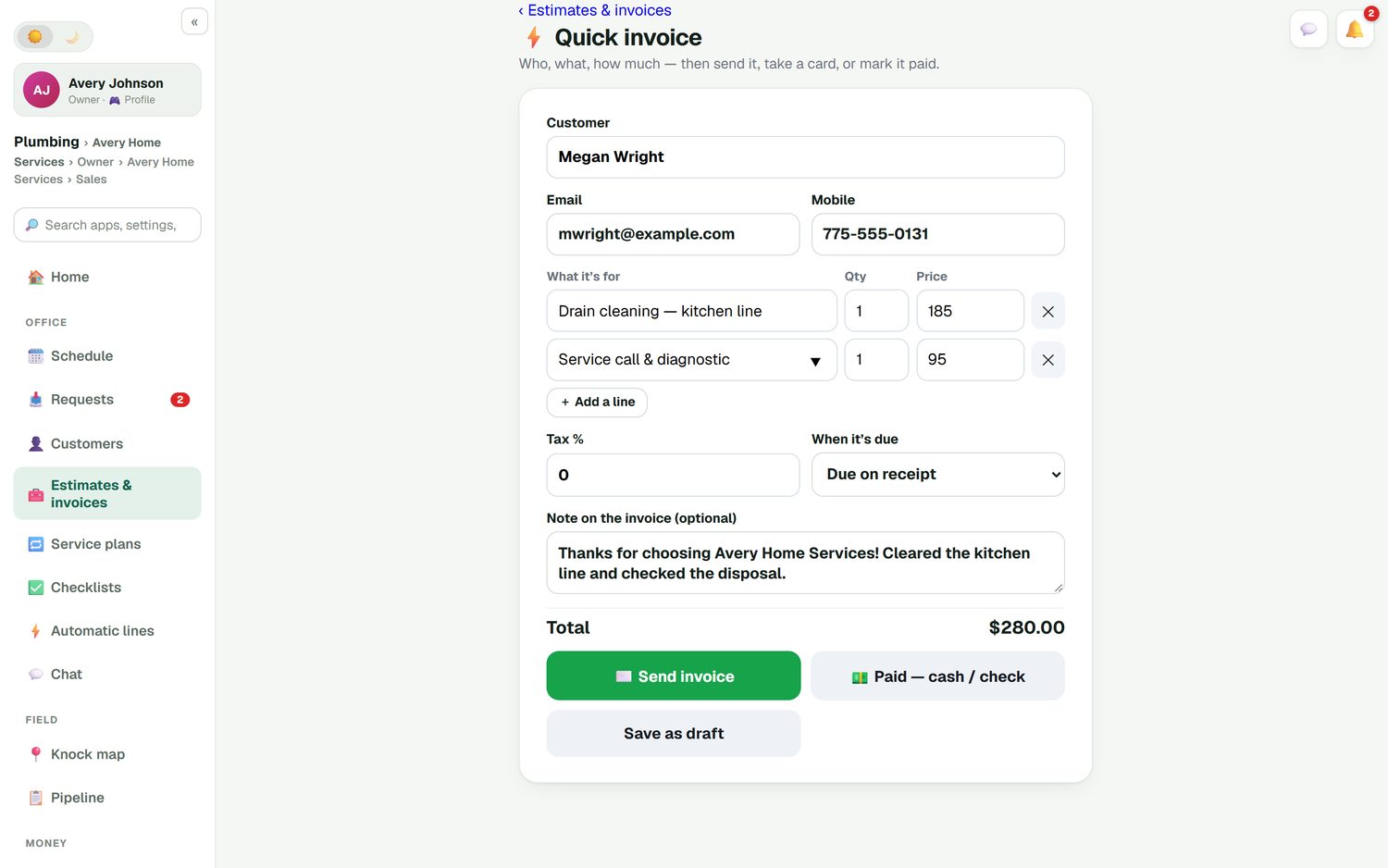
Customer, email, mobile, lines with quantity and price, tax, due date and a note. Nothing hidden behind extra screens.
Your prices, searchable
Start typing and your own price list comes up, so a service call or a part goes in at the price you set.
Take a card now
The customer pays on your phone. The money goes to your own Stripe account, with no FieldStacker fee on top.
Optional tips
Turn on a tip prompt for card payments. Customers who want to say thanks can, in one tap.
Cash, check, Venmo, Zelle
Record cash, check, Cash App, Venmo or Zelle and the invoice is marked paid, so the totals match your wallet.
Receipt on the way out
A receipt is emailed when the invoice is paid. Unpaid ones get reminders, which you can switch on, off or edit.
Send your first invoice from your phone today
Free for 14 days. Your customer list comes over from your old app for free.
- No credit card to start
- From $30/mo after the trial
- Your techs and cleaners are free
- Cancel any time from the app
Who, what, how much, done
Here is the whole flow. Type the customer. Add "Drain cleaning, kitchen line" and "Service call and diagnostic" from your price list. Leave tax at zero or set your rate, pick "Due on receipt", and add a thank-you note. Then choose one of three buttons. If the customer wants to think it over, save it as a draft and come back to it.
- Send invoice by email, or text with the texting add-on
- Paid with cash or check in one tap
- Save as draft for later
- The same invoice is on your office computer
Take the money at the door
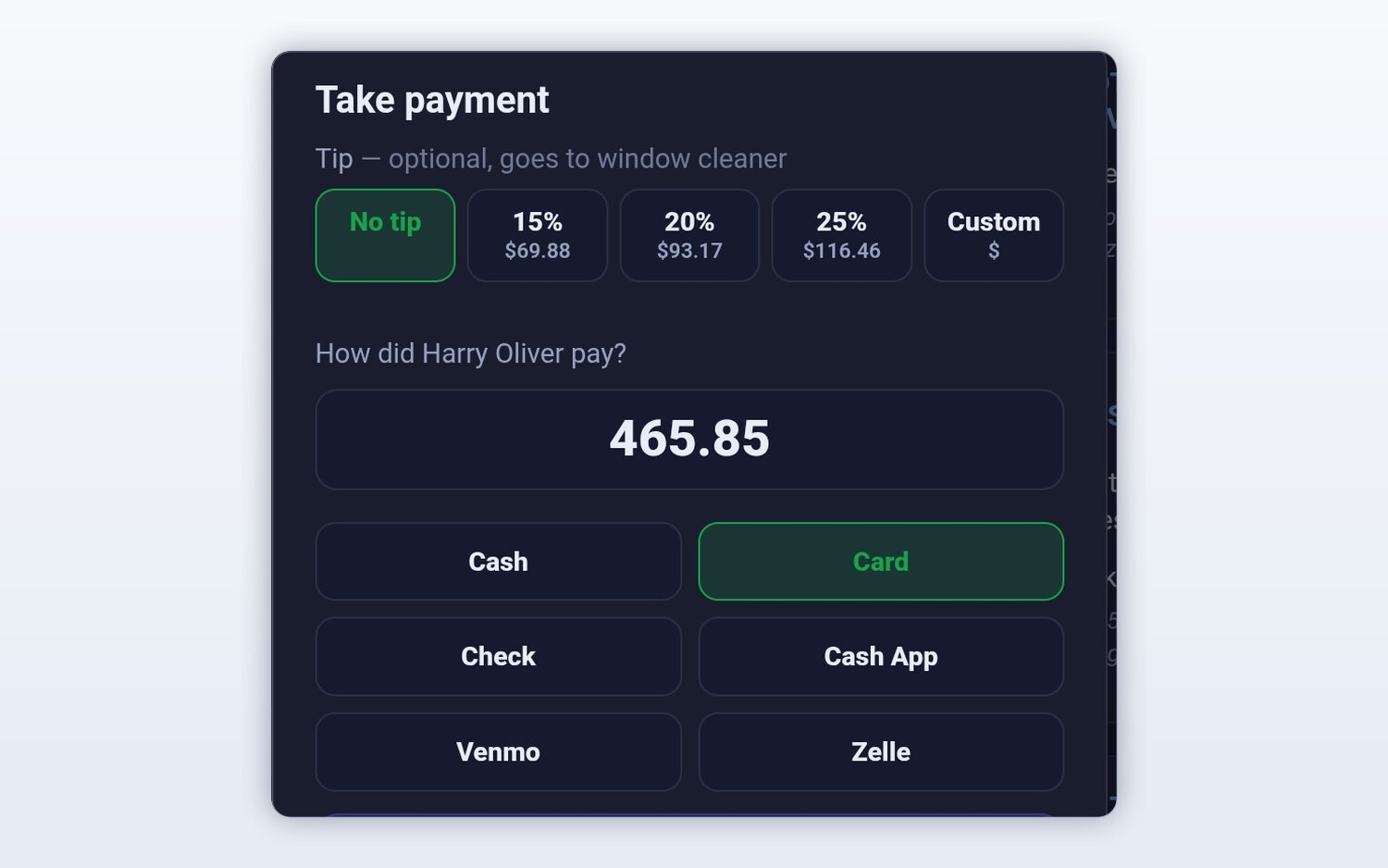
When the customer says "how do I pay you?", hand them the phone. The take-payment screen shows the amount, an optional tip for whoever did the work, and every common way to pay. Card payments run through your own Stripe account at standard Stripe rates. Everything else is recorded so your books are right at the end of the day.
- Tip as 15%, 20%, 25% or a custom amount
- No FieldStacker fee on card payments
- Receipt emailed to the customer
The customer finds it without calling you
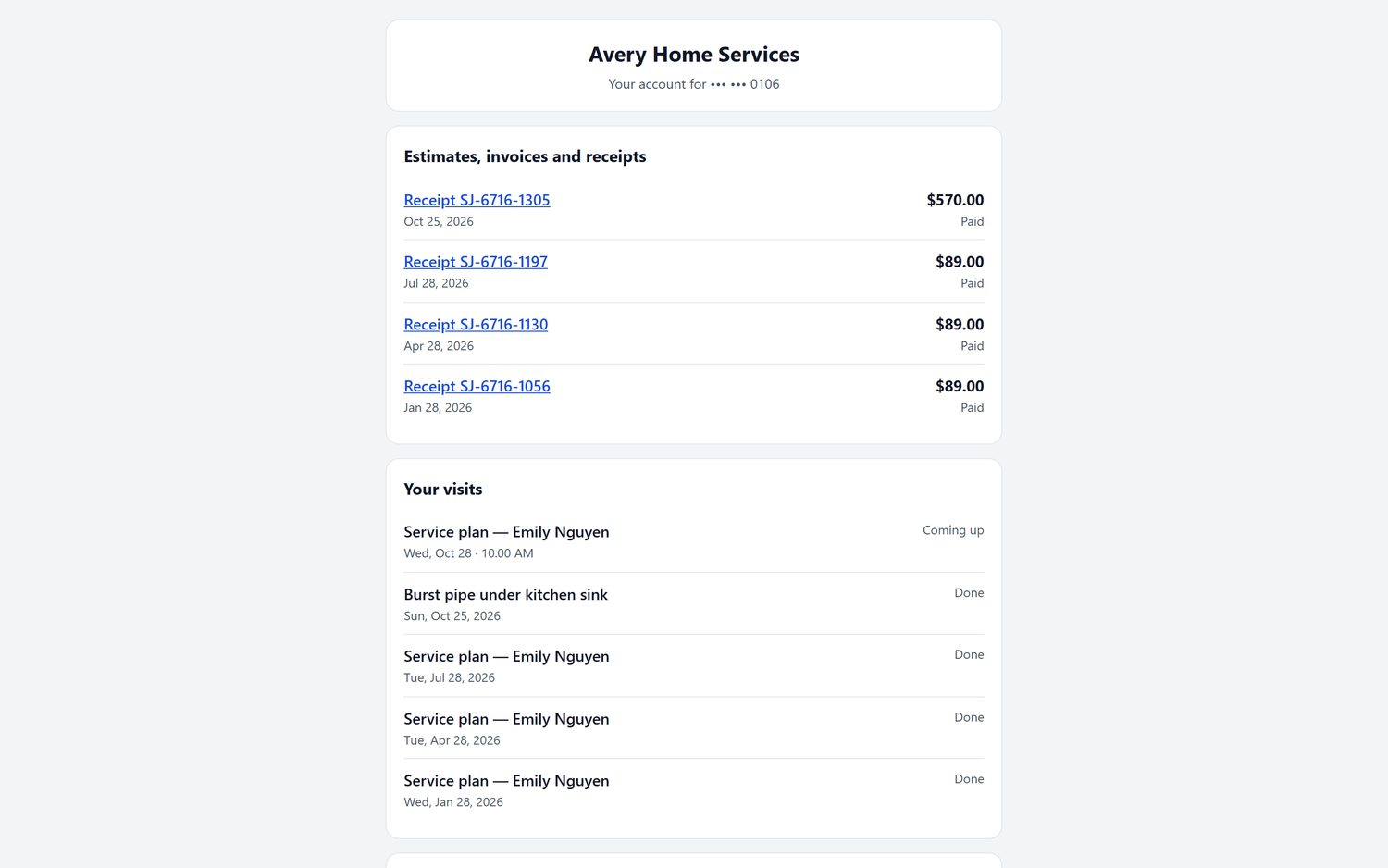
Customers who did not pay on the spot get a link to their own portal. They sign in to pay an invoice, see past estimates and receipts, check their billing history and see upcoming visits. When we host your website, the portal runs on your own domain, so it looks like your business, not ours.
If they still have not paid, the unpaid-invoice reminder goes out for you. When they do pay, a thank-you with a review request can follow.
Invoice maker app or invoice app?
An invoice maker app turns a few fields into a nice-looking PDF. That is useful, and plenty of them are free. What a maker does not know is whether the job is finished, whether the customer paid, or which jobs from last week never got billed. You end up keeping that in your head.
An invoice app that is tied to your jobs knows all three. In FieldStacker, a finished job appears as ready to invoice. Payments are matched to the invoice. Past-due invoices sit on your home screen with a dollar total. If you send ten invoices a month, a maker may be enough. If you send ten a day, the job link is what saves you time.
Comparing tools? See our honest lists of the best invoice apps for contractors and the best free invoice apps, or how we compare with Invoice2go and Joist.
Invoice app questions
What is the best invoice app for a service business?
The best invoice app is the one you will actually use in the driveway. Look for a one-screen invoice, card payments on the spot, a way to record cash or Venmo, and an emailed receipt. If you also schedule jobs, pick an app where the invoice comes from the job, so finished work never goes unbilled.
Is there an invoice app for iPhone?
Yes. FieldStacker has an iPhone app and an Android app, and it also works in the browser on any phone, tablet or computer. You sign in with the same account everywhere, so an invoice started on the phone is there on the office computer.
Is this a free invoice maker app?
No. FieldStacker is a paid app with a 14-day free trial and no card to start, then from $30/mo. If you send a handful of invoices a month and do not need scheduling or job tracking, a free invoice maker may be all you need. Our guide to free invoice apps compares the free options honestly.
Can a mobile invoice app take a card payment on the spot?
Yes. From the quick invoice screen you can take a card right away. Payments go into your own Stripe account at standard Stripe rates, and FieldStacker adds no fee on top. You can offer an optional tip on card payments.
What if the customer pays cash, check, Venmo or Zelle?
Tap how they paid and the invoice is marked paid. Cash, check, Cash App, Venmo and Zelle are all one tap, and the customer still gets an emailed receipt.
Can I add my techs, and do they cost extra?
You can add techs as technicians for free. Pro is $30/mo for the owner, or $25/mo billed yearly. Your techs see their own jobs and can finish them from their phones.
Related: invoice app for contractors · invoicing software for small business · software for your techs · pricing
Get paid before you pull out of the driveway
14-day free trial, no credit card. Send an invoice and take a card from your phone today.