Plumbing invoice software that gets you paid in the driveway
Drain cleared, service call charged, invoice sent before you start the truck. Take deposits on the water heater and the repipe, bill a property manager's month in one pass, and let the payments flow into QuickBooks Online.
14-day free trial · no credit card · from $30/mo · your plumbers are free
A plumbing shop usually doesn't lose money on the work. It loses money between the work and the deposit: the invoice written up on Friday night from memory, the check the customer will "drop in the mail", the property manager who pays a month late because the bills arrived one at a time. A plumbing invoice app should close that gap while you are still standing in the kitchen.
Plumbing business invoicing, start to finish
From the first service call to the payment landing in QuickBooks.
Quick invoice
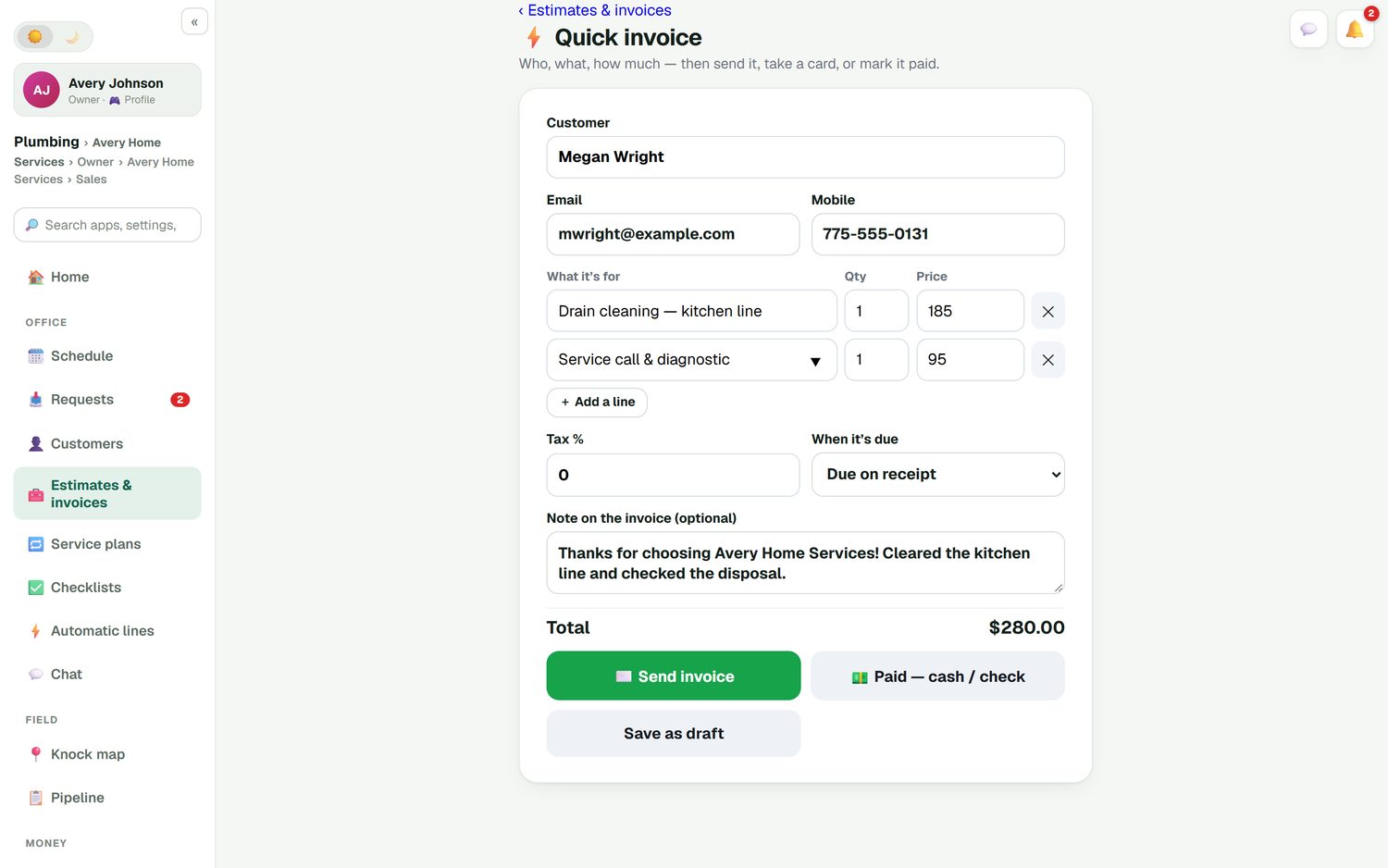
One screen: customer, what it's for, quantity and price, tax and when it's due. Then send it, take a card, mark it paid by cash or check, or save a draft.
Lines from your price list
Your service call fee, drain cleaning, the PRV and the garbage disposal you carry are all in your own price list, so the price is the same no matter who writes it up.
Card, check, cash, Zelle
Cards go through your own Stripe account with no FieldStacker fee on top. Record cash, check, Cash App, Venmo or Zelle in one tap. Optional tips.
Deposits and change orders
A deposit as % or $ on a water heater or repipe. Found corroded galvanized behind the wall? A change order adds the lines with its own deposit for the customer to approve.
Batch invoicing
Email up to 100 finished jobs at once. Useful for property managers, landlords and the end-of-week stack you didn't get to.
Reminders that send themselves
Unpaid-invoice reminders go out on their own, and a thank-you with a review request follows once the invoice is paid. Switch each one on or off and edit the words.
Send your next plumbing invoice from the driveway, free for 14 days
Bring your customers and open balances over. We import them for free.
- No credit card to start
- From $30/mo after the trial
- Your techs and cleaners are free
- Cancel any time from the app
A service call invoiced in under a minute
Take a typical call: a kitchen drain cleared, plus the service call and diagnostic. Pick the customer, add the two lines from your price list, leave a note ("cleared the kitchen line and checked the disposal") and tap Send invoice. The customer gets it by email, or by text with the texting add-on, and can pay by card on their phone. If they hand you a check, tap Paid — cash / check and you're done.
- Due on receipt, or the terms you set
- Tax rate on the invoice
- A receipt emailed when it's paid
Every invoice shows what you made
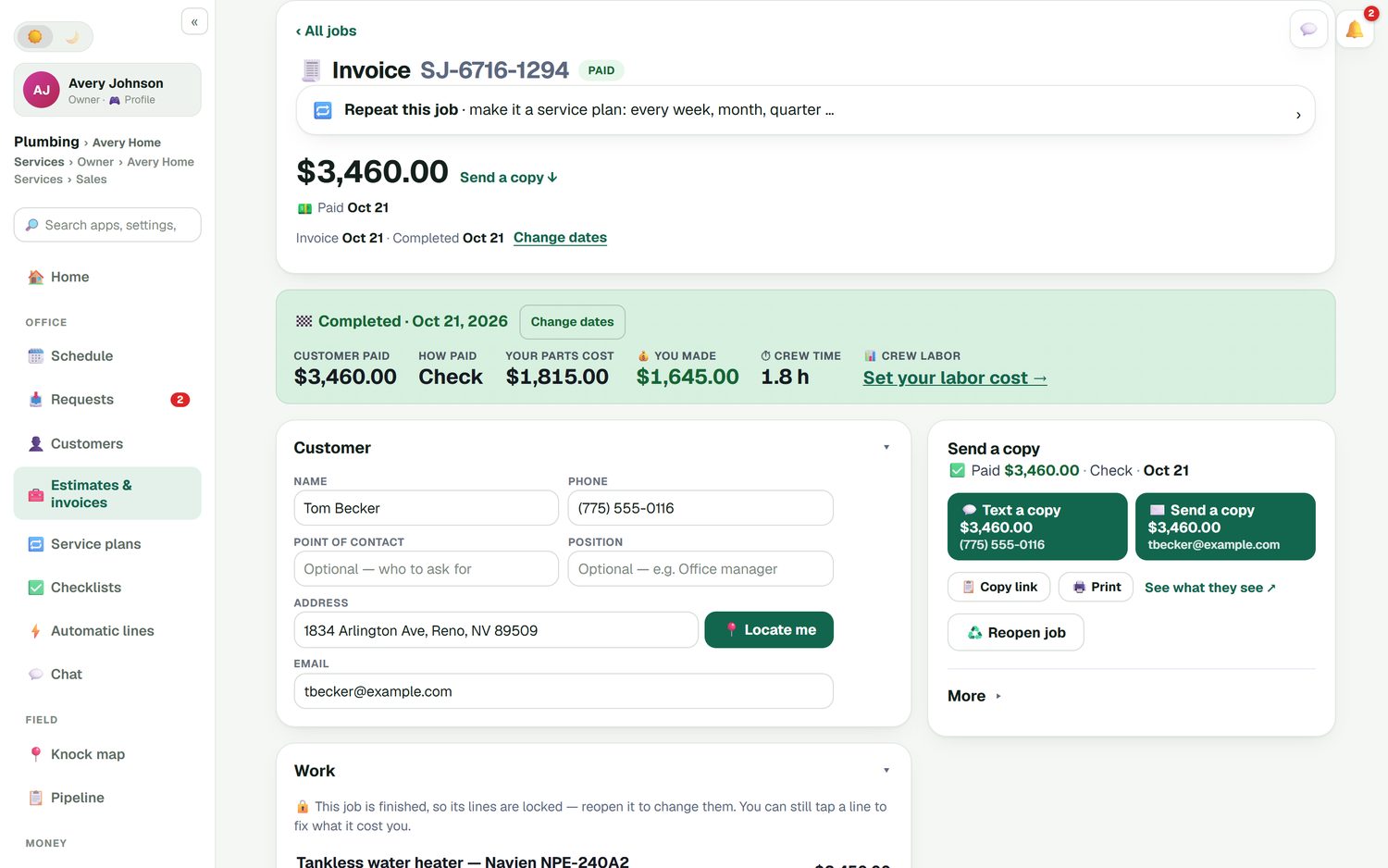
A $3,460 tankless install sounds like a good day until you count the heater, the venting and the gas line. When a job is finished, its invoice shows what the customer paid and how, what the parts cost you, what you made, and how long the crew was there. Add your labor cost and the profit number gets honest. The job profit report then shows which kinds of work pay best.
- Parts, labor and expenses against each job
- Finished jobs lock their lines; reopen to change them
- Email a copy of any invoice again at any time
Every estimate and invoice in one list
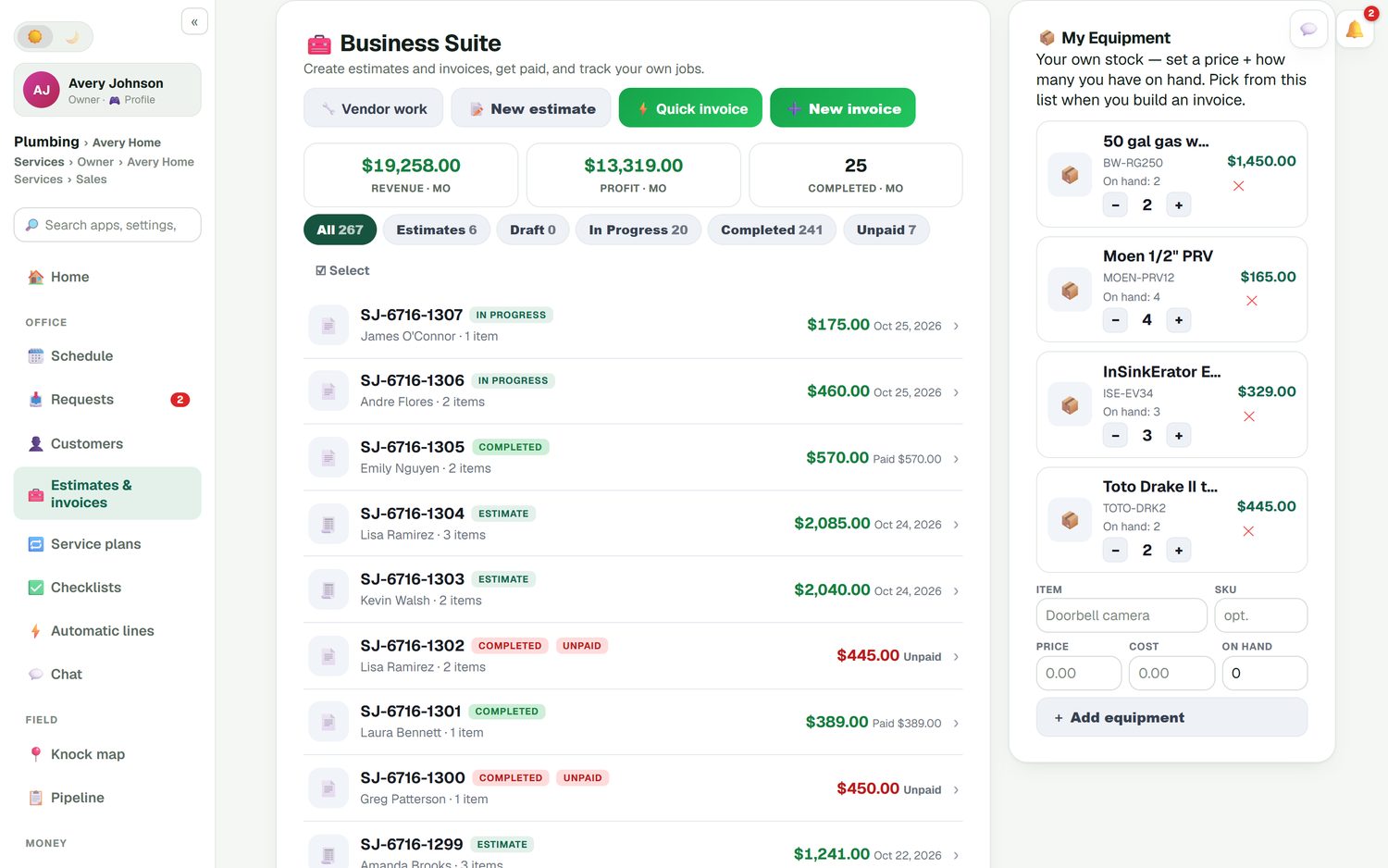
Revenue and profit for the month sit at the top, then every job by status: estimate, in progress, completed and unpaid. Unpaid invoices show in red so you see who to call. Each invoice and payment syncs to QuickBooks Online and updates in place, so your bookkeeper isn't re-typing anything, and a payment entered in QuickBooks marks the invoice paid here. Customers can also sign in to their portal to pay and see their billing history.
- QuickBooks Online sync for invoices and payments
- Expenses, job parts and mileage can sync too
- A customer portal for paying and past receipts
What plumbing invoice software costs elsewhere
We checked each company's pricing page on October 26, 2026. Jobber's Core plan is $49/mo for one user and includes invoicing with online payments, but QuickBooks Online sync and automatic payment collection start on Connect at $139/mo. Jobber lists card processing at 2.9% + 30¢. Housecall Pro's Basic plan is $79/mo for one user and puts QuickBooks Online sync on Essentials at $189/mo. Both are established products with large feature sets.
FieldStacker Pro is $30/mo with QuickBooks Online sync, card payments, the customer portal and job costing included, and card payments run through your own Stripe account with nothing added. Compare more in FieldStacker vs Jobber and the best invoice apps for contractors.
Plumbing invoicing questions
What should a plumbing invoice app do?
Let you invoice from the job site in under a minute, take a card on the spot, and record a check or cash so the books match. FieldStacker's quick invoice is one screen: customer, lines from your price list, tax and due date, then send it, take a card now, mark it paid, or save a draft.
Can I invoice on site and get paid before I leave?
Yes. Finish the job, send the invoice by email (or by text with the texting add-on), and the customer pays by card on their phone, or you take the card yourself. Cash, check, Cash App, Venmo and Zelle are one tap to record. A receipt is emailed either way.
Is there a fee on card payments?
Card payments go through your own Stripe account at standard Stripe rates. FieldStacker adds no fee on top. For comparison, Jobber lists card processing at 2.9% + 30¢ on its pricing page (checked October 26, 2026).
Does plumbing business invoicing software sync with QuickBooks?
FieldStacker syncs with QuickBooks Online. Finished and sent invoices and payments go across automatically and update in place, and a payment recorded in QuickBooks marks the invoice paid here. QuickBooks Desktop is not supported.
Can I bill a property manager for many jobs at once?
Yes. Batch invoicing emails up to 100 finished jobs at once, so a month of unit turns, clogged drains and water heater swaps for one property manager goes out in one pass. Unpaid-invoice reminders then go out automatically if you switch them on.
Can I take a deposit on a water heater or a repipe?
Yes. Set a deposit as a percentage or a dollar amount on the estimate. If you open a wall and find more work, a change order adds the extra lines with their own deposit, and the customer approves it before you go on.
How much does plumbing invoice software cost?
FieldStacker starts at $30/mo, or $25/mo billed yearly, with a 14-day free trial and no card. Invoicing, card payments, the customer portal, job costing and QuickBooks Online sync are all in that plan. Plumbers you add as technicians are free.
Related: plumbing business software · plumbing estimates · plumbing scheduling · QuickBooks field service · electrical contractor invoicing · pricing
Stop writing plumbing invoices on Friday night
14-day free trial, no credit card. Connect your own Stripe account and send your first invoice today.