QuickBooks field service software that keeps your books current
Run the schedule, the techs and the invoices in FieldStacker. Invoices, payments, expenses, job parts and mileage go to QuickBooks Online on their own, so your bookkeeper stops retyping tickets.
14-day free trial · no credit card · from $30/mo with QuickBooks Online sync · your techs are free
QuickBooks is where your accountant wants the numbers. It is not where your techs want to look at their day. Most service businesses end up with two systems and a person in between, copying tickets into invoices and deposits into payments every Friday. Mistakes creep in, and the books are always a week behind.
The sync removes the person in between. When a job is finished and the invoice is sent, it shows up in QuickBooks Online. When the customer pays by card, the payment follows. When your bookkeeper records a check in QuickBooks, the invoice is marked paid in FieldStacker, so the office never calls a customer who already paid.
Field service management and QuickBooks: what syncs
Set it up once. After that it runs without anyone pressing export.
Invoices, automatically
Finished and sent invoices go to QuickBooks Online and update in place if you change them later.
Payments, both ways
Card payments taken in FieldStacker go over. A payment recorded in QuickBooks marks the invoice paid here.
Job parts
Parts used on jobs can sync, so the cost of materials is in your books, not just on the job.
Expenses and mileage
Expenses, scanned receipts and road-accurate mileage logged in FieldStacker can sync too.
Scheduling stays here
The schedule board, dispatch, day routes and Google Calendar mirroring all live in FieldStacker.
Included in Pro
QuickBooks Online sync is part of the $30/mo Pro plan. No higher tier needed to turn it on.
Connect QuickBooks Online and run your jobs free for 14 days
We import your customers and jobs from your old app for free.
- No credit card to start
- From $30/mo after the trial
- Your techs and cleaners are free
- Cancel any time from the app
QuickBooks dispatch software, without the workaround
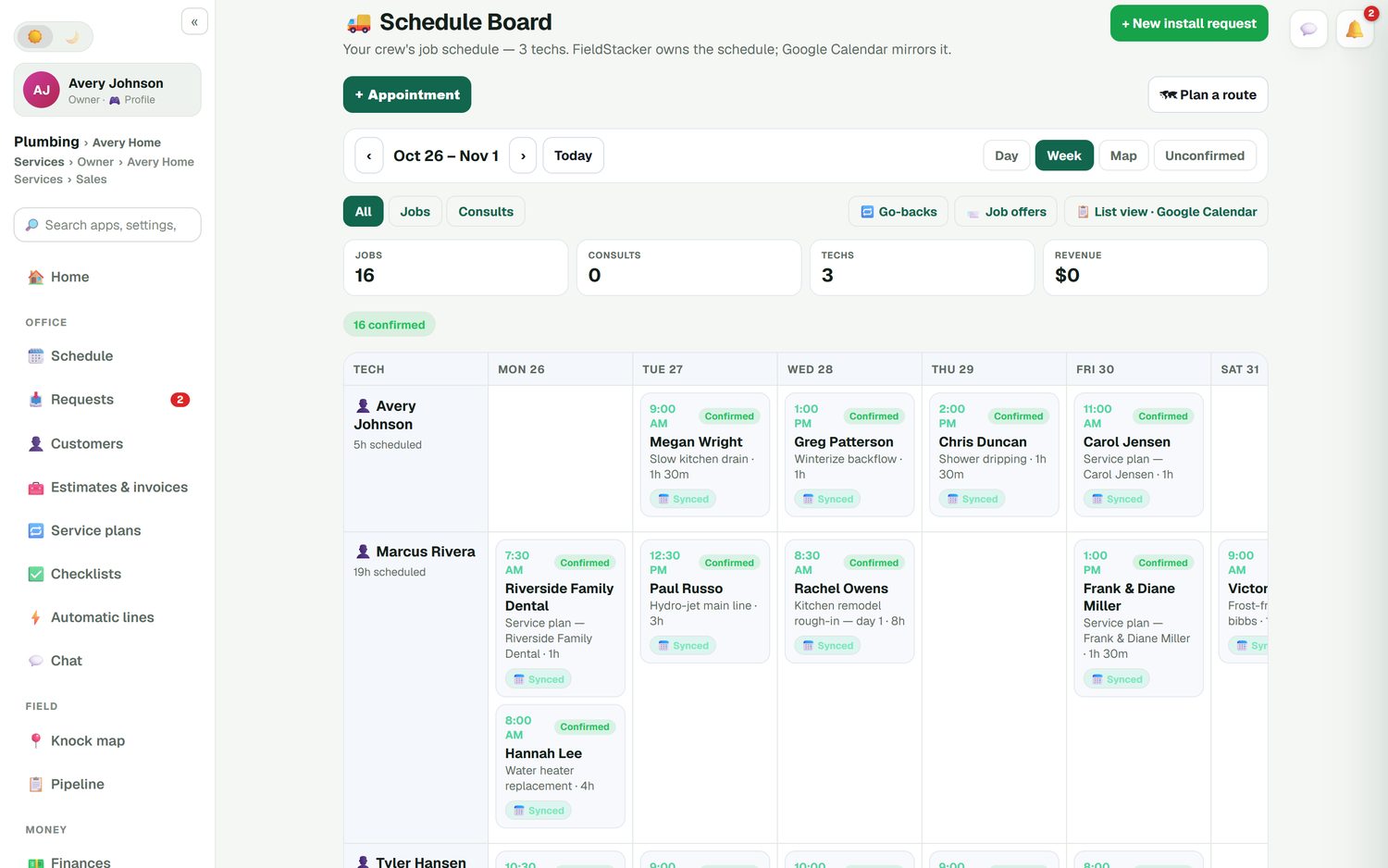
The schedule board puts every tech down the side and the days across the top, with Day, Week and Map views. Drag a job to another day or tech. Google Calendar mirrors the schedule and the customer's calendar invite moves when the job moves. Day routes put each tech's stops in driving order and update arrival times, and "On my way" texts the customer an ETA with the texting add-on.
- Confirmed and unconfirmed jobs, go-backs and job offers
- Multi-day jobs
- Techs added as technicians are free
- Opt-in live crew map
Invoice in the field, book it in QuickBooks
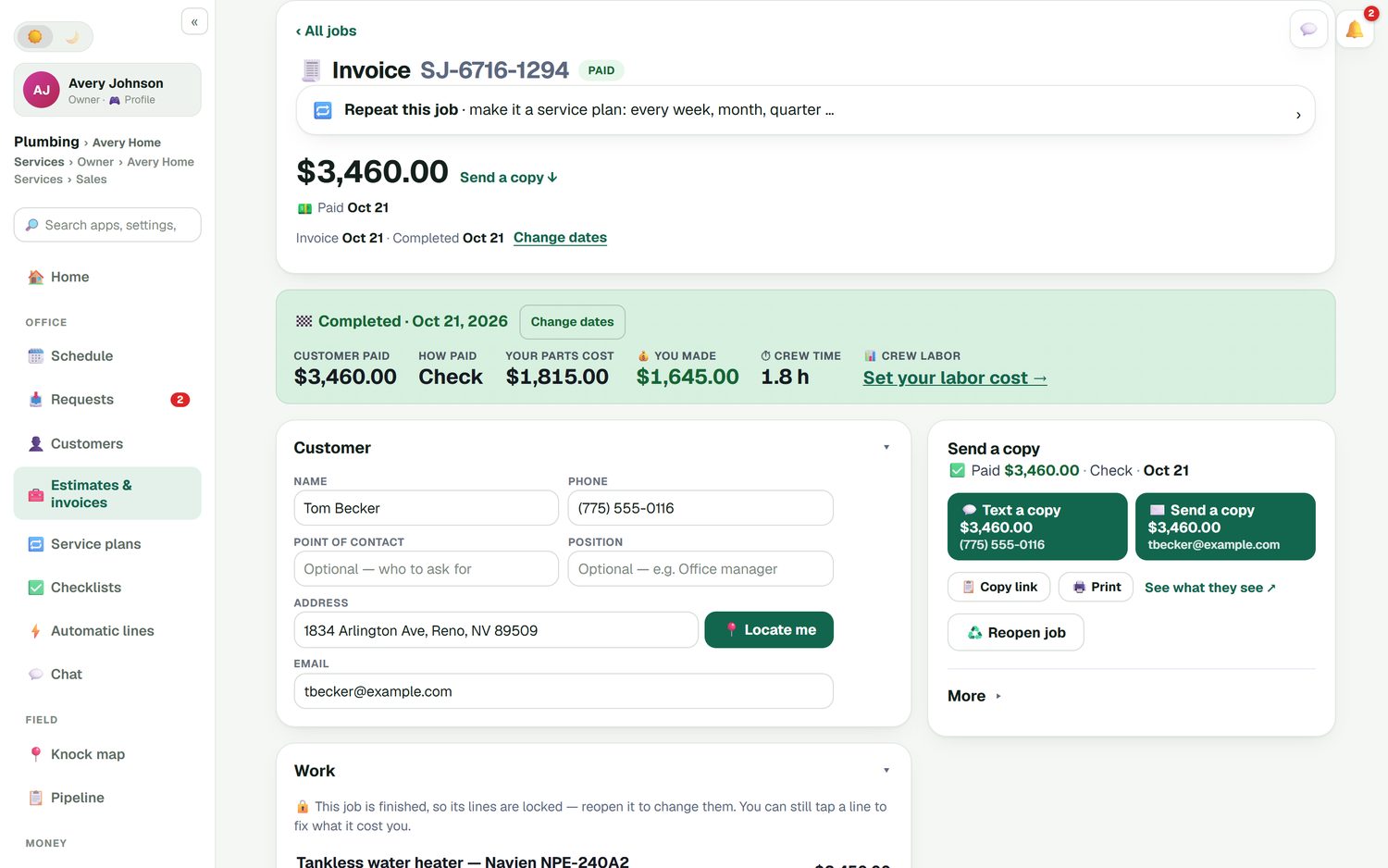
Your tech finishes the water heater swap, the job is ready to invoice, and the invoice goes to the customer from FieldStacker. It goes to QuickBooks Online automatically, with no export. If the customer pays by card on the spot, the payment goes with it. If they mail a check that your bookkeeper deposits and records in QuickBooks, the invoice flips to paid here.
- Quick invoices and batch invoices for up to 100 jobs
- Cards through your own Stripe, no FieldStacker fee
- Job costing with parts, labor and expenses
Expenses, parts and miles without double entry
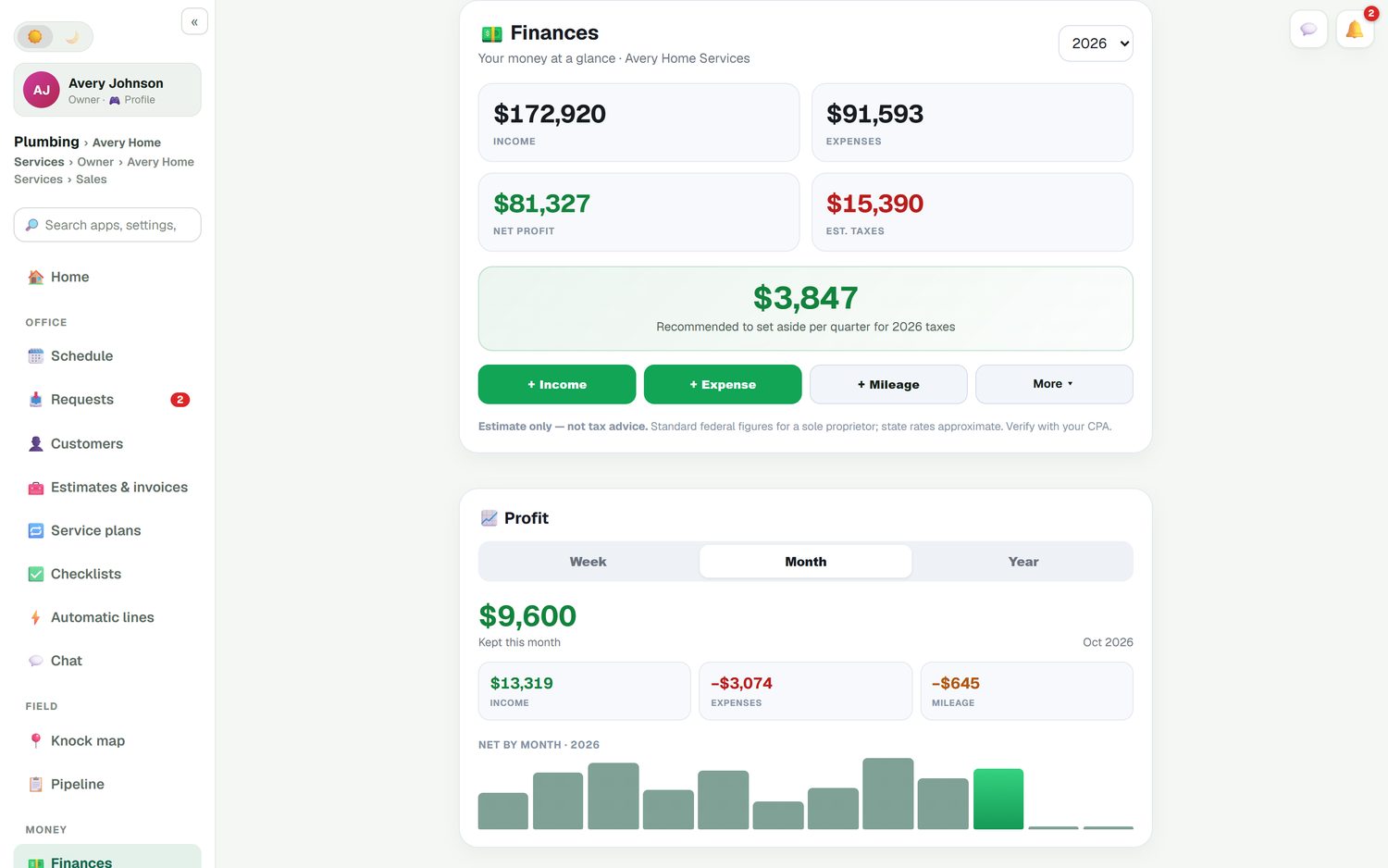
Snap a photo of a supply house receipt and it becomes an expense. Mileage is logged for you, measured on real roads. Parts come off a tech's stock when they complete a job. All three can sync to QuickBooks Online, so the costs are in your books as well as on the job.
Field service software with QuickBooks: what it costs
The plan where QuickBooks Online sync starts, from each company's own pricing page, checked October 26, 2026.
| What you get | FieldStacker | Jobber | Housecall Pro |
|---|---|---|---|
| Plan with QuickBooks Online sync | Pro | Connect | Essentials |
| Monthly price of that plan | $30/mo ($25/mo yearly) | $139/mo for 1 user | $189/mo ($149/mo yearly) |
| Users at that price | 1, plus free technicians | 1 (5 users $199/mo) | 5 |
| Card processing | Your own Stripe, no added fee | 2.9% + 30¢ | Check their site |
| QuickBooks Desktop | No | Check their site | Check their site |
Jobber and Housecall Pro both do field service well and have large feature sets. See FieldStacker vs Jobber and our Housecall Pro alternative page for the full picture. Looking at Intuit's own field service product or Service Fusion's QuickBooks link? See our Intuit Field Service and Service Fusion comparisons.
QuickBooks field service questions
Does FieldStacker work with QuickBooks Desktop?
No. FieldStacker syncs with QuickBooks Online only. If your books are in QuickBooks Desktop, this sync will not connect to them.
What field service management software works with QuickBooks Online?
Several do, including Jobber, Housecall Pro and FieldStacker. The difference is the plan you need. In FieldStacker, QuickBooks Online sync is included in Pro at $30/mo. Jobber lists it from its Connect plan and Housecall Pro from its Essentials plan.
What syncs between the field service software and QuickBooks?
Finished and sent invoices and their payments go to QuickBooks Online automatically and update in place if they change. A payment you record in QuickBooks marks the invoice paid in FieldStacker. Expenses, job parts and mileage can sync too.
Is there QuickBooks dispatch software for my techs?
FieldStacker handles dispatch and passes the money to QuickBooks Online. The schedule board shows every tech and day, you drag jobs between them, and day routes put each tech's stops in driving order. The finished job's invoice then goes to QuickBooks.
Can I do QuickBooks scheduling with Google Calendar?
FieldStacker owns the schedule and Google Calendar mirrors it, so your jobs show in Google Calendar and the customer's invite moves when you move the job. The invoices from those jobs sync to QuickBooks Online.
Will I have to enter payments twice?
No. A card payment taken in FieldStacker goes to QuickBooks Online with the invoice. A check you deposit and record in QuickBooks marks the invoice paid in FieldStacker. Either way it is entered once.
Related: dispatch software · invoicing software for small business · recurring billing · pricing
Run the field in FieldStacker, keep the books in QuickBooks Online
14-day free trial, no credit card. QuickBooks Online sync is included from $30/mo.