Job management software that follows every job until it's paid
See every job's stage at a glance: requested, estimated, approved, scheduled, in progress, done, invoiced, paid. FieldStacker flags the ones that stopped moving and tells you what each one is worth.
14-day free trial · no credit card · from $30/mo · your techs are free
Ask a shop owner how many jobs they finished last month and they'll know. Ask how many finished jobs were never invoiced, or how many approved estimates still have no date, and most can't say. Those are the jobs where money leaks out. Good job tracking software is less about a prettier calendar and more about making those in-between states impossible to miss.
The stages every job goes through
And where each one tends to get stuck.
Requested
A request from your website or card lands in the Requests inbox. Mark it contacted, won or not a fit, or make an estimate from it.
Estimated
The estimate goes by text or email. You see when it was opened, and an automatic follow-up nudges the customer if they go quiet.
Approved and scheduled
The customer signs, and pays a deposit if you asked for one. "Approved estimates to schedule" stays on your home screen until the job has a tech and a date.
Done, invoiced, paid
The tech marks it done, the job becomes an invoice, and reminders run until it's paid. A payment recorded in QuickBooks Online marks it paid here too.
Job tracking software tools that keep jobs moving
What FieldStacker gives the office for every job.
A status on every job
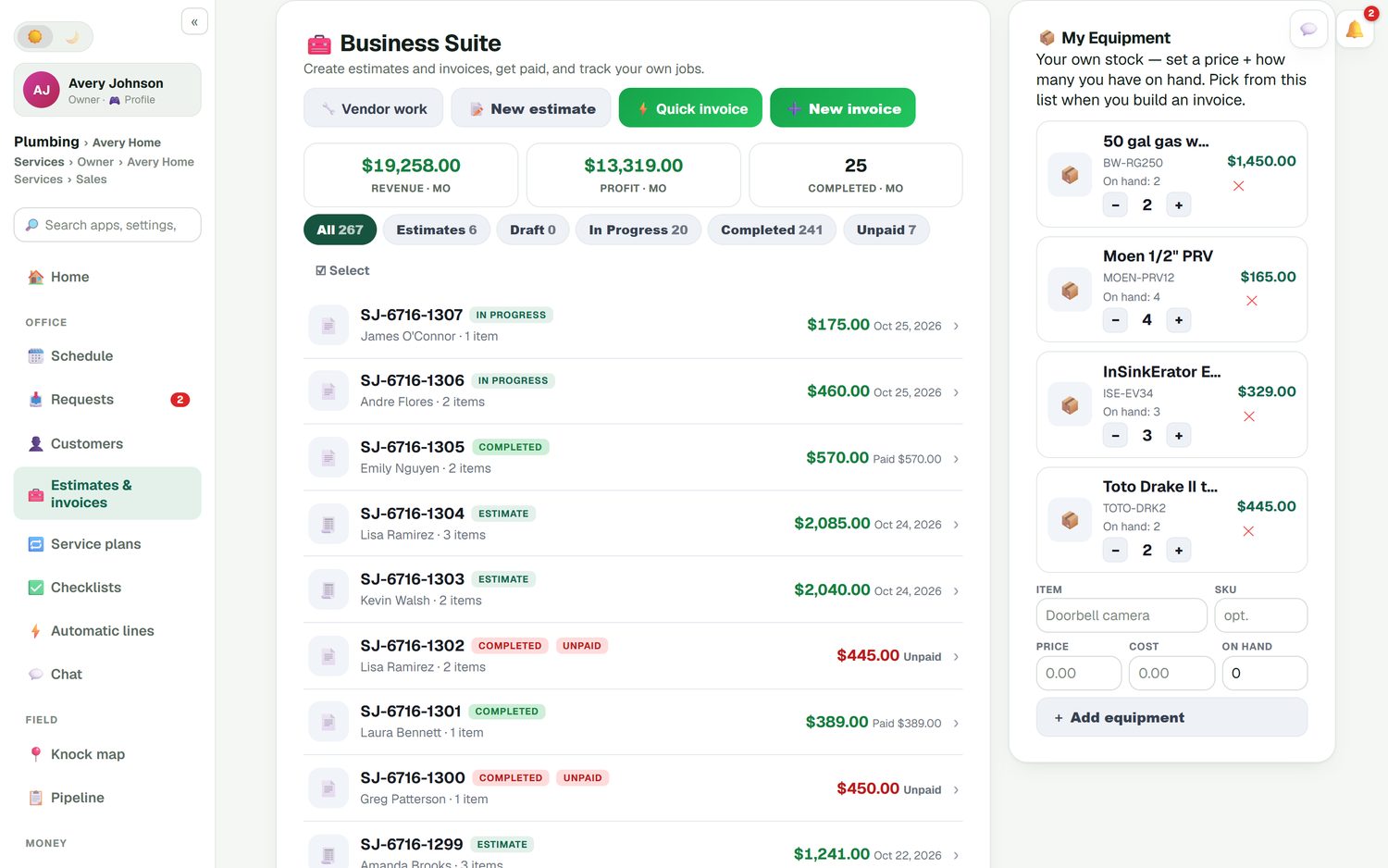
Filter all jobs by estimate, draft, in progress, completed or unpaid. Each row shows the customer, the number of items and the amount.
Stuck jobs on the home screen
New requests, invoices past due, finished jobs to invoice, estimates to follow up and approved estimates to schedule, each with its total.
Multi-day jobs
A three-day remodel or a full repipe stays one job across several days on the board instead of three separate bookings.
Change orders
Extra work after approval goes on as a change order with its own deposit, approved by the customer, inside the same job.
Batch invoicing
End of the week? Email invoices for up to 100 finished jobs at once instead of opening them one by one.
Job costing
Parts, labor and expenses against each job, and a job profit report that shows which kinds of work pay best.
Track your open jobs in FieldStacker free for 14 days
Import your customers and open jobs from your old app. We do it for free.
- No credit card to start
- From $30/mo after the trial
- Your techs and cleaners are free
- Cancel any time from the app
Every request gets an answer
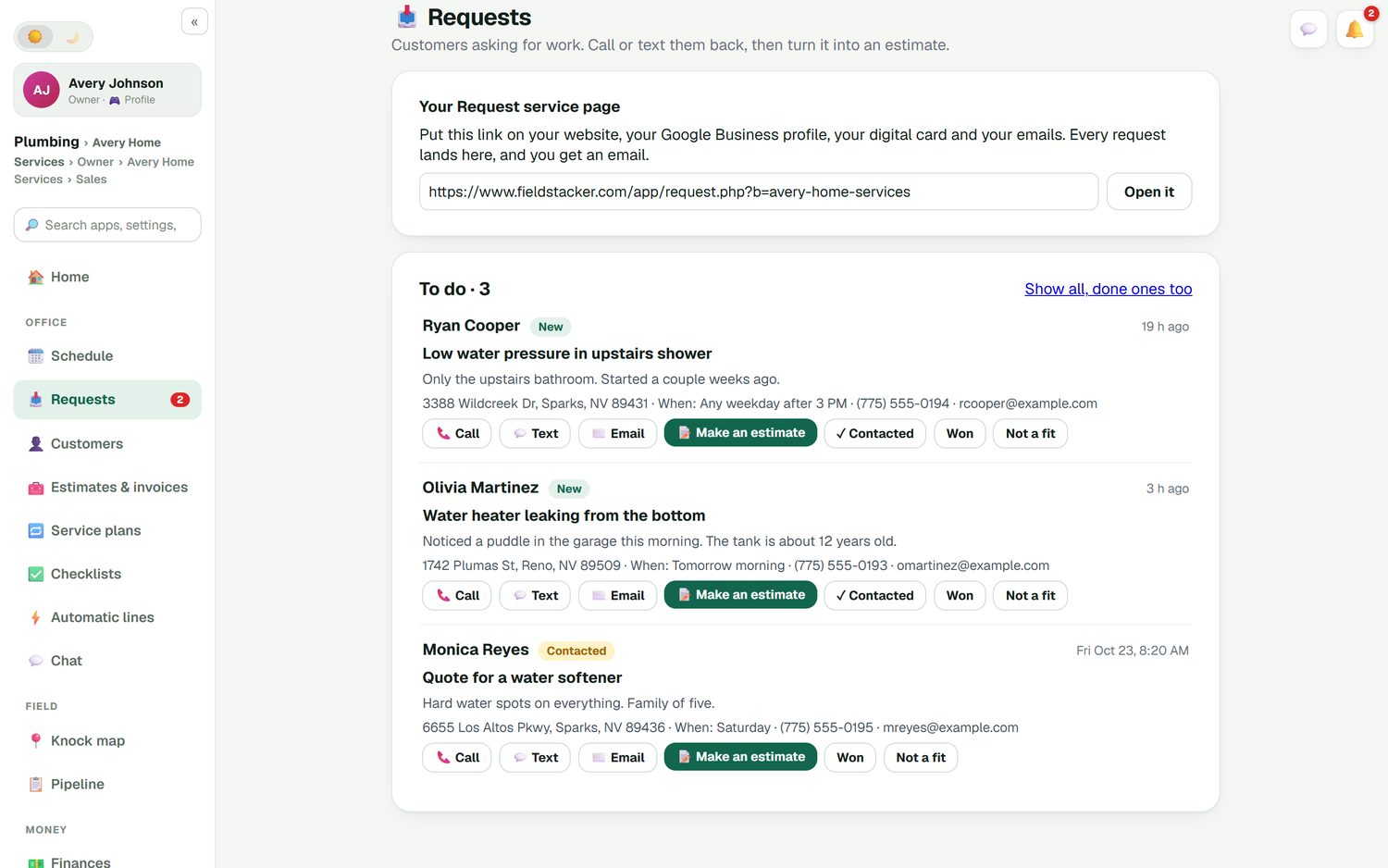
Put your request link on your website, your Google Business profile, your digital card and your emails. Each request arrives with the customer's address, phone, email, when they're free and what's wrong, like "water heater leaking from the bottom, tank is about 12 years old." Call or text back from the request, then turn it into an estimate with one tap. Requests stay in the to-do list until you mark them contacted, won or not a fit.
- An email to you for every new request
- Call, text or email the customer from the request
- A count of open requests on the office screen
All your jobs, filtered by where they are
One list holds every estimate and job. Tap "Unpaid" to see who owes you, "In progress" to see what's on site today, or "Estimates" to see what you're waiting on. The top of the list shows this month's revenue, profit and jobs completed. Your own stock sits beside it, so the parts you price are the parts you have.
- Quick invoice for a small job that never needed an estimate
- Card payments through your own Stripe account, no FieldStacker fee
- Finished invoices and payments sync to QuickBooks Online
Know what the job actually made
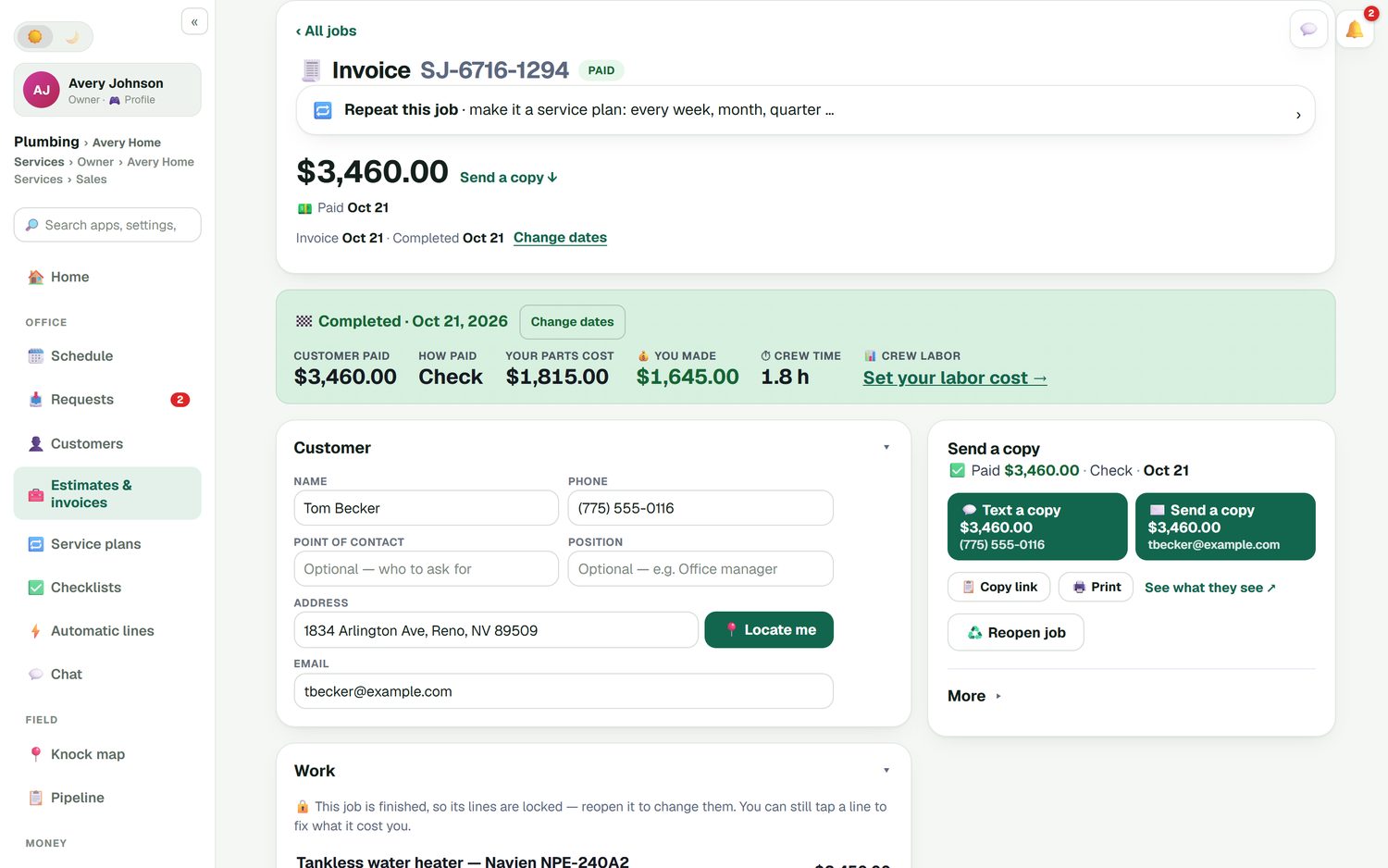
When a job is completed, its summary shows what the customer paid, how they paid, what your parts cost, what you made and the crew time. A tankless water heater that brought in $3,460 might leave $1,645 after parts, before labor. Set your labor cost and the profit includes it. Once a job is finished its lines lock, so the invoice the customer got is the invoice you keep; reopen the job if something has to change.
See how this ties to the tech's side in work order software, and to invoicing in invoicing software for small business.
Job management questions
What is job management software?
Job management software tracks each job from the moment a customer asks for it until the money is in the bank: request, estimate, approval, schedule, work, invoice and payment. It shows what stage every job is at, so nothing is forgotten between steps. FieldStacker adds the cost side, so you also see what each job made.
Is a job tracking app different from job tracking software?
Usually not; it is the same system seen from two places. In FieldStacker the office works in a browser with the schedule board and job lists, and techs use the same jobs on their phone to see their day, tick checklists, add photos and mark the job done. A change on one shows on the other.
How do I see which finished jobs have not been invoiced?
The office home screen lists finished jobs that have not been sent an invoice, with the total, next to invoices past due and estimates waiting on a follow-up. Batch invoicing then emails up to 100 finished jobs at once.
Can I track profit on each job?
Yes. Job costing puts parts, labor and expenses against each job, and a closed job shows what the customer paid, what your parts cost, what you made and the crew time. A job profit report adds them up across jobs.
Does service job management software handle jobs that take more than one day?
FieldStacker does. A multi-day job, such as a kitchen remodel rough-in or a full repipe, stays one job across several days on the schedule board, so the crew, the notes and the money stay together.
What if the customer adds work after approving the estimate?
Add a change order: the extra lines, with their own deposit if you want one. The customer approves it on the same job, so the paper trail stays in one place.
Related: field service software overview · customer history · dispatch software · QuickBooks Online sync · free options compared · pricing
Stop losing jobs between the steps
14-day free trial, no credit card. See every open job and what it's worth on day one.