HVAC invoicing software that gets you paid before the truck leaves
Invoice the capacitor swap in the driveway, send a whole day of tune-ups at once, take the deposit on a changeout, and let agreement visits charge the card on file.
14-day free trial · no credit card · from $30/mo · your techs are free · no FieldStacker fee on card payments
HVAC billing is four different jobs. A no-cool repair is a single visit you want paid on the spot. A tune-up day is fifteen small invoices nobody wants to type. A system replacement is a big number with a deposit up front and a balance after the install. And a maintenance agreement is the same customer, paying the same amount, twice a year for years.
Most invoice apps handle the first one well and leave the rest to you. FieldStacker treats each one as its own flow, and keeps them all on the same customer record so the money matches the work.
HVAC billing software for every kind of job
The four ways an HVAC shop gets paid, and what FieldStacker does for each.
Repair calls
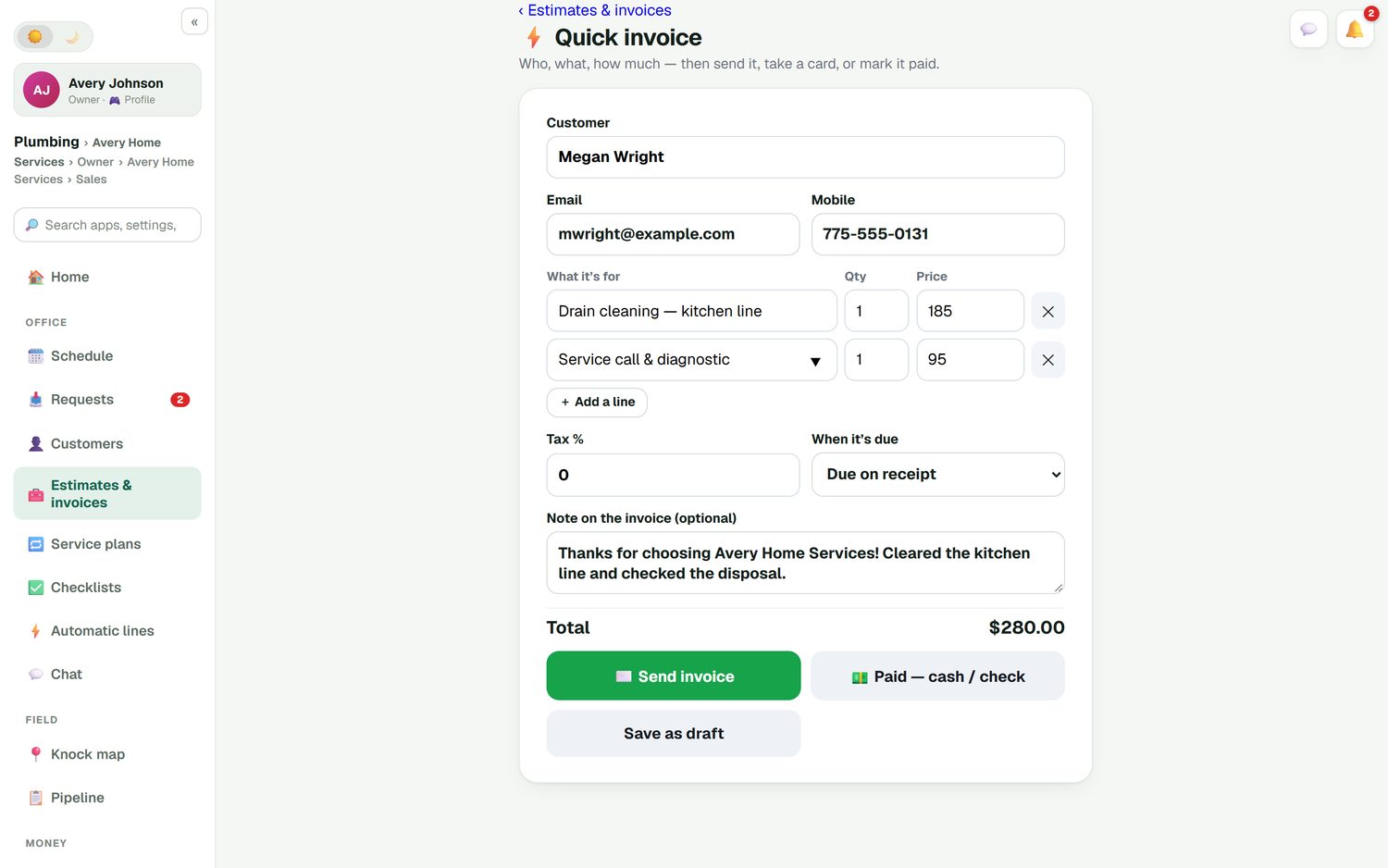
Quick invoice is one screen: customer, the diagnostic and the part, then send it, take a card now, mark it paid by cash or check, or save a draft.
Tune-up days
Batch invoicing emails up to 100 finished jobs at once. A full day of spring tune-ups goes out before you leave the shop.
Installs
Take a deposit as a % or $ when the quote is signed. A change order for an extra pad or new line set adds lines with its own deposit for the customer to approve.
Agreements on autopay
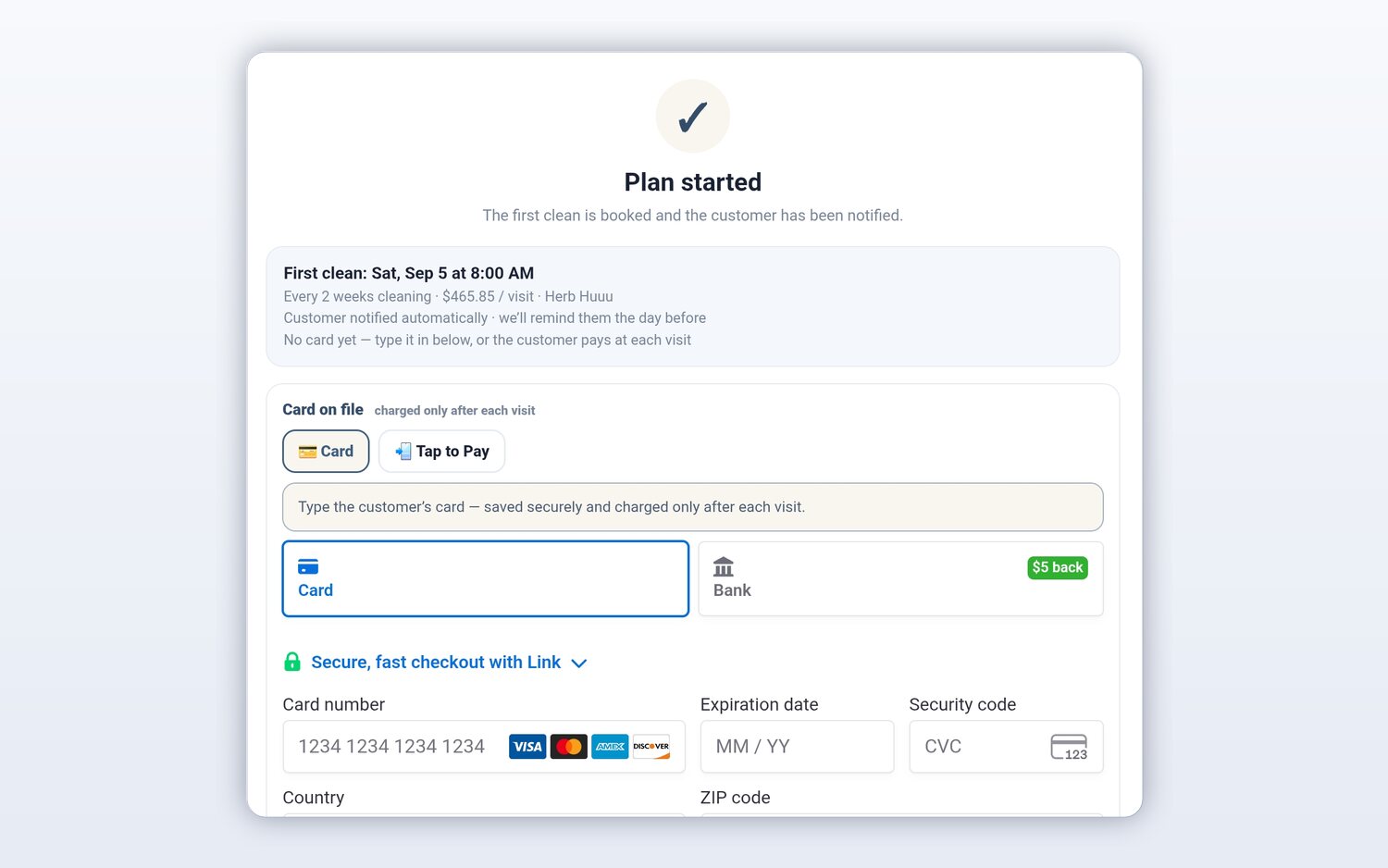
A service plan with a card on file charges each tune-up at the plan price, and the receipt goes to the customer's email and portal.
Reminders you don't send
Unpaid-invoice reminders go out on their own, and a thank-you with a review request follows each paid invoice. Switch each one on or off.
QuickBooks Online sync
Finished invoices and payments go to QuickBooks Online and update in place. A payment you record in QuickBooks marks the invoice paid here.
Send your next HVAC invoice from FieldStacker, free for 14 days
Bring your customers over from your old app. We import them for free.
- No credit card to start
- From $30/mo after the trial
- Your techs and cleaners are free
- Cancel any time from the app
Bill the repair in the driveway
The tech finishes a no-cool call: bad dual-run capacitor, unit running again. On one screen they pick the customer, add the service call and the part from your price list, add a note ("replaced 45/5 capacitor, contactor pitted, recommend replacing at fall tune-up"), and either send it or take the card right there. Tips are optional, and the receipt is emailed.
- Send, take a card now, mark paid or save a draft
- Record cash, check, Cash App, Venmo or Zelle
- Optional tips on card payments
- The customer can also pay from their own portal
Agreement visits that bill themselves
When you sell a maintenance agreement, set it up as a service plan: the visit price and how often, such as every six months. Save the customer's card when they sign up. Each spring and fall tune-up is its own job and invoice, and the card is charged when the visit is done. No end-of-month run of agreement invoices.
- Card on file, charged only after each visit
- Each visit is its own job and invoice
- Customers see their visits and receipts on their own page
- Give members a line discount, with the reason on the invoice
The books, without the shoebox
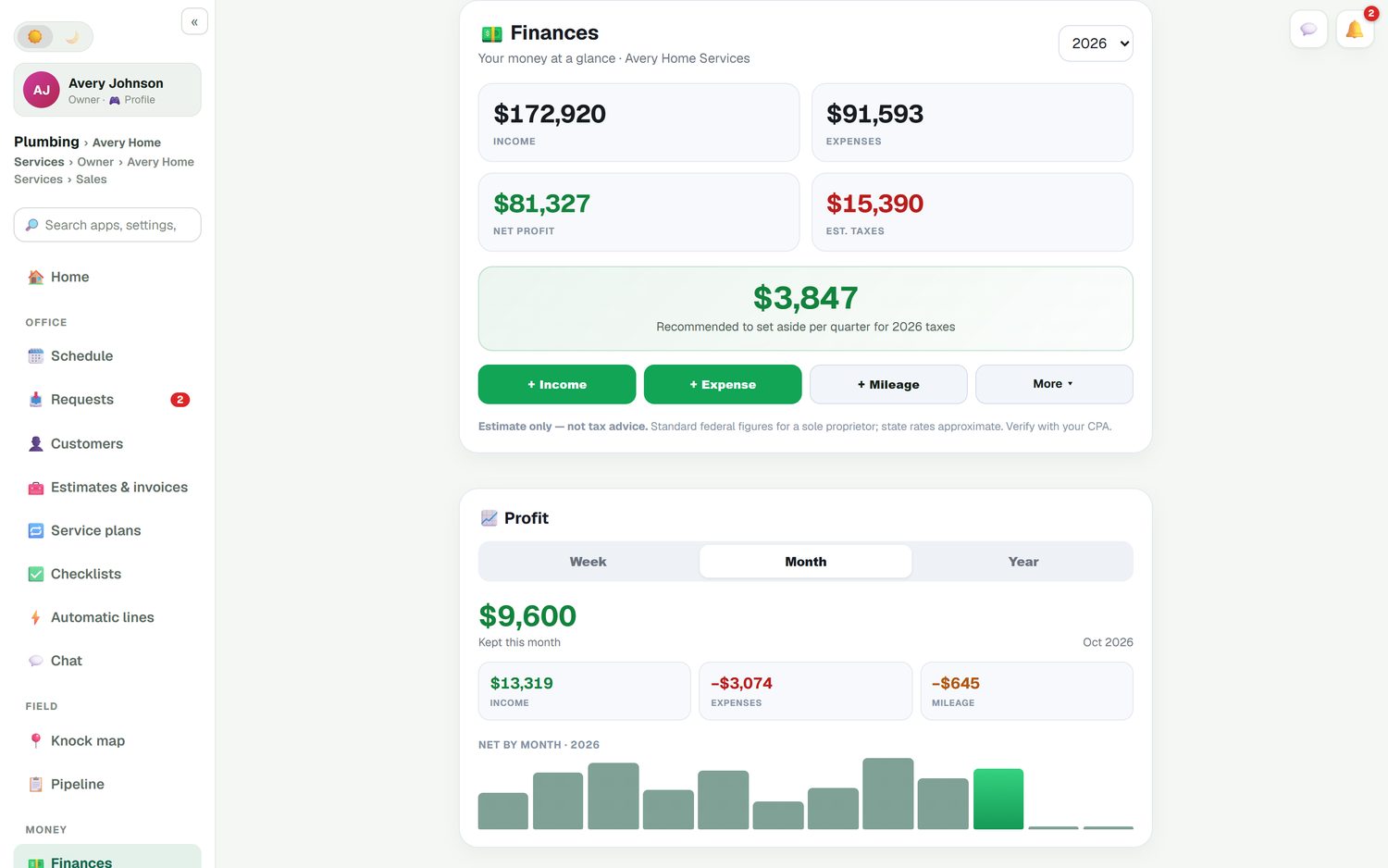
Finances shows income, expenses and net profit for the year, with a recommended quarterly tax set-aside (an estimate, not tax advice). Snap a photo of the supply house receipt and it's logged. Mileage is tracked automatically and road-accurate. Each job shows what the customer paid, the parts cost and what you kept, so you can see which repairs and installs actually make money.
- Income, expenses and profit by week, month or year
- Receipt scanning from your phone
- Automatic mileage
- Expenses, job parts and mileage can sync to QuickBooks Online too
How HVAC invoicing compares
Jobber includes invoicing with online payments on Core ($49/mo for one user), adds QuickBooks Online sync and automatic payment collection on Connect ($139/mo for one user), and charges 2.9% + 30¢ per card payment. Housecall Pro includes estimates, invoicing and payments on Basic ($79/mo), with QuickBooks Online sync on Essentials ($189/mo). ServiceTitan has invoicing, billing and accounting integrations including QuickBooks Desktop, on quote-only pricing. All checked October 26, 2026. All three are proven in HVAC.
FieldStacker puts quick invoices, batch invoicing, deposits, change orders, autopay and QuickBooks Online sync in the $30/mo plan. Card fees are Stripe's standard rates on your own account, with nothing added. We don't offer consumer financing or QuickBooks Desktop, so if you finance most changeouts, factor that in.
Before the invoice comes the quote. See HVAC estimating software for replacement quotes with deposits, and QuickBooks field service software for exactly what syncs.
HVAC invoicing questions
What is the best HVAC invoicing software for a small shop?
Look for three things: an invoice you can send from the driveway, card payments that land in your own account, and a sync to your books. FieldStacker does all three from $30/mo with techs free. Jobber and Housecall Pro also invoice well, though their QuickBooks Online sync starts on higher plans (Jobber Connect, Housecall Pro Essentials, checked October 26, 2026).
Can HVAC billing software charge maintenance agreement customers automatically?
Yes. Put the customer on a service plan with a card on file and each visit is charged at the plan price when it is done. The customer can see their visits and receipts on their own portal page.
Is FieldStacker HVAC bookkeeping software?
It covers the day-to-day: income, expenses, receipt scanning, road-accurate mileage and job profit. Invoices and payments sync to QuickBooks Online automatically, so your bookkeeper works from the same numbers. It is not a replacement for an accountant, and it does not sync with QuickBooks Desktop.
Can I take a deposit before ordering equipment?
Yes. Add a deposit as a percentage or a dollar amount to the estimate. When the customer signs, they can pay it on the spot, and the balance is invoiced when the install is done. If the job changes, a change order adds lines with its own deposit for the customer to approve.
What does card processing cost?
Card payments go through your own Stripe account at Stripe's standard rates. FieldStacker adds no fee on top. You can also record cash, check, Cash App, Venmo or Zelle so the books match.
Can I invoice a whole day of tune-ups at once?
Yes. Batch invoicing emails up to 100 finished jobs at once, so a day of spring tune-ups goes out in one go instead of one by one.
Related: HVAC software · HVAC CRM · Recurring billing · Jobber pricing · Pricing
Stop typing invoices after dark
14-day free trial, no credit card. Your techs are free, and we'll bring your customers over for you.