HVAC estimating software for the replacement quote at the kitchen table
Build the changeout from your own prices, let the homeowner tick the upgrades they want, take the deposit and get it signed before you leave. Then let the follow-up go out by itself.
14-day free trial · no credit card · from $30/mo · your techs are free
Most replacement quotes start at a tune-up. The tech finds an 18-year-old R-22 condenser with a weak compressor, or a furnace with a cracked heat exchanger, and the homeowner wants to know what a new system costs. If the answer is "we'll email you something next week", the quote often goes to whoever answers fastest.
The shops that close more replacements quote the same day, show the homeowner a few clear choices, and follow up without having to remember to. That is what this part of FieldStacker is for.
HVAC quoting software that does the tedious parts
What goes into a replacement quote, and what FieldStacker fills in for you.
Your own price list
Condensers, coils, furnaces, air handlers, line sets, pads, thermostats, permits and haul-away, each with your price. Search it as you add lines.
Automatic lines
Set a rule once and adding a condenser adds the install labor that goes with it. Nobody forgets the labor line on a busy day.
Upgrades the homeowner ticks
Put the base system on the quote and the better and best upgrades as optional add-ons. They tick the ones they want.
Member discounts
Take a % or $ off any line, with a reason that shows, like "maintenance agreement member". A good reason to sell the agreement first.
Deposits
Ask for a % or $ deposit so the equipment order is covered. The customer can pay it when they sign.
Signed on the spot
The homeowner signs on your phone at the table, or scans a QR code to read, sign and pay on their own phone.
Send your next replacement quote from FieldStacker, free for 14 days
Bring your customers over from your old app. We import them for free.
- No credit card to start
- From $30/mo after the trial
- Your techs and cleaners are free
- Cancel any time from the app
A changeout quote in ten minutes, not ten days
Start from the customer or from their service request. Add the equipment from your price list, and your automatic-line rules bring in the labor. Add the permit and haul-away. Put the higher-efficiency system, the smart thermostat and the extended labor warranty on as optional add-ons. Then text it, email it, print it, or hand the homeowner your phone.
- See when the customer opened the estimate, and how many times
- Text or email it with one tap, or copy the link
- Turn it straight into an invoice when the job is done
- Repeat it as a service plan if it's recurring work
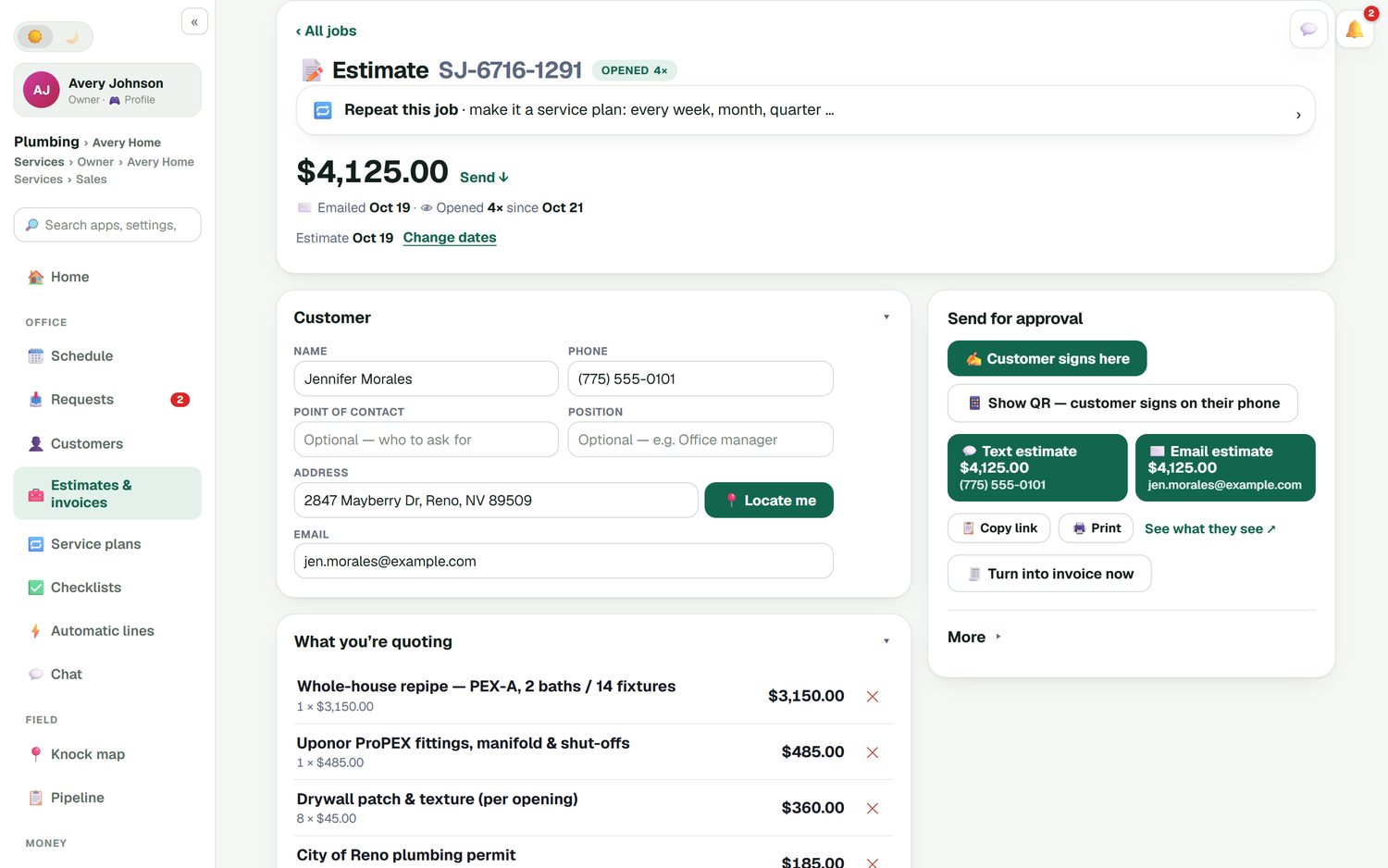
Good, better, best without a separate proposal tool
One way small HVAC shops lay out a replacement quote in FieldStacker.
Good: the base system
The single-stage system that solves the problem, with install labor, pad, disconnect, line set flush or replacement, permit and haul-away.
Better: optional upgrades
A two-stage or higher-efficiency upgrade as an optional line, priced as the difference, plus a smart thermostat.
Best: the extras
Variable-speed upgrade, a UV light or media filter cabinet, and an extended labor warranty, each as a line they can tick.
Sign and deposit
Apply the member discount, set the deposit, and let them sign. Unsigned? The estimate follow-up goes out on its own.
To be clear about the trade-off: this is a single quote with optional lines, not a side-by-side proposal page. ServiceTitan's proposals and Housecall Pro's sales proposal tool (on its $329/mo Max plan, checked October 26, 2026) present full options in columns. If that presentation is central to how you sell, try them. If you want a clear quote, a deposit and a signature at $30/mo, this works.
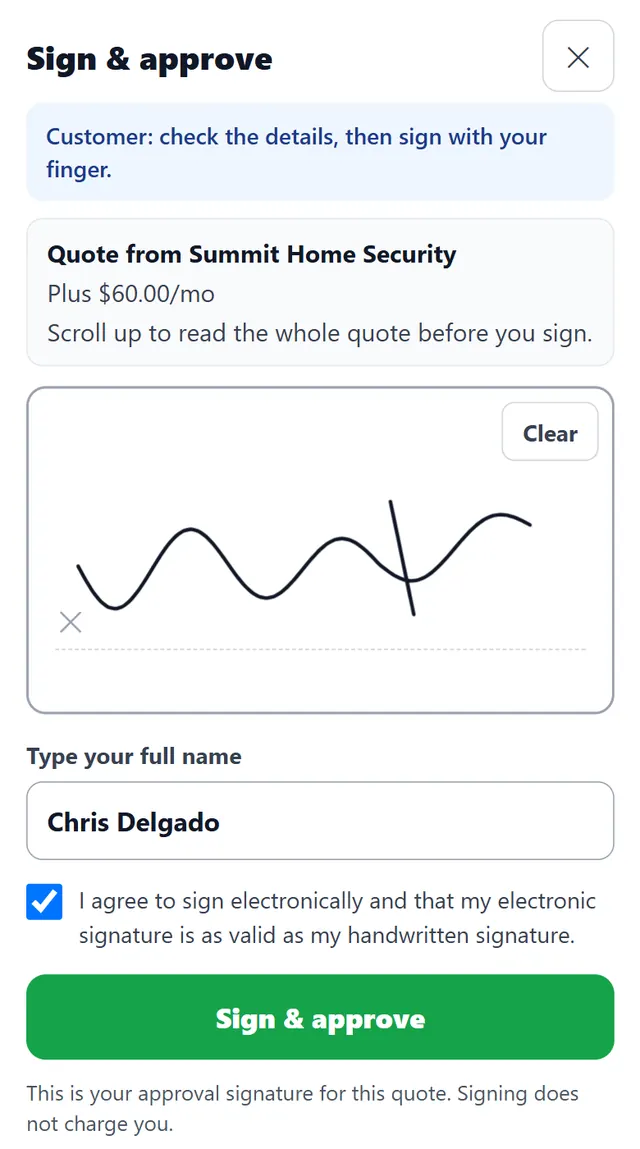
Signed, deposited and ready to schedule
The homeowner checks the quote, signs with a finger and types their name. If they want to think it over, send the QR code or the link and they can sign and pay the deposit later on their own phone. Signed quotes show up on your office home screen as approved estimates waiting for an install date.
- E-sign at the door or by QR code
- Automatic estimate follow-ups you can switch on or off
- Change orders when the attic surprises you, with their own deposit
- Job costing after the install shows what the job really made
HVAC pricing software: what's in, what's out
In: your own price list, optional add-ons, automatic lines, line discounts with reasons, deposits, change orders, e-sign, follow-ups, and an AI website chat add-on ($20/mo) that can give a visitor a price from your real price list and book a time. Out: a flat-rate price book, Manual J load calculations, consumer financing, and AI that writes the quote for you. FieldEdge, ServiceTitan and Housecall Pro all include flat-rate pricing if that's how you sell.
Canvassing neighborhoods for replacement leads? That's the HVAC sales CRM. For billing after the install, see HVAC invoicing software. Comparing tools for every trade? See the best estimating software for contractors.
HVAC estimating questions
What is HVAC estimating software?
It is the tool you use to price a repair or a system replacement and get the customer to say yes. In FieldStacker you build the quote on your phone from your own price list, add upgrades as optional lines the homeowner can tick, take a deposit and have them sign on your phone or by scanning a QR code.
Can I show good, better and best options on an HVAC quote?
Yes, as optional add-ons. Put the base system on the quote, then add the upgrades, such as a variable-speed system, a smart thermostat, a UV light or a longer labor warranty, as optional lines the homeowner ticks. If you prefer three complete quotes side by side, send three estimates. FieldStacker has no dedicated multi-option proposal screen like ServiceTitan or Housecall Pro Max.
Is FieldStacker HVAC pricing software with a flat-rate book?
No. You price from your own price list, called Equipment & pricing, which you build once and search when adding lines. There is no flat-rate price book. If you sell from one today, FieldEdge, ServiceTitan and Housecall Pro all include flat-rate pricing.
Does HVAC quoting software do load calculations?
FieldStacker does not do Manual J, Manual S or duct design. Size the system in your load calculation software, then build the quote in FieldStacker with the equipment you picked.
Can I use it as HVAC bidding software for commercial or new construction work?
You can send a priced estimate with deposits and change orders for any job. It does not do plan takeoffs or bid-board management, so large commercial bids are better served by takeoff software.
Does it offer customer financing?
No, FieldStacker does not offer consumer financing. Deposits and card payments go through your own Stripe account. If most of your changeouts are financed, ServiceTitan and Housecall Pro both list financing.
How much does HVAC estimating software cost?
Estimates, optional add-ons, automatic lines, deposits, e-sign and follow-ups are all in the $30/mo plan, or $25/mo billed yearly. Techs are free. Start with a 14-day trial, no credit card.
Related: HVAC software · HVAC CRM · Estimating software · Best HVAC software · Pricing
Quote the replacement before you leave the driveway
14-day free trial, no credit card. Build your price list once and every quote after that takes minutes.