A contractor time tracking app tied to the job
Your crew clocks in on their phones, the office sees who's working and at which job, the hours show up as labor on each job, and Friday's hours arrive in one payroll email.
14-day free trial · no credit card · from $30/mo · your crew clocks in free
Paper time cards cost a small contractor more than the paper. Times get rounded to the half hour. Someone forgets to write Tuesday down and guesses on Friday. You text the crew "how many hours this week?" and get three different formats back. And nobody can tell you how many hours the Hendricks bathroom actually took, which is the one number you need before you quote the next bathroom.
A time clock in the same app as the jobs fixes both problems: the hours are recorded when they happen, and they land against the work they were spent on.
A week of time tracking for contractors
From the first punch on Monday to the hours email on Friday.
Clock in
Each tech opens FieldStacker on their phone and clocks in. Their jobs for the day are on the same screen.
Office sees it live
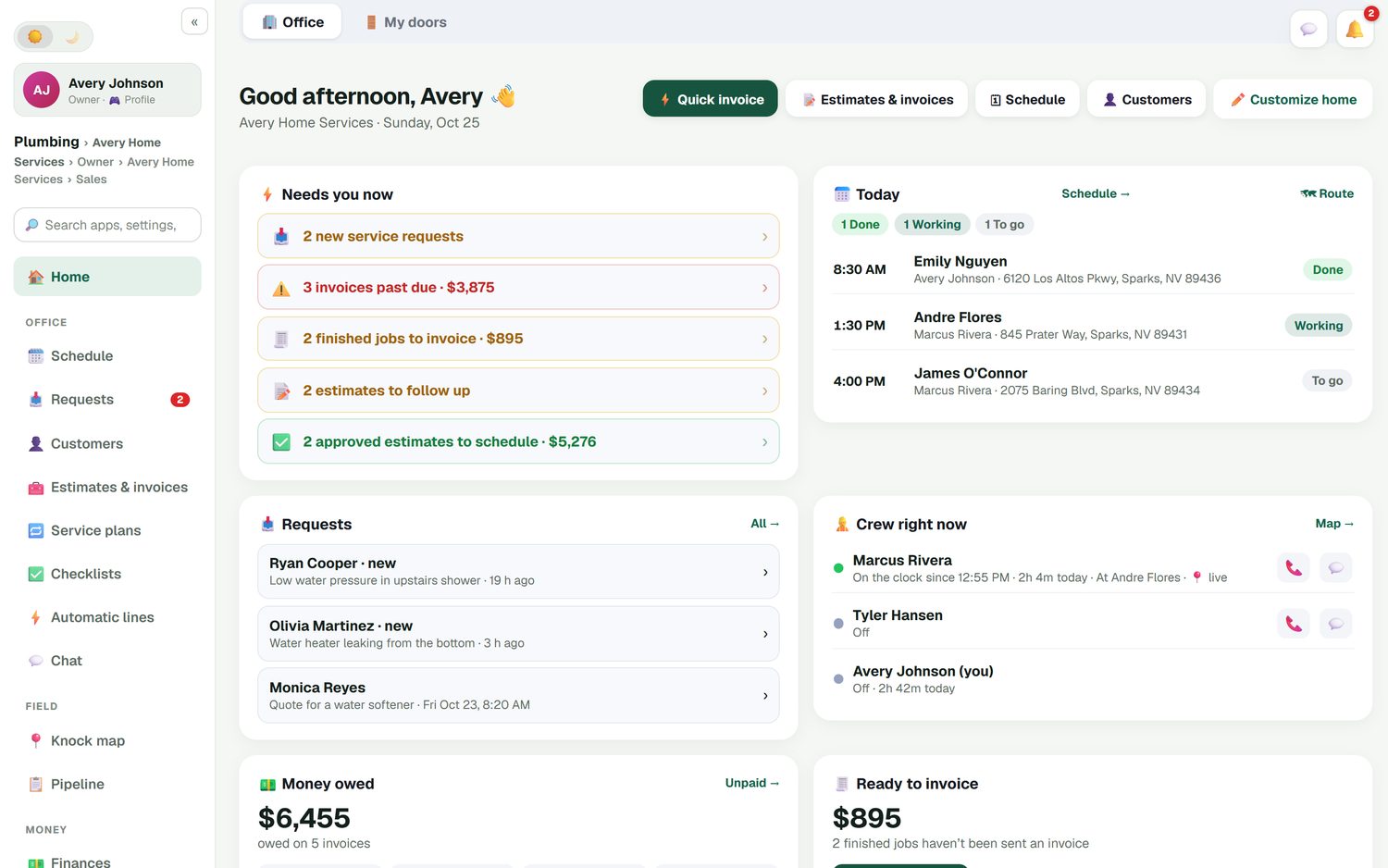
The home screen lists who's on the clock, since what time, hours today and which job they're at.
Labor on the job
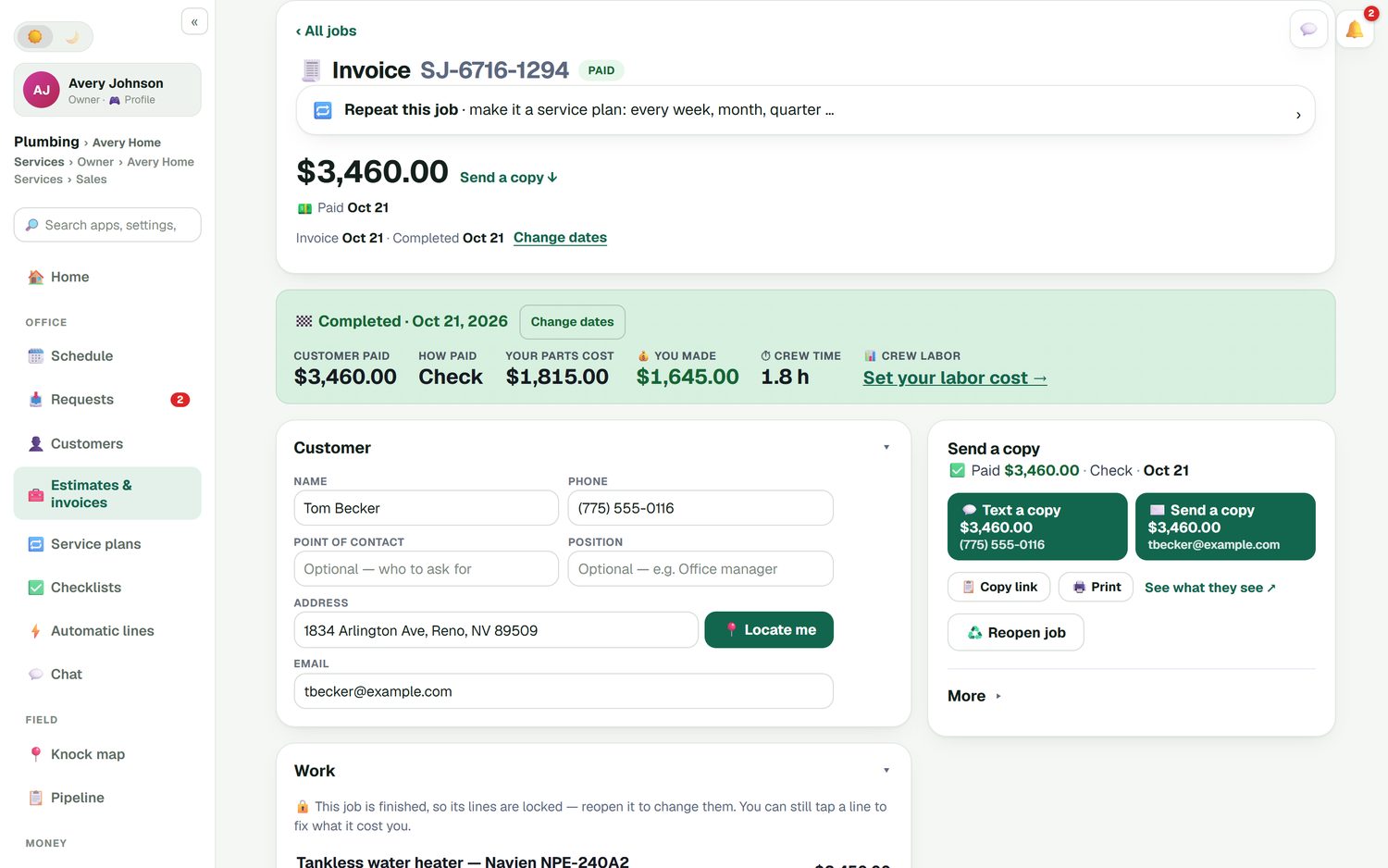
The finished job shows the crew time. With your labor cost set, job costing counts it.
Hours for payroll
Timesheets for the week and a payroll email of hours, ready for whoever runs payroll.
Construction time clock app features
What the crew and the office each get.
Clock in and out
One tap on the phone the crew already carries. No time clock on the shop wall, no app just for hours.
Timesheets
Each person's hours by day and week, in one place, instead of a stack of cards to add up.
Payroll email of hours
The week's hours in one email to you or your bookkeeper, ready to enter into your payroll service.
Who's working right now
The office home screen shows each person on the clock, how long they've been on today and where they are working.
Crew time on each job
Hours show on the job, so you can compare the time a job took with the time you quoted.
GPS only if they opt in
The live team map is off by default. Each person chooses to share their location; the clock works either way.
Swap paper time cards for your crew's phones, free for 14 days
Techs you add are free, so the whole crew can clock in from day one.
- No credit card to start
- From $30/mo after the trial
- Your techs and cleaners are free
- Cancel any time from the app
Know who's on the clock without calling
The office home screen has a Crew right now panel. It shows each person, whether they're on the clock, the time they clocked in, how long they've been on today and the job they're at. Call or message them from the same row. Next to it is today's job list with what's done, what's being worked and what's still to go, so you can answer "when will they get here?" without a phone tree.
- On the clock since, and hours today, for each person
- The job each person is at
- Today's jobs: done, working and to go
- Call or message from the same screen
Hours that tell you what a job really cost
Weekly hours pay the crew. Hours per job price the next job. When a job is finished, it shows the crew time next to what the customer paid and what the parts cost. Set your labor cost once and job costing counts the labor too, so the job profit report shows what each job left you after paying the people who did it. Quote a bathroom at 16 hours, see it took 22, and the next quote is closer.
- Crew time recorded on each finished job
- Your labor cost applied in job costing
- Parts, labor and expenses against each job
- A job profit report across all your work
Scheduled hours before they're worked
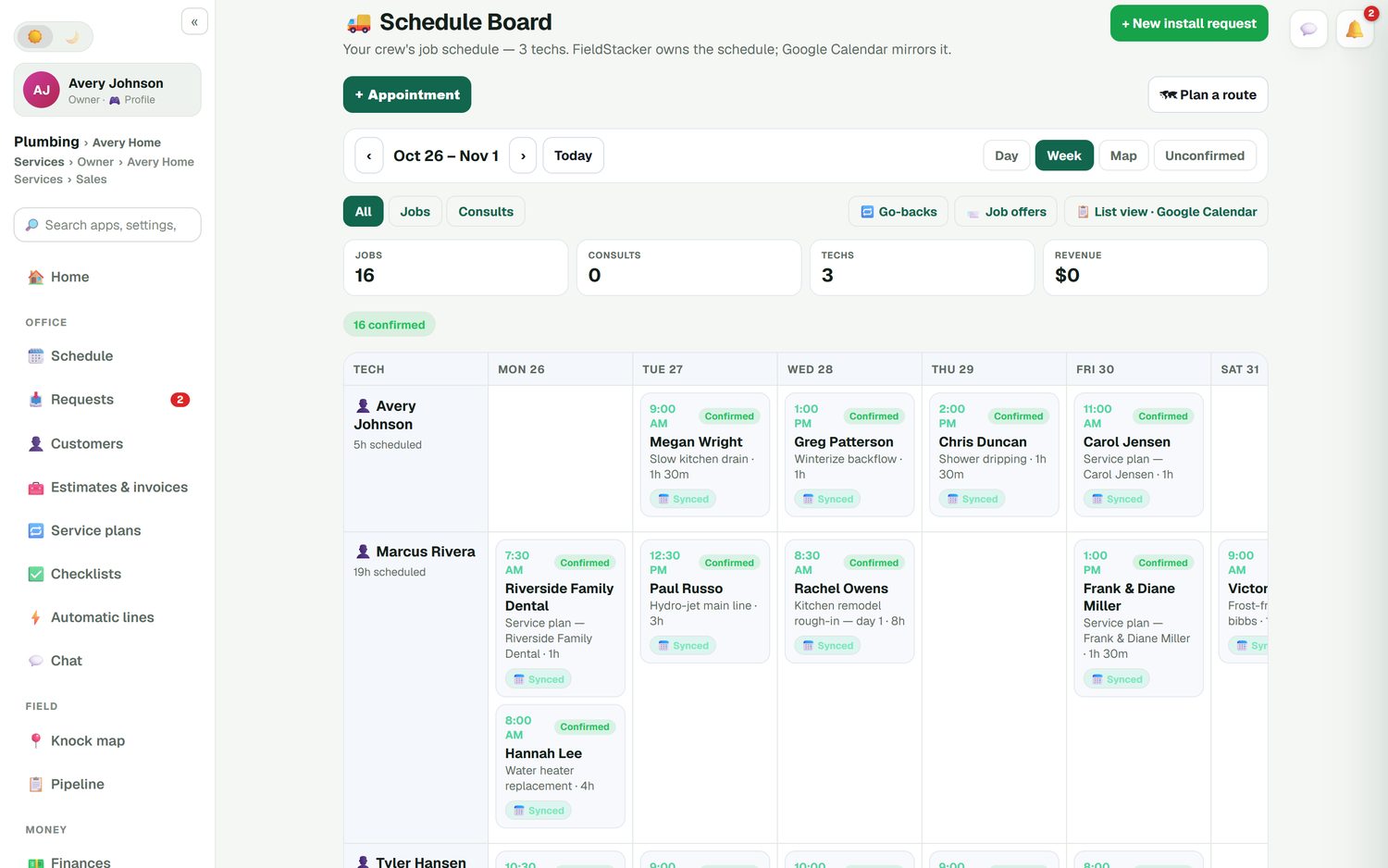
The schedule board shows each tech's scheduled hours for the week next to their name, so you can see who's booked solid and who has room before you promise a customer Thursday. Drag a job to the tech with space. Multi-day jobs stay as one job across the days they run.
- Scheduled hours per tech for the week
- Drag a job to another day or tech
- Job offers so a free tech can pick up work
What it doesn't do
FieldStacker's time clock records hours and sends them on. It does not run payroll, calculate withholding or pay anyone; your payroll service still does that, now with clean hours. It's a time clock for a small crew working your jobs, not a full workforce system.
If you need more, a dedicated time tracking app may fit better. ClockShark, for example, lists job and task tracking and GPS on both its Standard and Pro plans, priced per user; its pricing page shows no dollar figures, so ask them (checked October 26, 2026). If your crew mostly needs to clock in, see their jobs and get paid on time, one app is simpler.
Contractor time tracking questions
What is the best time tracking app for contractors?
For a small crew, the best one is the app they already open for their jobs, so clocking in is not a separate chore. FieldStacker puts the time clock next to the day's jobs and shows crew time on each job. If you need deep construction time tracking, a dedicated time clock app may suit you better.
Is there a construction time clock app my crew can use on their phones?
Yes. Add your crew as technicians, free, and they clock in and out on their phones. The office home screen shows who is on the clock right now, since when, and which job they are at.
Do time card apps for construction replace payroll?
Not this one. FieldStacker keeps timesheets and sends a payroll email of hours to you or whoever runs your payroll. It does not calculate taxes or pay anyone, so keep your payroll service and give it accurate hours.
Does time tracking for contractors include GPS?
FieldStacker has a live team GPS map, and it is opt-in and off by default. Each person chooses to share their location. The time clock works without it.
Can I see labor cost per job, not just hours per week?
Yes. A finished job shows the crew time on it, and once you set your labor cost, job costing counts that labor along with parts and expenses. The job profit report shows what each job left you after labor.
How much does the time clock cost?
The time clock comes with FieldStacker, and techs you add are free. Pro is $30/mo for the owner, or $25/mo billed yearly. Try it free for 14 days, no credit card.
Related: contractor app · remodeling software · crew scheduling · technician software · job management · QuickBooks field service · pricing
Get this week's hours without a single text
14-day free trial, no credit card. Add your crew free and have them clock in tomorrow morning.