One contractor app instead of six
Estimates, the crew's week, job photos, hours, invoices, mileage and receipts, on your phone in one login. Built for contractors who do the work themselves and run a small crew.
14-day free trial · no credit card · from $30/mo · your crew is free
Look at a typical contractor's phone and you'll find the business spread across half a dozen apps: estimates in a notes app or a template, the schedule on a paper calendar or Google Calendar, job photos lost in the camera roll, hours on paper timecards, an invoice app, a mileage tracker, and receipts in the truck's door pocket. Each one works. Together they mean typing the same customer five times and losing the receipt that would have paid for lunch.
The apps a contractor juggles, and what replaces them
What most small contractors use today, and where it lives in FieldStacker.
| The job | What most contractors use | In FieldStacker |
|---|---|---|
| Estimates | Notes app, a template, or the back of a card | Estimates from your own price list, signed on your phone |
| Schedule | Paper calendar or a shared Google Calendar | A schedule board that Google Calendar mirrors |
| Job photos | Camera roll and text threads | Photos saved on the job, shown in customer emails |
| Hours | Paper timecards | Time clock, timesheets and a payroll email of hours |
| Invoices | A separate invoice app | The estimate becomes the invoice |
| Mileage and receipts | A tracker app and a shoebox | Automatic mileage and receipt scanning in Finances |
| Books | Retyping into QuickBooks | QuickBooks Online sync |
What's in the contractor app
The pieces you'll use every week.
A home screen that sorts your day
What needs you now, today's jobs, where the crew is, money owed, estimates waiting and finished jobs you haven't invoiced.
The crew's week
Every tech down the side, days across the top. Drag a job to another day or tech. Multi-day jobs stay together.
Checklists and photos
A checklist template for each kind of job, always optional. Techs tick steps on their phone and add photos as they go.
Time clock
Crew clocks in and out on their phones. You get timesheets and a payroll email of hours to send to whoever runs payroll.
Stock on each truck
Each tech carries their own stock. Finishing a job takes the parts used off their count.
Paid on the spot
Card through your own Stripe account with no FieldStacker fee, or record cash, check, Cash App, Venmo or Zelle.
Run your contracting business from one app, free for 14 days
Add your crew free. We import your customers and jobs from your old app for free.
- No credit card to start
- From $30/mo after the trial
- Your techs and cleaners are free
- Cancel any time from the app
Everyone's week on one board
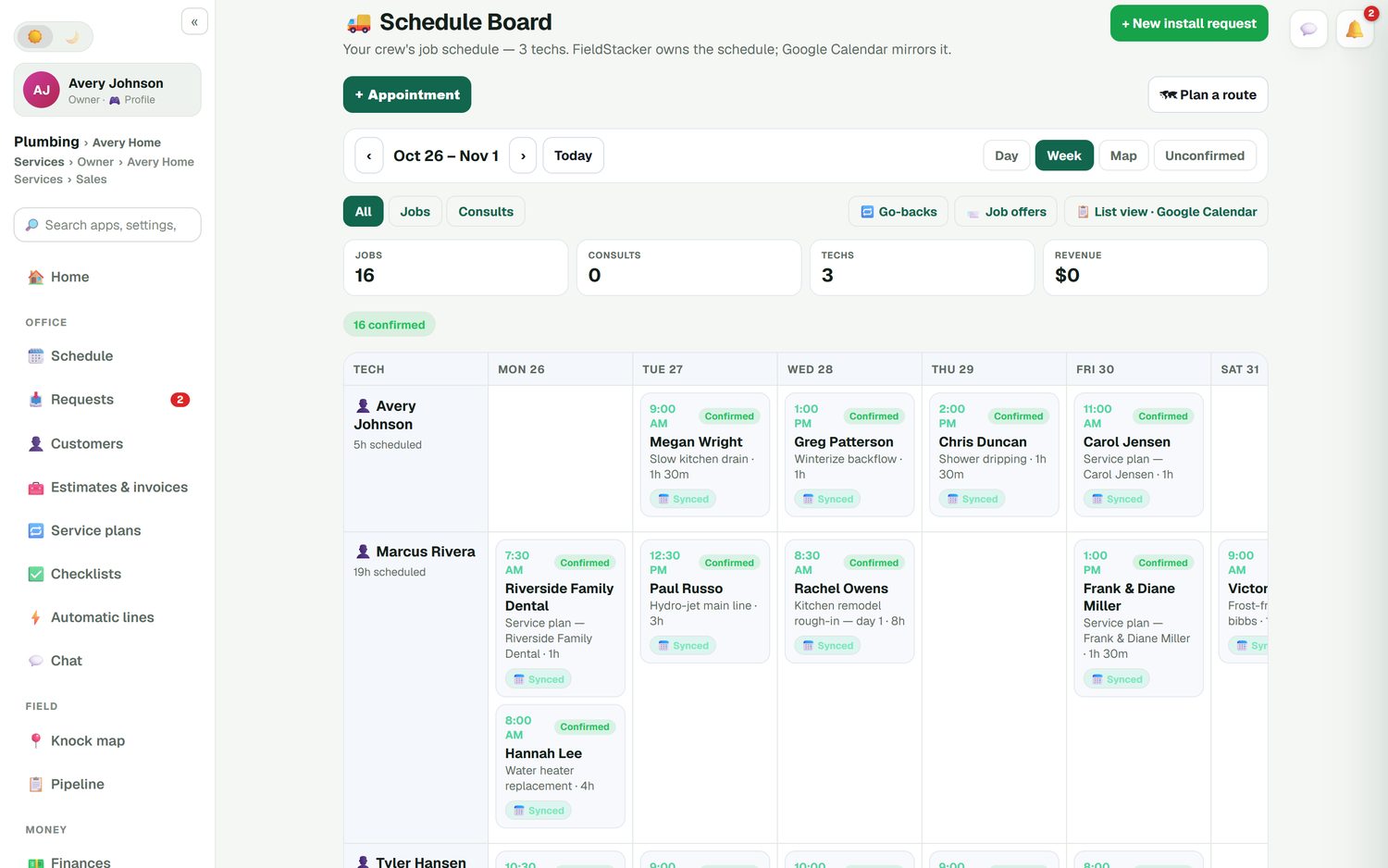
The schedule board shows every tech down the side and the days across the top, with a Day, Week or Map view. A kitchen rough-in that runs several days stays one multi-day job. Drag a job to another day or another tech and the customer's calendar invite moves with it. Mark jobs confirmed, keep go-backs in their own list, and offer an open job to the crew so whoever's free can take it.
- Day, Week and Map views
- Confirmed and unconfirmed jobs at a glance
- Google Calendar mirrors the schedule
- Day routes put each tech's jobs in driving order
Invoice from the tailgate
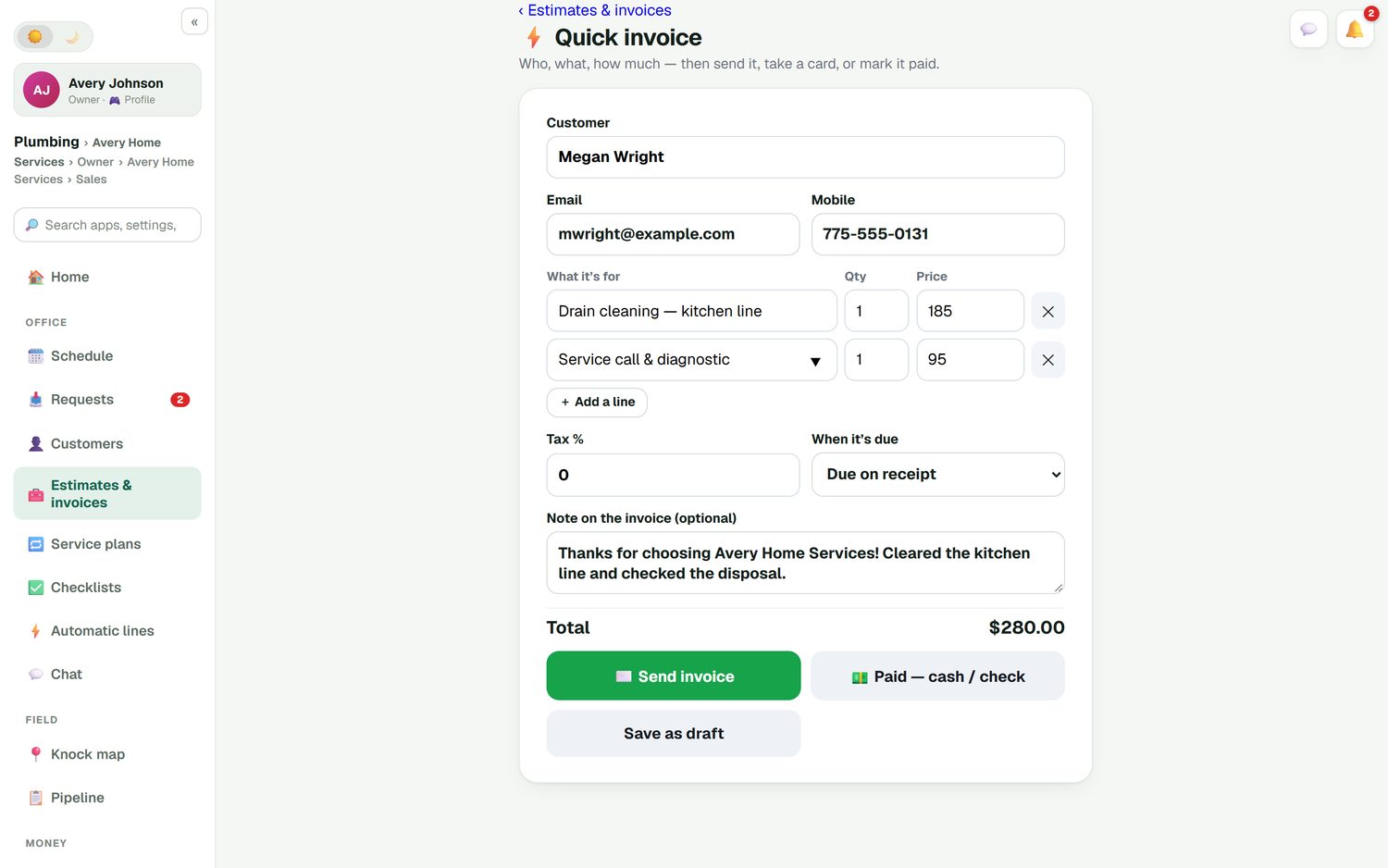
When the estimate was approved, the invoice is already written: one tap turns it over. For the small stuff, quick invoice is one screen with the customer, the lines and the price. Send it, take a card on the spot, or mark it paid by cash or check. Unpaid invoices get an automatic reminder, and a paid invoice triggers a thank-you with a review request.
- Deposits and change orders carried through to the invoice
- Batch invoicing for up to 100 finished jobs
- A customer portal to pay and see past invoices
Mileage and receipts without a shoebox
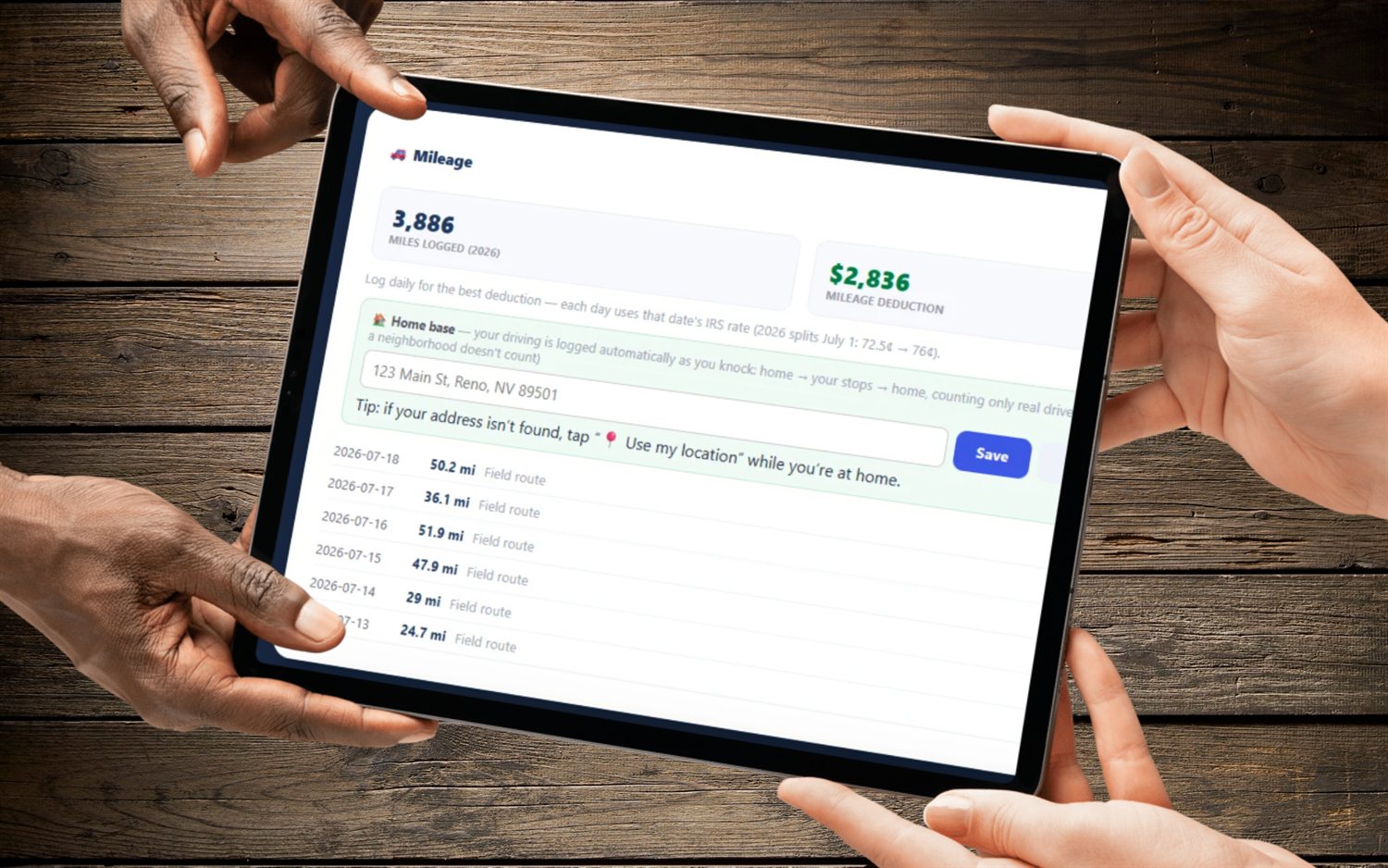
Finances keeps your income and expenses together, logs road-accurate mileage automatically, and reads a receipt from a photo you snap at the supply house. Job costing puts parts, labor and expenses against each job, so you can see which jobs paid. Expenses, job parts and mileage can sync to QuickBooks Online with the invoices.
- Automatic, road-accurate mileage
- Receipt scanning from a photo
- A job profit report
Best apps for general contractors: when to pick something else
If you're a general contractor managing subcontractors across long builds, you probably want a construction project tool built for that: budgets across phases, sub schedules and client selections. JobTread lists one plan at $199/mo plus $20/mo per internal user, with no free trial but a 30-day money-back guarantee (checked October 26, 2026). Buildertrend is another well-known choice; its pricing page didn't load for us today, so check their site.
FieldStacker is for the contractor whose crew does the work: remodels, repairs, installs and service calls, priced on site and finished in days, not months. If that's you, see how it runs a remodeling business or tracks your crew's hours.
Contractor app questions
What are the best contractor apps?
Most small contractors end up with five or six: one for estimates, a calendar, the camera roll, an invoice app, a mileage tracker and a spreadsheet. The best contractor apps replace several of those at once. FieldStacker covers estimates, scheduling, job photos, the time clock, invoices, payments, mileage and receipts in one login from $30/mo.
What apps do general contractors use?
General contractors running subcontractors on long builds often use construction project tools such as Buildertrend or JobTread, sometimes with a takeoff tool for bids. Smaller general contractors doing remodels and repairs with their own crew often need less: estimates, a schedule, photos, hours and invoices. That second group is who FieldStacker is for.
What is the best app for a small contractor business?
Pick the one that covers the work you do every day without a second app. For a one- or two-truck contractor that usually means writing estimates on site, scheduling the crew, tracking hours and getting paid. Try it on one real job during a free trial before you move everything over.
Can my crew use the contractor app on their phones?
Yes. Add your crew as technicians and they are free. Each one sees their own jobs on their phone, ticks off the checklist, adds photos, and clocks in and out. If you want to see where the crew is, the live GPS map is opt-in and off by default.
Does it work with QuickBooks?
Yes, QuickBooks Online. Finished and sent invoices and their payments go to QuickBooks Online automatically, and expenses, job parts and mileage can sync too. QuickBooks Desktop is not supported.
How much does FieldStacker cost for a contractor?
Pro is $30/mo, or $25/mo billed yearly, for one owner, and techs you add are free. Team is $60/mo for you and 2 seats if you have office staff or salespeople who need their own login. Every plan starts with a 14-day trial and no credit card.
Related: contractor estimate app · CRM for contractors · best CRM for contractors · invoice app for contractors · job management software · pricing
Clear five apps off your phone this week
14-day free trial, no credit card. Add your crew free and run one real job through it.