Mileage and 1099 tracking, for reps and the owners who pay them
If you’re paid on a 1099, the miles, receipts and taxes are on you. FieldStacker logs your drives at the IRS rate, reads your receipts, keeps your real commission and income, and tells you what to set aside each quarter. Paying a team? See what each rep is owed, and what you’ve already paid. Any trade: alarms, solar, roofing, cleaning, lighting or whatever you sell or install.
Included in Pro, $30/mo · or $25/mo billed yearly ($300/yr) · save $60 · free for your crew · 14-day free trial
Most independent reps and techs find out what they owe in April. The miles weren’t logged, the receipts are in the truck, and the commission number in their head isn’t what really hit the bank. FieldStacker keeps the money side up to date while you work, in the same app you sell and work jobs from.
Miles that log themselves
Your biggest deduction, tracked from the way you already work.
Start route
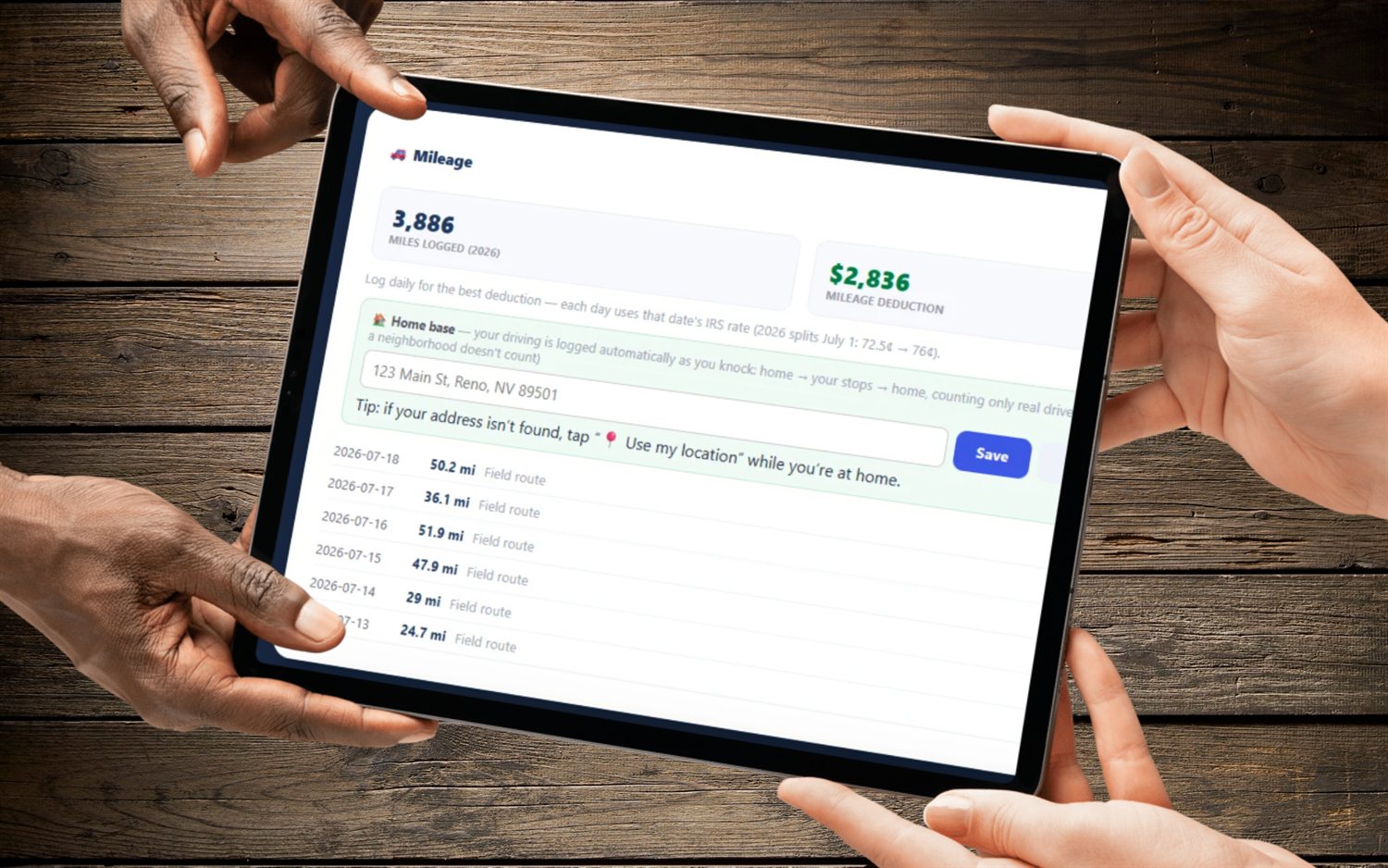
Set your home base once. Tap Start route on the knock map and the drive to your first stop is logged, using real road distance.
Quick stops
Log a stop for lunch, supplies, gas, the bank or anywhere else, so the miles in between count.
Drive home
Log your drive home at the end of the day and the day’s total is done.
Blitz mode
On an out-of-town trip, mileage is measured from where you’re staying. Riding with the team? Turn daily driving off.
The IRS rate, each day
Every day is priced at that date’s IRS standard mileage rate, mid-year changes included, and adds up into your yearly deduction.
Catch up past months
Started mid-year? Enter each earlier month’s total miles and they’re logged at that month’s rate.
Your real number, not the hopeful one
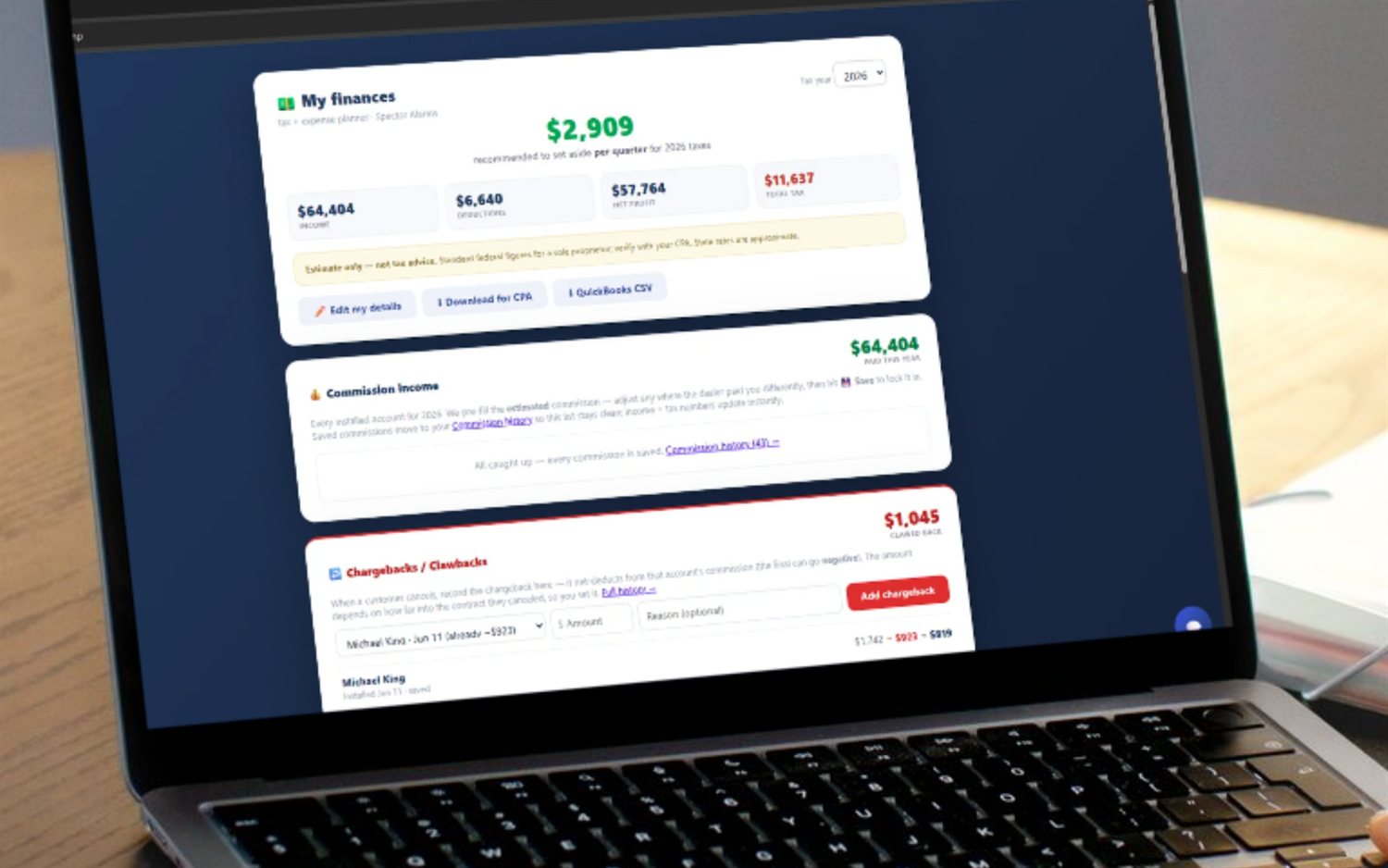
The commission on a quote and the money that lands in your account aren’t always the same. FieldStacker keeps the amount you were really paid, and every chargeback, so your income is right before your accountant sees it.
- Commission on the sales you track, with the actual amount you were paid
- Save a sale once it’s settled; reopen it if it changes
- Chargebacks and clawbacks, even when they take a sale below zero
- Any other income, logged by hand
- Technicians: install pay and bonuses credited when a job is marked complete
- Receipts: snap a photo, it reads the merchant, total, date and category, you check and save
- Tag an expense to a job; what you pay FieldStacker is added as an expense for you
Know what to set aside, every quarter
Answer a few questions once: filing status, state, home office and phone. FieldStacker estimates what you’ll owe from your income, miles and expenses, and gives you a number to put away each quarter.
- Self-employment tax, federal and state income tax, estimated
- A recommended quarterly set-aside
- Books: profit and loss and a Schedule C guide for the year
- CSV files for your accountant: every entry, and profit and loss with Schedule C lines
- A QuickBooks CSV download
- Close a year to lock it; import a past year from a CSV or Excel file
Paying reps and techs? Know who’s owed what.
The other side of the 1099: the business that pays them.
Payroll page
On Team and Team Pro: every rep on your team with their commissions and bonuses for the year. Mark each one paid or unpaid and see the total, paid and outstanding.
Clawbacks built in
Permanent lighting and roofing commissions land on payroll with clawbacks on cancelled jobs, so a paid commission on a cancelled job shows as owed back.
Tech mileage reports
Technicians can email you a weekly report of job numbers and round-trip miles. If you reimburse mileage, it builds a reimbursement log for payroll.
Hourly crews
Pay your crew by the hour? They punch in and out on their phones, and you see timesheets.
Track your miles and money free for 14 days
Mileage, receipts, income and taxes come with Pro. Your crew’s accounts are free.
- No credit card to start
- From $30/mo after the trial
- Your techs and cleaners are free
- Cancel any time from the app
The honest part
What it does, and what it leaves to your accountant.
Estimates, not advice
The tax numbers are estimates to plan with. FieldStacker does not file returns or prepare 1099 forms. Take the files to your accountant.
You confirm receipts
Receipt scanning fills in the expense, and you check it before it’s saved. A misread total never goes on your books without you.
Which plans
Pro ($30/mo), Team and Team Pro, and free crew accounts. The payroll page needs Team or Team Pro. Website & Hosting does not include it.
Mileage and 1099 questions
How does FieldStacker track mileage?
Set your home base once. When you tap Start route on the knock map, the drive from home to your first stop is logged with the real road distance. Add quick stops for lunch, supplies, gas or the bank, then log your drive home at the end of the day. Each day is priced at that date’s IRS standard mileage rate, including mid-year rate changes, and rolls into your yearly deduction. Started late in the year? Enter each earlier month’s total miles and they are logged at that month’s rate.
What if I travel for an out-of-town sales trip?
Turn on blitz mode. While it is on, mileage is measured from where you are staying instead of from home, so you are not charged a commute you never drove. If your team is driving you around, you can say so and your daily driving is not logged.
How do receipts work?
Snap a photo of a receipt. FieldStacker reads the merchant, total, date and category and fills in the expense for you to check before you save it, because this is going on a tax return. You can tag an expense to a job, and what you pay FieldStacker itself is added as a business expense automatically.
Does it track my commission?
Yes. Commission on sales you track in FieldStacker shows as income, and you can set the amount you were really paid, save it, and record chargebacks or clawbacks, which can take a sale below zero. Paid some other way? Log any other income by hand. For technicians, install pay and bonuses are credited when a job is marked complete.
Does it estimate my taxes?
Yes. Answer a few questions (filing status, state, home office and phone) and FieldStacker estimates your self-employment tax and federal and state income tax from your income, mileage and expenses, with a recommended amount to set aside each quarter. It is an estimate to plan with, not tax advice.
What do I give my accountant?
The Books page shows your profit and loss and a Schedule C guide for the year, and downloads every entry, plus the profit and loss with Schedule C lines, as CSV files. You can also download a QuickBooks CSV. Close a year when you are done and it is locked, with the accountant files saved as they were.
I pay reps. Can I track what I owe them?
Yes, on the Team plans. The payroll page lists every rep on your team with their commissions and bonuses for the year, and you mark each one paid or unpaid, so you can see what is still outstanding. Permanent lighting and roofing commissions, including clawbacks on cancelled jobs, show there too. Technicians can send you a weekly mileage report by job, and if you reimburse mileage it builds a reimbursement log.
Does FieldStacker file my taxes or send 1099 forms?
No. FieldStacker keeps your mileage, expenses and income organized and estimates your taxes, and it gives your accountant clean files. It does not file returns or prepare 1099 forms.
Which plans include it?
Mileage, receipts, income and tax tracking come with Pro ($30/mo) and the Team plans, and with the free crew accounts your technicians use. Paying your team through the payroll page needs Team ($60/mo) or Team Pro. Website & Hosting does not include it.
Stop rebuilding your year in April
Start a 14-day free trial, no credit card. Your miles, receipts, income and tax set-aside track themselves while you work.