Lead management software that gets every enquiry a next step
Website requests, online bookings, doors you knocked and lists you imported, all in one inbox. Call or text back from your phone, turn the lead into an estimate, and let the follow-ups send themselves.
14-day free trial · no credit card · from $30/mo · your techs are free
Service businesses rarely lose leads because they had too few. They lose them in the gaps: a web form that emails an inbox nobody checks on Saturday, a voicemail written on a receipt, a homeowner at the door who said "come back after the 15th." By the time someone calls back, the customer has already booked the company that answered first.
FieldStacker closes those gaps by giving every lead the same home. Wherever it starts, it shows up with a name, an address, what they need and when they're free, plus buttons to call, text, email or make an estimate. Mark it contacted, won or not a fit, and the list only shows what still needs you.
A lead management system for how service work comes in
Leads arrive from more places than a contact form. Each of these lands in the same record.
One Requests inbox
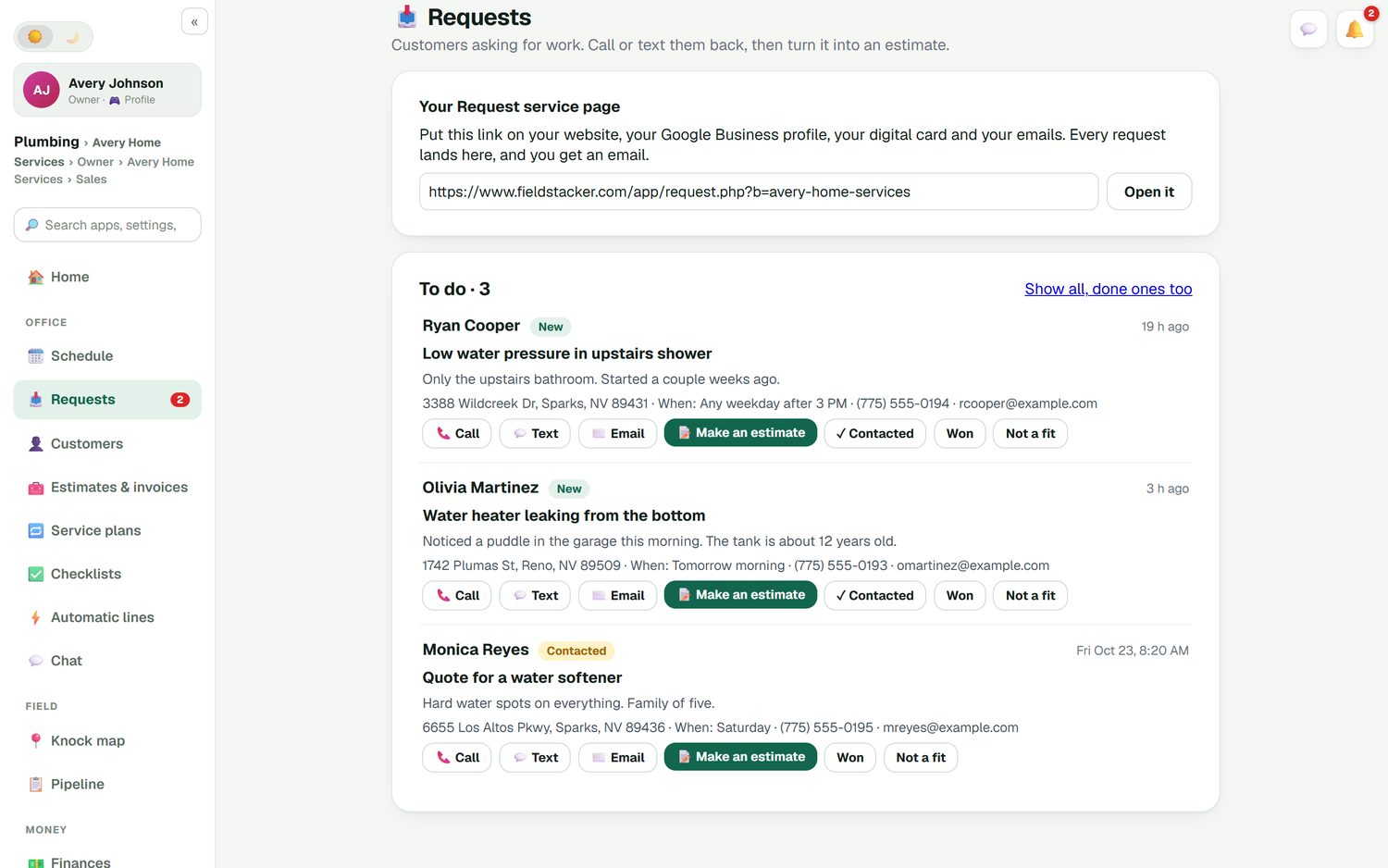
A request page for your website, Google Business profile and digital card. Every request lands in one inbox, with an email to you, ready to quote or book.
Online booking
Customers see your real open times and book on your website or card page. Next-available-tech booking fills the gaps in the week.
Leads from the door
Every knock on the map is a lead with a disposition, a go-back time and voice notes. An appointment set at the door is already in the system.
Leads from your other tools
Import a CSV or Excel list with undo, or send leads in from Zapier, Make, webhooks or the API, so your ad forms feed the same inbox.
CRM lead management that follows up
Estimate follow-ups go out when a quote sits unanswered. Switch each automation on or off and edit the words.
Hand leads to the right rep
On the Team plan, draw a territory or use lead distribution to share leads out. Each rep is notified and the leads appear on their map.
Put every lead in one inbox, free for 14 days
Bring your current list from HubSpot, Jobber, SalesRabbit or a spreadsheet. We import it for free.
- No credit card to start
- From $30/mo after the trial
- Your techs and cleaners are free
- Cancel any time from the app
See who's waiting, and for how long
Each request shows what the customer wrote, their address, when they're free, and how long ago they asked. A leaking water heater from three hours ago sits above a softener quote from last week. Call or text without leaving the screen, tap Make an estimate to turn it into a quote, or mark it Contacted, Won or Not a fit so the list stays honest.
- Call, text and email buttons on every lead
- Make an estimate straight from the request
- Contacted, Won and Not a fit, so the to-do list stays short
- Done ones kept, one tap away, for the history
The leads that need you are on the home screen
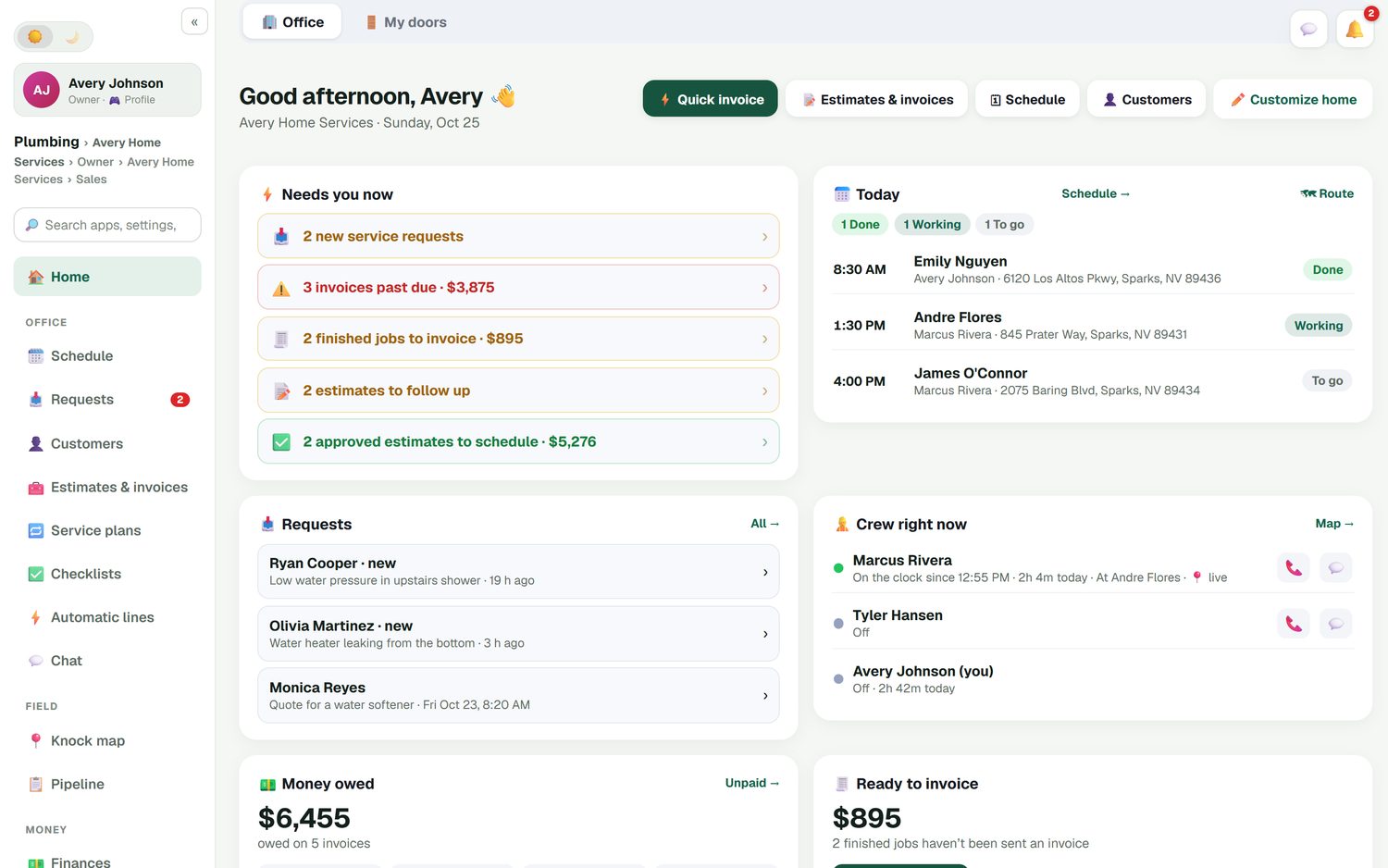
Open the app and the office home screen tells you what needs you now: new requests, estimates waiting on an answer, approved estimates that still need a date, and money owed. It sits next to today's jobs and where the crew is, so working leads doesn't mean switching apps or digging through email.
- New requests and estimates to follow up, counted for you
- Approved estimates waiting for a date on the schedule
- The week against last week, so you see if the pipeline is drying up
A lead management app for the whole crew
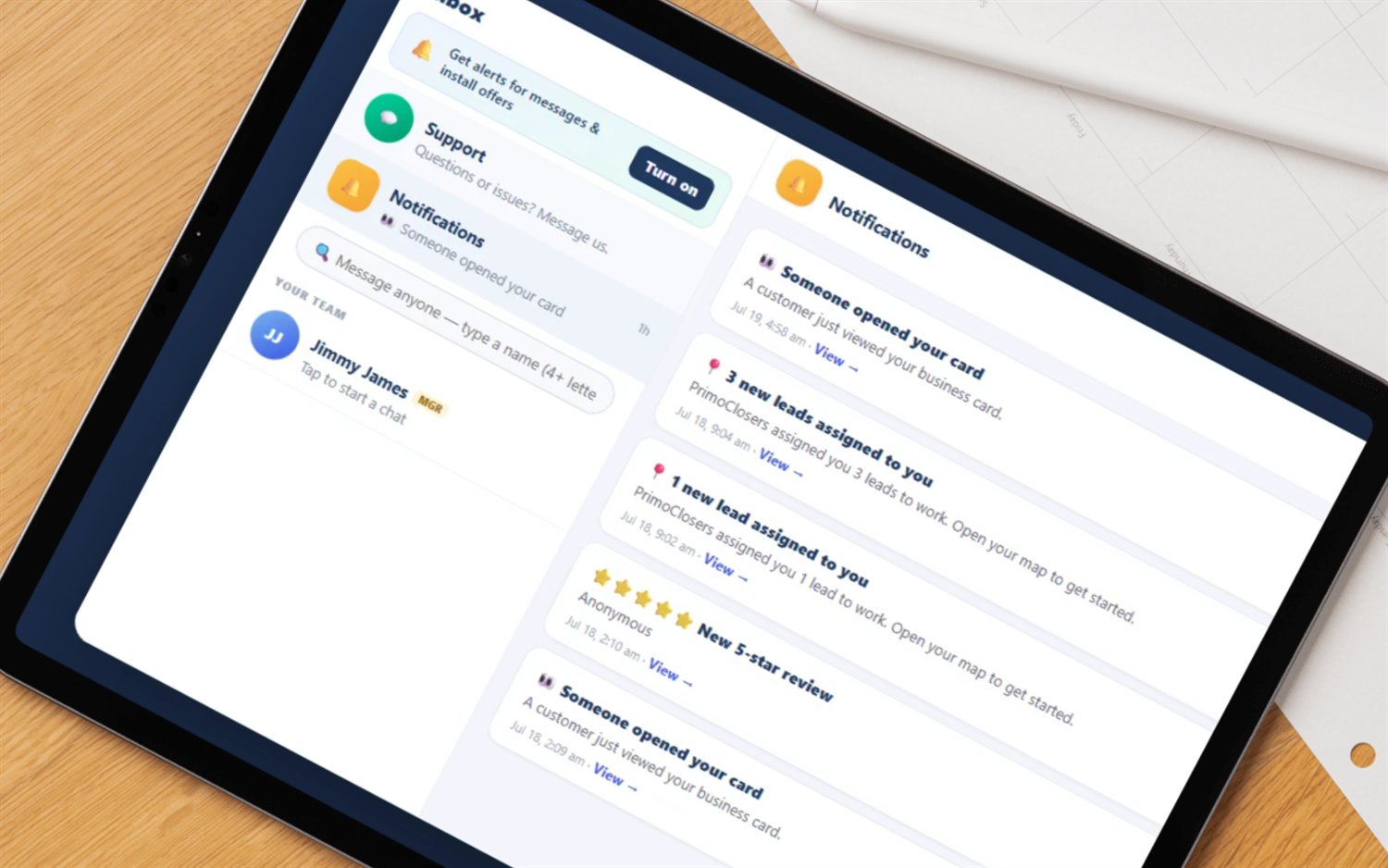
If you run reps, leads have to be shared out fairly and quickly. On the Team plan you can draw an area on the map and give every lead inside it to one rep, or split an imported list between the team. The rep gets a notification and the leads show on their own map. You see the knocks on the live team map, and a leaderboard shows who turned their leads into sales.
- Territories and lead distribution on the Team plan
- Notifications when a rep is handed new leads
- New-homeowner leads and owner reveal to fill the pipeline
What it is not
FieldStacker is lead management for businesses that go to the customer: trades, cleaners, installers and door-to-door teams. It is not a marketing-team tool for scoring thousands of inbound leads by email opens or routing them to a call center. If that is your main job, a general CRM such as HubSpot is the better fit, and we say more about that on our CRM for small business page.
Once a lead says yes, the rest of the work is already here: the estimate, the schedule, the invoice and the payment. See how that runs for trades on the CRM for contractors page, or track the numbers behind your leads with sales tracking.
Lead management questions
What is lead management software?
Lead management software collects every enquiry in one place, shows who owns it and what happens next, and follows up until the lead becomes a job or a clear no. For a service business that means website requests, booking requests, door knocks and imported lists all landing in the same inbox, with reminders so nobody waits three days for a call back.
What is the difference between lead tracking software and a CRM?
Lead tracking software follows a prospect until they buy. A CRM keeps the customer after that: jobs, invoices, visits and history. In FieldStacker they are the same record, so a request turns into an estimate, the estimate into a job, and the job into a paying customer without re-typing anything.
Can I capture leads from my website and Google profile?
Yes. You get a request page link you can put on your website, your Google Business profile, your digital card and your emails. Every request lands in the Requests inbox and you get an email. Customers can also book a real open time online, and the AI website chat add-on ($20/mo for 200 replies) can answer visitors, price a quote from your own prices and book them.
Does a lead management system follow up automatically?
Yes. Estimate follow-ups go out on their own when a quote sits unanswered, and each automation can be switched on or off and edited. They send email, plus an optional text if you add texting ($15/mo for 600 texts from your own business number).
Can I assign leads to my sales reps?
Yes, on the Team plan ($60/mo for you plus 2 seats). You can draw a territory on the map and hand every lead inside it to a rep, or use lead distribution to share out a list. The rep gets a notification and the leads appear on their map.
Is there a lead management app for my phone?
FieldStacker runs on your phone, so the Requests inbox, the call and text buttons and the estimate builder are with you in the truck. You can call a lead back between jobs and send the estimate from the driveway.
Related: CRM for contractors · canvassing app · new homeowner postcards · website maker · pricing
Answer your next lead first
14-day free trial, no credit card. Put your request link on your website today and watch the inbox fill.