Home service business software for the owner who still runs the jobs
You are the tech, the estimator, the dispatcher and the bookkeeper. FieldStacker takes the paperwork off your evenings: requests come in while you work, invoices go out from the driveway, and your mileage logs itself.
14-day free trial · no credit card · from $30/mo · your helpers ride along free
Most owners of a small service company start the same way. Jobs come in by text, the schedule lives in your head or a paper calendar, estimates are typed up at the kitchen table, and invoices go out when you remember. It works until it doesn't: a water heater swap gets invoiced two weeks late, a tune-up customer you meant to call back in spring hires someone else, and tax time means a shoebox of receipts.
Good service company software should fix those specific problems without asking you to become an office manager. That is the bar we built FieldStacker to: everything you need to run the week fits on your phone, and the office screen tells you in one look what is waiting on you.
Service business management software for a one-truck shop
What owner-operators actually use from their service business software, week to week.
Work comes in while you work
A request page on your website and digital card, and online booking that shows customers your real open times. You get an email; the request waits in one inbox with their address, phone and what's wrong.
Quotes from the job site
Pick from your own price list, add optional extras the customer can tick, take a deposit, and have them sign on your phone before you leave.
Invoice from the driveway
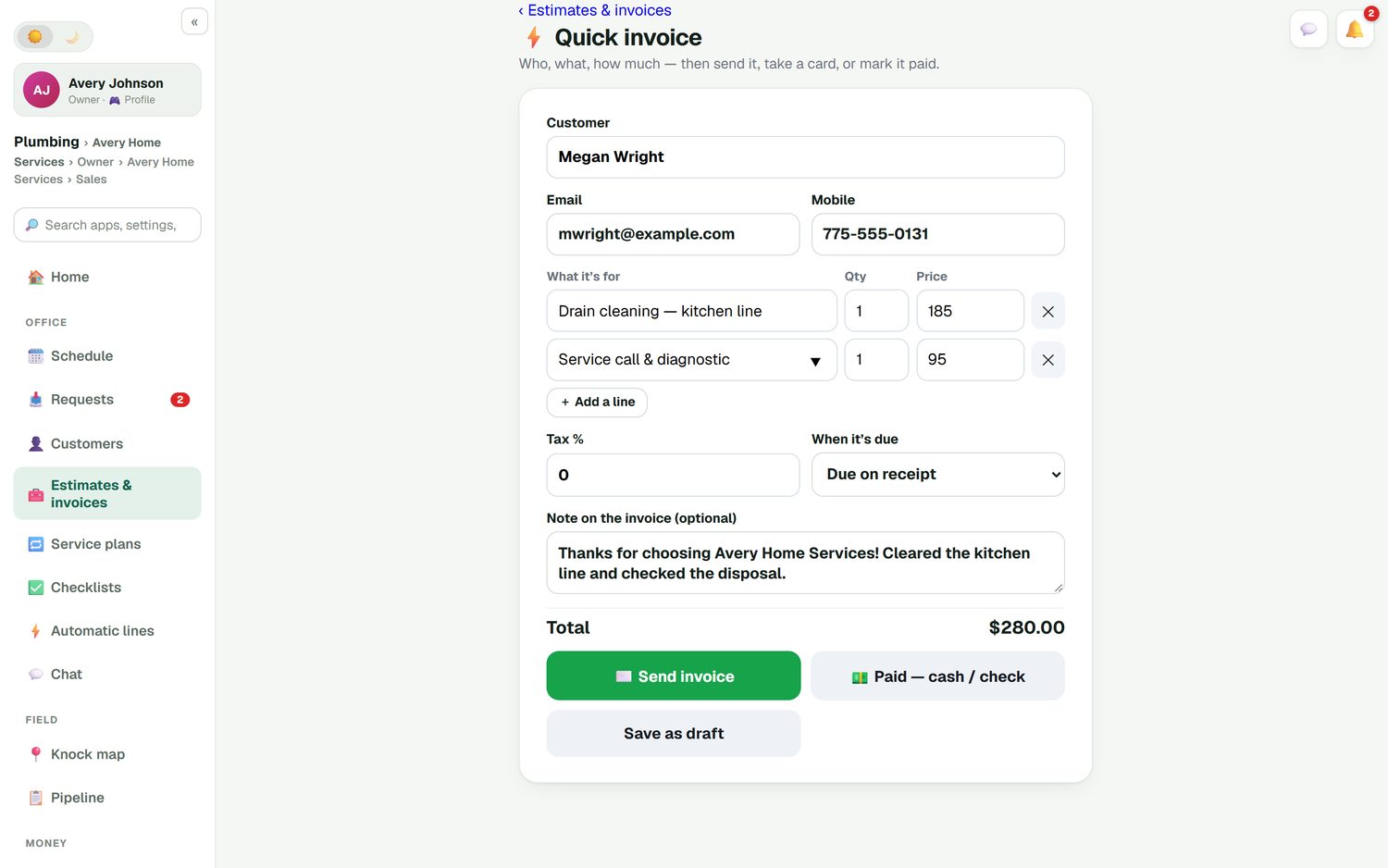
Quick invoice is one screen: customer, lines, total. Send it, take a card now, mark it paid by cash or check, or save a draft for later.
Mileage and receipts, done
Road-accurate mileage logs automatically. Snap a photo of a supply-house receipt and it becomes an expense, so tax time is a report, not a weekend.
Reviews and repeat work
A thank-you and review request goes out after an invoice is paid. Filter changes, tune-ups and quarterly treatments go on a service plan with autopay.
Ready when you hire
Add a helper or a second tech as a technician at no extra cost. They see their own jobs, tick checklists and add photos. If they share location, you see where they are.
Get your evenings back: try FieldStacker free for 14 days
Send us your customer list from your old app or spreadsheet. We import it for free.
- No credit card to start
- From $30/mo after the trial
- Your techs and cleaners are free
- Cancel any time from the app
The invoice goes out before you pull away
Cleared a kitchen drain? Add the drain cleaning and the service call, write a short note, and send it. The customer pays by card through your own Stripe account, at standard Stripe rates, with nothing added by FieldStacker. Or tap "Paid, cash or check" and you are done. If they don't pay, a reminder goes out on its own; when they do, a receipt and a review request follow.
- Record cash, check, Cash App, Venmo or Zelle so the books match
- Optional tips on card payments
- Batch-send up to 100 finished jobs at once on a slow Friday
Know what you actually kept
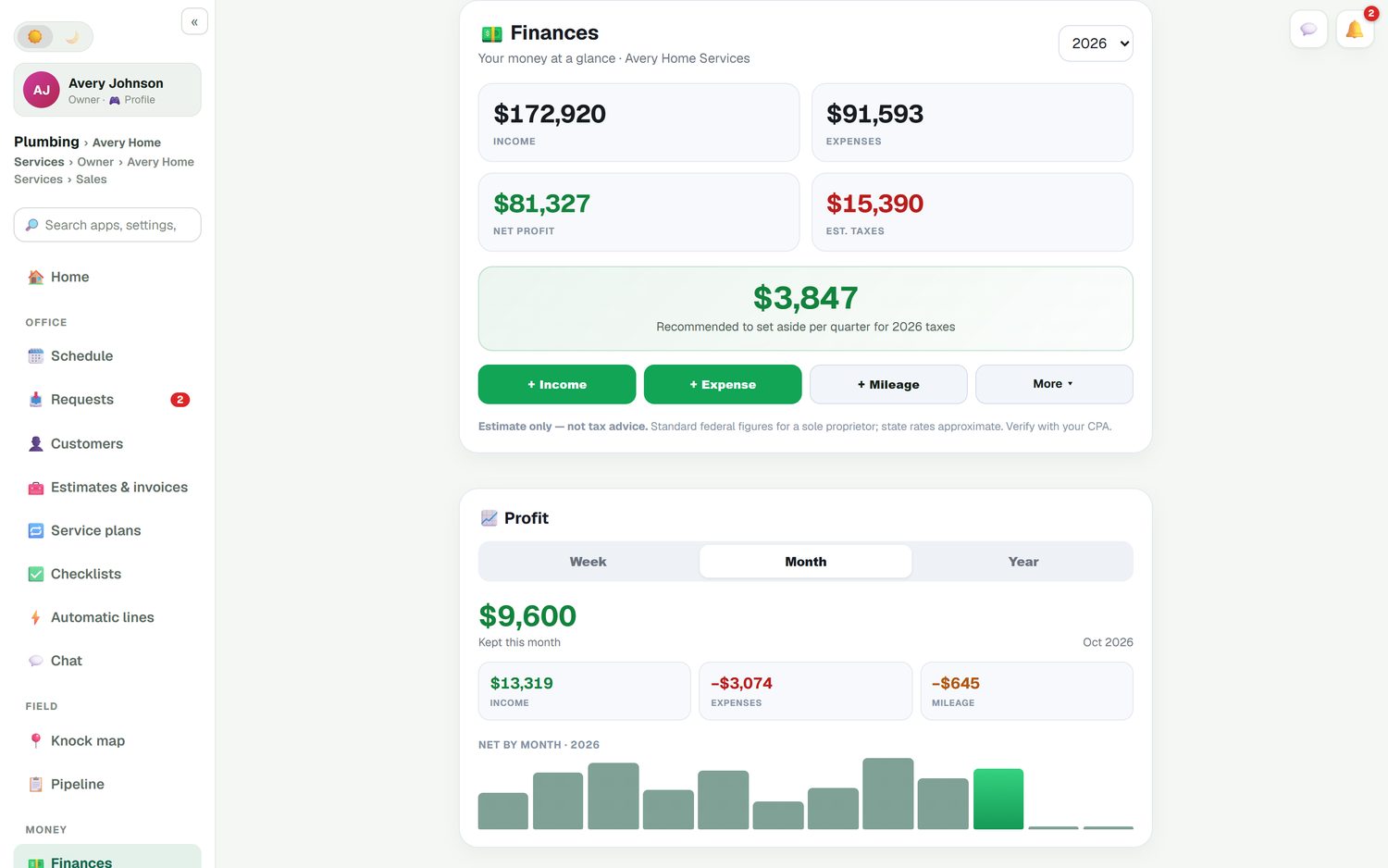
Revenue is not profit. Finances shows income, expenses, mileage and net profit by week, month and year, using the invoices and payments already in the app. Each job also shows its own profit: what the customer paid, what the parts cost you and what you made. That tells you whether the $185 drain call or the $3,400 water heater install is the better use of a Saturday.
- Receipt scanning from your phone's camera
- Parts, labor and expenses costed against each job
- QuickBooks Online sync if your bookkeeper wants it
Get found without paying per lead
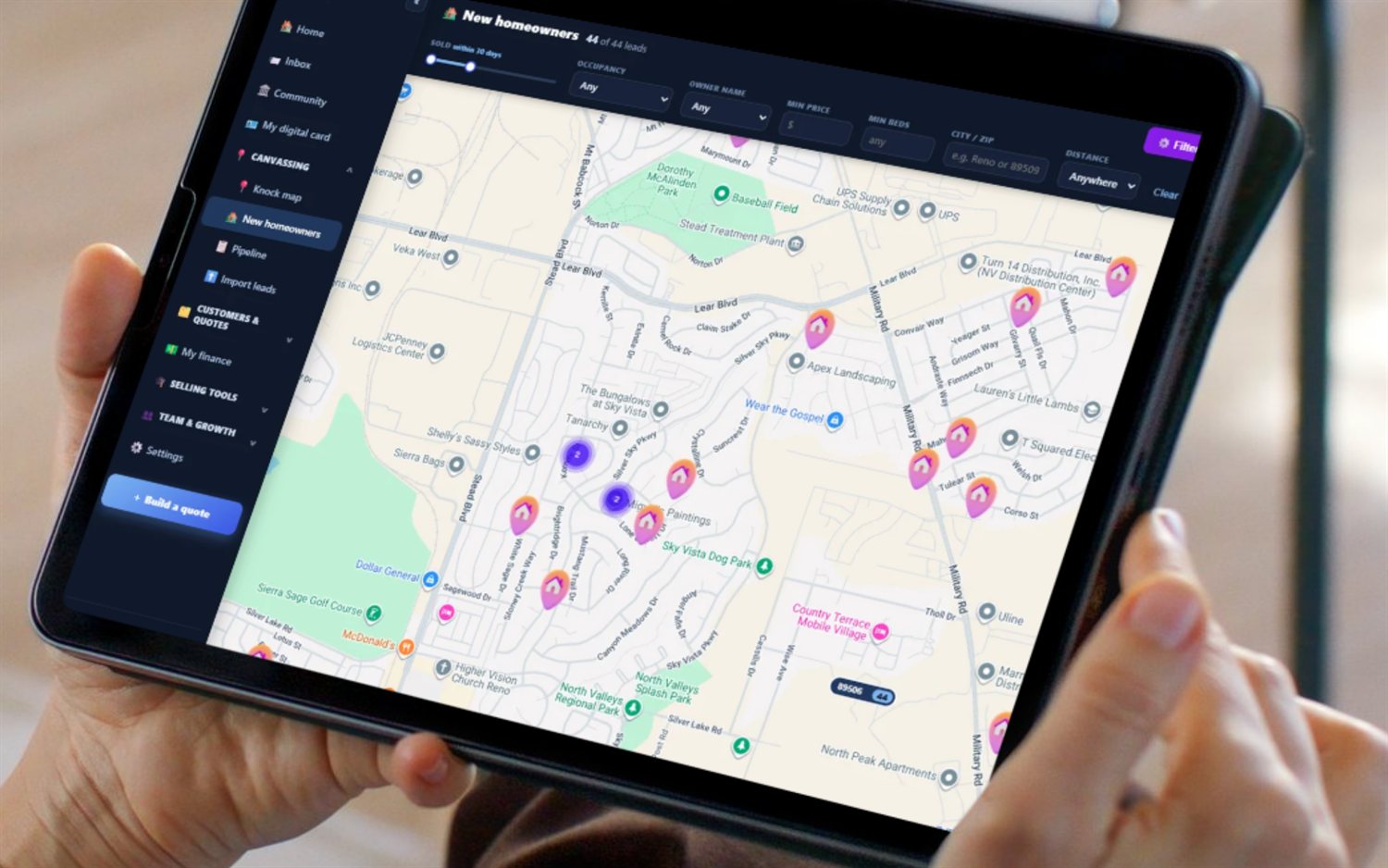
Paid plans include a website built by our AI on your own domain, with 10 business email addresses, so you stop sending quotes from a personal Gmail. Your digital business card carries a QR code and asks happy customers for a review. People who just bought a house need a plumber, an HVAC tech and a lawn service they don't have yet: the New Homeowners map shows recently sold homes near you, and automatic postcards can reach them, paid per card.
Questions from owner-operators
What is the best software for a home service business?
For an owner who still runs jobs, the best fit is usually one app that covers the request, the estimate, the schedule, the invoice and the books, priced so a single owner can afford it. FieldStacker Pro is $30/mo, or $25/mo billed yearly, and includes your website and business email. Compare it with Jobber, Housecall Pro and others on our list of the best field service management software.
Is there service software for small business that is not priced per user?
Yes. FieldStacker's price does not go up when you add techs, because the techs you add as technicians are free. Pro is $30/mo for one owner. Team is $60/mo for you plus two full seats, and extra seats are $20 a month, for people such as a salesperson who need their own login and team tools.
What does service business management software actually do?
It keeps every customer, estimate, job and invoice in one place so nothing depends on your memory. In FieldStacker that means a Requests inbox, estimates customers sign on your phone, a schedule board, invoices and card payments, service plans for repeat visits, and income, expenses and mileage for tax time.
Does it come with a website?
Yes. Paid plans include a website built for your business by our AI, hosted with SSL on your own domain, with 10 business email addresses. A .com costs $15 and renews free while we host it. Your request page and online booking can go right on the site.
Do I still need QuickBooks?
Not to send invoices or take payments; FieldStacker does that and tracks income, expenses and mileage on its own. If your bookkeeper works in QuickBooks Online, FieldStacker syncs invoices, payments, expenses, job parts and mileage to it. QuickBooks Desktop is not supported.
How do I move my customers over?
Upload a CSV or Excel file from your old app, up to 250 MB, and undo it if something looks wrong. Coming from Jobber, a dedicated import brings clients and their balances. Or send us the file and we import your customers and jobs for free.
Related: the full field service software overview · customer history with a field service CRM · online booking · tracking jobs to paid · how FieldStacker compares · pricing
Run the business from the truck
14-day free trial, no credit card. Send your first invoice from your phone today.