Tree service business software from the estimate walk to the last load
Price the job in the customer's yard with photos, take a deposit on the big removal, run the crew across a three-day job and see what it made after the crane and the dump fees.
14-day free trial · no credit card · from $30/mo · your crew is free
Tree work is priced in the yard. You walk the property, look at the lean, the targets and the access, and decide whether it's a climb, a bucket job or a crane day. The price has to be right then, because the customer is standing beside you and two other companies are coming tomorrow. After that, the job has its own risks: a removal that runs into a second day, rot you didn't see from the ground, a crane bill and three trips to the dump.
FieldStacker keeps all of that on one job, from the first photo to the final invoice.
What a tree company gets
Built around the estimate walk and the crew day.
Estimates with photos
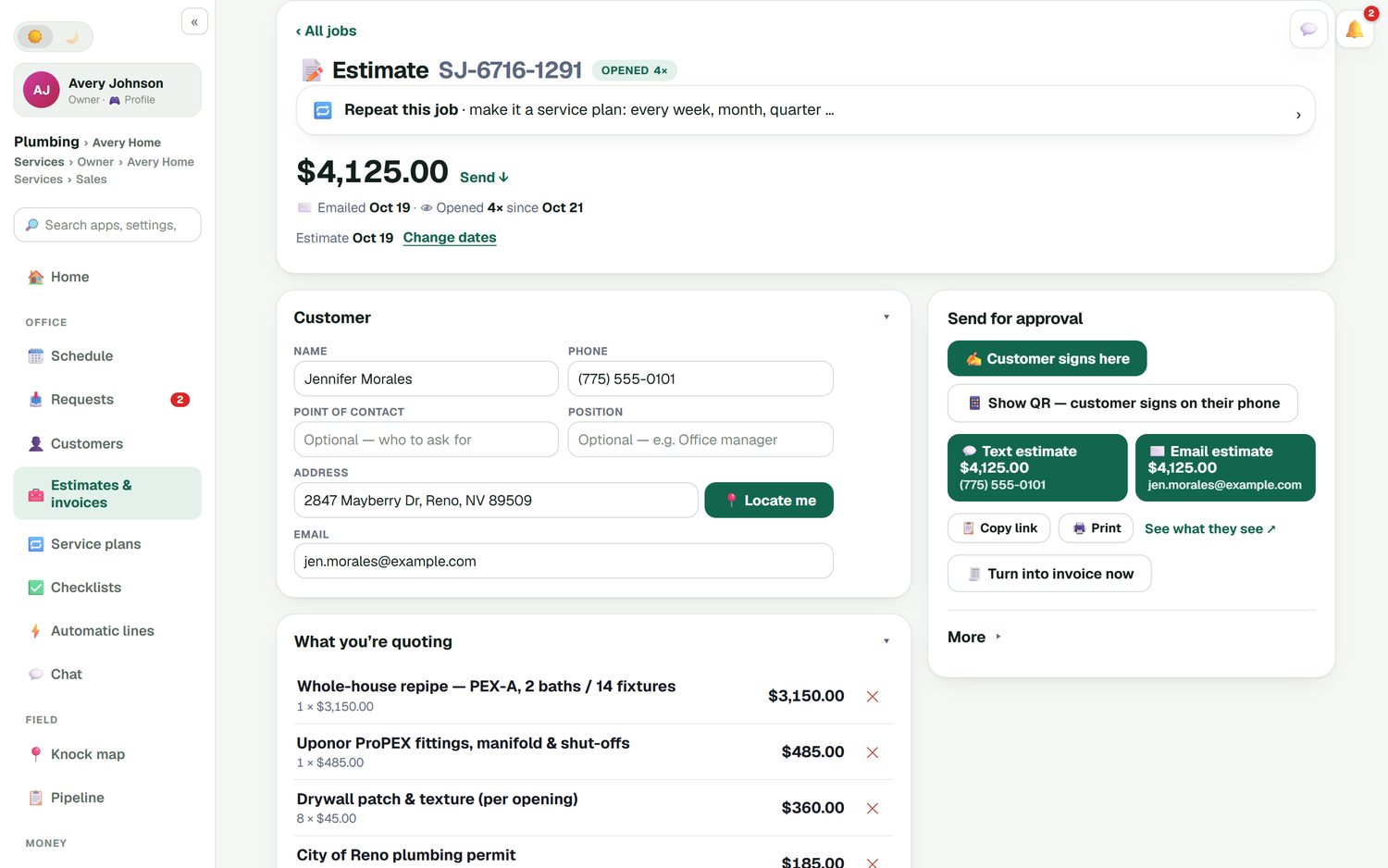
Build the estimate on your phone and add photos to the job, so the crew knows which oak and which limb. Photos show in the customer's emails too.
Stump grinding as an add-on
Stump grinding, haul-away and chip cleanup as optional lines the customer ticks before signing.
Deposits on big removals
A percent or dollar deposit, paid when the customer signs on your phone or by QR code.
Crews on one board
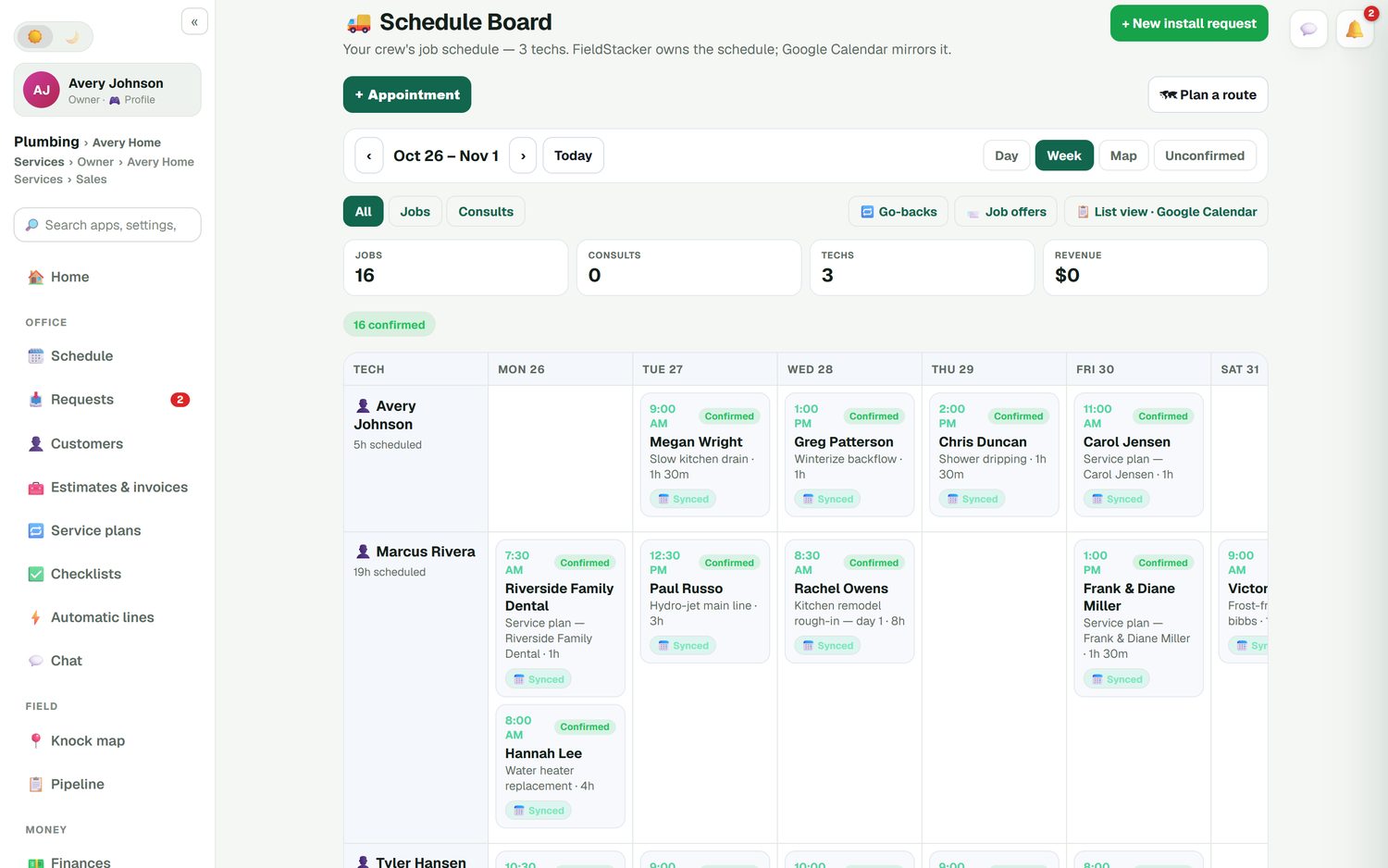
Climbers and ground crew join free as technicians. Drag a job to another day or crew.
Multi-day removals
A job that runs two or three days shows on each day, with its notes, checklist and photos.
Profit per job
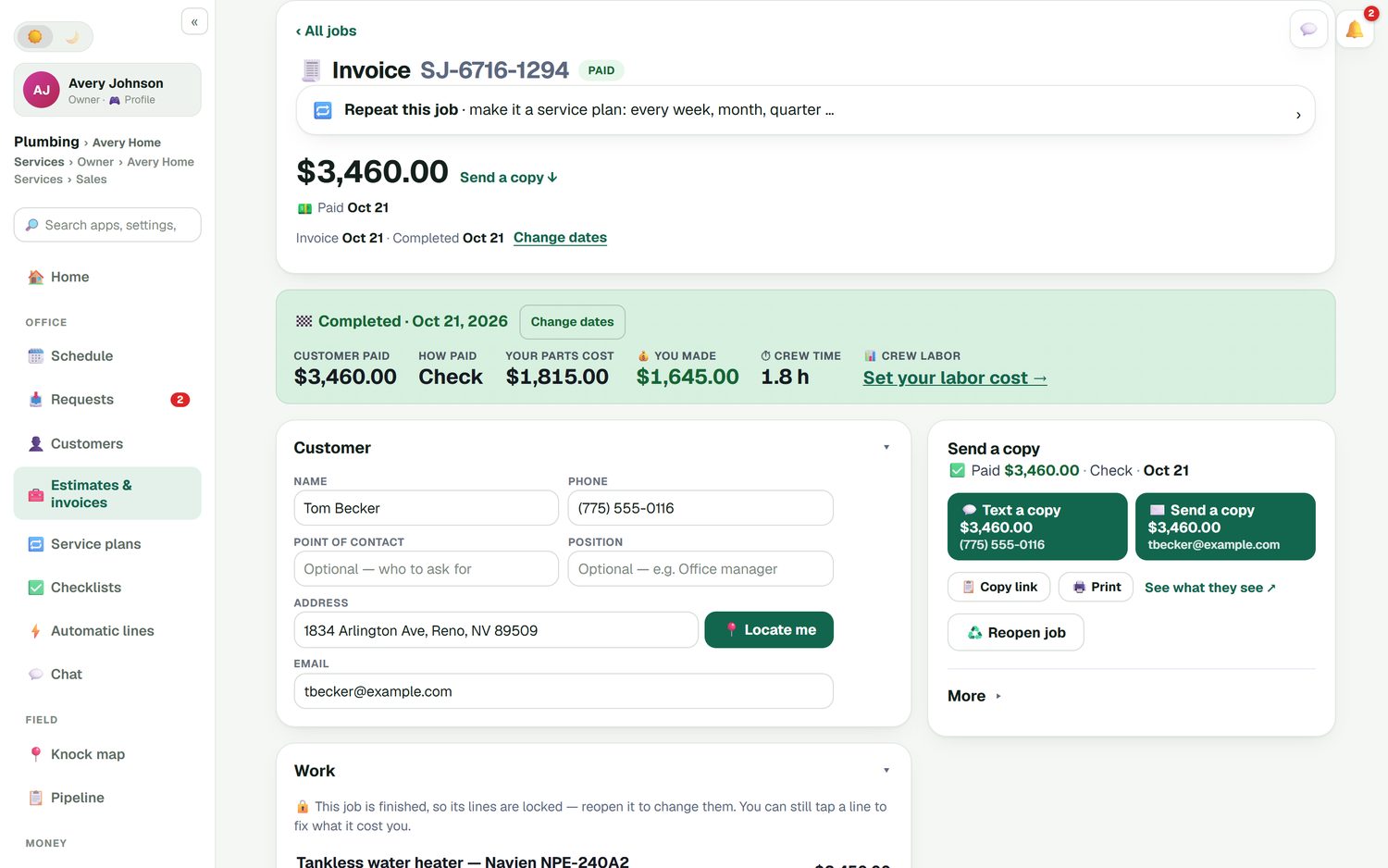
Crane rental, dump fees and labor against the job, and a job profit report at the end.
Run your tree jobs in FieldStacker free for 14 days
Bring your customers over from your old app. We import your customers and jobs for free.
- No credit card to start
- From $30/mo after the trial
- Your techs and cleaners are free
- Cancel any time from the app
Priced in the yard, signed before you leave
Pick the lines from your own price list: removal, crown reduction, deadwood pruning, a crane day. Automatic lines add the clean-up or haul-away that goes with a removal, so it never gets forgotten. Put stump grinding on as an option and let the customer decide. Set a deposit, then hand them your phone to sign, or show a QR code so they can sign and pay tonight. If they go quiet, an estimate follow-up goes out by itself.
- Your own price list, searchable
- Automatic lines for clean-up and haul-away
- Line discounts with a reason
- E-sign at the door or by QR code
Multi-day removals on the same board
A big removal can run across several days on one crew's row, while the pruning and small removals go to the others. Give each kind of job a checklist template you write yourself, such as checking overhead lines, marking the drop zone and confirming PPE, and the crew ticks it on their phone with photos. If the crane is a day late, drag the job and the customer's calendar invite moves with it. Crews clock in and out, and you get timesheets and an email of hours.
- Multi-day jobs on each day they run
- Checklist templates per kind of job, always optional
- Job notes for gate codes, targets and access
- Time clock and timesheets
Know what the crane day really cost
Found rot halfway up and the job got bigger? Send a change order with the extra lines and its own deposit for the customer to approve. When the job is done, the summary shows what the customer paid, what the job cost you and what you kept. Snap receipts for crane rental, fuel and dump fees and put them against the job. Invoices and payments sync to QuickBooks Online.
- Change orders the customer approves
- Expenses and labor against each job
- Receipt scanning and automatic mileage
- QuickBooks Online sync
Repeat work and fair comparisons
Pruning cycles and yearly checkups fit on a service plan: the visit lands on the schedule each year as its own job, and a card on file can be charged when it's done. Storm work comes in through your request page and online booking; if you knock doors after a storm, see our tree service door-to-door CRM.
If you want software built only for tree care, SingleOps by Granum starts at $220/mo, or $200/mo billed yearly, with crew users free on its Essential and Plus plans, and Arborgold starts at $119/mo for lawn, landscape and tree companies (both checked October 26, 2026). FieldStacker doesn't do tree inventory maps or arborist report forms. It is the flat-priced option for companies that want estimates, crews and money in one app, plus a website and marketing.
Tree service software questions
What should tree service business software do?
It should let you price a job on site, with photos so the crew knows which tree, take a deposit on big removals, schedule crews across multi-day jobs and show what each job made after the crane and dump fees. FieldStacker does those from your phone, starting at $30/mo with your crew free.
Can I add stump grinding as an option on a removal estimate?
Yes. Put stump grinding, haul-away or wood chip cleanup on the estimate as optional add-ons. The customer ticks what they want before they sign, and the total updates.
How do I schedule a removal that takes three days?
Make it a multi-day job. It shows on the crew's row for each day it runs, so you can see who is free for the small pruning jobs that week. If the crane is late, drag the job and the customer's calendar invite moves too.
Can I track crane rental and dump fees against a job?
Yes. Job costing puts parts, labor and expenses against each job, and the job profit report shows what you kept. Snap a photo of the receipt and it is filed in your expenses.
Is there software built only for tree care?
Yes. SingleOps by Granum is built for tree care companies, from $200/mo billed yearly, and Arborgold covers lawn, landscape and tree care from $119/mo (both checked October 26, 2026). FieldStacker is not tree-specific; it has no tree inventory maps or arborist report forms.
Does it handle storm season?
Storm calls can come in through your request page and online booking and land in one inbox. If you knock doors in storm-hit neighborhoods, our tree service door-to-door CRM page covers the knock map and owner reveal.
Related: landscaping business software · landscape estimating · contractor estimate app · job management · pricing
Price your next removal on the spot
14-day free trial, no credit card. Your crew is free, and we import your customers for you.