Lawn care software for the weekly route
Put every mowing customer on a weekly plan, sell aeration and fertilizing as add-ons, move the rained-out day in a few drags, and get paid after each cut.
14-day free trial · no credit card · from $30/mo · your crew is free
Lawn care is volume and timing. Forty mows a day only pays if the stops are in the right order, the crew isn't knocking on doors to ask about the gate code, and the money comes in without a Friday spent writing invoices. Then the weather moves half of Tuesday into Wednesday and the whole week has to bend.
FieldStacker keeps the plan, the price per cut, the notes and the payment on each customer, so moving a day or adding a fall cleanup doesn't mean starting over.
Lawn service business software, set up for the season
What a mowing company uses from April to November.
Weekly and every-two-weeks plans
Each mow lands on the schedule ahead as its own job and invoice, at the price you set for that lawn.
Seasonal add-ons
Aeration, overseeding, fertilizer rounds and leaf cleanup as optional lines the customer ticks on the estimate.
Routes for every crew
Day routes put each crew's mows in driving order, update arrival times and tell customers.
Rain-day reschedules
Drag the rained-out mows to the next open day or another crew. The customer's calendar invite moves too.
Notes that ride along
Gate codes, dogs in the yard and "bag the clippings" stay on the job, so whoever goes knows.
Paid after each cut
Card on file charged when the mow is done, or batch-invoice up to 100 finished jobs at once.
Run this mowing season in FieldStacker free for 14 days
Send us your customer list from your old app or spreadsheet. We import it for free.
- No credit card to start
- From $30/mo after the trial
- Your techs and cleaners are free
- Cancel any time from the app
A season of lawn care business management software
The year, in five steps.
Spring sign-ups
Send estimates from your own price list, priced by lot size the way you already do it. The customer signs on your phone or by QR code.
Weekly mows
Each signed lawn becomes a weekly or every-two-weeks plan, on the day its route runs.
Treatments and add-ons
Aeration and fertilizer rounds go out as their own jobs, booked into the same routes.
Fall cleanup
Email a fall cleanup offer to your customer list, then quote and book the yes answers.
Winter pause
Pause the mowing plans and see the season's income, expenses and mileage in Finances.
Software for a lawn care business that runs on routes
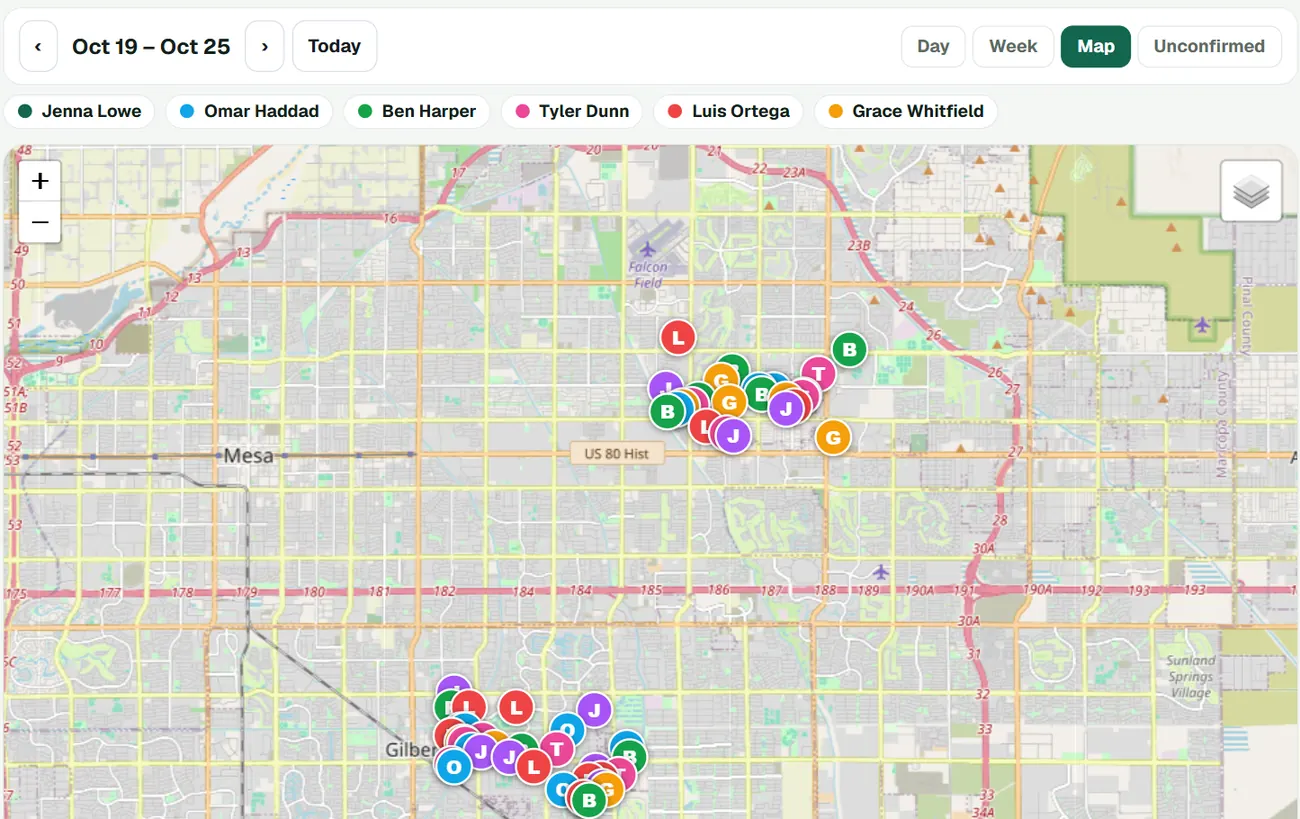
Most mowing companies give each area a day. The Map view of the week shows every crew's stops in its own color, so you can spot the lawn that sits across town from the rest of Tuesday and move it. On the day, a day route puts the crew's mows in driving order and updates arrival times. With the texting add-on, one tap on On my way texts the customer an ETA and a live tracking link, so nobody calls the office asking when you'll be there.
- Day, Week and Map views of every crew
- Drag a mow to another day or crew
- Crew leads join free as technicians
- Google Calendar mirrors the schedule
No more invoice Fridays
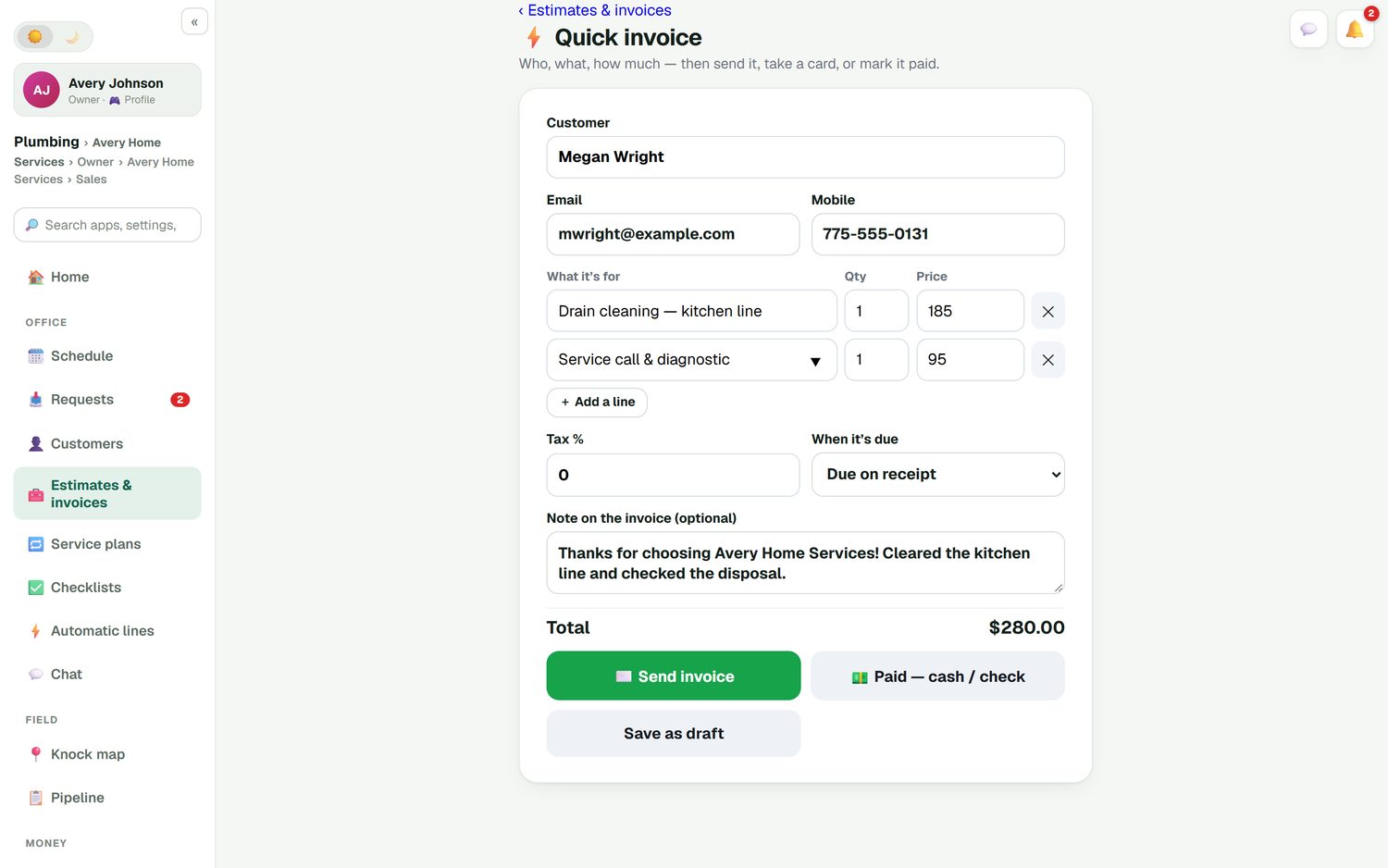
Customers with a card on file are charged when the crew marks the mow done, through your own Stripe account. For the ones who pay by check, send up to 100 finished jobs in one batch, and unpaid-invoice reminders follow up on their own. A one-off job, like a neighbor who wants a hedge trimmed while you're there, is a quick invoice: one screen, then send it, take a card or mark it paid.
- Autopay after each visit
- Batch invoicing for up to 100 jobs
- Cash, check, Venmo or Zelle recorded in one tap
- Invoices and payments sync to QuickBooks Online
Know what the season actually paid
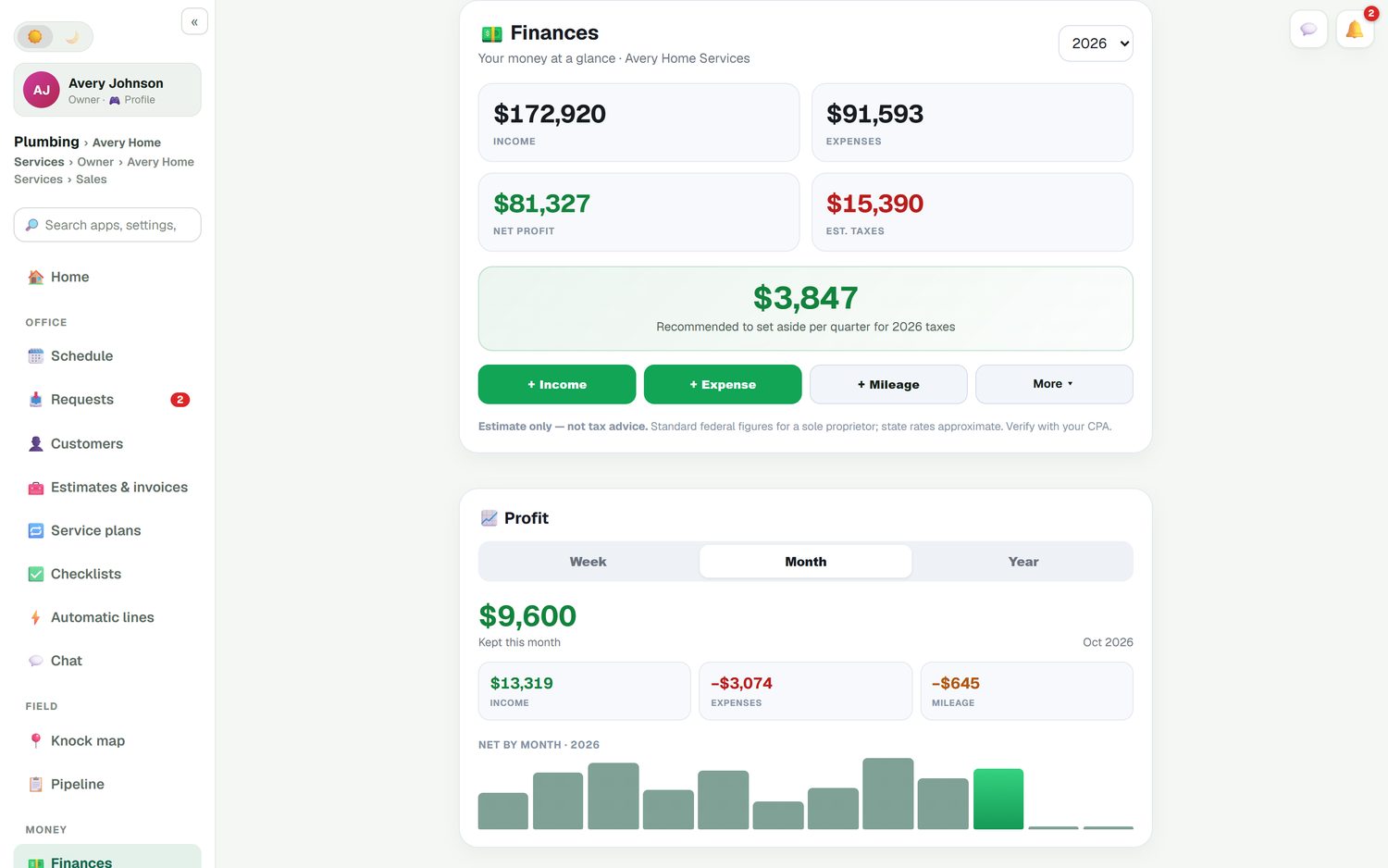
Mowers burn fuel and miles. FieldStacker logs road-accurate mileage, lets you snap receipts for fuel, trimmer line and blades, and puts income, expenses and profit by month on one screen, with a suggested tax set-aside each quarter. Put parts and expenses against a job to see which lawns are worth keeping at their price.
- Automatic mileage
- Receipt scanning
- Job costing and a job profit report
What it doesn't do
FieldStacker doesn't measure lawn square footage from satellite images. You price from your own price list, for example by lot size, and adjust on site. If map measuring matters to you, GorillaDesk's Growth plan lists map estimation tools (checked October 26, 2026). Knocking doors to fill a new route? That is covered on our lawn care door-to-door CRM page.
Lawn care software questions
What is the best lawn care software for a small company?
For a solo operator or a few crews, look for weekly recurring plans, routes, autopay and a price you can read on a page. FieldStacker, Jobber and GorillaDesk publish their prices and let you start yourself. Bigger landscape companies often look at LMN, Service Autopilot or Aspire. Our best lawn care software guide compares them.
Can I sell aeration and fertilizing as add-ons to a mowing customer?
Yes. Put core aeration, overseeding, fertilizer rounds or a fall cleanup on the estimate as optional add-ons. The customer ticks the ones they want before they sign, and you book those visits as their own jobs.
How do I reschedule mows after a rain day?
Open the week on the schedule board and drag the rained-out mows to the next open day or another crew. The customer's calendar invite moves with the job. Then run a day route so the new day is in driving order and customers are told the new arrival time.
Does this lawn service business software charge customers automatically?
Yes. A customer on a weekly plan can save a card, and it is charged when the crew marks the mow done, through your own Stripe account. For customers who pay by check, you can batch-invoice up to 100 finished jobs at once.
Can I stop the plans over winter?
Yes. Pause a customer's plan at the end of the season and pick it back up in spring, without setting the customer up again. Their notes, price and card stay on file.
How much is lawn care business management software?
FieldStacker is $30/mo, or $25/mo billed yearly, and crew members you add as technicians are free. A 14-day trial needs no credit card. Texting for On my way messages is an optional $15/mo for 600 texts.
Related: lawn care scheduling · best lawn care software · free lawn care software · landscaping software · pricing
Get this season's mowing list on a plan
14-day free trial, no credit card. Your crew is free, and we bring your customers over for you.