Lawn care scheduling software that bends with the weather
Weekly mows already on the board, every crew in one view, a rain day moved in minutes and customers told the new time.
14-day free trial · no credit card · from $30/mo · your crew is free
A lawn schedule is built on route days. The Smith Valley lawns go on Monday, the north side on Tuesday, and a new customer only fits if they are near a route you already run. On top of that sit the one-off jobs: an aeration, a mulch install, a three-day patio. Then it rains. The software's job is to make each of those moves fast and to keep the customer in the loop without a phone call.
Scheduling software for a landscaping business, not just a calendar
Built for crews that work the same streets every week.
Route days, set once
Put each customer's plan on the day their area is mowed. Every week after that is already on the board.
Every crew in one view
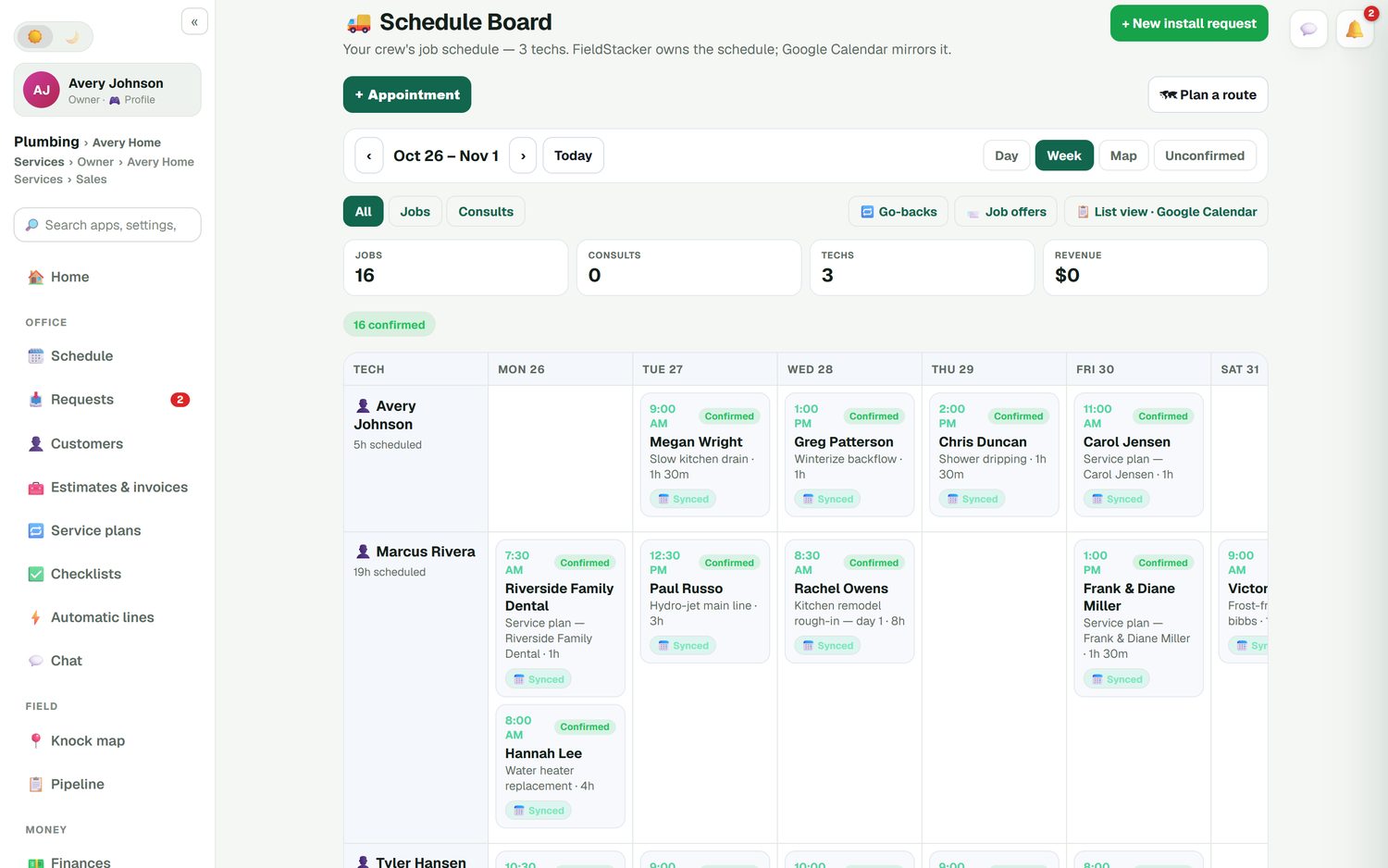
Crews down the side, days across the top, with Day, Week and Map views. Crew leads join free.
Multi-day landscape jobs
A patio or a sod install can run across several days on one crew, while the mows go to the others.
Rain days in a few drags
Move the rained-out jobs to tomorrow or another crew. Each customer's calendar invite moves with the job.
Day routes
Stops in the best driving order, arrival times updated and customers told.
On my way texts
With the texting add-on, one tap sends an ETA from the crew's GPS and a live tracking link.
Put your mowing routes on the board free for 14 days
Bring your customers from your old app or spreadsheet. We import them for free.
- No credit card to start
- From $30/mo after the trial
- Your techs and cleaners are free
- Cancel any time from the app
The whole week, every crew
Each card on the board is a job with its time, customer and what it is: a weekly mow, a spring aeration, day one of a bed install. Drag it to move it. Confirmed and unconfirmed jobs are marked, so you know which new customers still need a call. When a crew member is out, send open jobs as job offers and let another crew pick them up. FieldStacker owns the schedule and Google Calendar mirrors it, so crews who live in their calendar see the same thing.
- Drag a job to another day or crew
- Multi-day jobs shown on each day they run
- Confirmed, unconfirmed and go-backs
- Job offers to your crews
The rain-day playbook
What moving a wet Tuesday looks like.
Make the call
You decide it's too wet. FieldStacker doesn't guess the weather for you.
Drag the day
On the Week view, move Tuesday's mows to Wednesday or to a crew with room. Calendar invites follow.
Re-route
Run a day route for each changed day, so the stops are in order with new arrival times.
Tell customers
The day route lets customers know their new arrival time. On the day, On my way texts give an ETA.
Fewer "when are you coming?" calls
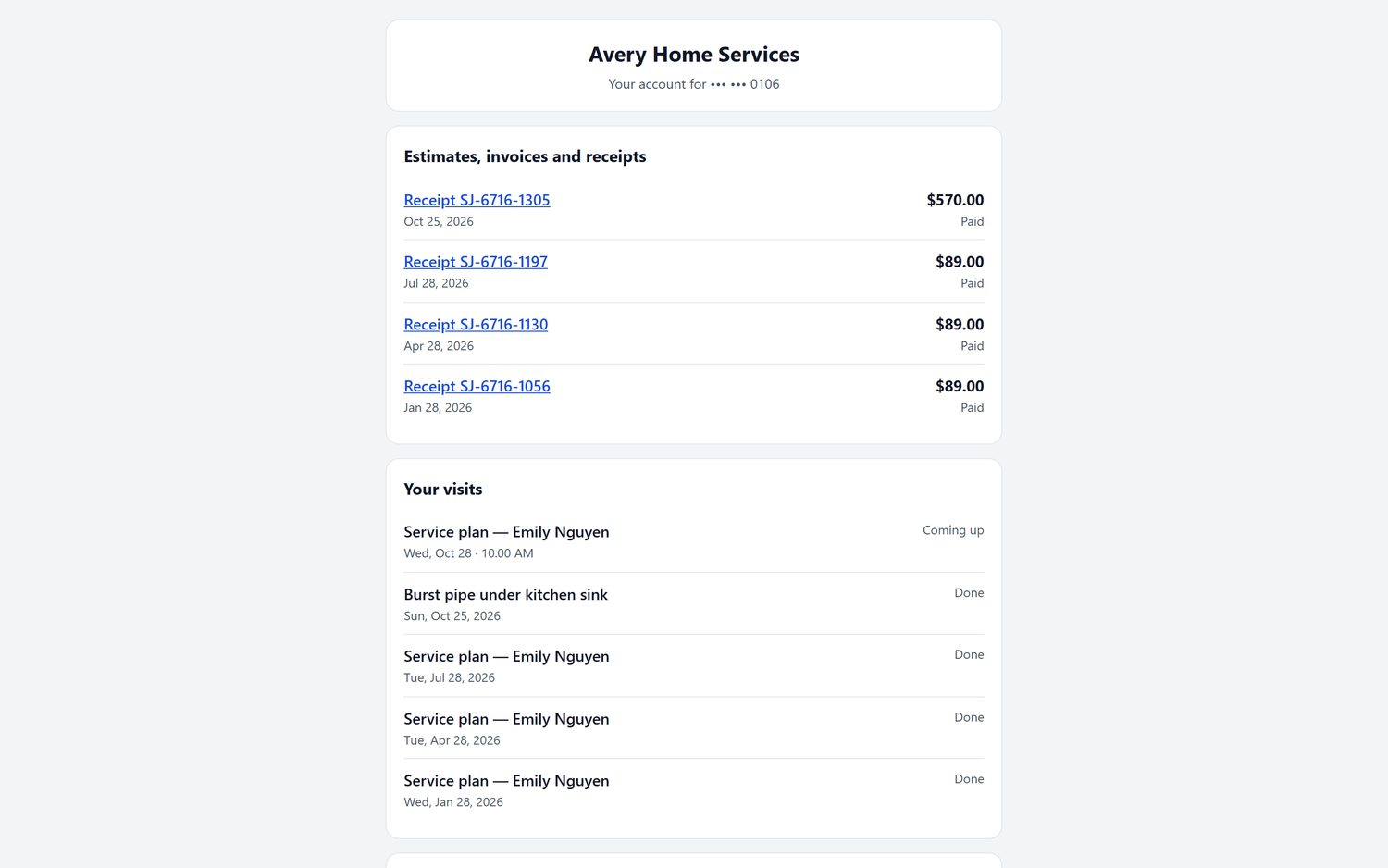
Each customer has a portal page with their upcoming visits, past visits and receipts. They can pay an invoice there and reschedule a booking. New customers book an estimate visit in your real open times on your website or digital card, and you can send it to the next available crew. Reminder emails go out before visits, so the gate is open when you arrive.
- Customer portal on your own website domain when we host it
- Online booking with your real open times
- Service requests land in one inbox
Tight routes show up in the mileage
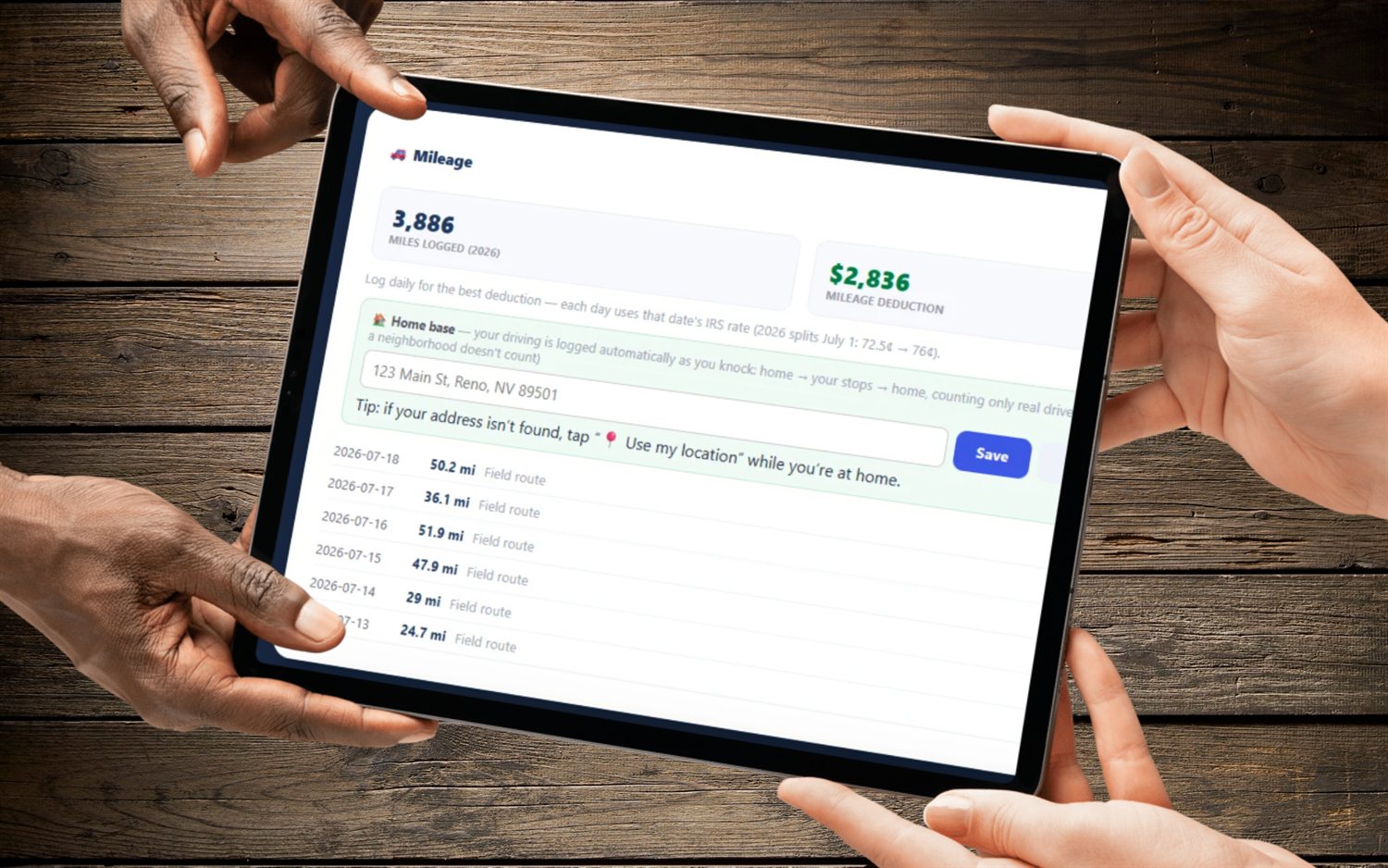
FieldStacker logs road-accurate mileage automatically, so you can see what a scattered route costs. Crews clock in and out, and you get timesheets and a payroll email of hours. Put the miles and hours next to the season's income on the Finances screen and you'll know which route day is earning its keep.
- Automatic road-accurate mileage
- Time clock and timesheets
- Opt-in crew location map, off by default
Lawn and landscape scheduling questions
What should lawn care scheduling software do?
It should keep weekly mows on the calendar without retyping them, let you move a job by dragging it, put each crew's day in driving order and tell customers when you're coming. FieldStacker does all four, and Google Calendar mirrors the schedule.
Is landscaping scheduling software different from lawn care scheduling?
Landscaping adds longer jobs: a patio or a planting that takes a crew two or three days. FieldStacker handles both. A multi-day job shows on the crew's row for each day it runs, so you can see at a glance which crews are free for the weekly mows.
How do I handle rain delays?
FieldStacker doesn't watch the forecast for you; you make the call. When you do, drag the rained-out jobs to the next open day or crew on the Week view, then run a day route for the new day so the stops are in order and customers get the new time.
Can customers reschedule their own mow?
Customers can see their upcoming visits on their own portal page and reschedule a booking there. New customers can book an estimate visit in your real open times on your website or digital card.
What is good scheduling software for a landscaping business with several crews?
Look for a board with every crew on it, multi-day jobs, routes and free crew logins. In FieldStacker, crew members you add as technicians are free, and Team plans start at $60/mo for you plus 2 seats if you need more office or sales logins.
Does it track crew hours?
Yes. Crews clock in and out on their phone, and you get timesheets and an email of hours for payroll. FieldStacker doesn't run payroll or pay people itself.
Related: lawn care software · landscaping business software · routing software · job scheduling · pest control scheduling · pricing
Next rain day, move it in minutes
14-day free trial, no credit card. Your crew is free and we import your customers for you.