Invoicing software for small business owners who do the work
See who owes you the moment you open the app. Invoice finished jobs in one go, let reminders chase the late ones, and get paid by card into your own Stripe account with no fee from us on top.
14-day free trial · no credit card · from $30/mo · your techs are free
Most small service businesses do not lose money on price. They lose it in the gap between finishing a job and sending the bill. The job gets done on Tuesday, the invoice waits until Sunday night, and a few never go out at all. A plain invoice maker cannot see that gap, because it does not know which jobs are done.
FieldStacker can, because the schedule, the jobs and the invoices live in one place. A finished job lands on a "ready to invoice" list. Past-due invoices sit at the top of the office home screen with a dollar total. You are working from a list, not from memory.
To be fair about fit: if you sell products online or run a storefront, an accounting package or a store platform will suit you better. FieldStacker is for businesses that send people to do work.
Billing software for small business that follows the work
Each piece exists to shorten the time between "job done" and "money in the bank".
Quick invoice
One screen: customer, lines, tax, due date. Then send it, take a card now, mark it paid by cash or check, or save a draft.
Batch invoicing
Finished a busy week? Email invoices for up to 100 finished jobs at once instead of opening each one.
Reminders that chase for you
Unpaid-invoice reminders go out on their own. Switch them on or off and edit the wording to sound like you.
Your own Stripe, no added fee
Cards are paid into your own Stripe account at standard Stripe rates. FieldStacker adds nothing on top.
Every way customers pay
Record cash, check, Cash App, Venmo or Zelle against the invoice. A receipt is emailed either way.
QuickBooks Online sync
Sent invoices and payments go to QuickBooks Online and update in place, so your bookkeeper is not retyping them.
Send your next invoice from FieldStacker free for 14 days
Moving from another app? We import your customers and jobs for free.
- No credit card to start
- From $30/mo after the trial
- Your techs and cleaners are free
- Cancel any time from the app
Know who owes you before lunch
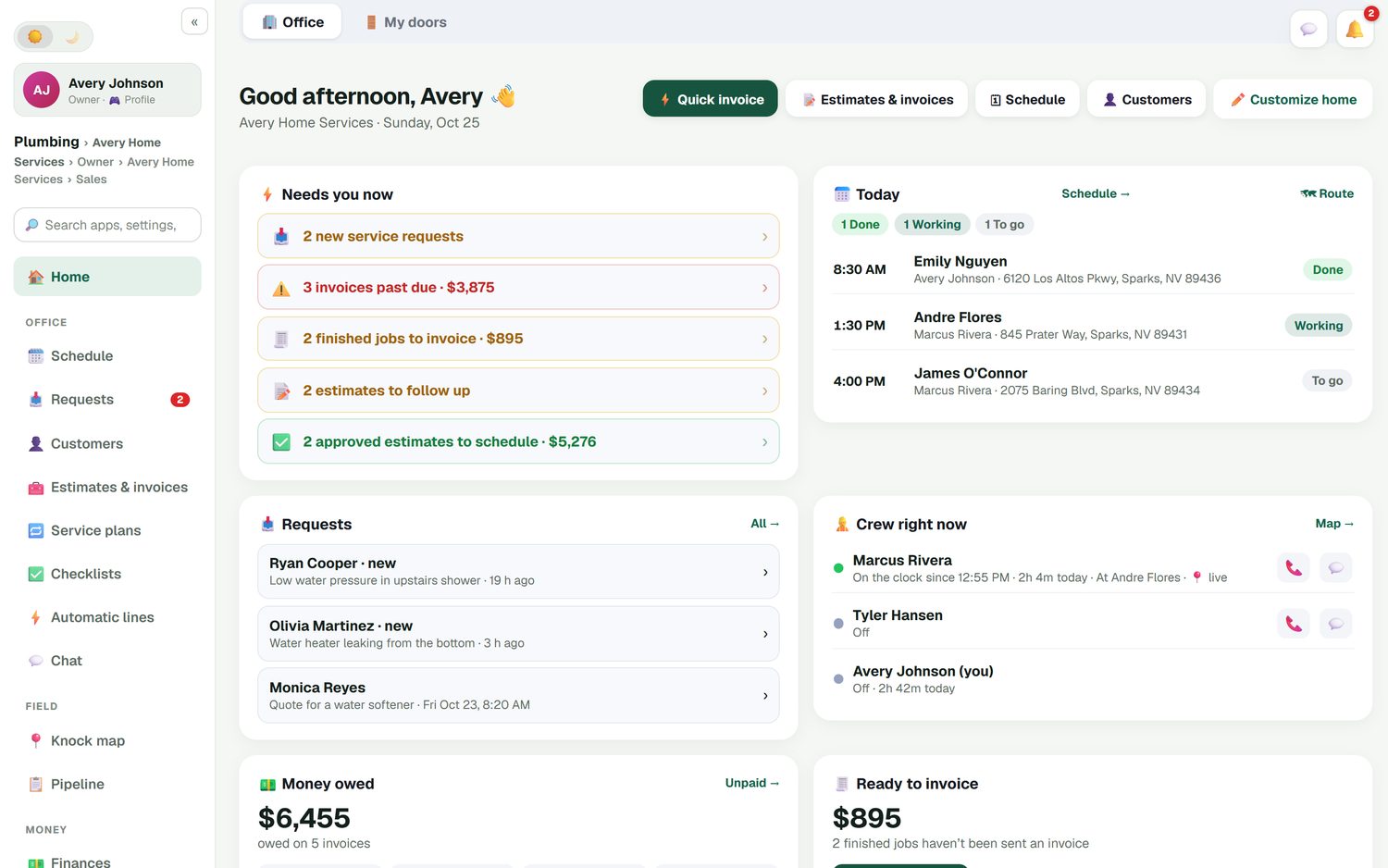
The first screen you see is a short list of what needs you: new service requests, invoices past due with their total, finished jobs that have not been invoiced, estimates to follow up and approved estimates waiting for a date. Below that is money owed across all open invoices, today's jobs and where the crew is.
- Past-due invoices with a running dollar total
- Finished jobs that still need an invoice
- Estimates waiting on a follow-up
- This week compared with last week
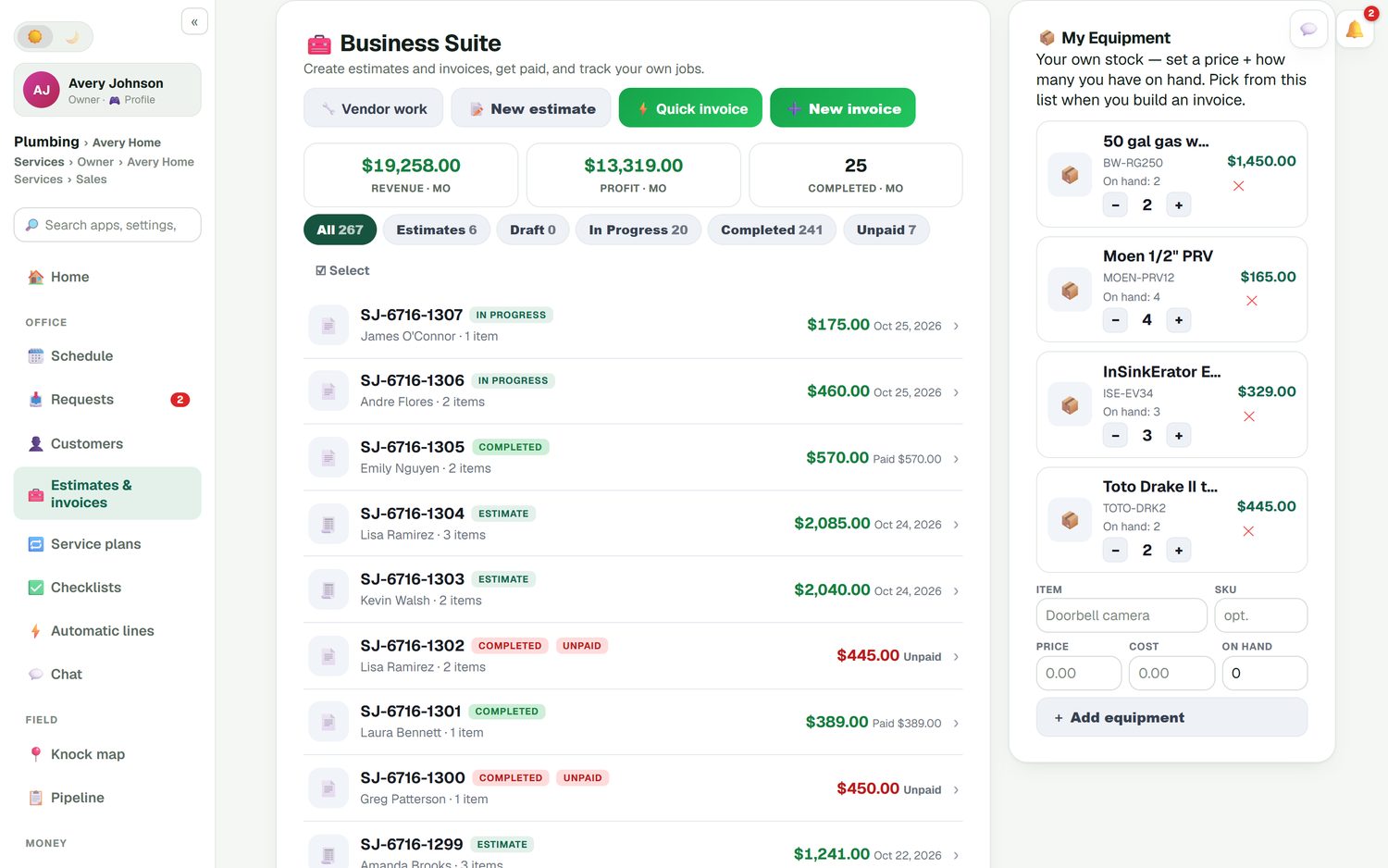
Estimates and invoices side by side
Every estimate, draft and invoice sits in one list you can filter. Tap Unpaid to see exactly who to call. Revenue and profit for the month are at the top, so you do not need to run a report to know how the month is going. An approved estimate turns into the invoice, so you never type the same lines twice.
- Filter by estimate, draft, in progress, completed or unpaid
- Your own price list searchable when you add lines
- Line discounts in % or $, with a reason
- Deposits in % or $ on bigger jobs
Income, expenses and miles in the same app
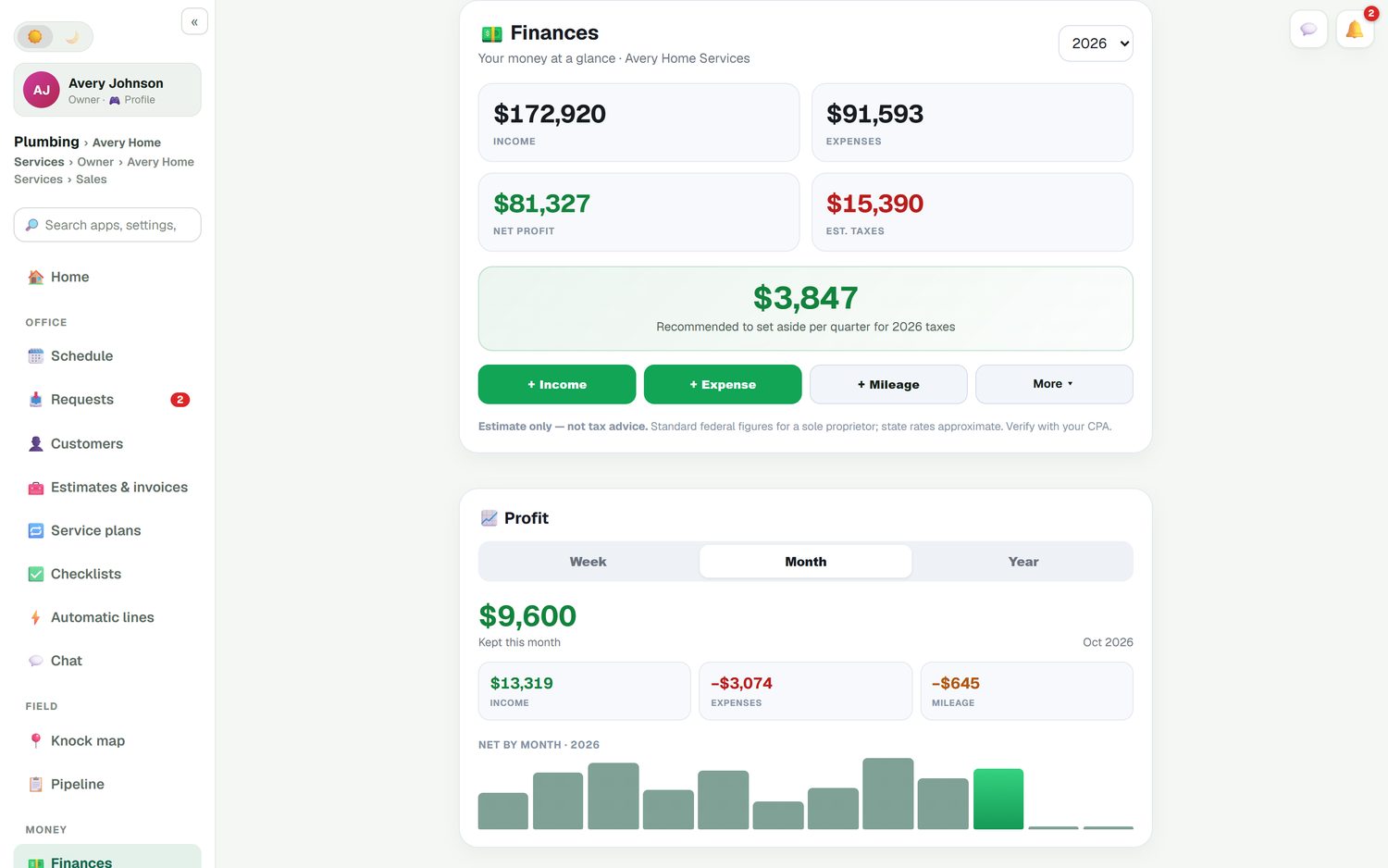
Paid invoices flow into Finances next to your expenses and road-accurate mileage, which is logged for you. Snap a photo of a receipt and it becomes an expense. Job costing puts parts, labor and expenses against each job, so the profit report shows which kinds of work are worth chasing.
Customers get their own portal to pay invoices and see receipts and billing history. When we host your website, it runs on your own domain.
How to pick the best invoicing software for small business
Four questions sort the options fast.
Where does the work happen?
Shop or online store: use accounting or store software. At customers' homes and sites: pick invoicing that knows about jobs and the schedule.
What does getting paid cost?
Read the processing line, not just the monthly price. Some tools add their own fee per payment. Ours runs on your Stripe account with nothing added.
Who chases late invoices?
If the answer is "me, on Sunday", you want reminders that send themselves and a list of what is overdue.
Where do the books live?
If your accountant uses QuickBooks Online, make sure invoices and payments sync both ways so nobody types them twice.
Small business invoicing questions
What is the best invoicing software for small business?
It depends on what you sell. If you sell products or run a shop, an accounting or store tool fits better. If you do work at customers' homes or sites, you want invoicing that is tied to the job, the schedule and the customer, so nothing finished goes unbilled. That second case is what FieldStacker is built for.
Is there billing software for small business that also handles scheduling?
Yes. In FieldStacker the schedule board, the jobs and the invoices are one system. When a tech finishes a job it shows up as ready to invoice, and the office home screen counts finished jobs that have not been sent an invoice yet.
Does FieldStacker take a cut of my card payments?
No. Card payments go through your own Stripe account at standard Stripe rates, and FieldStacker adds no fee on top. Cash, check, Cash App, Venmo and Zelle can be recorded against the invoice so your totals stay right.
Can it send payment reminders for me?
Yes. Unpaid-invoice reminders are an automation you can switch on, off or edit. They go by email, and by text too if you add the texting add-on. A thank-you with a review request can go out once an invoice is paid.
Does it work with QuickBooks?
With QuickBooks Online, yes. Sent and finished invoices and their payments go to QuickBooks Online automatically, and a payment recorded in QuickBooks marks the invoice paid in FieldStacker. QuickBooks Desktop is not supported.
Is there a small business invoice app I can use on my phone?
FieldStacker runs on your phone as well as a computer. The quick invoice screen fits on a phone: customer, lines, total, then send it, take a card, or mark it paid by cash or check.
How much does it cost?
Pro is $30/mo, or $25/mo billed yearly, with a 14-day free trial and no card to start. Techs you add as technicians are free. There is no contract, and you can cancel or change plans inside the app.
Related: invoicing from your phone · recurring billing for service plans · QuickBooks Online sync · estimates and invoices · invoicing for contractors · FieldStacker vs Jobber · pricing
Stop losing money between "done" and "billed"
14-day free trial, no credit card. Send your first invoice today and watch the owed list shrink.