The invoice app for contractors that bills from the job
A call comes in, you price it from your own list, the tech does the work and the parts come off their truck. The invoice is already written when the job is done, and you can see what you made on it.
14-day free trial · no credit card · from $30/mo · your techs are free
Contractor invoices go wrong in predictable ways. The tech swaps a part and nobody updates the ticket. The labor line for an install gets left off because the estimate only had the part. A week of finished service calls sits in a pile until Friday. The owner sees money in the bank but cannot say which jobs made it.
Each of those is a missing link between the job and the invoice. FieldStacker keeps that link. The estimate, the job, the parts used, the photos and the invoice are one record, so the bill matches the work.
Contractor invoicing software built around the job
From the first call to what the job made.
Requests inbox
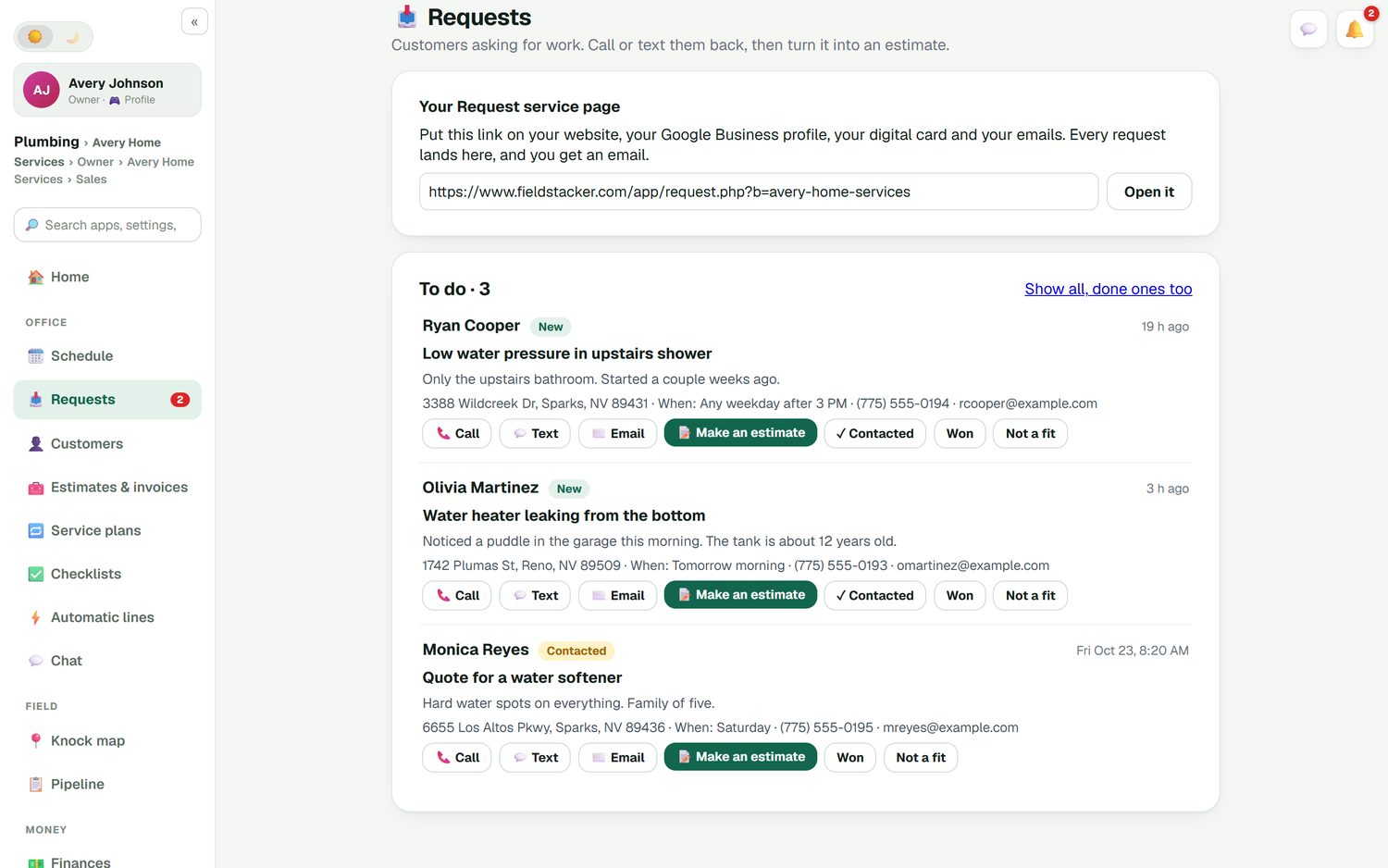
A request page for your website and card. Every request lands in one inbox with a "Make an estimate" button.
Your own price list
Parts and services from Equipment & pricing come up as you type, at your price, with your cost behind them.
Automatic lines
Set a rule once: add the water heater and the install labor line comes with it. No more forgotten labor.
Sign and deposit
The customer signs on your phone, or scans a QR code to sign and pay a deposit on their own.
Parts off the truck
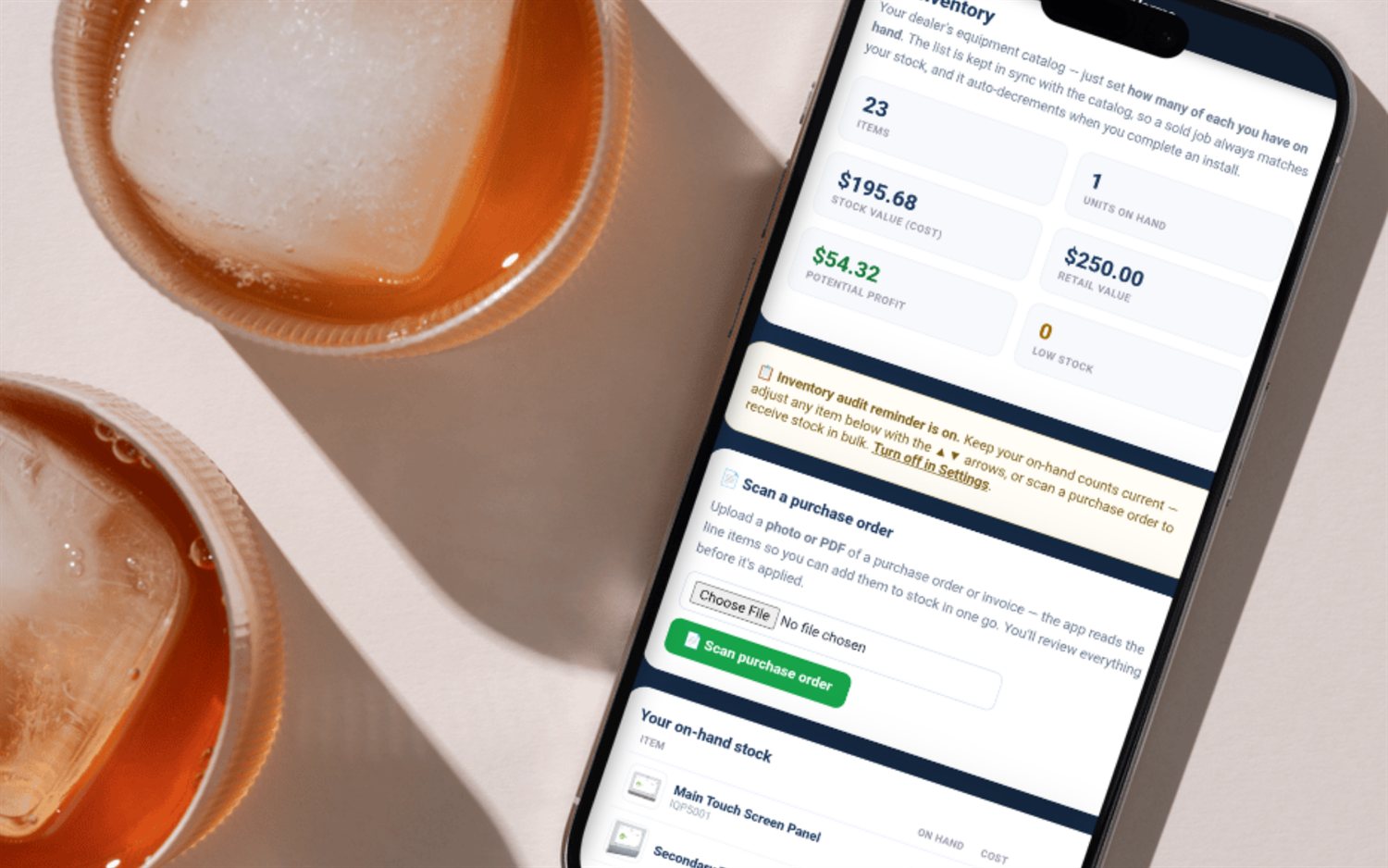
Each tech carries their own stock. Completing a job deducts the parts used, so counts stay honest.
Job profit
Parts, labor and expenses against each job. See what you made, not just what you billed.
Run your next service call through FieldStacker free
Bring your customers over from your old app. We import them for free.
- No credit card to start
- From $30/mo after the trial
- Your techs and cleaners are free
- Cancel any time from the app
From a request to a priced estimate
"Water heater leaking from the bottom. The tank is about 12 years old." Requests like that come in from your website, your Google Business profile link or your digital card. Each one has the address, the best time and the contact details. Call or text back, then tap Make an estimate and the customer is already filled in.
- One inbox for every request
- Mark as contacted, won or not a fit
- Estimate follow-ups go out automatically if they go quiet
Techs finish the job, parts come off the truck
Your techs join free. They see their day, open the job, work an optional checklist for that kind of job and add photos of the finished work. When they complete it, the parts they used come off their own stock. The office sees the job move to finished and ready to invoice without a phone call.
- Checklist templates per kind of job, always optional
- Job photos and notes kept on the job
- "On my way" texts with a live ETA (texting add-on)
- Time clock with timesheets
See what the job actually made
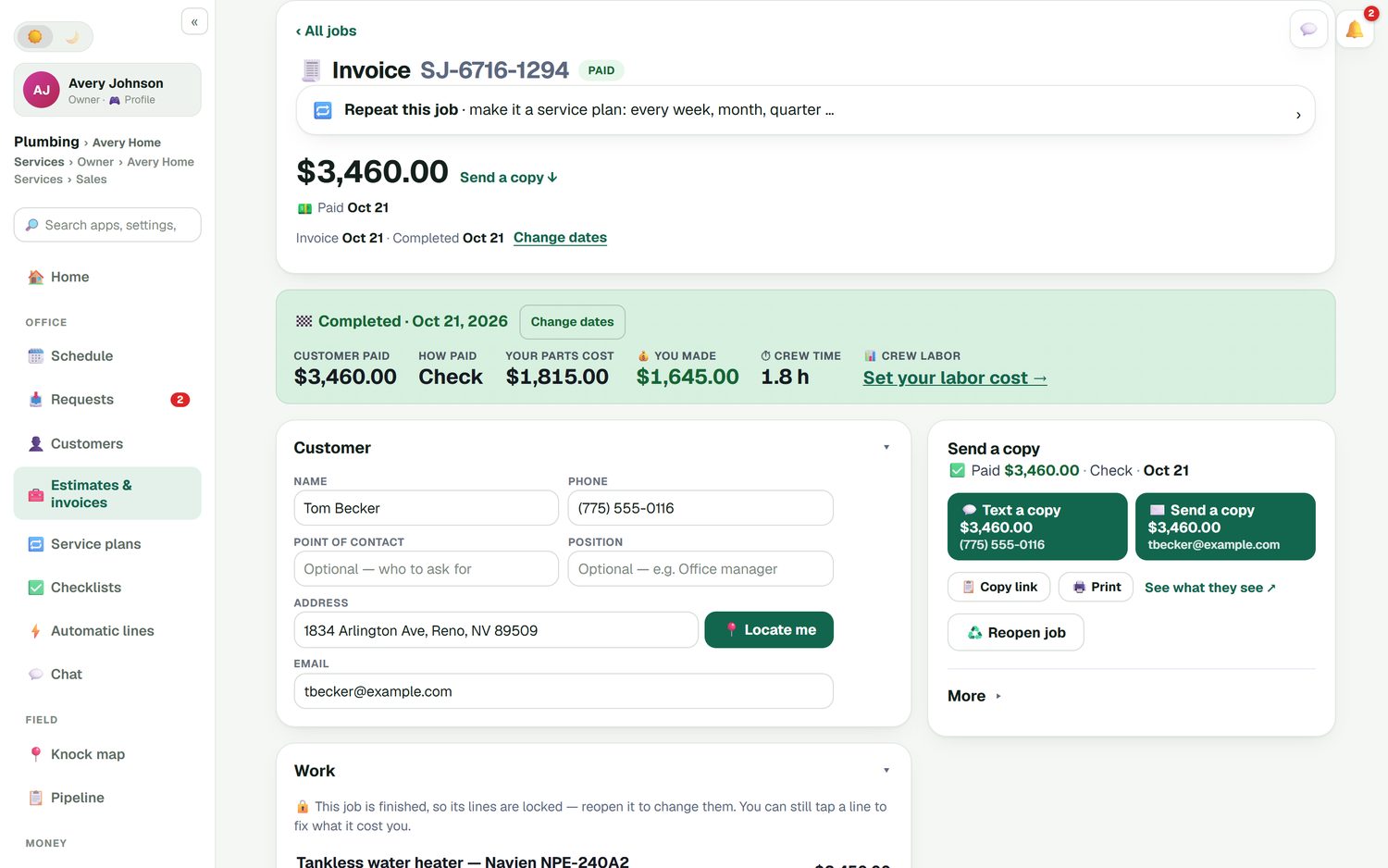
A finished job shows the customer's total, how they paid, your parts cost, crew time and what you made. On a tankless water heater swap that is the difference between "a $3,460 job" and "$1,645 after parts". Set your labor cost once and it comes off too. From the same screen you text or email a copy, print it or reopen the job if something changes.
- Batch invoicing: email up to 100 finished jobs at once
- Cards through your own Stripe, no added fee
- "Repeat this job" turns it into a service plan
- Invoices and payments sync to QuickBooks Online
Best invoicing software for contractors: what to check
Four things that separate a contractor invoice app from a generic one.
Labor follows parts
If the app cannot add the install line when you add the unit, someone will forget it. Ask how it handles that.
Techs are not extra seats
Per-user pricing punishes you for hiring. With FieldStacker, technicians are free.
Job cost, not just revenue
You need parts cost and crew time against each job to know which work is worth taking.
Your accountant's software
Check the QuickBooks story. Ours is QuickBooks Online only, with invoices, payments, parts and mileage.
Contractor invoice app questions
What is the best invoice app for contractors?
For a contractor, the best invoice app builds the invoice from the job: the estimate the customer approved, the parts the tech used and the labor that goes with them. FieldStacker does that and shows what each job made. Our list of the best invoice apps for contractors compares it fairly with Jobber, Housecall Pro, Joist, Invoice2go and others.
Is there contractor billing software that shows job cost?
Yes. FieldStacker job costing puts parts, labor and expenses against each job. A finished job shows what the customer paid, what the parts cost you, the crew time, and what you made.
Can my techs finish the job and invoice from the field?
Yes. Techs you add as technicians are free. They see their jobs on their phone, tick off an optional checklist, add photos and notes, and complete the job. The parts they used come off their own stock.
Can I take a deposit before I order parts?
Yes. Add a deposit to the estimate as a percent or a dollar amount. The customer can sign on your phone or scan a QR code to sign and pay on their own.
Does contractor invoicing software like this work with QuickBooks?
FieldStacker syncs with QuickBooks Online. Sent and finished invoices and their payments go over automatically, and job parts, expenses and mileage can sync too. QuickBooks Desktop is not supported.
Is there free contractor invoicing software?
Some free tools send invoices, but they usually stop short of scheduling, techs and job cost. FieldStacker is not free: it has a 14-day free trial with no card, then Pro is $30/mo. Our guide to free invoice apps for contractors lists the free options and their limits.
Related: invoicing for remodel and construction jobs · free invoice apps for contractors · contractor estimate app · plumbing invoicing · HVAC invoicing · QuickBooks Online sync · pricing
Make the invoice match the work, every time
14-day free trial, no credit card. Add your price list and your techs, and invoice your next job from the field.