Construction invoicing software for remodel jobs
Get the deposit before you order materials. Get every change signed before you build it. Know what the job cost when you send the final bill. Estimates, change orders and invoices in one app on your phone.
14-day free trial · no credit card · from $30/mo · your crew is free
Remodel money goes wrong in the middle of the job, not at the start. The customer asks for an extra outlet, a wider vanity, another day of drywall. You say yes in the hallway, do the work, and argue about it at the final walk-through. Or you order $4,000 of materials on a handshake and wait three weeks for the first check.
FieldStacker puts a signature and a deposit at each of those points. Nothing extra gets built until it has been approved, and the approvals sit on the job for anyone to see.
One thing to know up front: this is for jobs billed with a deposit, change orders and a final invoice. FieldStacker does not do AIA-style pay applications or retainage. If your commercial contracts need those, keep construction accounting software for that work.
Construction billing software for the way remodel jobs run
From the estimate to the last payment.
Line-item estimates
Fixtures, materials, labor per opening, the permit fee. Pull each line from your own price list and set the quantity.
Signed at the table
The customer signs on your phone, or scans a QR code to read, sign and pay on their own time.
Deposits in % or $
Take 30% to order materials, or a fixed amount. The deposit is on the estimate, so it is agreed before work starts.
Change orders
Extra lines with their own deposit. The customer approves them before you start the extra work.
Multi-day jobs
Demo, rough-in, inspection, finish. One job across several days on the schedule, with photos and notes on it.
Job costing
Parts, labor and expenses against the job, so the profit report shows what the remodel actually made.
Run your next remodel through FieldStacker free for 14 days
Bring your customer list from your old app. We import it for free.
- No credit card to start
- From $30/mo after the trial
- Your techs and cleaners are free
- Cancel any time from the app
A deposit and a signature before you buy materials
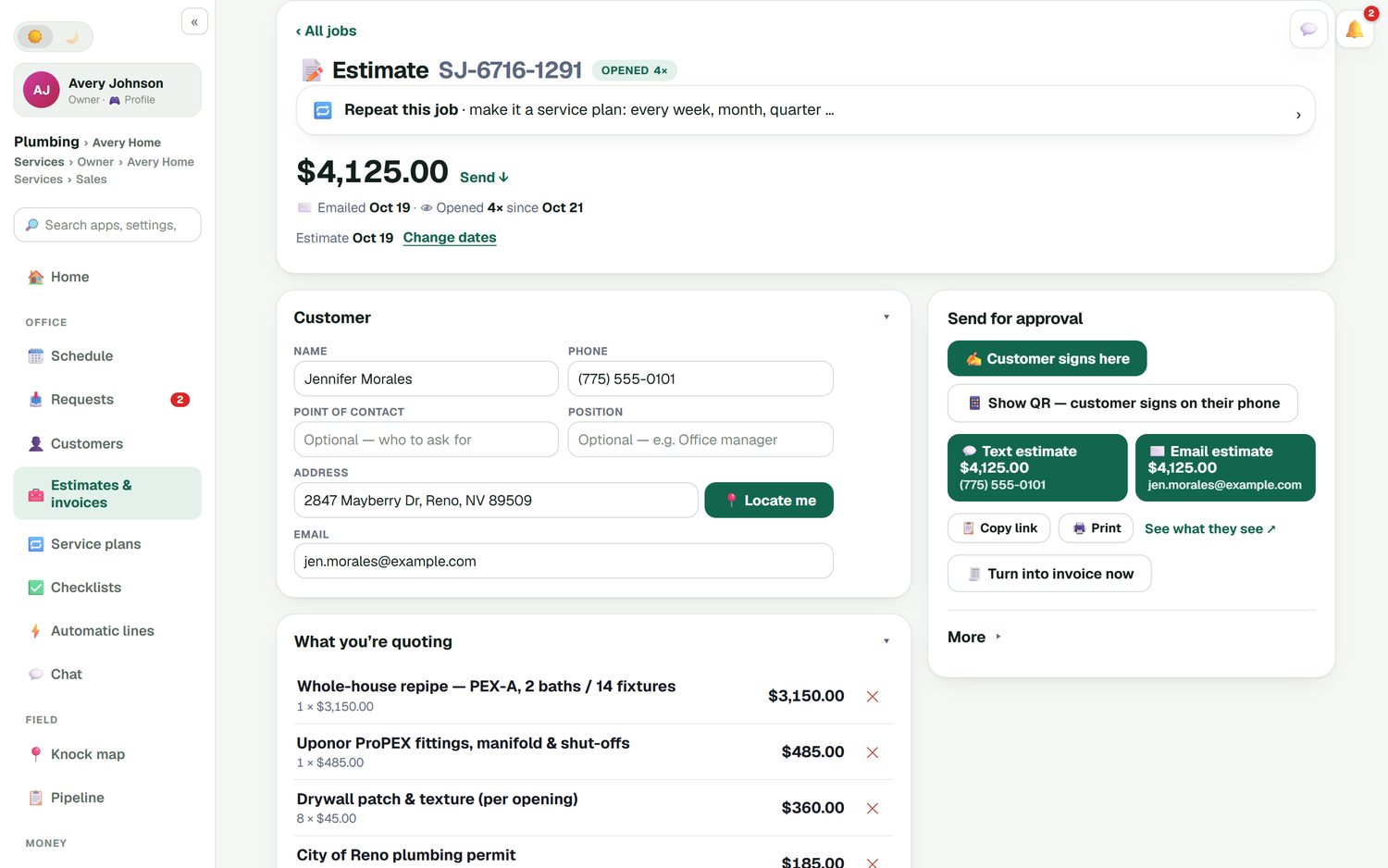
A whole-house repipe might be the main line, then fittings and shut-offs, drywall patch and texture priced per opening, and the city permit. Each line comes from your price list. Add a line discount with a reason if you are matching a quote. Then hand over the phone with Customer signs here, or show the QR code so they sign and pay the deposit on their own phone. You can see when the estimate was emailed and how many times they opened it.
- Optional add-ons the customer can tick
- Deposit as a percent or a fixed amount
- Estimate follow-ups if they go quiet
- Turn the approved estimate into the invoice
Every day of the job on one board
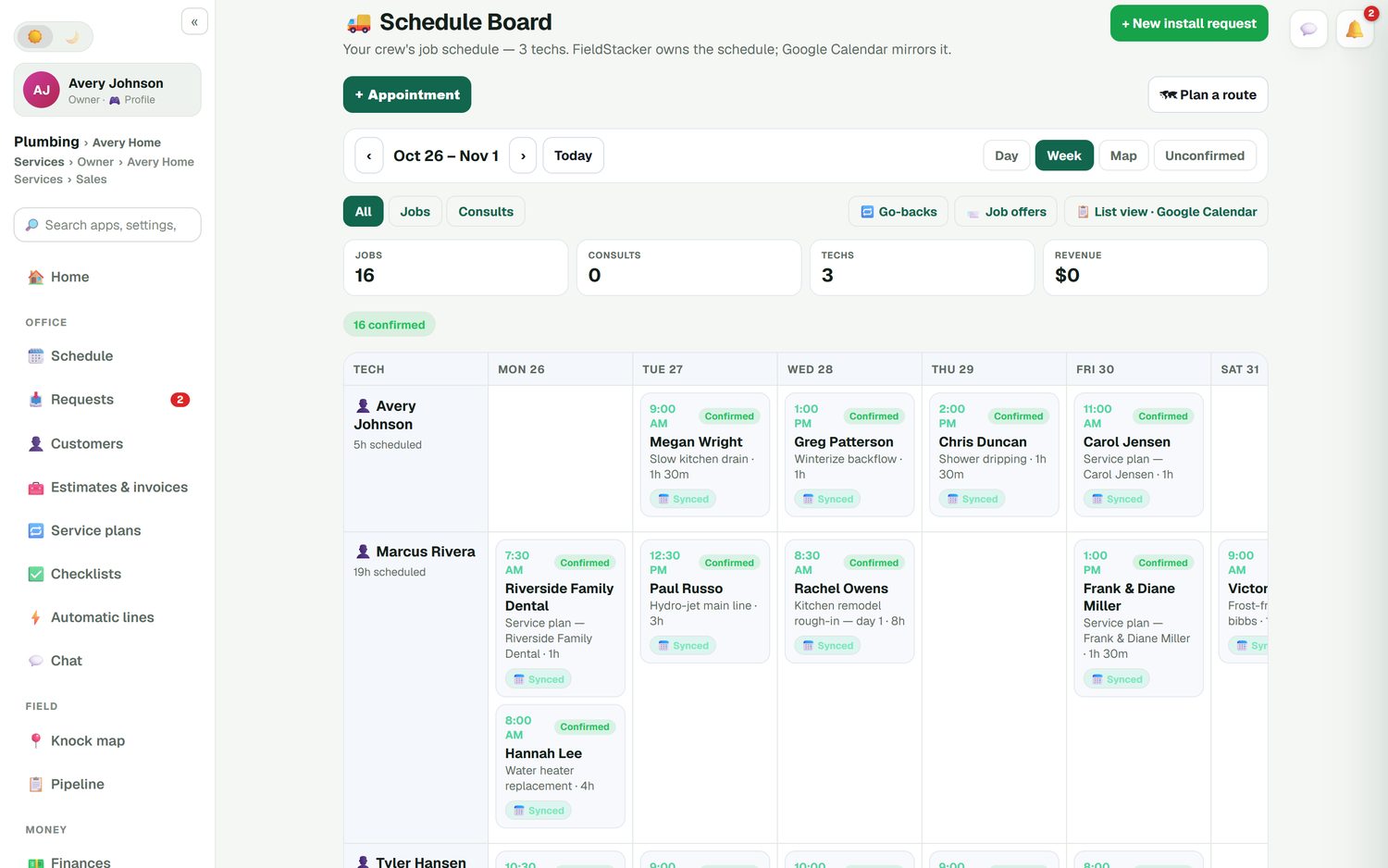
A kitchen remodel is not a two-hour service call. Book it as a multi-day job and each day shows on the schedule board under the right crew member: rough-in on day one, finish work later in the week. Drag a day to move it and the customer's calendar invite moves too. Your crew adds photos and notes as the job goes, so you have a record of what was there before you closed the wall.
- Multi-day jobs across the week
- Confirmed and unconfirmed days at a glance
- Job photos and notes for every stage
- Optional checklist per kind of job
Close the job and see what you kept
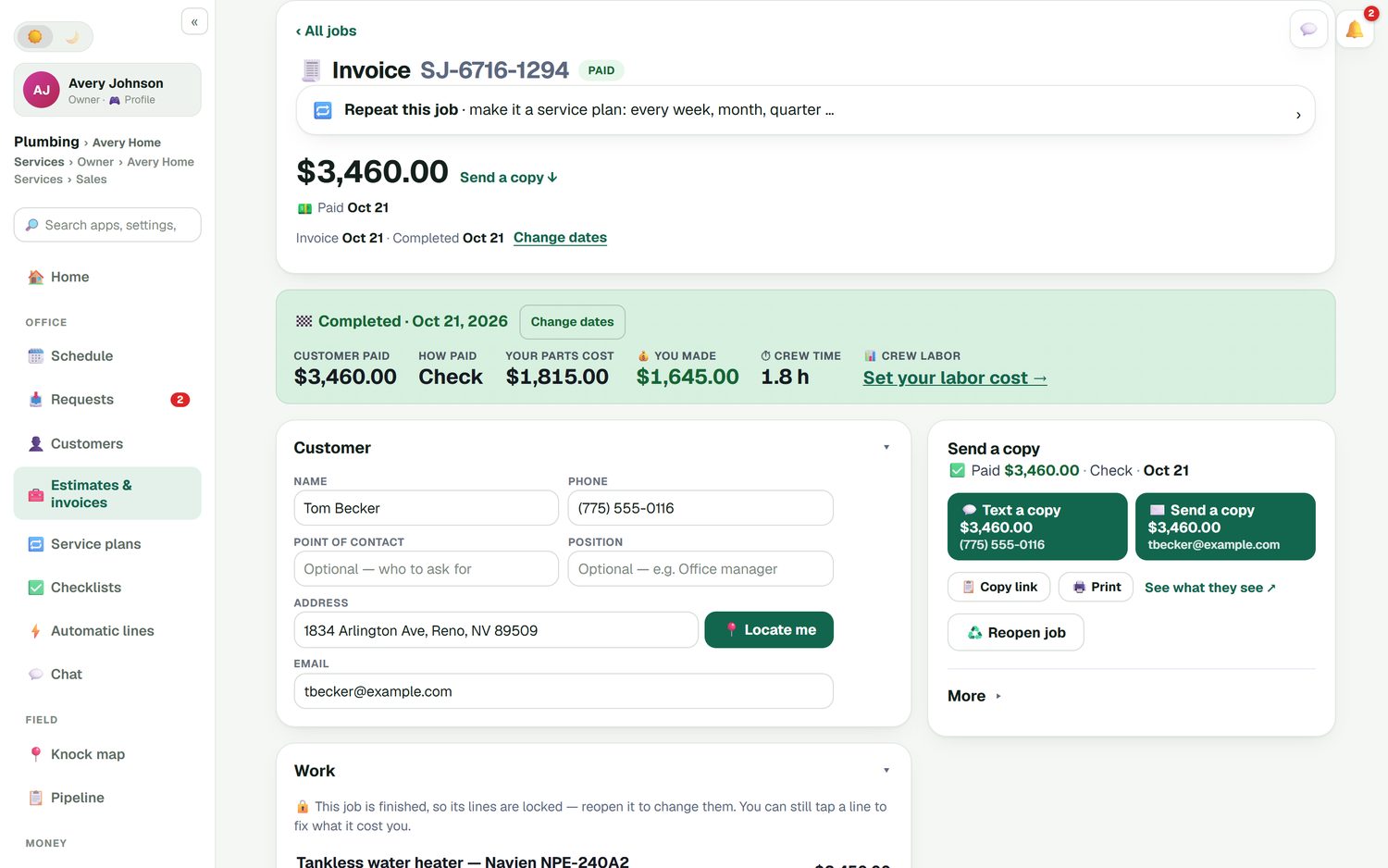
When the work is done, the invoice already has the estimate lines and every approved change order. The customer pays what is left after their deposits, by card into your own Stripe account with no FieldStacker fee, or you record the check. The finished job shows what the customer paid, what the materials cost you and what you made.
- Approved change orders already on the invoice
- Cards, checks, Zelle and more recorded on the job
- Unpaid-invoice reminders you can switch on
- Invoices and payments sync to QuickBooks Online
Where remodel billing goes wrong, and the fix
Starting on a handshake
Put the deposit on the estimate and get it signed. Book the job once the signature and deposit are in.
"While you're here"
Every extra becomes a change order the customer approves, with its own deposit if it is a big one.
Lost receipts
Snap the lumber yard receipt on your phone. It becomes an expense you can put against the job.
Guessing the margin
Job costing compares what the customer paid with parts, labor and expenses, job by job.
Construction invoicing questions
What is construction billing software?
It is software that handles the money side of a build or remodel: the estimate, the deposit, changes during the job and the final invoice. For a small remodeler, the big needs are getting a deposit before materials are ordered, getting every change signed, and knowing what the job cost. FieldStacker covers those three.
Can builders invoicing software take a deposit up front?
Yes. Add a deposit to the estimate as a percent or a fixed dollar amount. The customer signs on your phone at the kitchen table, or scans a QR code to sign and pay the deposit on their own.
How do change orders work?
A change order is a set of extra lines added to the job, with its own deposit if you want one. The customer approves it before you do the extra work, so the final invoice has no surprises and the approval is on record.
Does it do AIA progress billing or retainage?
No. FieldStacker does not produce AIA-style pay applications and does not track retainage. It is built for residential remodel and repair jobs billed with a deposit, change orders and a final invoice. If your contracts require pay applications or retainage, use construction accounting software for those jobs.
Can I track what a remodel job really cost?
Yes. Job costing puts parts, labor and expenses against each job, and the job profit report shows what each one made. Receipts you snap and mileage that is logged for you land in Finances too.
Does it sync with QuickBooks?
With QuickBooks Online, yes: sent and finished invoices and payments go over automatically, and expenses, job parts and mileage can sync too. QuickBooks Desktop is not supported.
What does it cost for a small crew?
Pro is $30/mo, or $25/mo billed yearly. Crew members you add as technicians are free. The Team plan at $60/mo is you plus two more seats. Every plan starts with a 14-day free trial and no card.
Related: remodeling sales CRM · invoice app for contractors · contractor estimate app · estimate and invoice software · QuickBooks Online sync · pricing
Get paid for every change on your next remodel
14-day free trial, no credit card. Send a signed estimate with a deposit today.