Plumbing scheduling software for days that change by 9 a.m.
Every plumber down the side, every day across the top. Drag the burst pipe onto whoever is closest, push the drain cleaning to the afternoon, and the customers' calendar invites follow.
14-day free trial · no credit card · from $30/mo · your plumbers are free
A plumbing schedule is built in the morning and rebuilt by lunch. A water heater swap runs long because the flue needs work. A tenant calls with no hot water. A slab leak turns a two-hour visit into a two-day job. Plumbing dispatch software earns its keep in those moments: you need to see who is free, move one job without breaking three others, and tell the customer.
What plumbing dispatch looks like in FieldStacker
The tools you use when the day changes.
Day, Week and Map
The same jobs three ways: one plumber's day, the whole crew's week, or pins on a map so you can see who is nearest to the new call.
Drag to reschedule
Move a job to another day or another plumber. The customer's calendar invite moves too, so nobody waits at home for a truck that isn't coming.
Multi-day jobs
A repipe, a sewer line replacement or a remodel rough-in books the plumber across days, as one job with one set of notes and photos.
Go-backs and confirmations
See which jobs the customer has confirmed and which haven't. Keep return visits, like a fitting to recheck, in their own list.
Job offers
Offer an open job to your plumbers and let one take it, instead of calling around on a Saturday.
Day routes and "on my way"
Put a plumber's stops in the best driving order and update arrival times. One tap texts the customer an ETA and a tracking link (texting add-on).
Put your plumbing schedule on one board, free for 14 days
Add your plumbers free and bring your customers over. We import them for you.
- No credit card to start
- From $30/mo after the trial
- Your techs and cleaners are free
- Cancel any time from the app
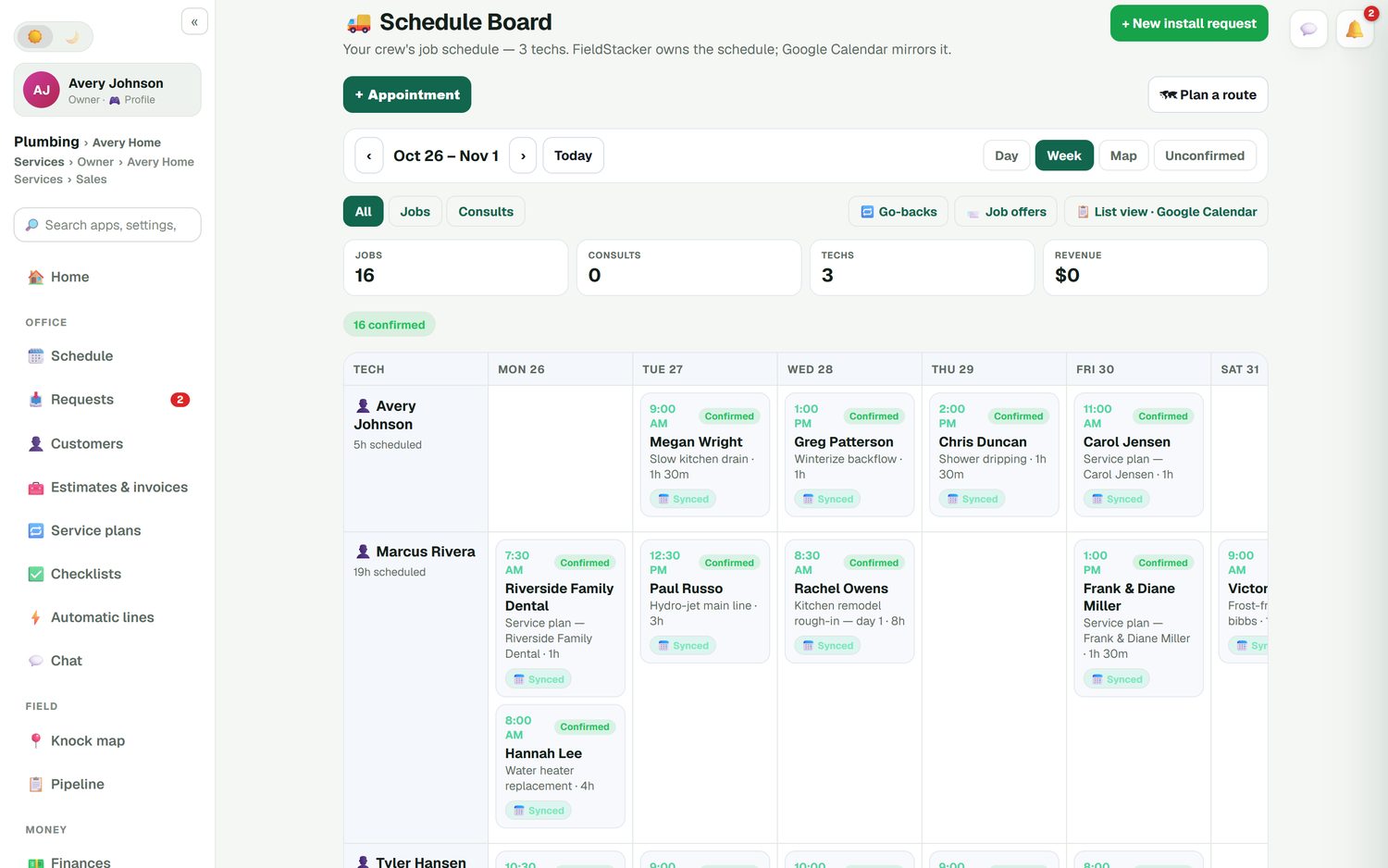
The whole crew's week at a glance
Each card shows the time, the customer, what the job is and how long it should take: a slow kitchen drain at 1h 30m, a water heater replacement at 4h, day one of a kitchen rough-in at 8h. You see who has an empty afternoon and who is booked solid before you promise anyone a time. Service plan visits show up on their own, so the monthly drain service for the dental office is never forgotten.
- Every plumber's scheduled hours for the week
- Jobs and consults filtered separately
- Each job marked confirmed, and synced to Google Calendar
- A list view when you just want the day in order
A Tuesday with an emergency in it
Here is how a changed day runs in FieldStacker, step by step.
- 7:30. Each plumber opens their own day on their phone. Their stops are already in driving order from the day route.
- 9:40. A customer calls: a supply line burst under the kitchen sink. You switch to the Map view, see which plumber is nearest, and add the appointment to their day.
- 9:45. That plumber's 10:30 drain cleaning won't happen on time. You drag it to 1:00, and that customer's calendar invite moves too.
- 9:50. The plumber taps "on my way". The burst-pipe customer gets a text with an ETA from the plumber's GPS and a live tracking link.
- 11:15. The job is done. The plumber adds photos and notes, the parts come off their truck stock, and you invoice it before the next call.
- 2:00. The repipe estimate from last week is approved. You book it as a three-day job starting Monday.
Nothing in that list needs a whiteboard, a group text or a second calendar. The "on my way" text uses the texting add-on.
Send the plumber who is already close
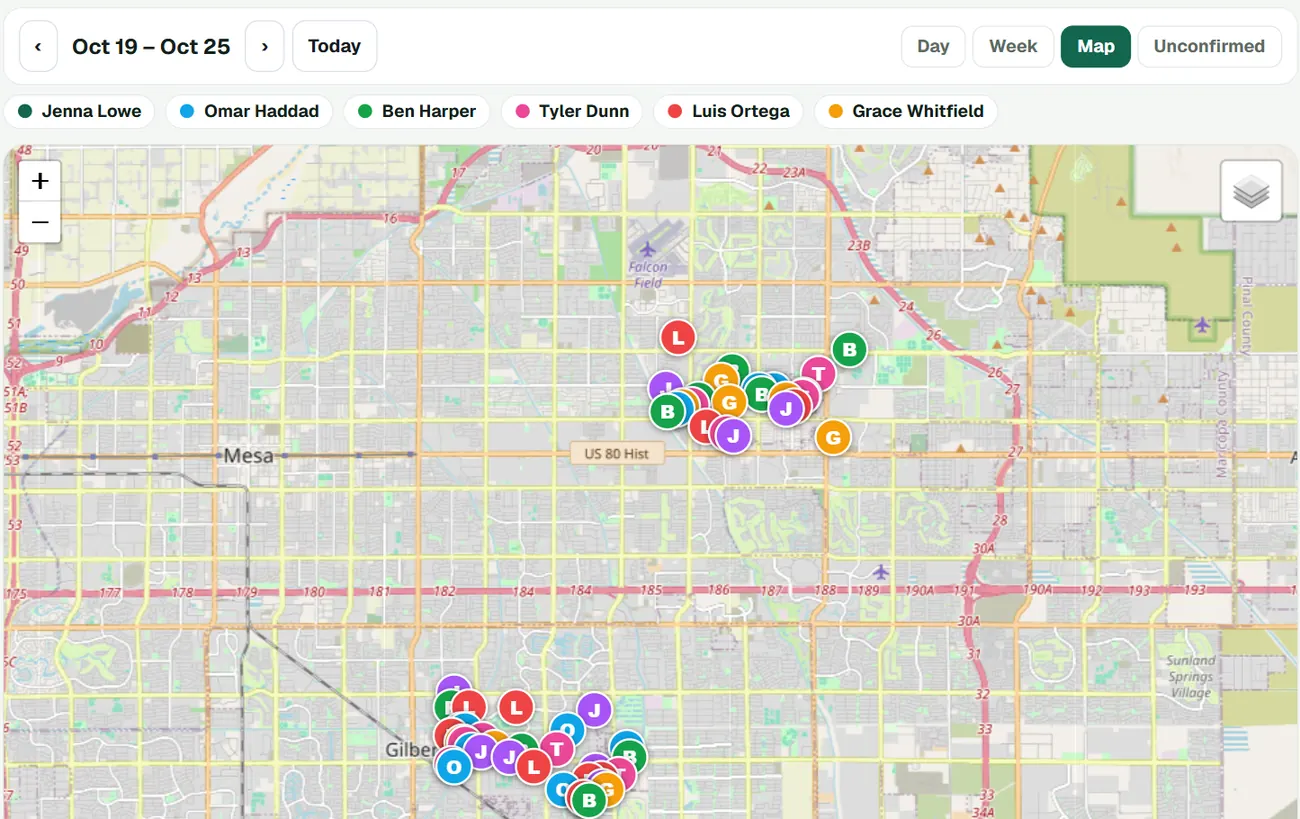
Switch the board to Map and every job for the day or week becomes a pin in its tech's color. When the no-hot-water call comes from the north side, you can see who is working there. Day routes then put each plumber's stops in the best driving order and update the arrival times, so the customers further down the list get an honest time.
- Jobs on a map, colored by plumber
- Day routes in driving order with updated arrival times
- Opt-in live location for your crew, off by default
Let customers book, and move, their own visits
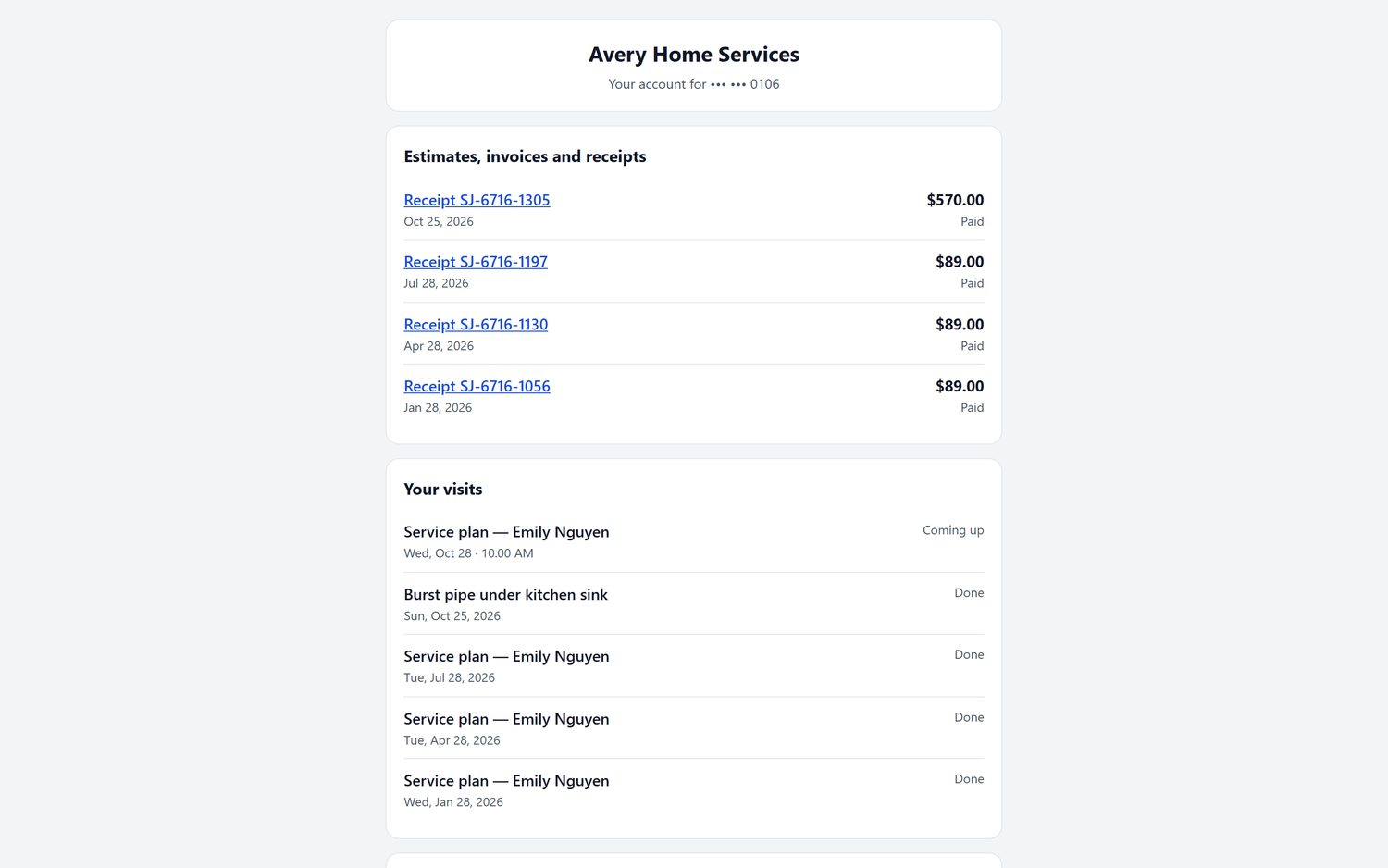
Customers can book your real open times on your website or your digital card page, with the next available plumber. Every customer also gets their own portal, where they see upcoming and past visits, their receipts and invoices, and can reschedule a booking. That cuts the calls that only ask "when are you coming?" and "can we do Thursday instead?".
- Booking on your website, your card, or a site you already have
- A request page for jobs you want to look at before booking
- Customers reschedule from their portal
Plumbing scheduling questions
What is plumbing dispatch software?
It is the board that decides which plumber goes where, and when. In FieldStacker every plumber is down the side and the days run across the top. You drag a job to another day or another plumber, and the customer's calendar invite moves with it. Day, Week and Map views show the same jobs three ways.
How do I fit an emergency call into a full schedule?
Open the Day view, see who has a gap or is closest on the Map view, and add the appointment to that plumber. If it means pushing a drain cleaning to the afternoon, drag that job and its customer's invite updates. With the texting add-on, the plumber taps "on my way" and the customer gets an ETA and a live tracking link.
Can I schedule a multi-day job like a repipe?
Yes. A whole-house repipe or a remodel rough-in can run across several days on the same job, so the board shows the plumber is booked and the notes, photos and parts stay together.
Can customers book plumbing appointments online?
Yes. Customers see your real open times and book on your website, your digital card page, or a booking form embedded in a site you already have. You can book them with the next available plumber. Bigger or unclear jobs can come in through the request page instead, so you can call back before you commit a time.
Does plumbing scheduling software sync with Google Calendar?
FieldStacker owns the schedule and Google Calendar mirrors it. Your plumbers can keep using the calendar on their phone, and the board stays the one place where changes are made.
Can I see where my plumbers are?
Yes, if they turn it on. The team live map uses opt-in location that is off by default. Plumbers who clock in show up on the office home screen with how long they have been on the clock and which customer they are at.
How much does it cost?
From $30/mo, or $25/mo billed yearly, with a 14-day free trial and no card. Plumbers you add as technicians are free. "On my way" texts use the texting add-on, $15/mo for 600 texts from your own business number.
Related: plumbing business software · plumbing invoicing · dispatch software · routing · online booking · electrical contractors · pricing
Fit the next emergency call in without the whiteboard
14-day free trial, no credit card. Add your plumbers free and build next week's board today.