The permanent lighting visualizer that shows them their own house
One photo from the street, a few taps along the roofline, and the homeowner sees their home lit up on your phone. Try colours and effects together, then email it as a postcard that opens a live page of their house.
Included on every plan · no charge per picture · 14-day free trial
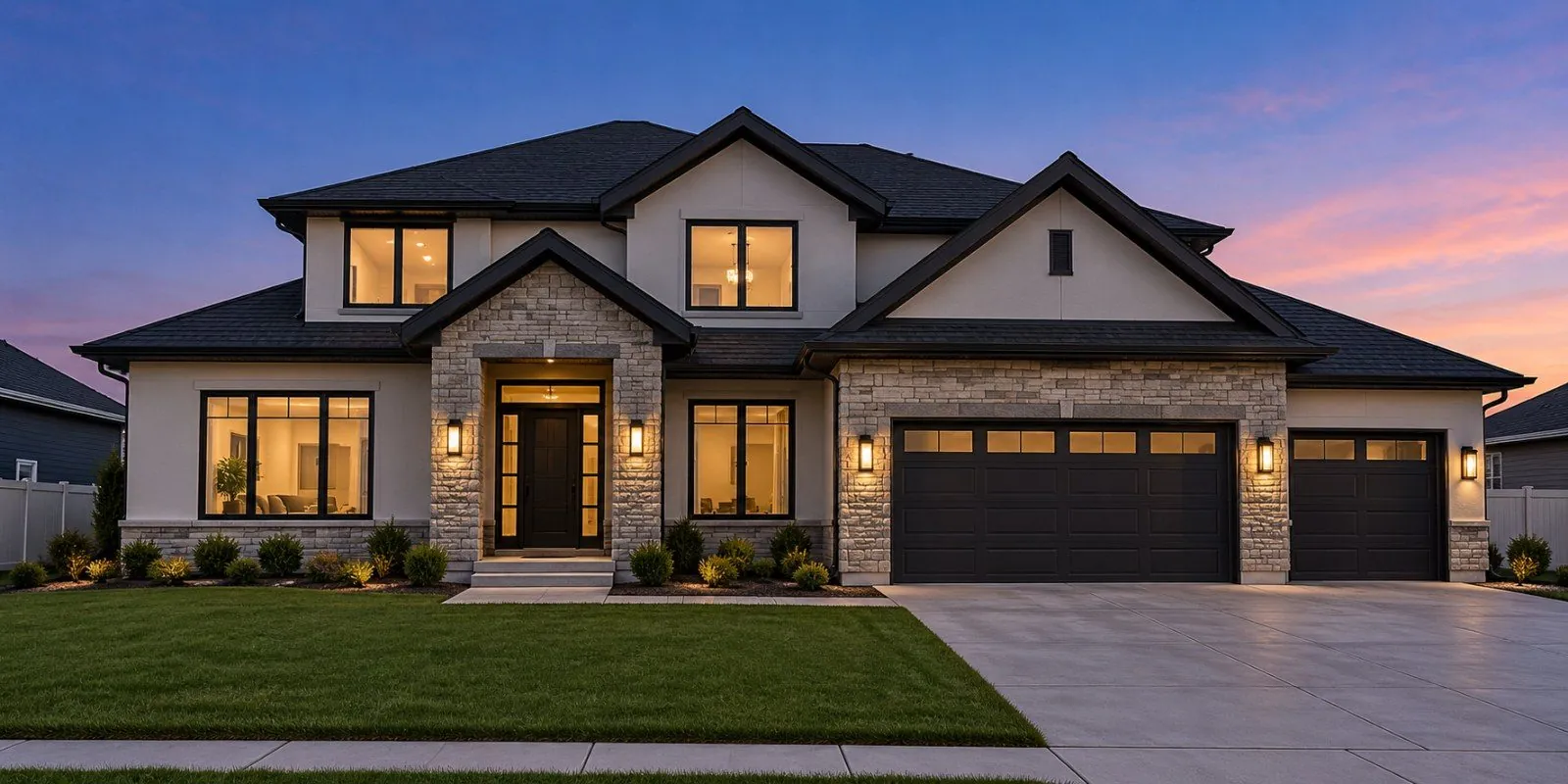
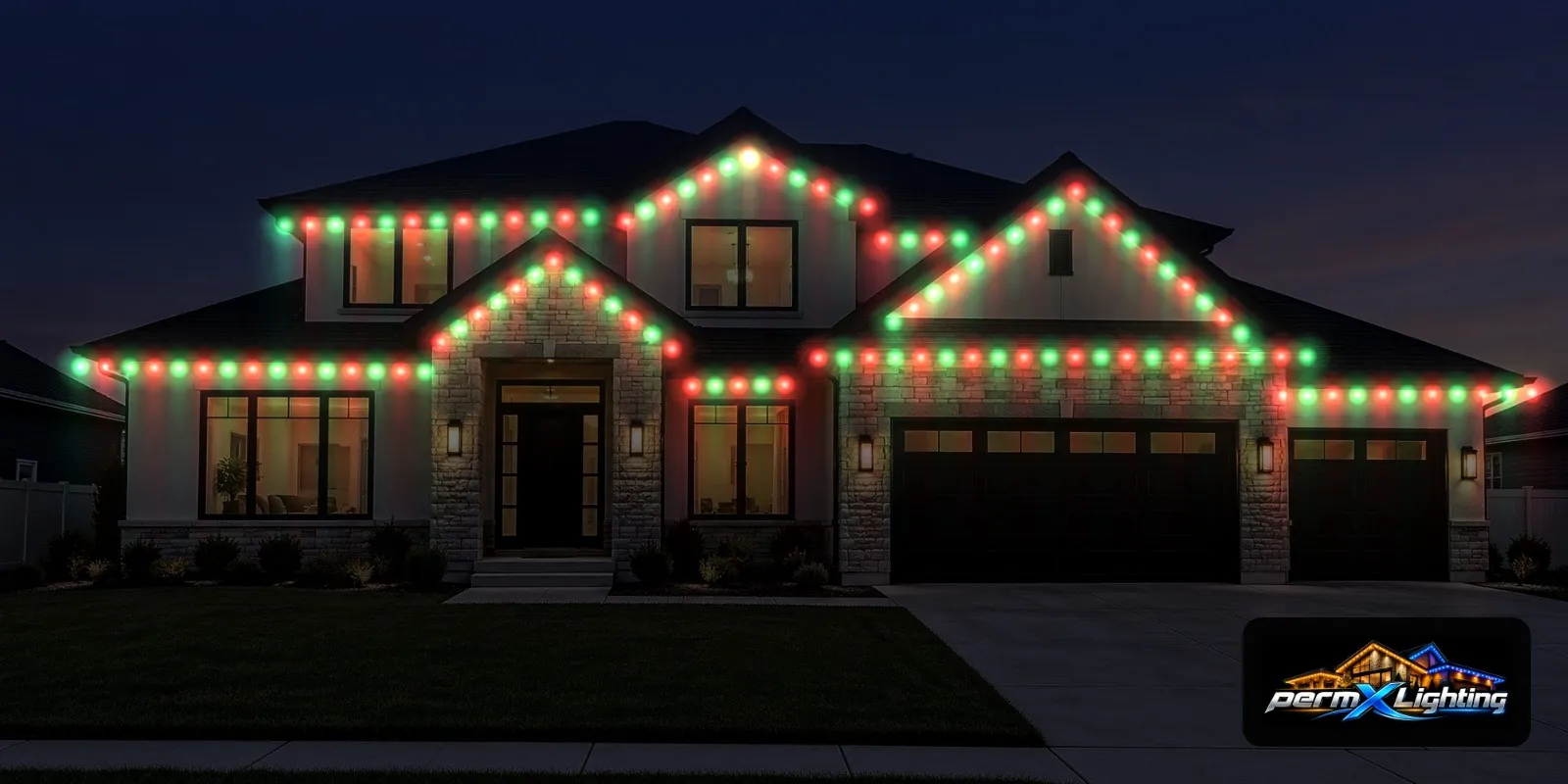
A brochure shows somebody else's house. Put their roofline on your screen, glowing in their team colours, while they stand in the driveway, and the talk can move to which package and when.
How it works at the door
Five steps on the phone you already knock with.
Take a photo
From the street, with the whole roofline in frame.
It turns to night
The photo darkens to evening so the lights can shine.
Tap the roofline
Tap each corner and peak. Add lines, drag a point, or undo.
Lights appear
Lights fill in along your trace at real spacing.
Show customer
Full screen on your phone, then share it, save it or email it.
11 looks and 5 effects
Every holiday and every game day, on the same photo.
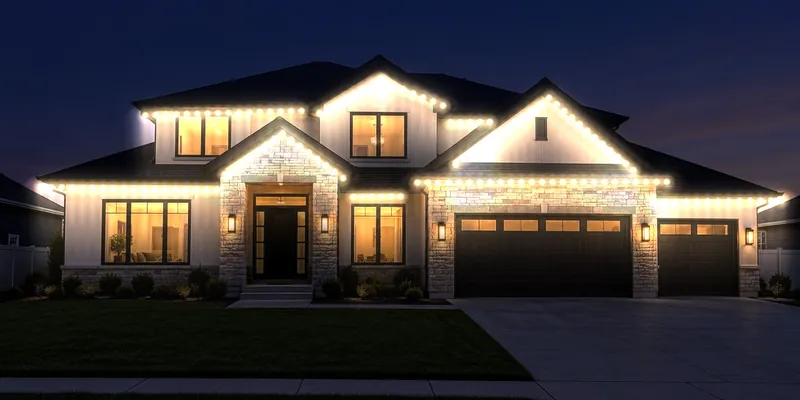
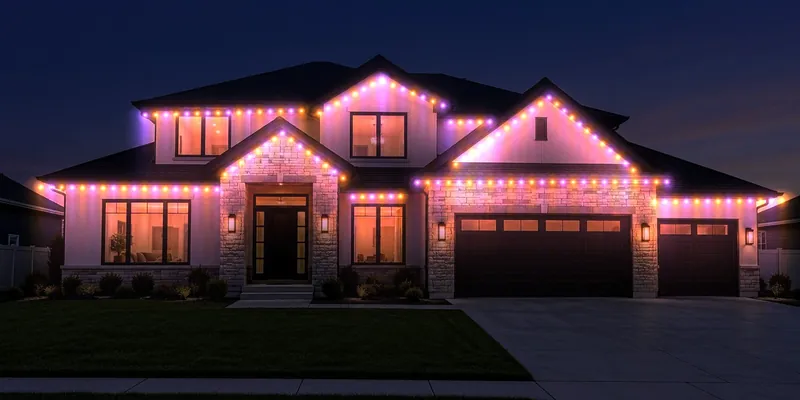
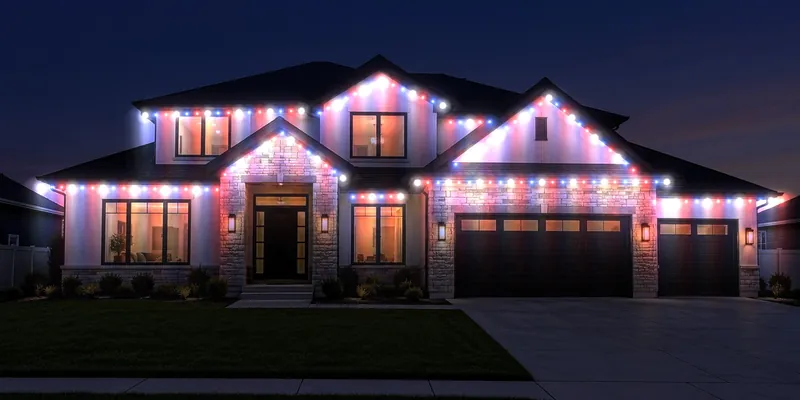
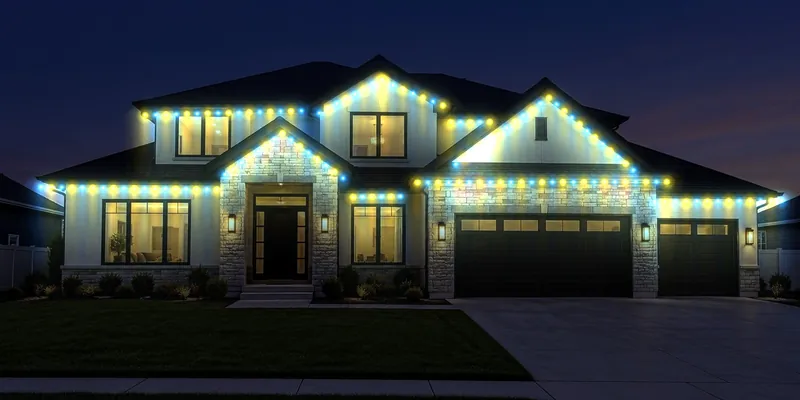
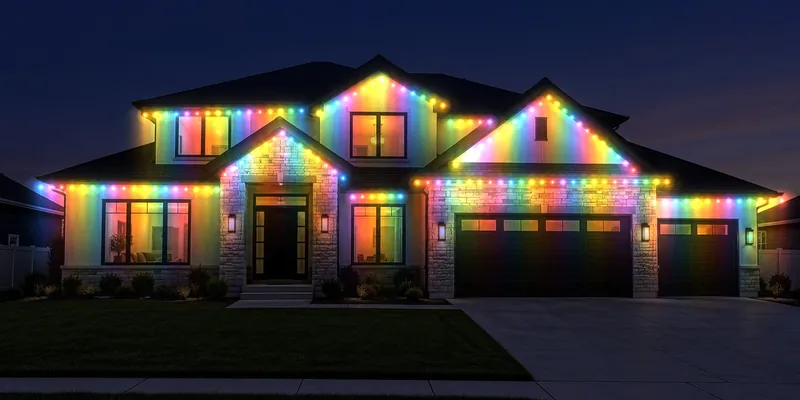
Density, night and glow sliders set how close the lights sit, how dark the evening is and how much they glow.
The light falls on their real wall
A row of dots pasted on a photo looks fake. Show it lit up uses a light map, so each light washes the wall below it in its own colour. Their siding, brick and trim show through the glow, the way real lights do.
Use it on the porch and after
- Show customer: full screen on your phone, turned toward the homeowner
- Share: send the picture with your company logo in the corner
- Save on the house: up to 12 pictures on the pin
Email a postcard that opens their house, live
Send the picture before you reach the next door. The email comes from your business with your logo, your note and your phone number. Its button opens a page with their own house drawn live: dusk falls, the lights switch on along the roofline, and they tap colours and effects themselves.
- Call, Text and Email buttons, plus a message form
- You are notified when they open it and when they write back, and it is saved on the house's history
- The page can be your own Marketing landing page (a "Their house, lit up" block and a Permanent lighting starter page, in your website's colours if you like)
- Every colour tried, every tap and every quote request shows in the campaign's results, house by house
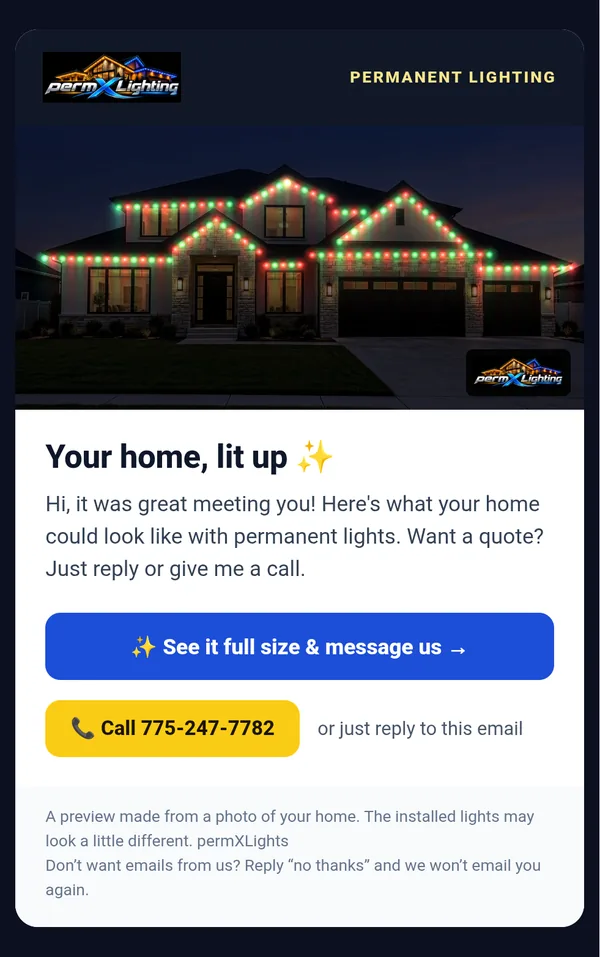
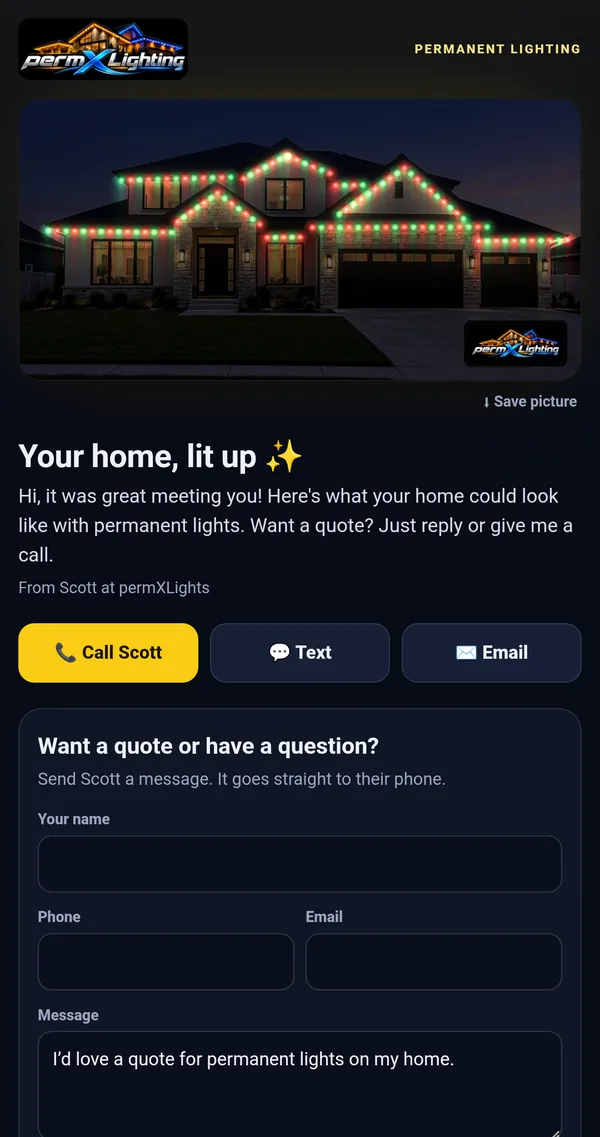
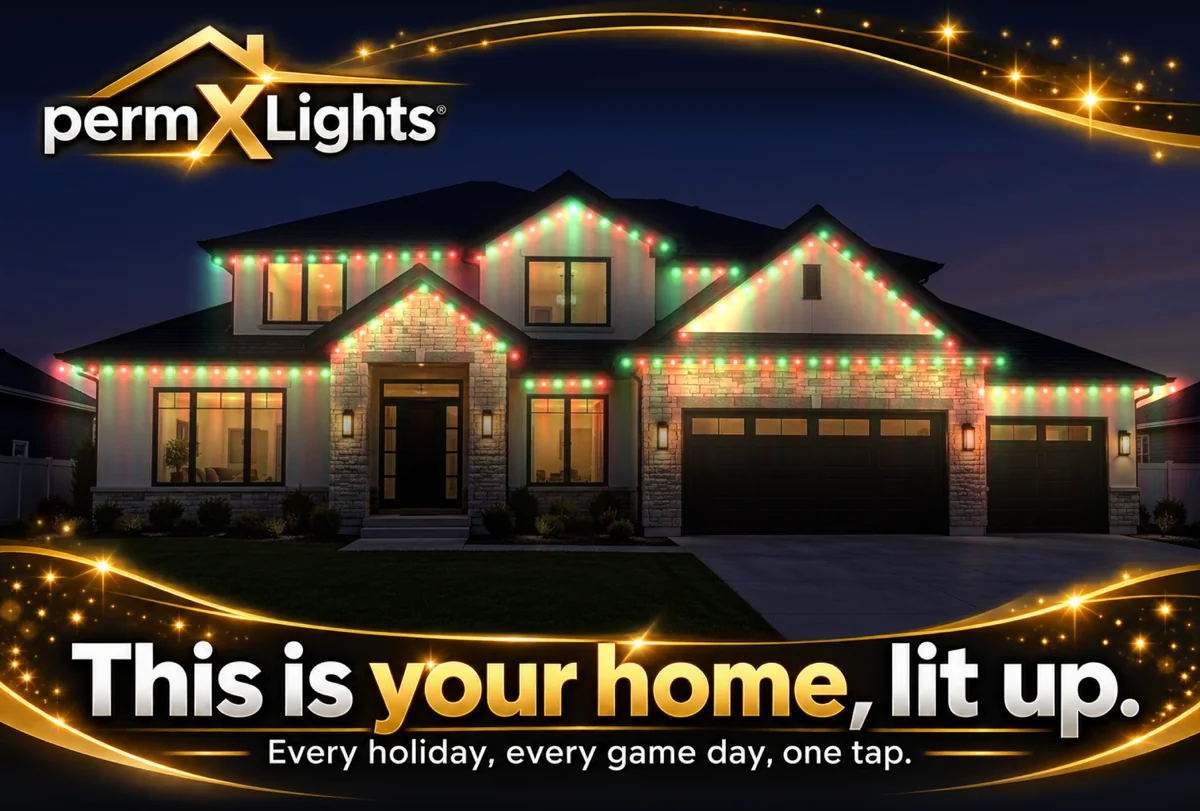
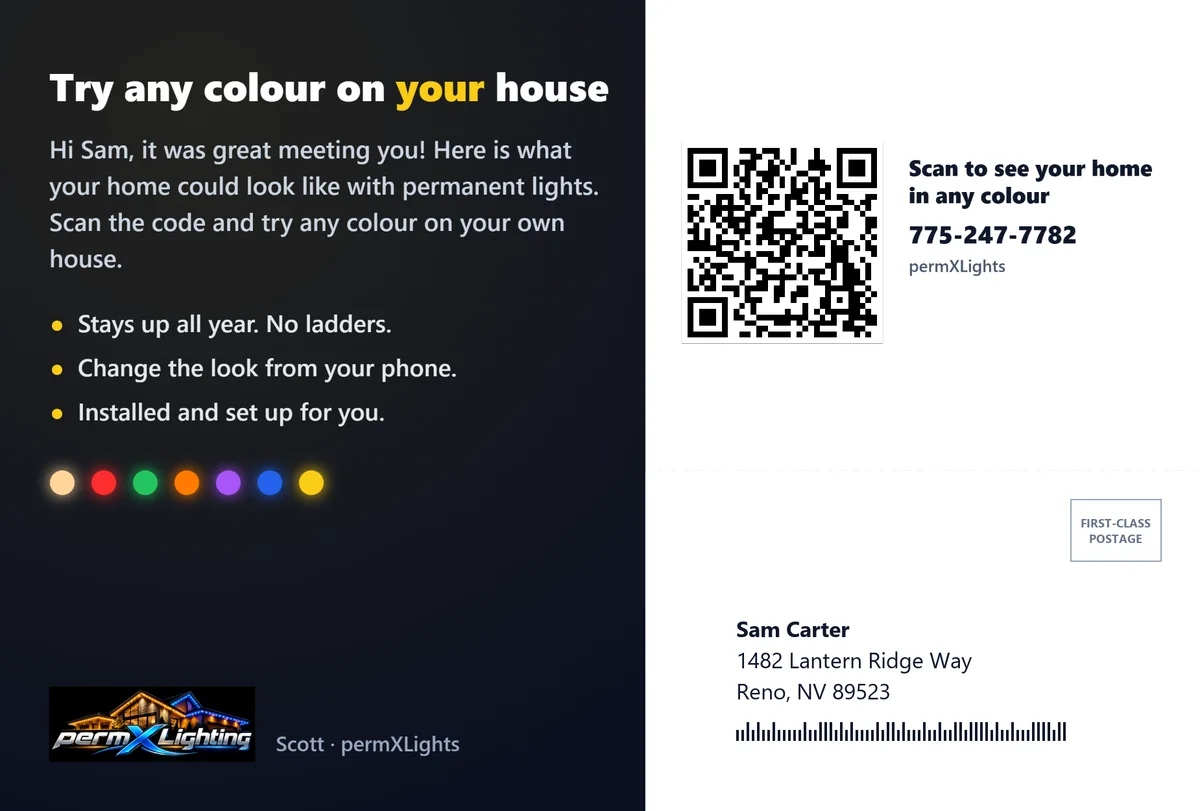
A card designed in FieldStacker by permXLights. Sample house and address.
Our design, or your own overlay
Every card shows that house lit up, with a design on top. The house drops in for each address on its own.
- Use the free design with your logo
- Or bring your own overlay: make it with our ChatGPT prompt, upload one from your designer, or make it in the app with AI image credits
- Preview the card for every address before it goes
Printed & mailed $0.99 a card, printed and mailed. Cards go out every Sunday night in batches of 20 or more, or when you press Mail now.
Why your own photo, not Street View
Skip the shortcut of pulling the house from Google Street View. Its terms do not allow those images in marketing, and a photo you take at the door shows the house as it looks today. Stand across the street, hold the phone sideways and get the whole roofline in frame.
What's included
Show it lit up is on every plan, with no charge per picture. 14-day free trial, no credit card, month to month.
| Plan | Price | Per person |
|---|---|---|
| Pro | $30/mo, or $25/mo billed yearly | One rep |
| Team | $60/mo | You + 2 seats: $20 a person ($16.67 billed yearly) |
| Team Pro | $250/mo | You + 15 seats: 16 people at $15.63 each ($12.50 billed yearly) |
FieldStacker also measures the roofline, quotes by the foot and takes the deposit: see the permanent lighting sales system.
Visualizer questions, answered
Does the visualizer use AI?
No. The lights are drawn on your phone along the roofline you trace. AI only comes in if you choose to make your own postcard design in the app with AI image credits.
How much does each picture cost?
Nothing. Show it lit up is included on every FieldStacker plan, with no charge per picture. Save up to 12 on each house.
What phone do I need?
The phone you already knock with. Show it lit up is part of the FieldStacker app, and the picture is drawn on the phone itself from a photo you take at the house.
Can the homeowner try colours themselves?
Yes. The postcard email opens a page with their own house drawn live, where they tap through the colours and effects themselves. Every colour they try shows in your campaign results.
Is the picture accurate?
It shows the look, not a measurement. The lights sit on the roofline you trace, at real spacing, and each one lights the wall below it in its own colour, so the siding, brick and trim show through. For the price, use Measure roofline and quote by the foot.
Can I see who opened the postcard?
Yes. Each postcard has its own link made for that house, so your results show which homes opened it, how many times and when, the colours and effects they tried, their Call, Text and Email taps, and every message or quote request. You get an alert the first time they open it and when they write back.
Can I put my logo on it?
Yes. Shared pictures carry your logo in the corner, and the postcard email comes from your business with your logo, note and phone number. You can also use your own postcard design.
Does it work with any brand of lights?
Yes. It shows the homeowner the colours and effects on their home, whatever brand you install: Trimlight, JellyFish, Govee, Oelo, Gemstone or another system.
Show your next homeowner their house, lit up
Start a 14-day free trial, no credit card. Take a photo tonight and try all 11 looks.