A CRM for contractors that follows the job, not just the contact
The call comes in, you walk the job, you send a number, they sign, you take a deposit, the scope changes, you finish and get paid. FieldStacker keeps every one of those steps on the same customer record.
14-day free trial · no credit card · from $30/mo · your crew is free
A general sales CRM stops at "closed won." For a contractor that is where the real work starts. The deposit has to clear. The crew needs a start date. The homeowner asks for one more outlet or a second coat on the trim. The permit fee has to land on the invoice. Three weeks later you want to know if the job made money or just kept everyone busy.
Most small contractors run that on a notebook, a texts thread and a spreadsheet, then re-type it into QuickBooks on Sunday night. FieldStacker puts it in one place on your phone, so the estimate you wrote at the kitchen table becomes the job, the job becomes the invoice, and the invoice goes to QuickBooks Online on its own.
CRM software for contractors: what's in it
Each piece is built around how a contractor actually wins and runs a job.
Requests in one inbox
Put a request page on your website and digital card. Every "can you look at my deck?" lands in one Requests inbox, ready to call back, quote or book a site visit.
Estimates from your price list
Search your own Equipment & pricing list while you build the estimate. Automatic lines add the labor that goes with a part, so you stop forgetting the install line.
Signed on the spot
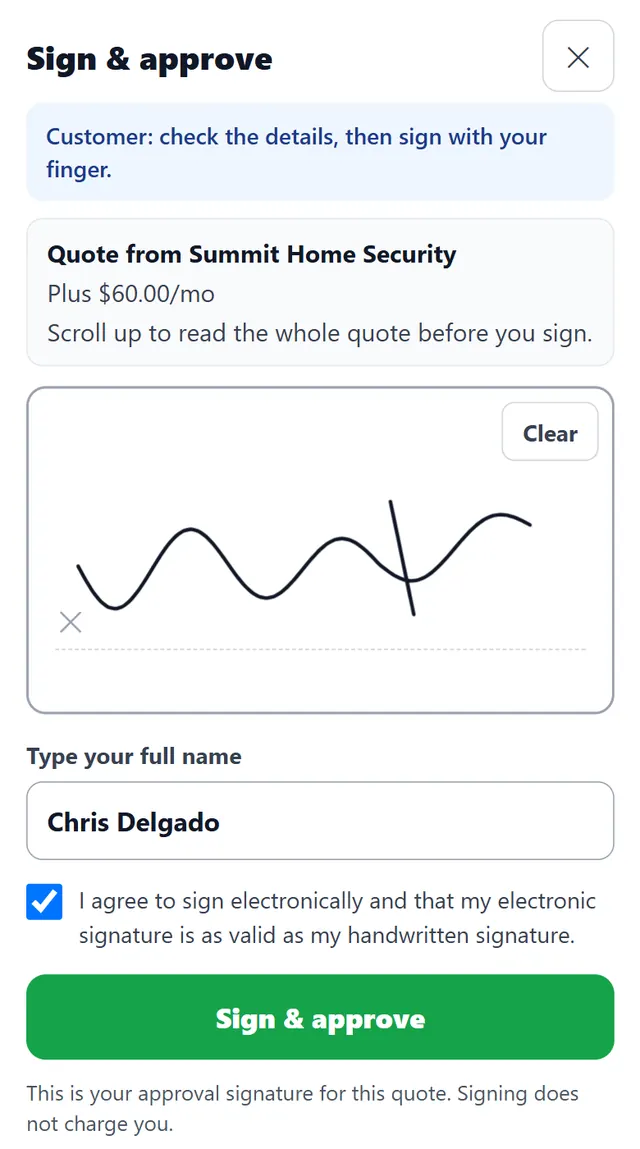
The homeowner signs on your phone at the table, or scans a QR code and signs and pays a deposit on their own. Deposits can be a percent or a fixed amount.
Change orders that hold up
Extra work goes on a change order with its own lines and its own deposit, and the customer approves it before you do it. No more "I never agreed to that."
Multi-day jobs on a crew board
Every tech down the side, days across the top. A three-day bathroom remodel sits across three days, and dragging it moves the customer's calendar invite too.
Job costing that tells the truth
Parts, labor and expenses go against each job, and a job profit report shows which kinds of work pay and which ones only look busy.
Run your next estimate in FieldStacker free for 14 days
Bring your customers over from Jobber, HubSpot or a spreadsheet. We import them for free.
- No credit card to start
- From $30/mo after the trial
- Your techs and cleaners are free
- Cancel any time from the app
Write the estimate before you leave the driveway
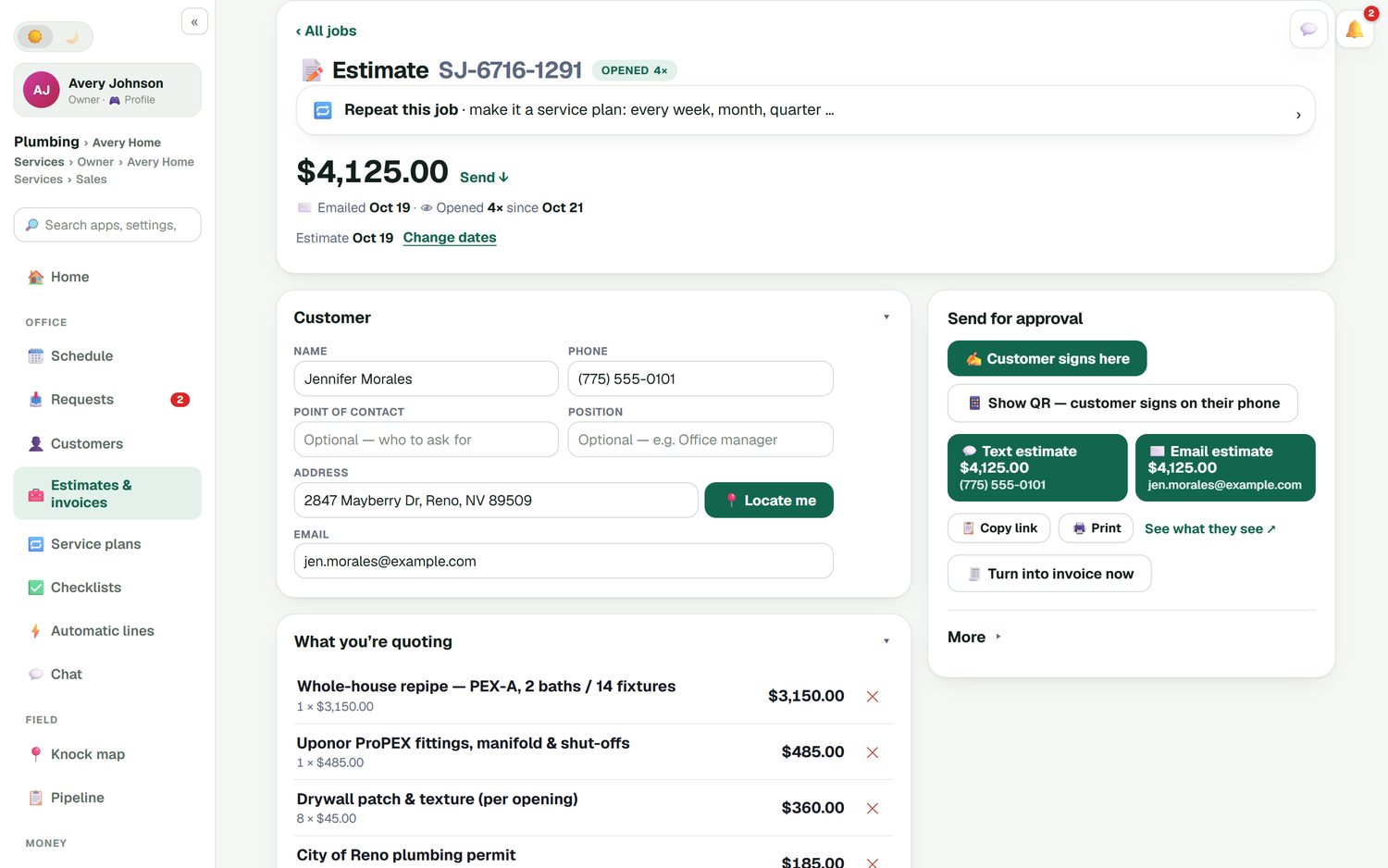
Walk the job, then build the estimate on your phone from the price list you already set up: the main scope, fittings and materials, a drywall patch priced per opening, the city permit. Add optional upgrades the customer can tick, give a line discount with a reason if you need to, and set the deposit. Then hand them the phone to sign, or text or email it so they can review it tonight.
- Your own prices, searchable as you add lines
- Optional add-ons the customer chooses
- Line discounts in % or $, with a reason
- Estimate follow-ups that send themselves if they go quiet
When the scope grows, the paperwork keeps up
Open walls hide surprises. When you find rotted subfloor or the homeowner wants a niche in the shower, add a change order to the job: the extra lines, the price, and a deposit of its own. The customer approves it on their phone before the extra work starts, and the final invoice already includes it.
- Change orders with their own lines and deposit
- Customer approval recorded before the work
- Job photos and notes saved on the job for the crew and for you
- Optional checklists per kind of job, ticked on the tech's phone
Know what the job actually made
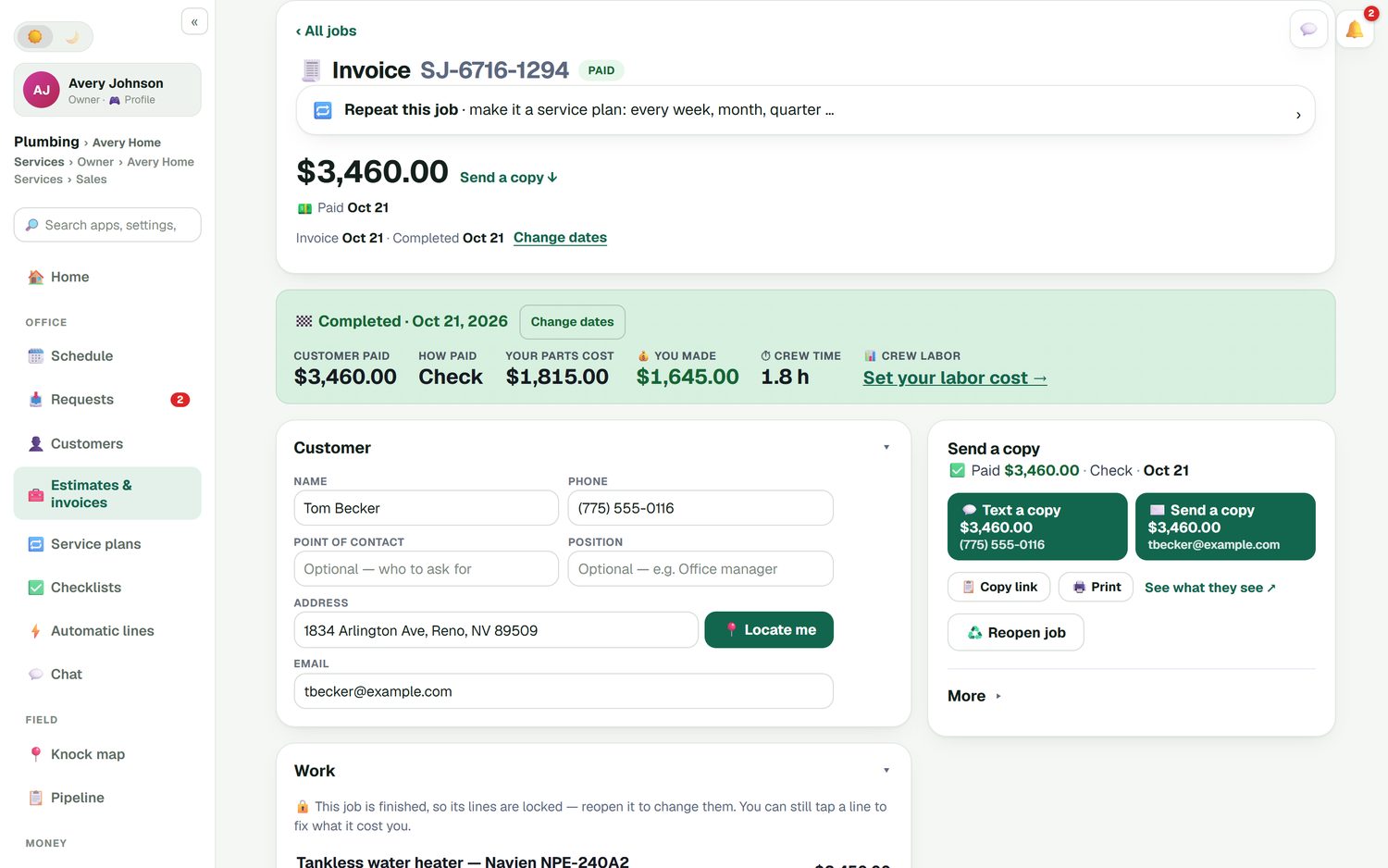
Mark the job done and invoice it in a few taps. The customer pays by card through your own Stripe account at standard Stripe rates, with no FieldStacker fee on top, or you record a check, cash, Venmo or Zelle. The job shows what the customer paid, what the parts cost you, and what you kept. Unpaid-invoice reminders go out on their own, and a thank-you with a review request follows once it's paid.
- Parts, labor and expenses against each job
- Automatic road-accurate mileage and receipt scanning
- QuickBooks Online sync for invoices, payments and expenses
- A customer portal for invoices, receipts and estimates
A CRM for construction companies? Where it fits
FieldStacker is built for small residential contractors: an owner with a truck, or a shop with a few crews, doing jobs that run from a few hours to a few weeks. Remodelers, roofers, painters, electricians, plumbers, handymen and HVAC shops all fit that pattern.
It is not construction project management software. If you are a commercial general contractor running bid packages, submittals, RFIs, daily logs and a Gantt schedule across a dozen subs, use a tool made for that. We'd rather say so now than have you find out after the import.
Still choosing? Our best CRM for contractors guide compares six tools with prices checked October 26, 2026, and the free CRM for contractors guide shows what the free plans really include.
FieldStacker also helps you find the next job. The knock map and new-homeowner postcards let you reach the neighbors of the house you just finished, and your plan includes a website on your own domain with online quotes on it.
Contractor CRM questions
What is the best CRM for contractors?
The best CRM for contractors is the one that follows a job from the first call to the last payment, not just a list of contacts. For a small residential contractor that means estimates, deposits, change orders, a crew schedule and invoicing in the same place. Our best CRM for contractors guide compares FieldStacker, Jobber, Housecall Pro, JobNimbus, AccuLynx and ServiceTitan, with prices checked October 26, 2026.
Is there a free CRM for contractors?
There are free general CRMs, such as HubSpot and Zoho, with user and record limits. They track contacts and deals but are not built around estimates, crews and job costing. FieldStacker is not free: it has a 14-day free trial with no card, then plans from $30/mo. Our free CRM for contractors guide lays out what each free option really includes.
Can FieldStacker work as a CRM for construction companies?
It fits small residential construction work: remodels, roofs, paint, electrical and plumbing jobs that run from a day to a few weeks. Jobs can span several days, change orders carry their own deposit, and job costing shows what each job made. It is not built for commercial general contractors who manage bids, submittals, RFIs and subcontractor schedules; construction project management software suits that work better.
Does this CRM software for contractors sync with QuickBooks?
Yes, with QuickBooks Online. Finished and sent invoices and their payments go to QuickBooks Online automatically, and a payment you record in QuickBooks marks the invoice paid in FieldStacker. Expenses, job parts and mileage can sync too. QuickBooks Desktop is not supported.
Can my crew use it on the job?
Yes. Add your crew as technicians at no extra cost. Each tech sees their own jobs on their phone, works through an optional checklist, adds photos and notes, and marks the job done so you can invoice it.
How much does it cost?
Pro is $30/mo, or $25/mo billed yearly, for one owner. It includes estimates, invoices and card payments, scheduling, jobs, job costing, QuickBooks Online sync, a customer portal and a website on your domain. Your techs are free. Every plan starts with a 14-day free trial and no credit card.
Related: lead management · remodeling · roofing · painting · FieldStacker vs Jobber · pricing
Send your next estimate from FieldStacker
14-day free trial, no credit card. Set up your price list, write one real estimate, and see how the job runs from there.